
KB: Troubleshoot Altium Student License Registration and Renewal
Updated: октября 15, 2026
 Altium Designer
This article explains how students can register for, receive, and renew an Altium student license. Common issues include not receiving a license after registration, entering an incorrect email address, license dispatch delays, and renewal difficulties. Many registration and license delivery issues can be resolved by resubmitting the student license application and verifying that the email address entered is correct. Students should complete the student verification process, follow the enrollment instructions on the Student Lab page, and review available licensing resources if they receive a license but cannot use it. If the issue persists after completing the recommended steps, additional support may be required.
Solution Details
Common Student License Registration Issues
Students may encounter one or more of the following issues:
- A student license was not received after completing registration.
- An incorrect, alternate, or misspelled email address was entered during registration.
- The license was not dispatched after successful form submission.
- A renewal request was unsuccessful.
- A license was received but cannot be activated or used.
Reasons License Requests May Fail
Student license registration and renewal issues can occur because of synchronization or automation dispatch problems, incorrect email addresses entered during registration, or attempting a renewal when the license is not yet eligible for renewal. Since licenses are dispatched to the email address submitted on the registration form, typographical errors can prevent students from receiving important communications.
Many registration, email, and dispatch-related issues can be resolved by submitting the student enrollment form again with accurate information.
Choose the Appropriate Resolution Path
- If you are registering for a student license for the first time, complete the student verification and enrollment process.
- If you did not receive a license after registration, resubmit the enrollment form and verify that your email address was entered correctly.
- If you entered the wrong email address, submit a new enrollment request using the correct email address.
- If you are renewing a student license, follow the renewal process described below.
- If you received a license but cannot use it, review the licensing and activation resources referenced in this article.
Register, Retry, and Renew Student Licenses
Register for a Student License
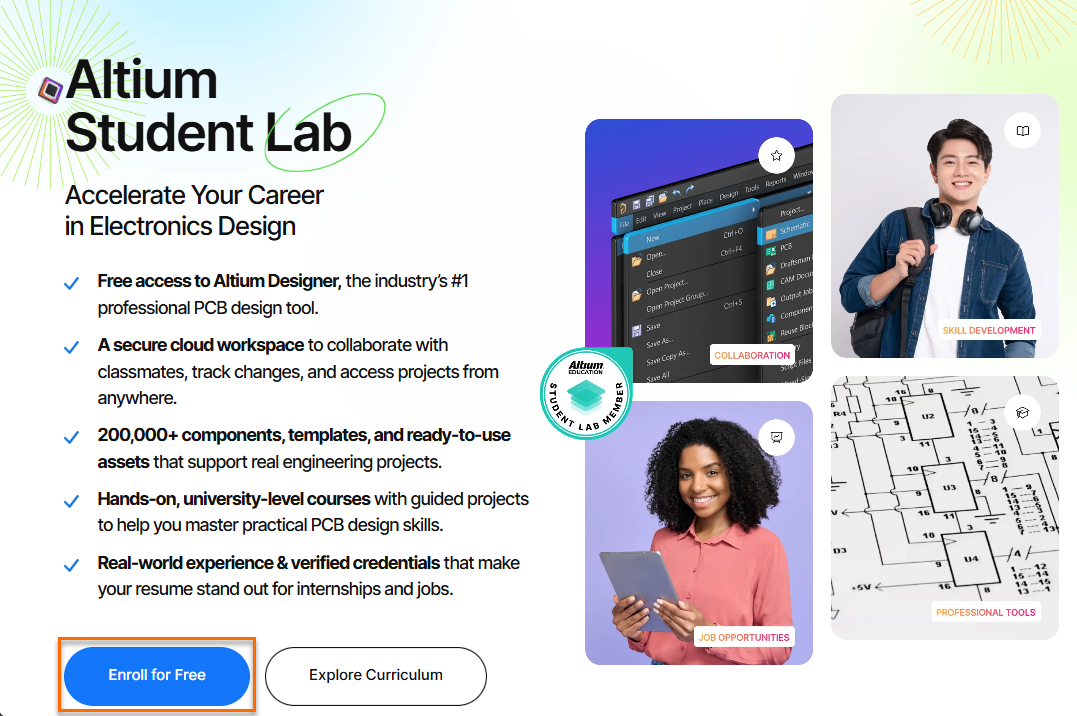
- Navigate to Student Lab.
- Select Enroll for Free.
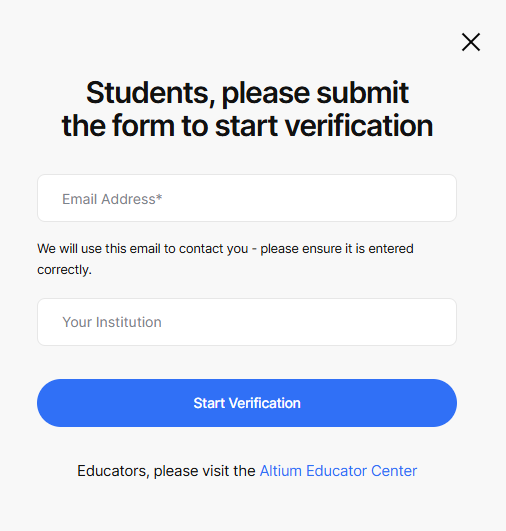
- Complete the first form using the email address required during the enrollment process.
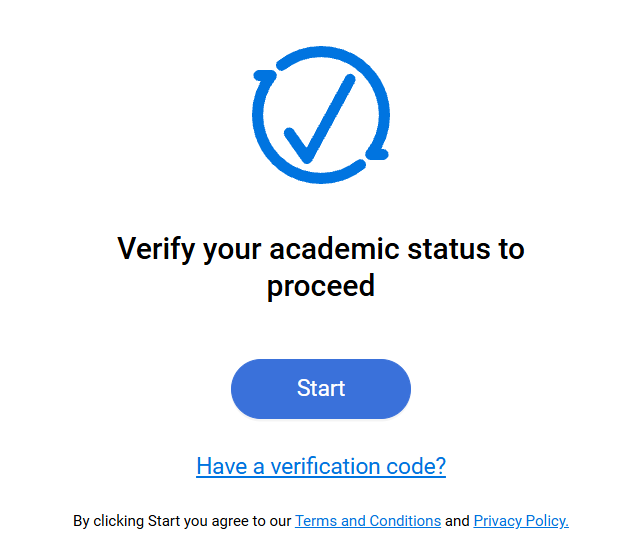
- Follow the prompts to complete student verification.
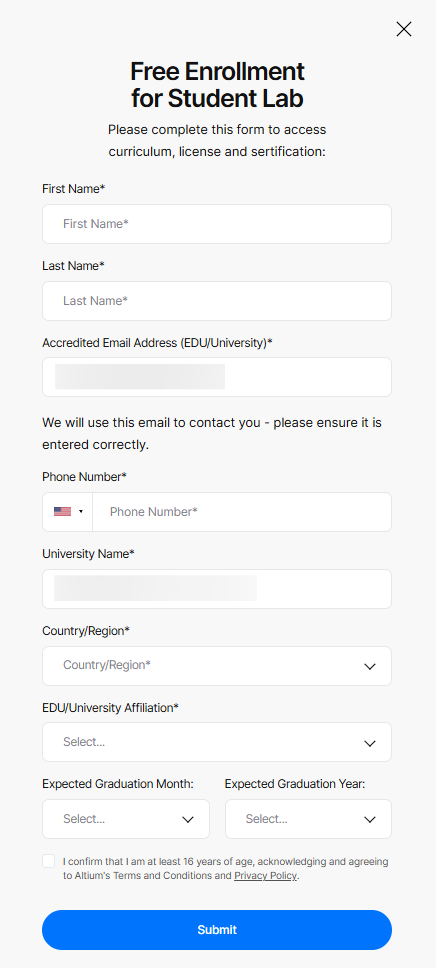
- After verification, complete and submit the second form.
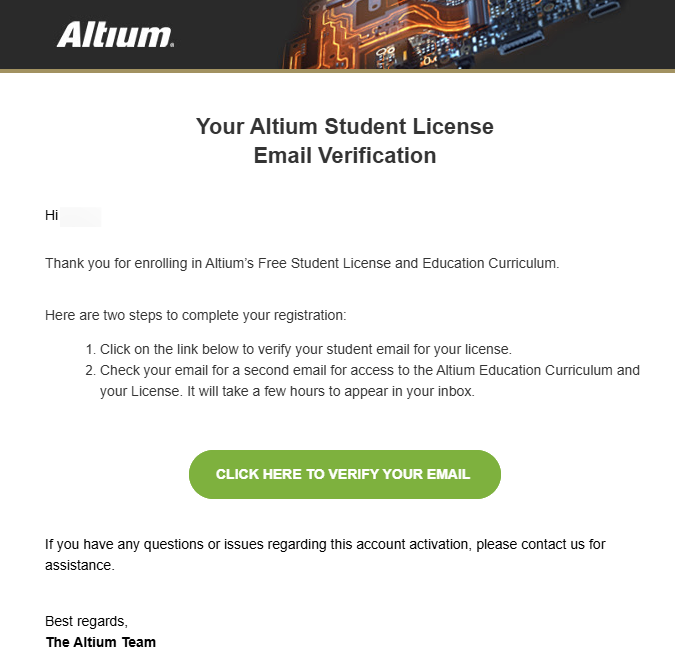
- Check your inbox and spam or junk folder for the account activation email.
- Select Click Here to Verify Your Email in the activation message.
If You Did Not Receive a Student License
- Return to the Student Lab page.
- Submit the student license application again.
- Carefully verify that your email address is entered correctly before submitting.
- Check all inbox, spam, and junk mail folders associated with the email address used during registration.
- If the license is still not received after resubmitting the form, email students@altium.com
If You Entered the Wrong Email Address
- Return to the Student Lab page.
- Submit a new application using the correct email address.
- Check the inbox and spam folders associated with the corrected email address.
- If the issue persists, use the approved student support process, students@altium.com
Renew a Student License
- Review the status of your current license in the licensing management interface.
- When your license becomes eligible for renewal, submit a new student license application through the Student Lab enrollment process.
- Complete any required verification steps.
- Monitor your email for renewal and license dispatch communications.
- If the renewal process does not complete successfully after reapplying, follow up with students@altium.com
If You Received a License but Cannot Activate It
- Review the licensing documentation referenced below.
- Review the license activation article referenced below.
- Confirm that you are signed in using the same account associated with the license registration.
- If activation continues to fail, then follow up emailing students@altium.com
Additional Notes
- Many registration and license dispatch issues can be resolved by resubmitting the student enrollment form.
- Always carefully review the email address entered during registration before submitting the form.
- This article focuses on student license registration, dispatch, activation, and renewal scenarios.