
Requirements Module
The Requirements Module allows you to manage the formal requirement definition of your system. The specifications can be related to stakeholder needs, organizational needs, regulations, system specifications or design specifications, etc.
Within the requirements module, you can manage your project’s requirements easily and efficiently. You can store, filter, and assign your requirements to your project’s blocks while simultaneously tracking verification statuses and compliances throughout your design phases.
The default inbuilt fields are readily available for users, as shown in the following figure:
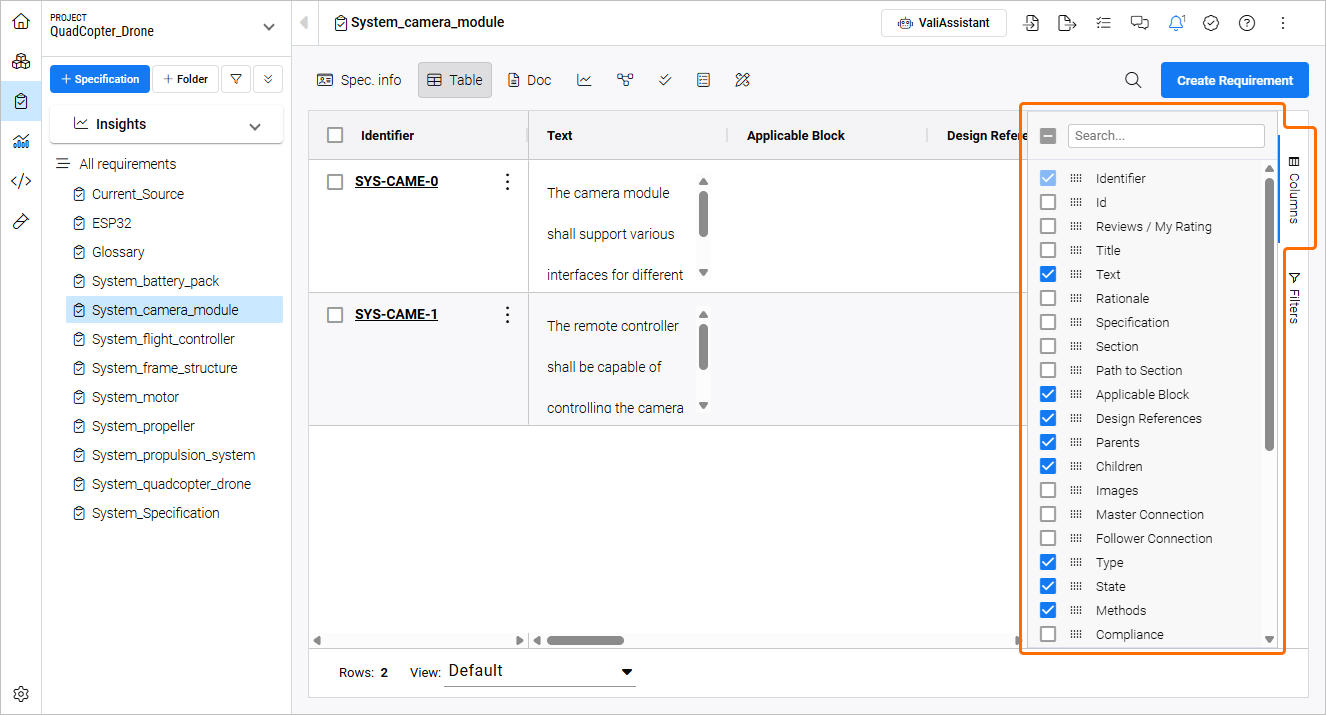
Requirements Module - see all the available columns to take care of your requirements.
You can select/deselect the columns that are being used by clicking the “columns” menu on the right side of the screen.
Tables in Rich Text
In the text fields in the Requirements Module, you can create a table and customize the number of rows and columns. The table can contain texts but also Valis.
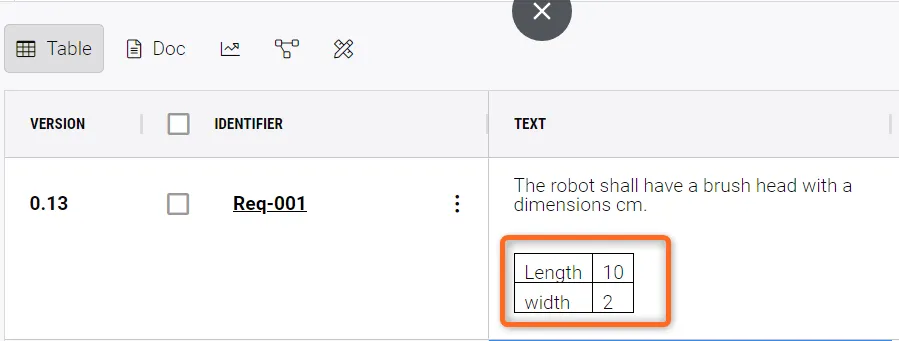
Tables within rich text fields
The shortcuts for calling a table are the following;
For Mac:
-
Option+T– create a 2 by 2 table -
Option+Left Arrow,Option+Right Arrow,Option+Up Arrow,Option+Down Arrow– add rows and columns in the direction of the arrows -
Option+R– delete the current row -
Option+C– delete the current column -
Option+L– creates a list
For Windows:
-
Alt+T– create a 2 by 2 table -
Alt+Left Arrow,Alt+Right Arrow,Alt+Up Arrow,Alt+Down Arrow– add rows and columns in the direction of the arrows -
Alt+R– delete the current row -
Alt+C– delete the current column -
Alt+L– creates a list
To delete a table, select all of the columns and rows and press Delete.