
ValiAssistant
The ValiAssistant is Requirements Portal's assisted engineering tool that leverages AI technologies to automate engineering tasks. With its integration with OpenAI, the ValiAssistant automates routine tasks and provides engineers with "an extra set of hands", enabling them to work smarter and more efficiently. As technology continues to evolve, the ValiAssistant will remain at the forefront of innovation in engineering, enabling engineers to stay ahead of the curve and achieve optimal results.
Enabling the ValiAssistant
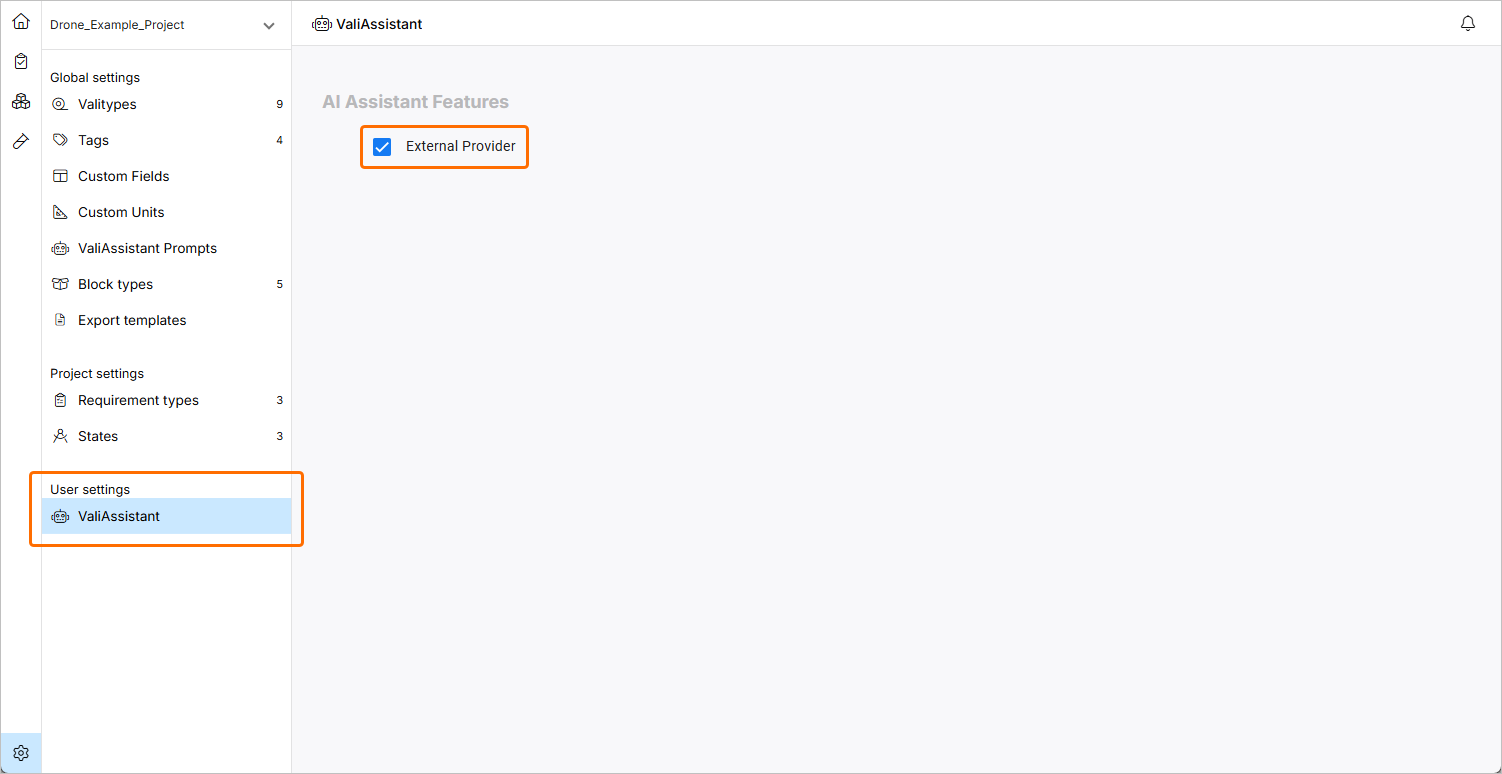
The ValiAssistant can be enabled and disabled by an admin using the External Provider option on the Settings – ValiAssistant page (accessed by clicking the  icon at the bottom left, selecting Settings from the menu that appears, and then selecting ValiAssistant from list in the left-hand pane).
Accessing the ValiAssistant
The main locations from which the ValiAssistant can be accessed are described below. Each location has a respective context that dictates a behavior that accommodates the context.
-
The
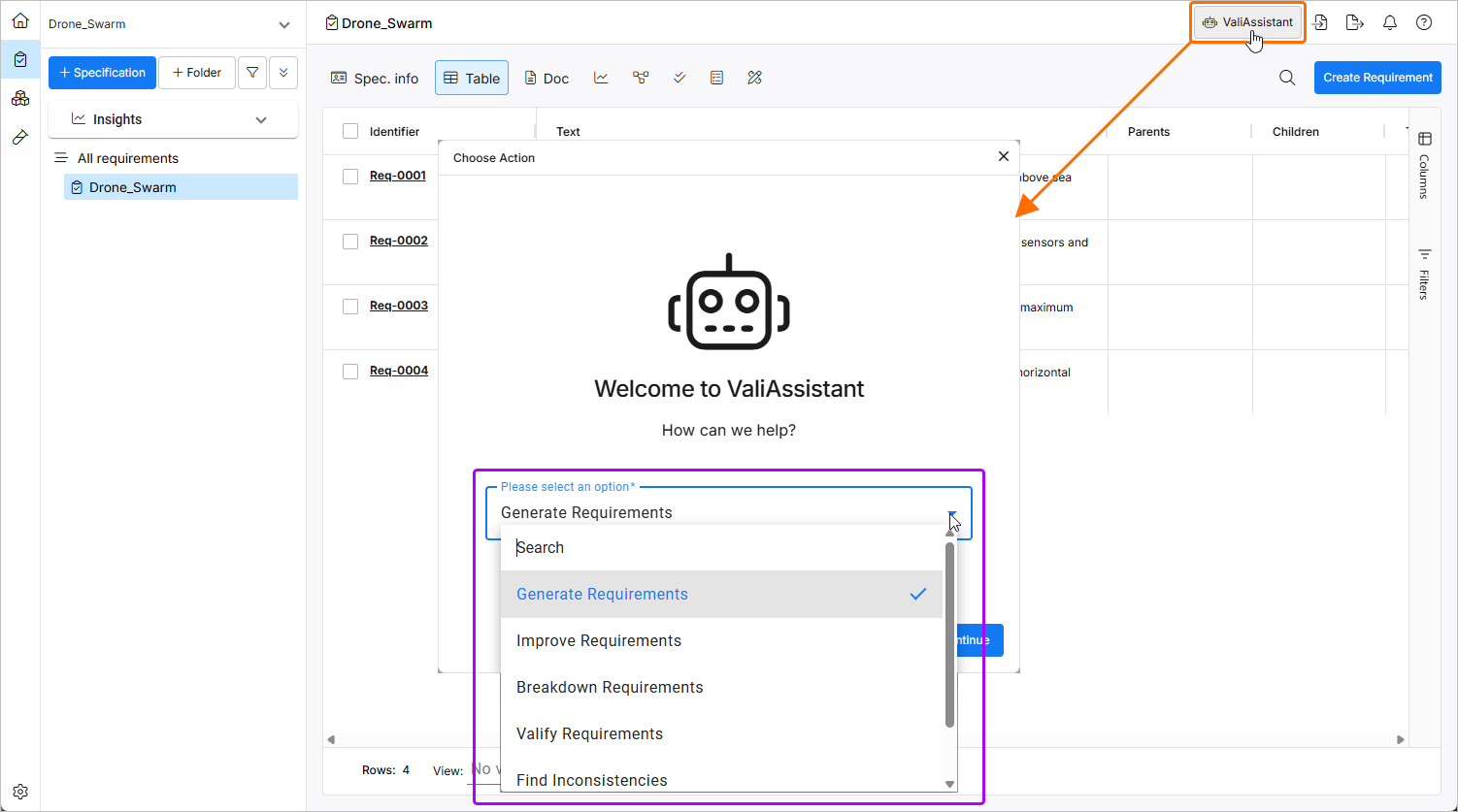
 button at the top bar. Clicking the button opens the Choose Action window from which you can choose the required action. When ValiAssistant is accessed this way, it takes into consideration which specification or section is currently in the users view. It will automatically assume that the actions being performed will affect the objects in that section/specification. After selecting the required action, click
  to proceed.
-
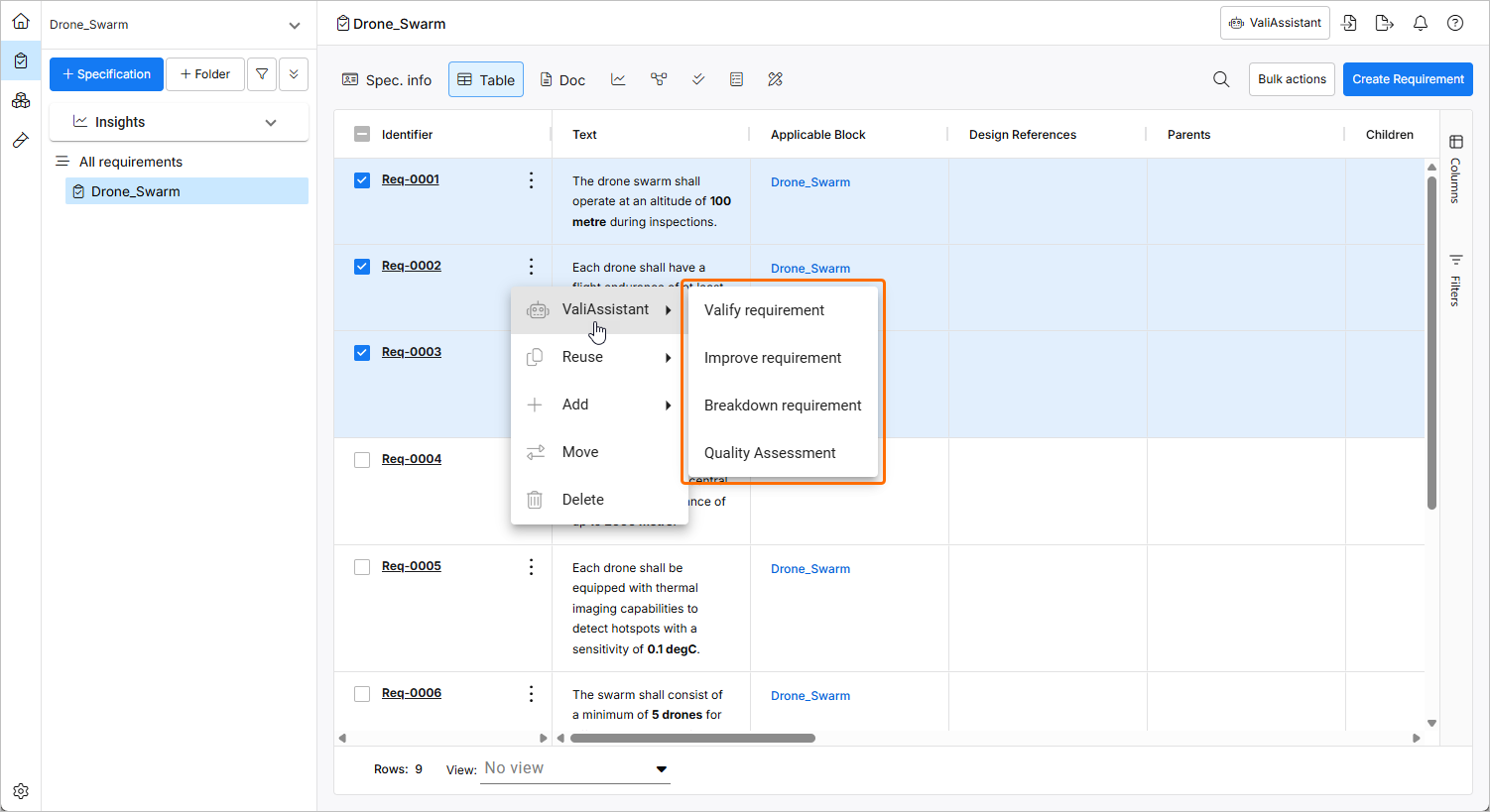
The ValiAssistant sub-menu of the Actions menu accessed from any requirement found in the requirements table. When the ValiAssistant is accessed this way, it takes into consideration from which object it was called from. I.e., if you selected the ValiAssistant in the action bar of Req-0001, it would assume that the actions you want to perform are related to that requirement. Furthermore, it will take into consideration any additional objects that have been selected.
-
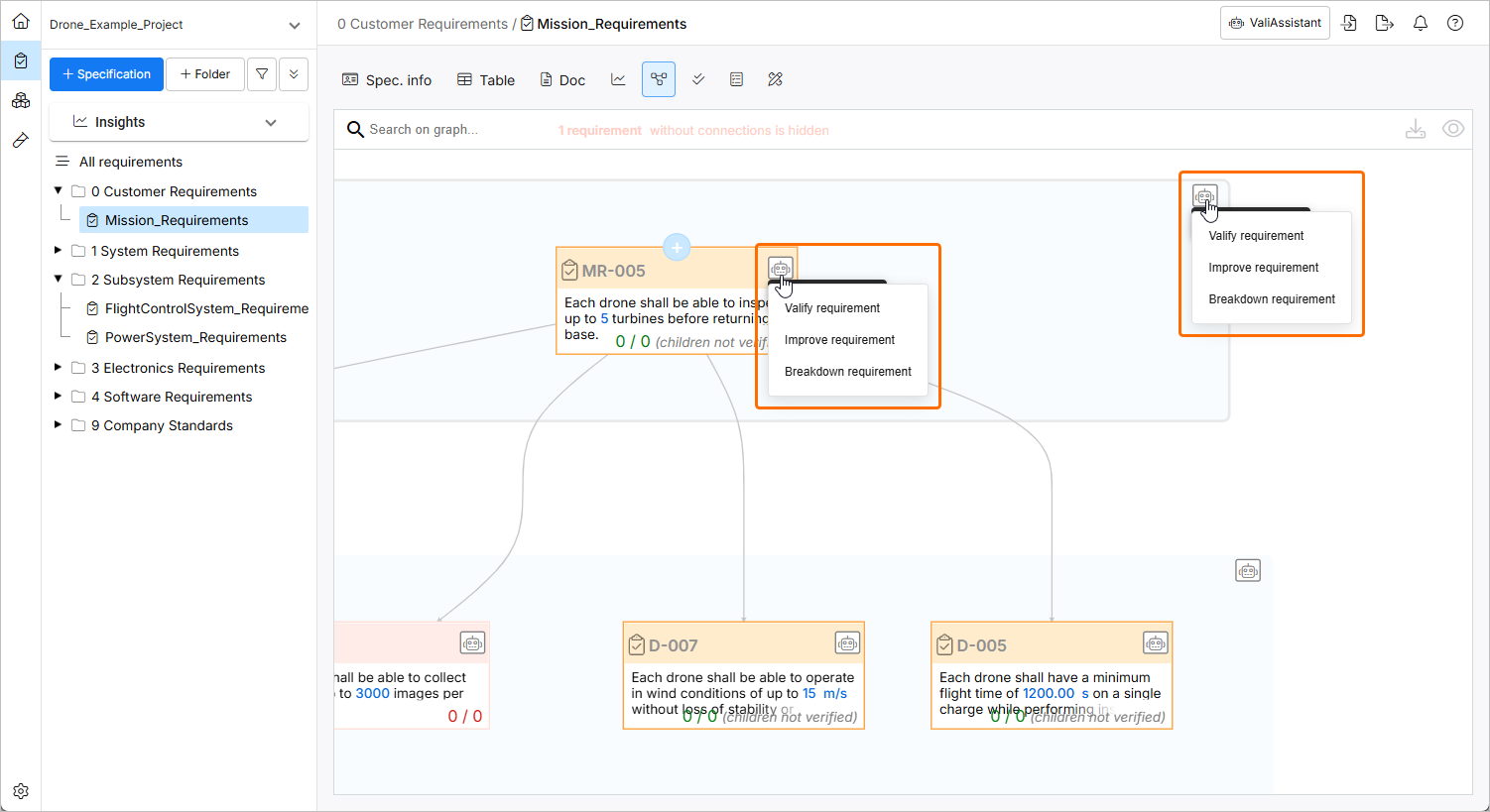
The ValiAssistant quick action button (
 ) in the connections graph. When ValiAssistant is accessed by the connections graph quick actions button, it takes into consideration from which object it was called from. I.e. if you selected the ValiAssistant in the action bar of Req-0001, it would assume that the action you want to perform are related to that requirement.
Available ValiAssistant Operations
The following ValiAssistant operations are available:
-
Generate Requirements – automatically creates a set of requirements based on a text (idea, guideline, etc.). For more information, refer to the Generate Requirements page.
-
Improve Requirements – suggests improvements to your requirements through requirement refinement and quality checks. For more information, refer to the Improve Requirements page.
-
Breakdown Requirements – it takes a high-level requirement and breaks it down into several lower-level requirements. For more information, refer to the Breakdown Requirements page.
-
Valify Requirements – creates valis (or recognized design parameters) from sections of requirement text. For more information, refer to the Valify Requirements page.
-
Find Inconsistencies – detects possible inconsistencies in the selected set of Requirements. For more information, refer to the Find Inconsistencies page.
-
Quality Assessment – scores the selected Requirements based on their Text quality against INCOSE rules. For more information, refer to the Quality Assessment page.
After selecting the required action, you will then provide information in the corresponding flow. Use the links above to learn more about each action.