
KB: Unable to Enable Azure SSO Due to Missing Valid Email Address
 A365
Solution Details
Error Appears During SAML Integration Testing
When testing the Azure SAML integration, Altium displays the following error: "NameID or attribute with valid email address not found. Please contact Altium Support team".
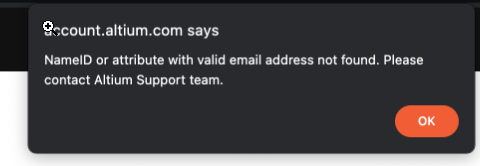
Incorrect Attribute Mapping Prevents Email Detection
This error can occur when the source attribute used for the user's email address is mapped incorrectly in the Azure Single Sign-On configuration. Altium must receive a valid email address through the NameID or an appropriate SAML attribute. For example, when the email address is used as the source attribute, configure the mapping as user.email. An incorrect source attribute can prevent Altium from detecting a valid email address.
Verify the SAML Email Attribute Mapping
Review the SAML attribute configuration and verify that the claim containing the user's email address is mapped to the correct source attribute. Correct any invalid mapping before testing the SAML integration again.
Update and Test the Azure Configuration
- Open the Azure SAML Configuration.
- Go to the Single Sign-On section.
- Click Edit next to Attributes.
- Locate the SAML claim that provides the user's email address.
- Verify that its source attribute is configured correctly. When the email address is used as the source attribute, set it to user.email.
- Save the configuration.
- Test the SAML sign-in again and confirm that the "NameID or attribute with valid email address not found" error no longer occurs.
References
Configuring Sign-in Authentication | Company Dashboard Technical Documentation