
KB: Interactive Length Tuning Does Not Display Target Rule When Dynamic Phase Matching Is Enabled
 Altium Designer
Solution Details
Interactive Tuning Does Not Show Length Targets
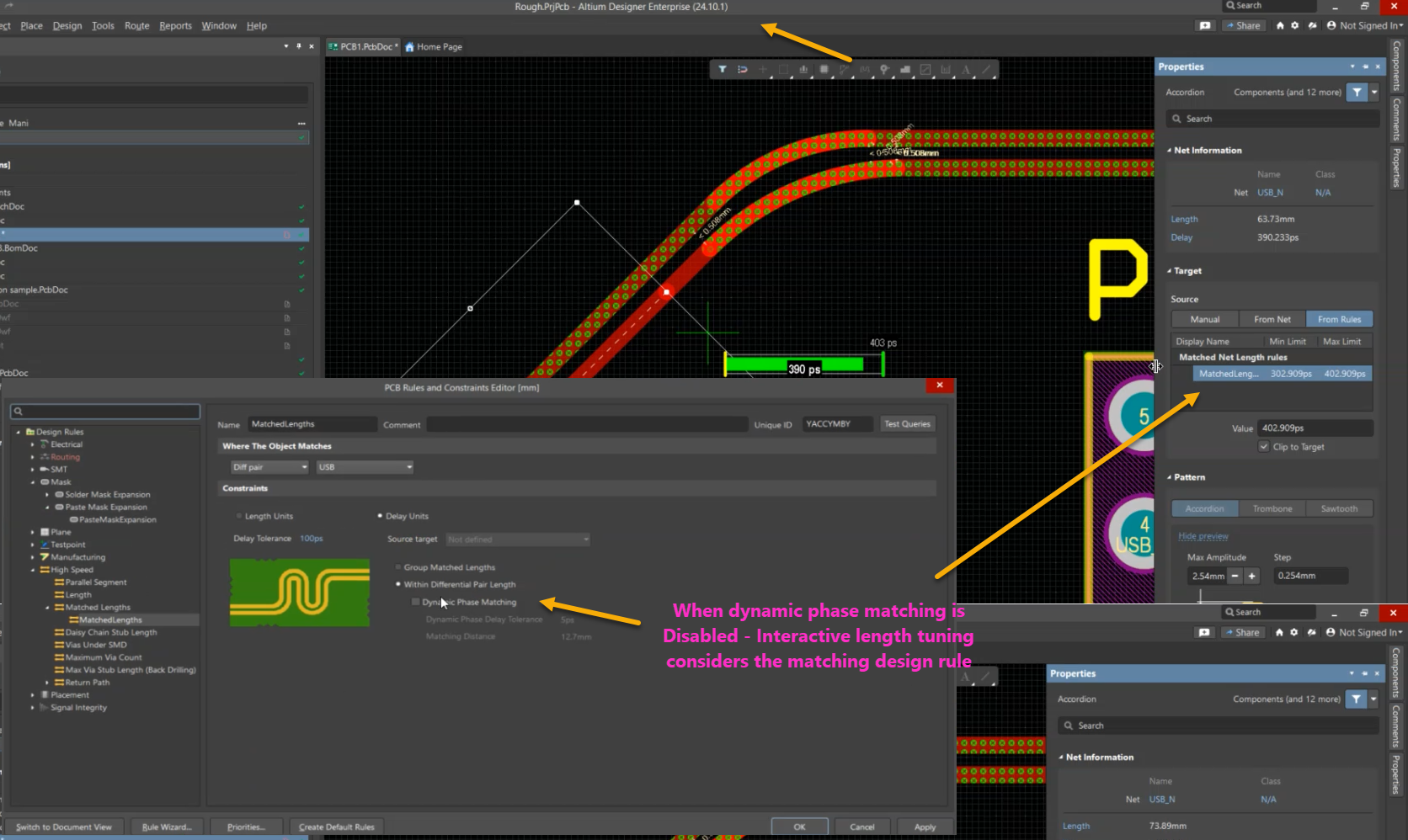
Customers may observe that Interactive Length Tuning (U+R) does not display a target rule when attempting to manually tune a differential pair. As a result, the shorter trace cannot be manually matched because the tuning tool does not show the required target length or matching information. If Dynamic Phase Matching is disabled, the target rule becomes visible and manual tuning functions as expected.
Automatic Phase Alignment Controls Tuning
This behavior is expected. When Dynamic Phase Matching is enabled, phase matching is managed by an automatic tuning engine. Because the system is responsible for maintaining phase alignment, the interactive tuning tool does not reference or display the associated length-matching rule during manual routing. While this option is active, automatic tuning methods are intended to be used instead of manual tuning.
Select the Appropriate Tuning Method
- Disable Dynamic Phase Matching if you need to manually tune the differential pair using Interactive Length Tuning.
- Leave Dynamic Phase Matching enabled if automatic phase optimization is required and use the automatic tuning tools provided by the software.
Configure the Rule and Perform Tuning
- Open the PCB design rules editor.
- Navigate to the differential pair routing rule that contains the length-matching and phase-matching settings.
- Select the applicable differential pair rule.
- Locate the Dynamic Phase Matching option.
- If manual tuning is required, clear the Dynamic Phase Matching checkbox.
- Save or apply the rule changes.
- Return to the PCB editor.
- Select the shorter trace in the differential pair.
- Press U+R to start Interactive Length Tuning.
- Verify that the target rule and required length values are displayed.
- Add tuning structures until the required matching target is achieved.
- If desired, reopen the rule and re-enable Dynamic Phase Matching after completing manual tuning.
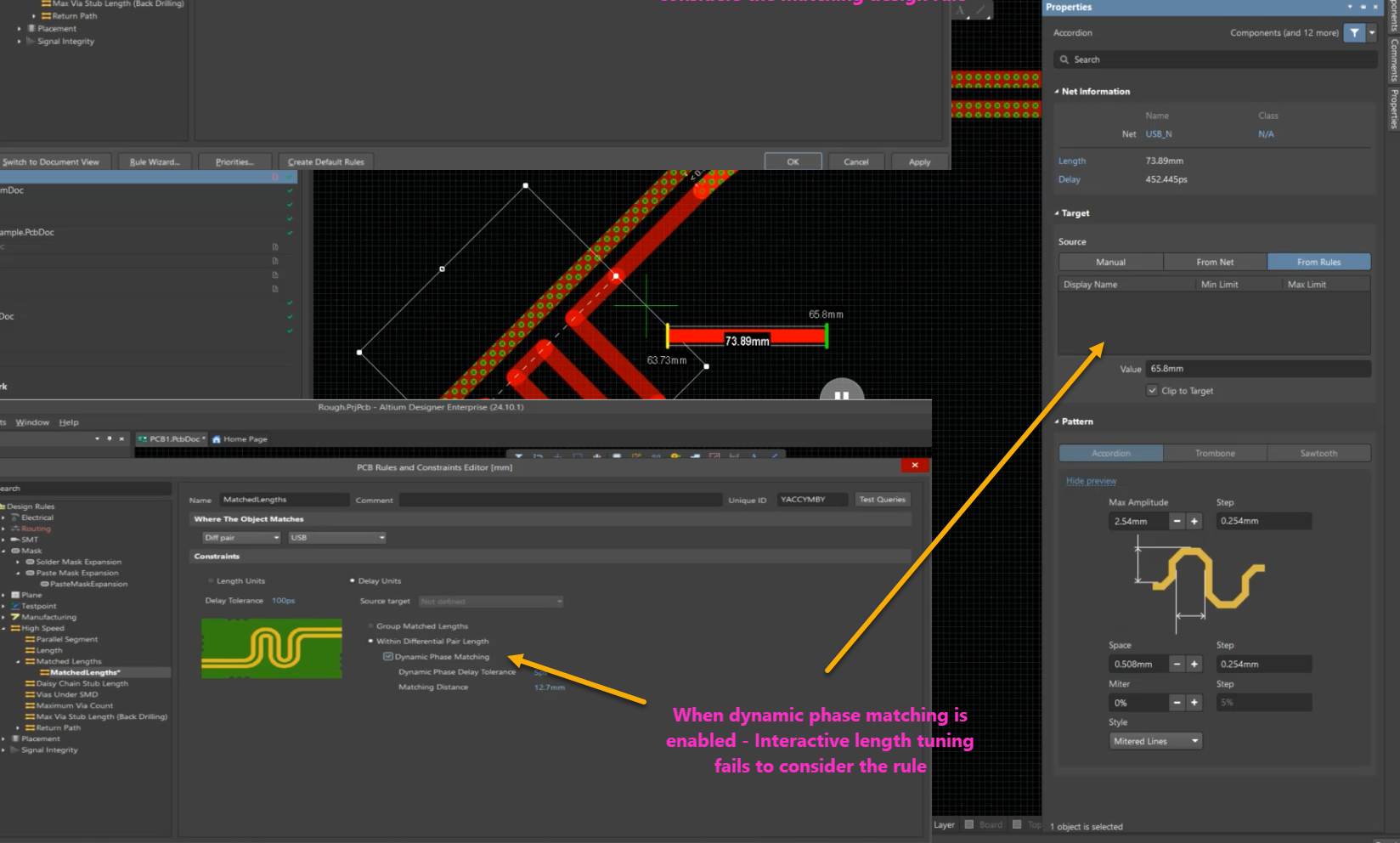
- If Dynamic Phase Matching remains enabled, use Auto-Length Tuning or Auto-Phase Tuning to tune the differential pair automatically.
Additional Notes
Manual interactive tuning and Dynamic Phase Matching are intended for different tuning workflows. When Dynamic Phase Matching is enabled, automatic tuning controls phase alignment and interactive tuning will not display the corresponding matching target.