
Creazione e definizione delle variabili
Le Variabili del modulo Time Sequences sono strumenti versatili e potenti che forniscono informazioni dettagliate e risultati del tuo scenario di missione. Ad esempio, l’utente può calcolare il consumo energetico totale del proprio scenario, oppure il tempo necessario per scaricare la batteria, o ancora il tasso di consumo del carburante del sistema di propulsione. Per definire una Variabile, servono solo un nome, una formula e una descrizione.
Per aggiungere una Variabile, nella pagina di esecuzione, fai clic su “+” e seleziona ”Add Variable”.
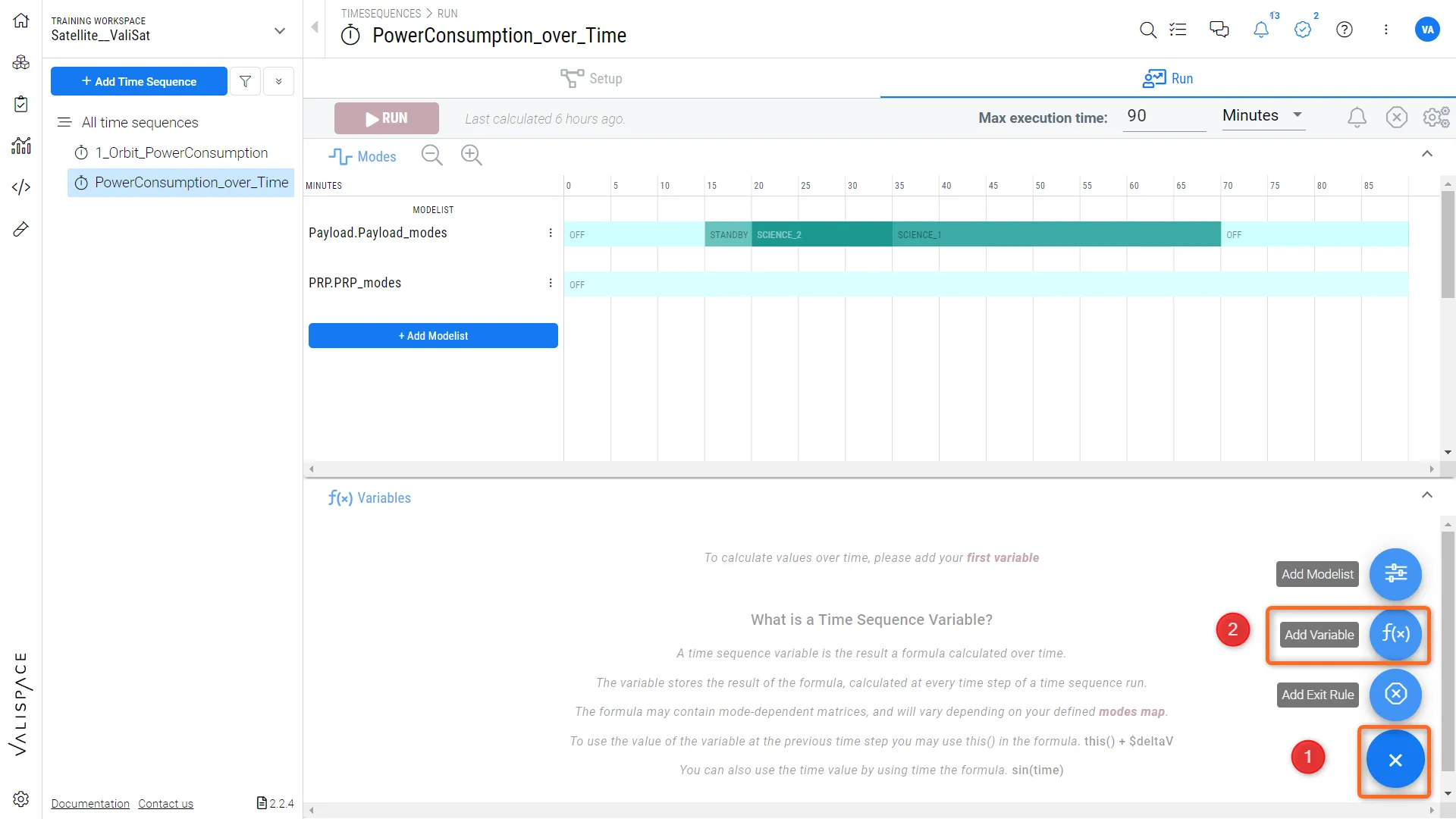 Aggiunta di una Variabile alla sequenza temporale
Facendo clic su “Add Variable”, si apre una finestra di dialogo in cui l’utente può inserire il nome, la formula e la descrizione del parametro calcolato. Nel campo della formula (1), l’utente può inserire i Vali dipendenti dalla modalità ed eseguire calcoli matematici.
Requirements & Systems Portal consente inoltre di tracciare il grafico dell’integrale di una qualsiasi delle tue variabili (2), permettendoti così di calcolare e visualizzare calcoli complessi con un semplice clic, in modo fluido. Una volta creata la variabile, esegui nuovamente la sequenza temporale. Un buon esempio di utilizzo è il calcolo del consumo energetico totale del payload di un satellite nel tempo, come mostrato di seguito:
 Localizzato tramite A