
KB: 준비된 부품/콘텐츠를 찾거나 배치할 수 없습니다
 Altium Designer
Solution Details
Manufacturer Part Search panel (formerly known as Altium Vault) is the first place you can look for a ready-made component, although first downloading it into your library or saving it in your Altium 365 workspace is highly encouraged for further customization and verification/qualification by your component librarian.
The legacy Altium Vault, on the other hand, can still be exposed in Explorer panel by enabling Explorer.ShowContentVault option in Advanced Settings of the Preferences.
In a similar vein, Miscellaneous Devices/Connectors libraries have been removed/retired since AD23.3 . In order to access, you will have to install a prior version separately and keep it outside the installation folder path C:\Users\Public\Documents\Altium\AD## so it does not get removed by the uninstaller of the version. Going forward, such sample components can be found when activating and connecting to Altium 365 workspace, with Include sample data option ticked.
If you are having an issue accessing a component in the Manufacturer Part Search panel, verify you are logged in with your AltiumLive account and you are using a valid license. Then ensure you have a schematic sheet or a PCB document opened on the background, and no other windows like Draftsman, Outputjobs, etc... Sometimes it is necessary to close and reopen the MPS panel after making changes to your login or license status, or possibly due to some inadvertent, intermittent connection lost to license server..
Issues can be caused if URLs or Ports are blocked on your network. See this Knowledge Base article:
KB: Cannot install or use Altium possibly due to url and ports being blocked
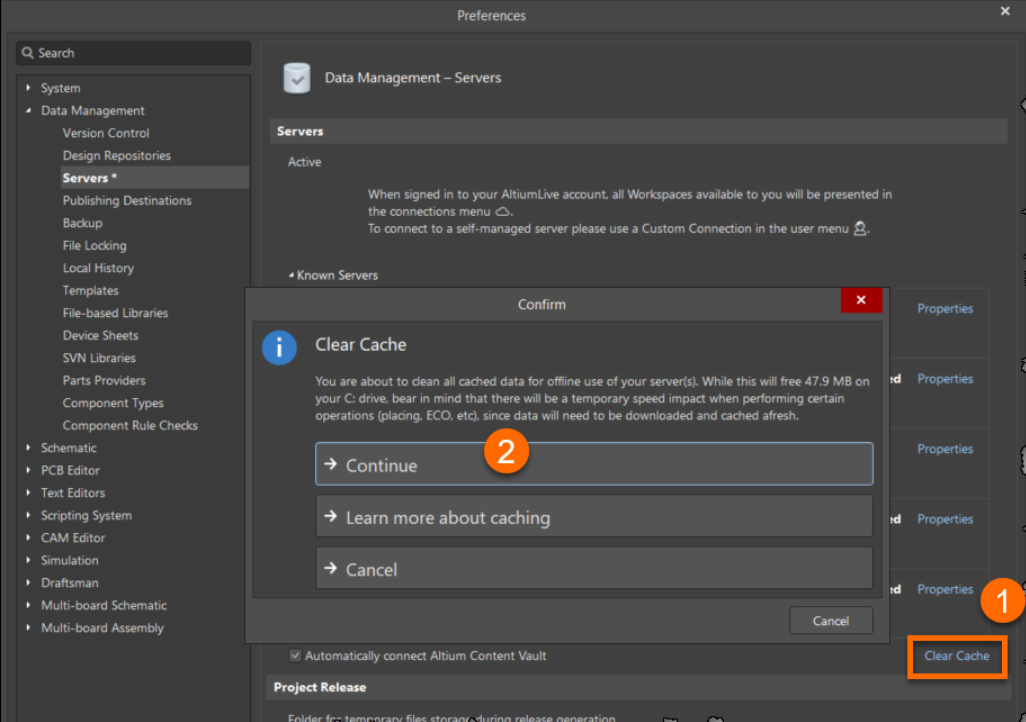
Also try Clearing the cache under Preferences » Data Management » Servers » expand the Known Servers section » click on the Clear Cache control at the right side of the line at the bottom that says "Automatically connect Altium Content Vault".
If a part doesn't have a model, you can't use most of the MPS panel right-click options.
You can however create a new component in your library and then while editing it, pull up the MPS panel where you can find the desired part and use the right-click menu to Add Supplier Link [And Parameters].
Component entries listed with an associated  [green IC chip] symbol are matched to a corresponding Managed Component in the Altium Content Vault, have associated model data, and are therefore ready to be placed in a design and can be acquired.
To restrict the listing to those components that have associated model data, select the Yes option for the "Has Model" parameter near the bottom of the Filters pane.
The available part data depends on your Preferences setting in Data Management - Parts Providers .
For an issue found on a particular component (e.g. incorrect data), please report it directly to the dedicated team via 'Report an Issue' blue text link located by scrolling down to the bottom in Details pane.
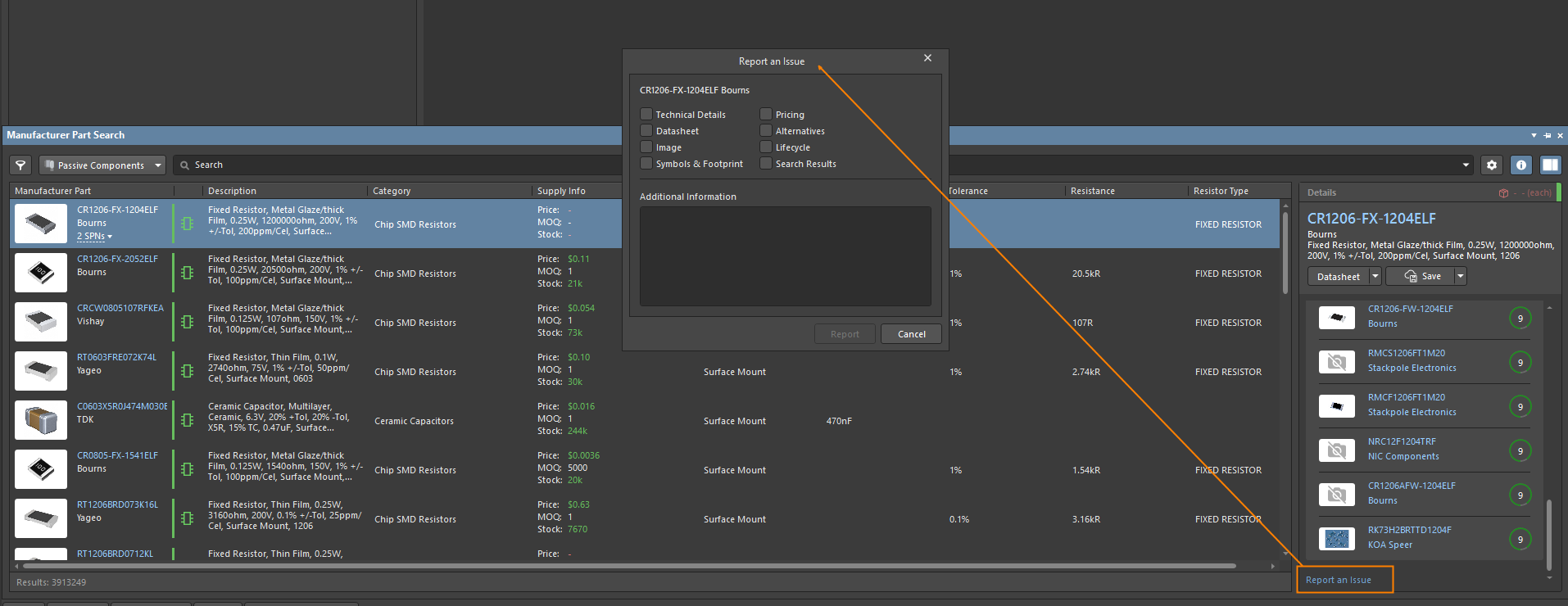
Information about the MPS panel:
Searching for & Placing Components