
Inżynieria agentowa
Agenci AI zapewniają znaczące korzyści w zadaniach inżynierskich, takich jak pozyskiwanie wymagań, istotnie zwiększając wydajność i automatyzując złożone, powtarzalne przepływy pracy. Engineering Assistant w Requirements Portal wykorzystuje technologie AI, aby zapewnić szybkie, zautomatyzowane narzędzie do przeglądu wymagań, które umożliwia zadawanie pytań dotyczących wymagań w bieżącym projekcie w swobodnym, naturalnym języku i uzyskiwanie szybkich odpowiedzi bez konieczności ręcznego filtrowania lub przeszukiwania wymagań, na przykład:
-
How many requirements are not verified?
-
Are there any engineering gaps in these requirements?
-
Show me all requirements about the power supply.
-
Which requirements need to be taken into account for PCB design?
-
Do any requirements conflict with each other?
-
Give me an overview of all battery-related requirements.
Engineering Assistant potrafi również modyfikować, tworzyć i usuwać wymagania. Po wysłaniu żądania utworzenia nowego wymagania albo zmiany lub usunięcia istniejącego wymagania Engineering Assistant przedstawi podsumowanie zmian do zastosowania, które możesz przejrzeć, a następnie zastosować lub odrzucić. Przykłady takich żądań:
-
Generate requirements for a lightweight drone power supply that takes a 6S LiPo input, provides regulated 5 V / 5 A and 12 V / 3 A outputs, and weighs under 150 g. It should handle vibration and -10°C to +50°C operation, with protection for short circuit, reverse polarity, overtemperature, and low battery.
-
Change the required maximum operating temperature for all parts to 60°C.
-
Can you identify all requirements that affect the sizing of the power system and ensure they are verifiable?
-
In the new design, I've replaced the camera with an IR sensor. Remove all requirements that were related to the camera.
 w prawym górnym rogu, wybraniu z wyświetlonego menu pozycji Settings, a następnie wybraniu z listy w lewym panelu pozycji ValiAssistant) –
 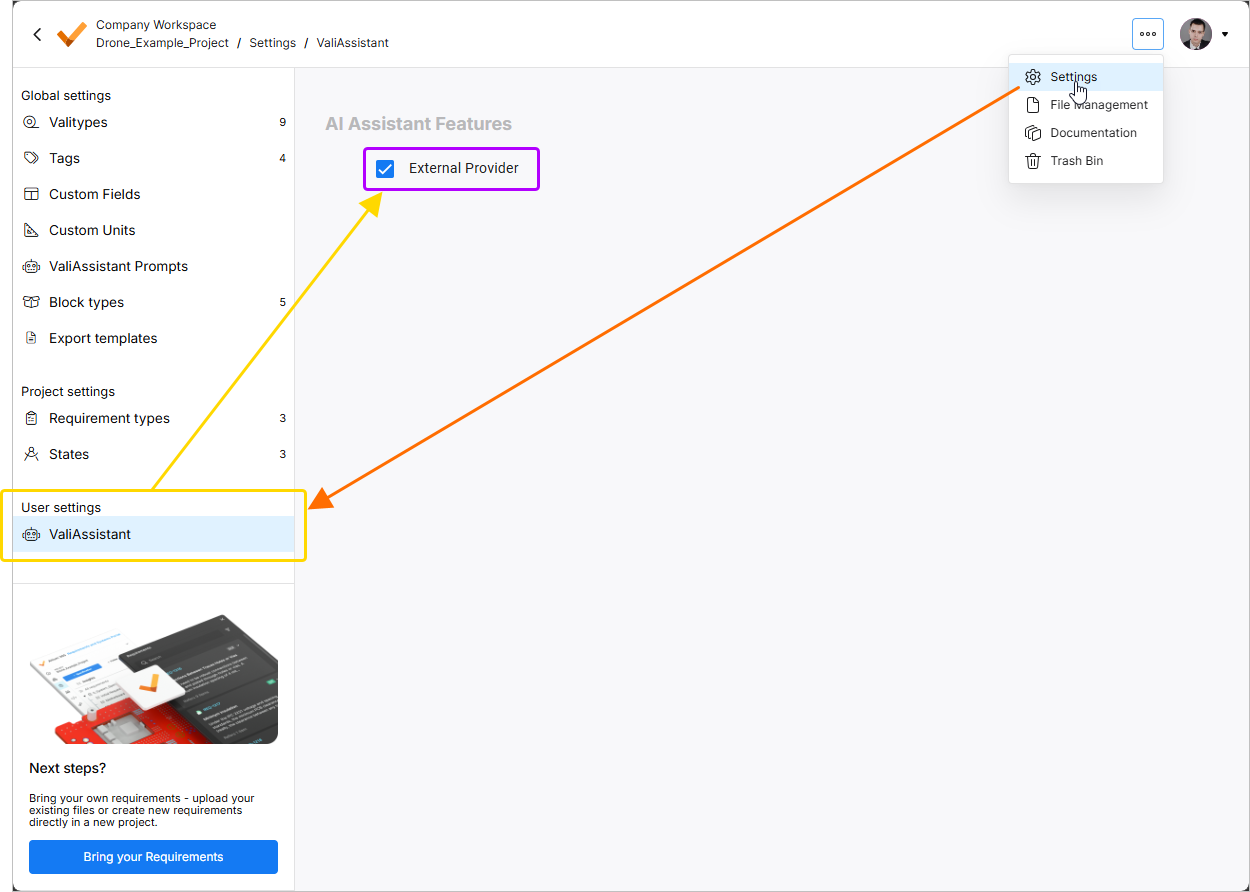 .
.
Do Engineering Assistant uzyskuje się dostęp za pośrednictwem panelu Engineering Assistant dostępnego w Requirement Module po kliknięciu ikony  w prawym górnym rogu.
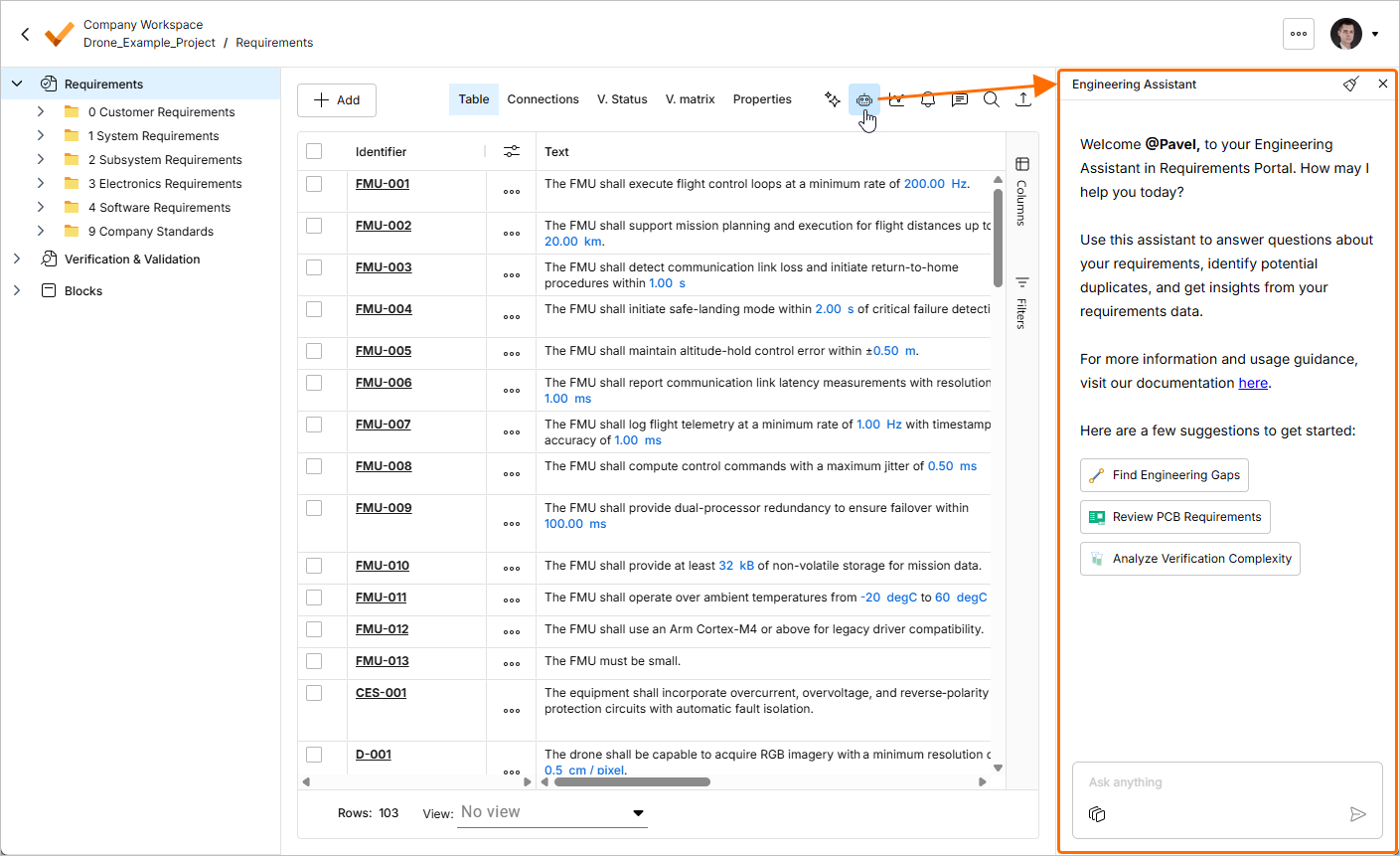
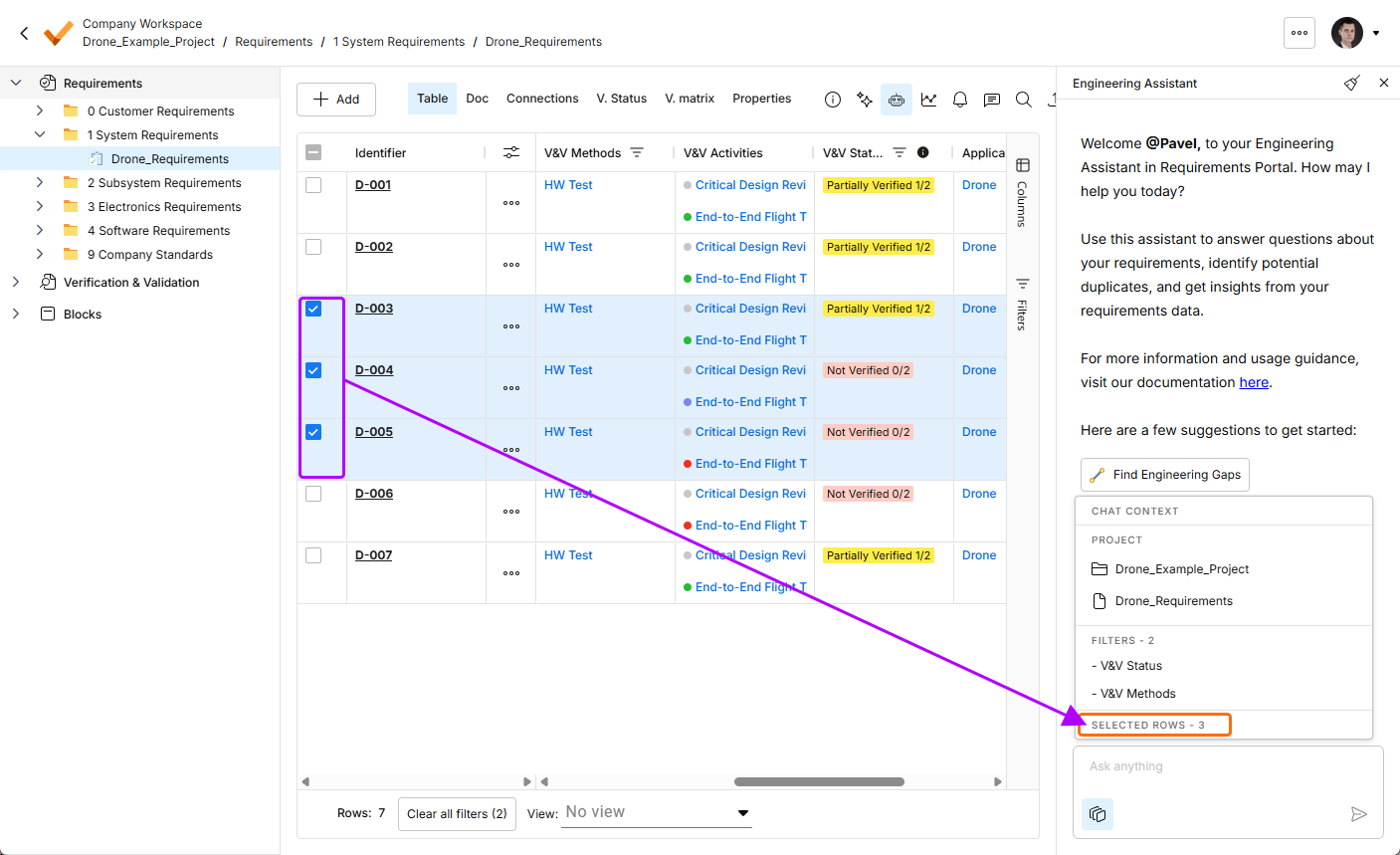
Funkcjonalność Engineering Assistant została zaktualizowana o możliwość wyświetlania bieżącego kontekstu czatu. Kliknij przycisk  u dołu panelu Engineering Assistant, aby wyświetlić wyskakujące okno Chat Context prezentujące następujące informacje:
-
Project – pokazuje nazwę bieżącego projektu oraz nazwę aktualnie wybranego folderu, specyfikacji lub sekcji.
-
Filters – pokazuje liczbę filtrów aktualnie zastosowanych do tabeli oraz listę kolumn, do których zastosowano filtry.
-
Rows selected – pokazuje liczbę aktualnie wybranych wierszy wymagań.
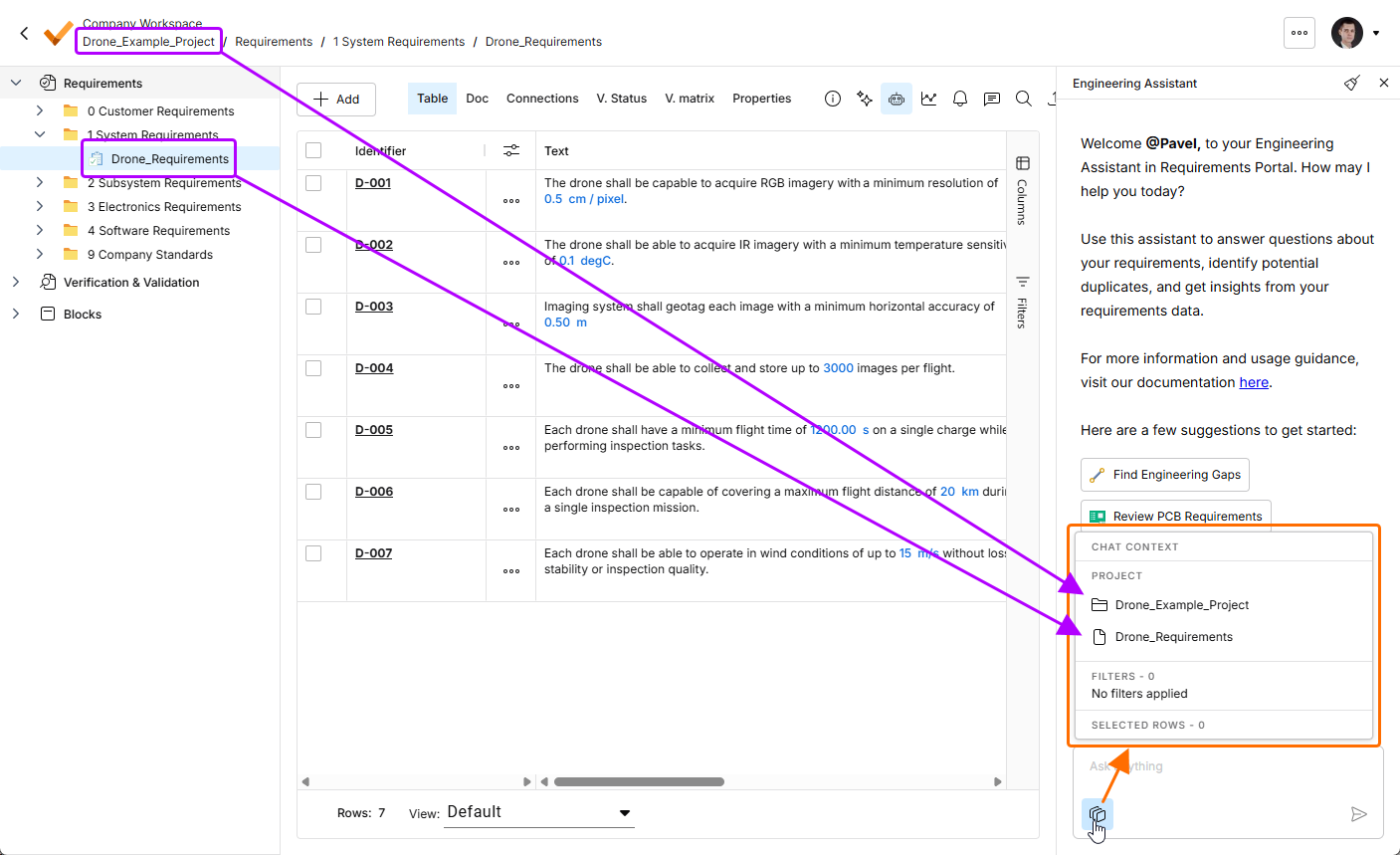
Kliknij przycisk , aby otworzyć wyskakujące okno Chat Context. W tym przykładzie obszar Project pokazuje nazwę bieżącego projektu (Drone_Example_Project) oraz nazwę aktualnie wybranej specyfikacji (Drone_Requirements).
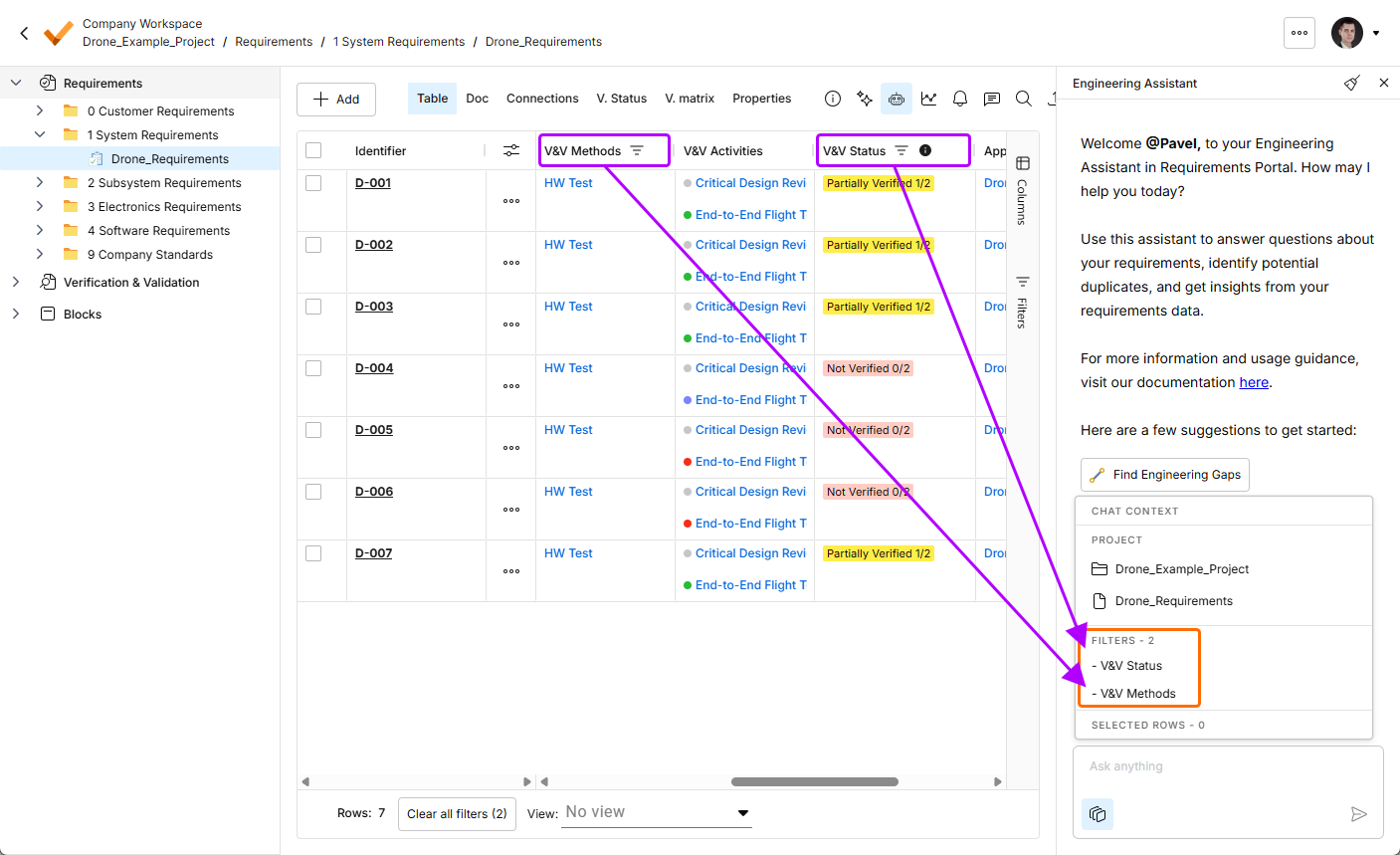
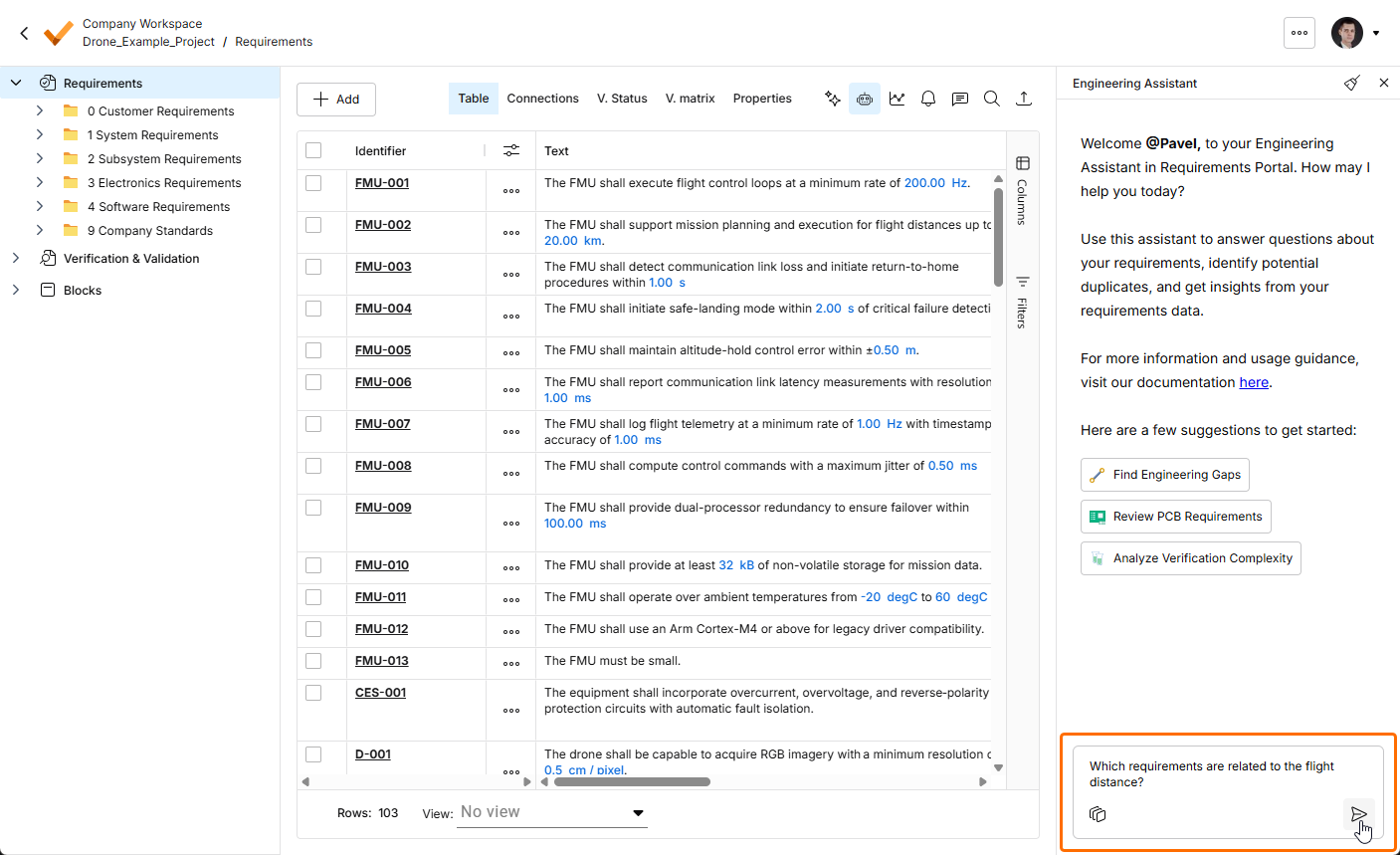
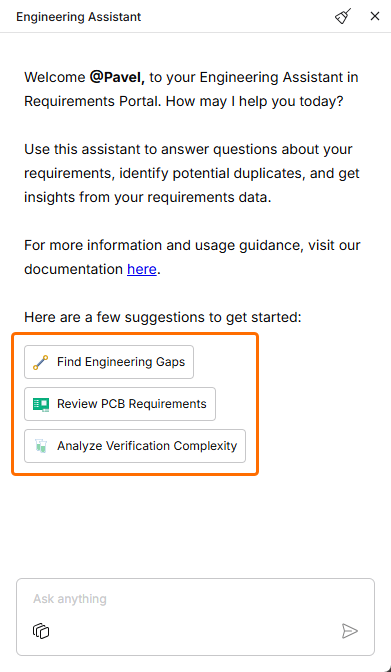
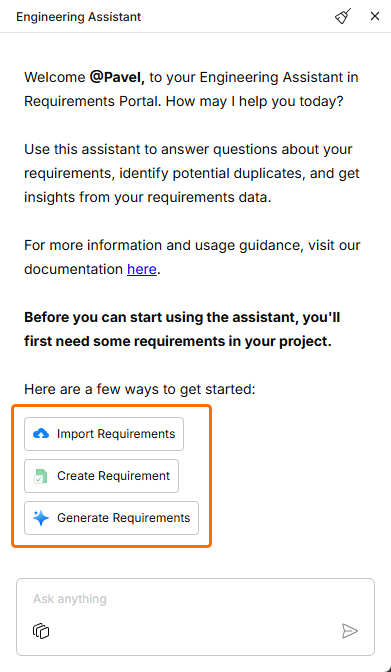
Aby korzystać z Engineering Assistant, wpisz zapytanie w polu Ask anything u dołu panelu Engineering Assistant i kliknij ikonę  lub naciśnij klawisz
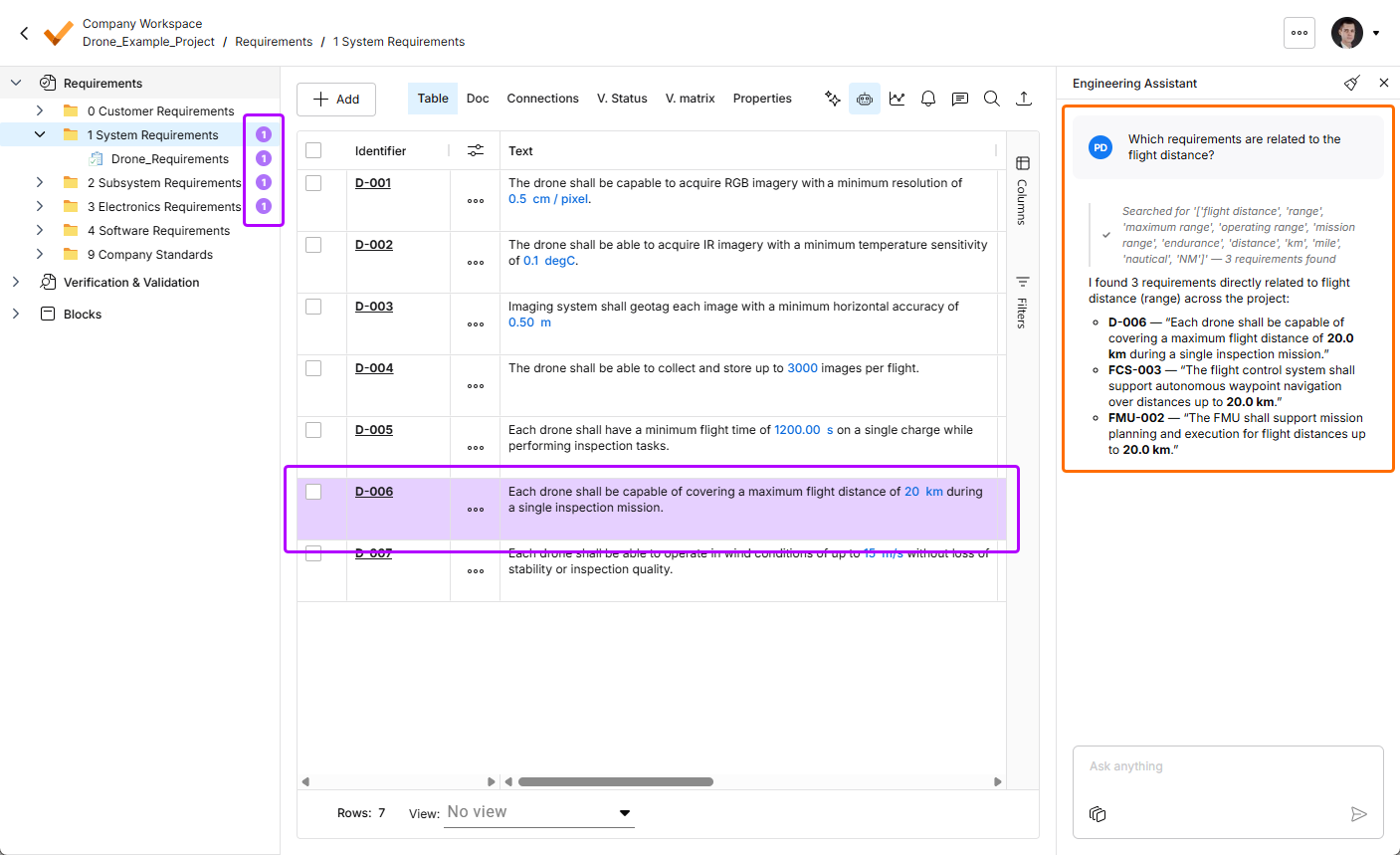
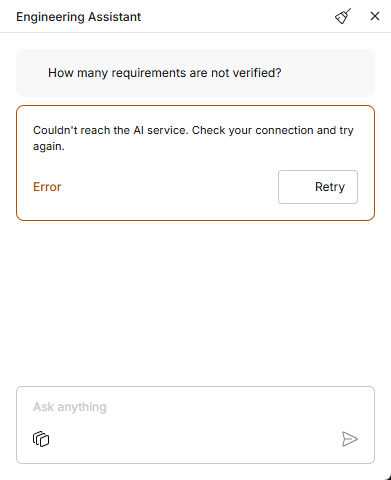
 Enter. Engineering Assistant przeanalizuje wymagania i wyświetli odpowiednią odpowiedź w panelu. W zależności od zapytania Engineering Assistant zwróci odpowiedź liczbową, listę identyfikatorów wymagań lub krótkie podsumowanie. Wymaganie lub wymagania powiązane z zapytaniem zostaną wyróżnione w tabeli wymagań, a liczba powiązanych wymagań jest wyświetlana w drzewie projektu obok odpowiednich specyfikacji, sekcji i folderów.
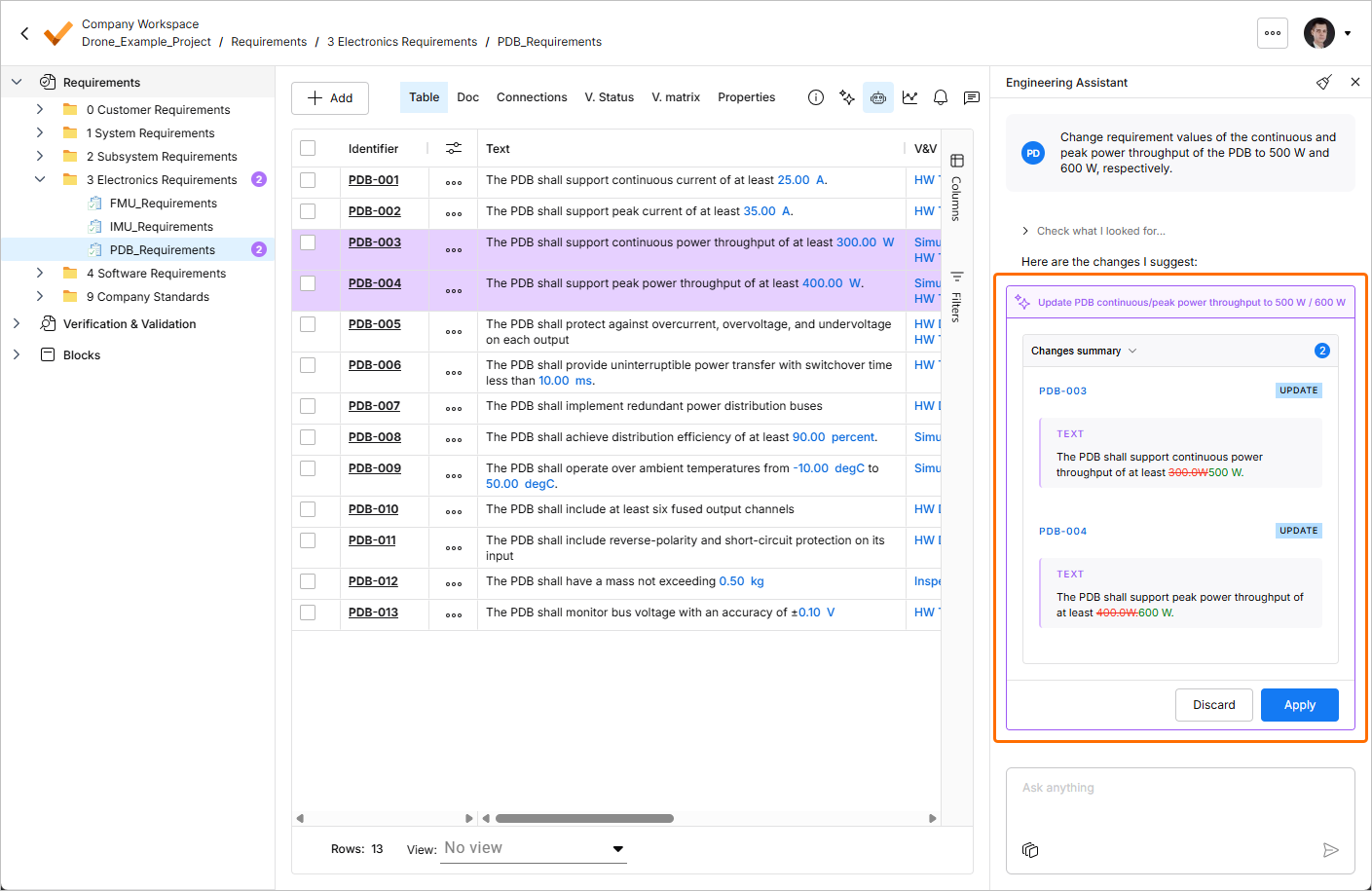
Gdy wyślesz do Engineering Assistant żądanie utworzenia nowego wymagania albo zmiany lub usunięcia istniejącego wymagania, sugerowane zmiany zostaną pokazane w dedykowanym kafelku w panelu Engineering Assistant, gdzie możesz je przejrzeć (rozwijając zwijany obszar Changes summary), a następnie zastosować lub odrzucić.
 ).
). ).
).Engineering Assistant obsługuje dialog wieloetapowy w ramach sesji, tzn. zapamiętuje kontekst bieżącej rozmowy na potrzeby odpowiednich pytań uzupełniających. Na przykład jeśli Engineering Assistant wyświetli kilka wymagań w odpowiedzi na zapytanie, a następnie zapytasz How many of those are high priority?, asystent rozumie, że those odnosi się do wcześniej wymienionych wymagań, i odpowiednio odpowiada. Dzięki temu możesz kontynuować „rozmowę”, dalej doprecyzowując informacje lub zagłębiając się w nie bez ponownego podawania kontekstu.
 ).
). w prawym górnym rogu panelu Engineering Assistant. Pamiętaj, że w danym momencie dostępna jest tylko jedna konwersacja (tzn. historia konwersacji nie jest dostępna).
 Tłumaczenie SI