
Cộng tác viên
Cộng tác viên là tất cả người dùng trong Requirements & Systems Portal. Người dùng có thể được nhóm vào một hoặc nhiều nhóm.
Một người dùng hoặc nhóm có thể được gán cho:
-
Các khối (đọc thêm về quyền sở hữu tại đây)
-
Các đặc tả (đọc thêm về quyền sở hữu tại đây)
-
Quy trình kiểm thử (đọc thêm về quyền sở hữu tại đây)
-
Tác vụ
-
Thảo luận
-
... và thậm chí còn có thể cấp cho họ các quyền cụ thể. Đọc thêm về quyền tại đây.
Danh sách cộng tác viên khả dụng cho người dùng có quyền quản trị trên tab Users của trang Collaborators trong Settings ( » Settings » Collaborators).
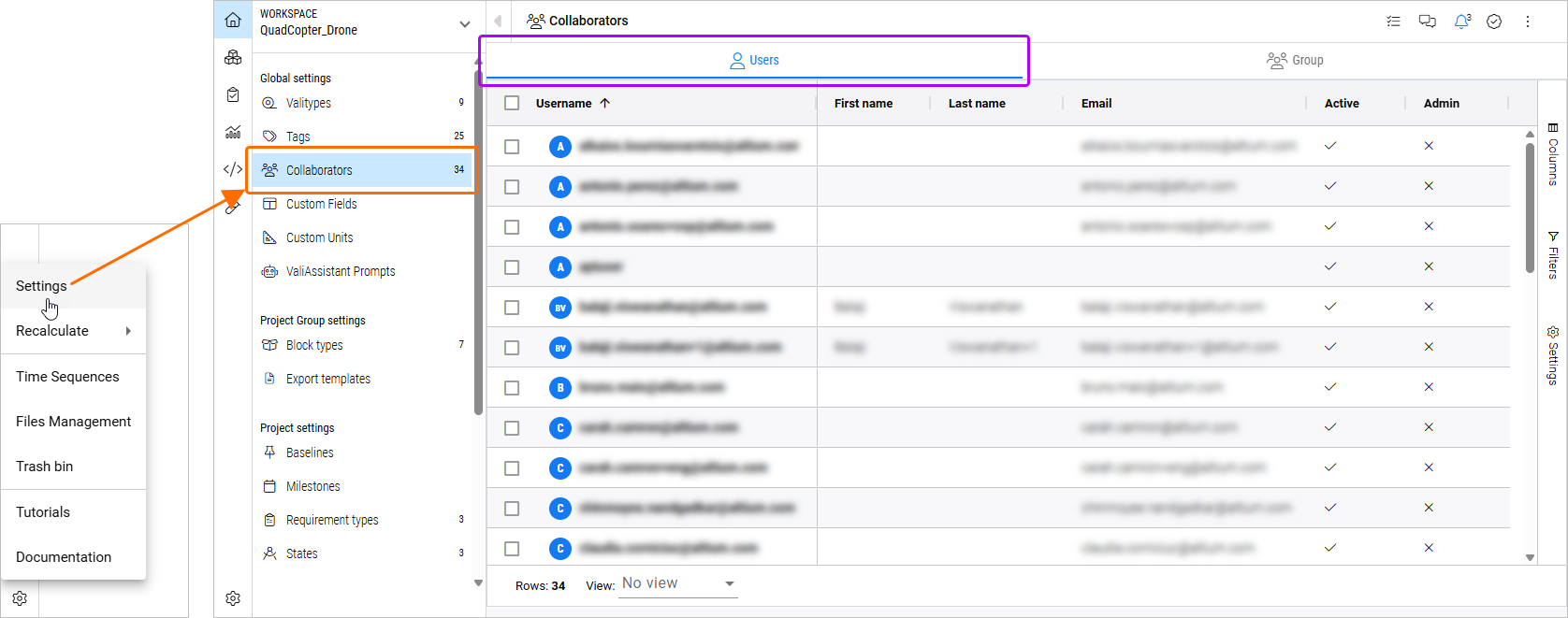
Thông tin sau đây được hiển thị cho từng người dùng:
-
Username – tên người dùng, khớp với email của họ. Trường chỉ đọc.
-
First name – tên của người dùng. Trường chỉ đọc.
-
Last name – họ của người dùng. Trường chỉ đọc.
-
Email – email của người dùng. Trường chỉ đọc.
-
Active – cho biết người dùng đang hoạt động (
 ) hay không (
 ) đối với Requirements & Systems Portal. Người dùng bị vô hiệu hóa sẽ không thể truy cập Requirements & Systems Portal. Để thay đổi trạng thái của người dùng, hãy nhấp đúp vào ô và chọn True (để kích hoạt người dùng) hoặc False (để vô hiệu hóa người dùng) từ menu xuất hiện.
-
Admin – cho biết người dùng có phải là quản trị viên (
) hay không (). Điều này được xác định bởi việc người dùng có là thành viên của nhóm Administrators trong Altium 365 Workspace hay không (tìm hiểu thêm).
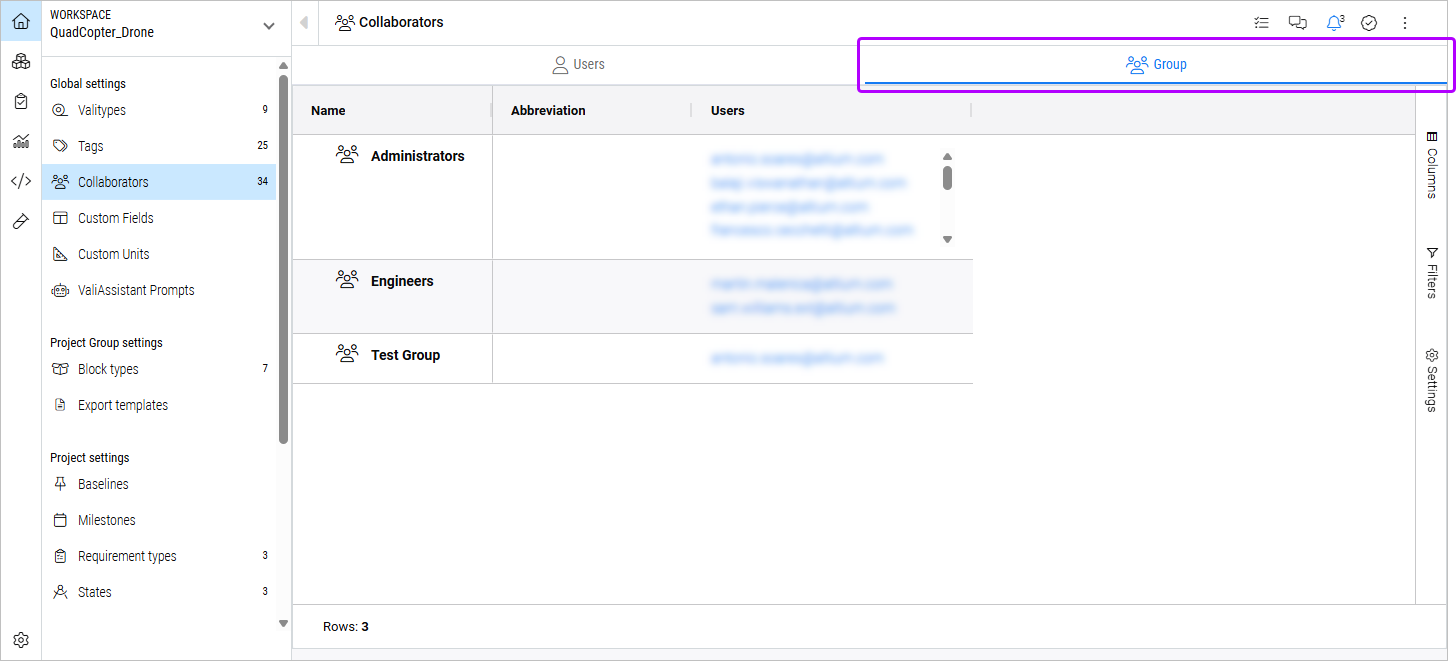
Chọn tab Group để xem danh sách các nhóm và những người dùng trong đó.
 Bản địa hóa bằng AI