
Insights
The Insights feature in the requirements module provides a comprehensive visual summary of the current requirements status within the specification/section within your project. This interactive tool offers a high-level overview of various aspects, such as the state, verification status, and discussion activity on the requirements related to requirements across different folders, specifications, and sections. The feature provides the ability to quickly grasp the project's progress and identify areas that may require attention.
Accessing Insights
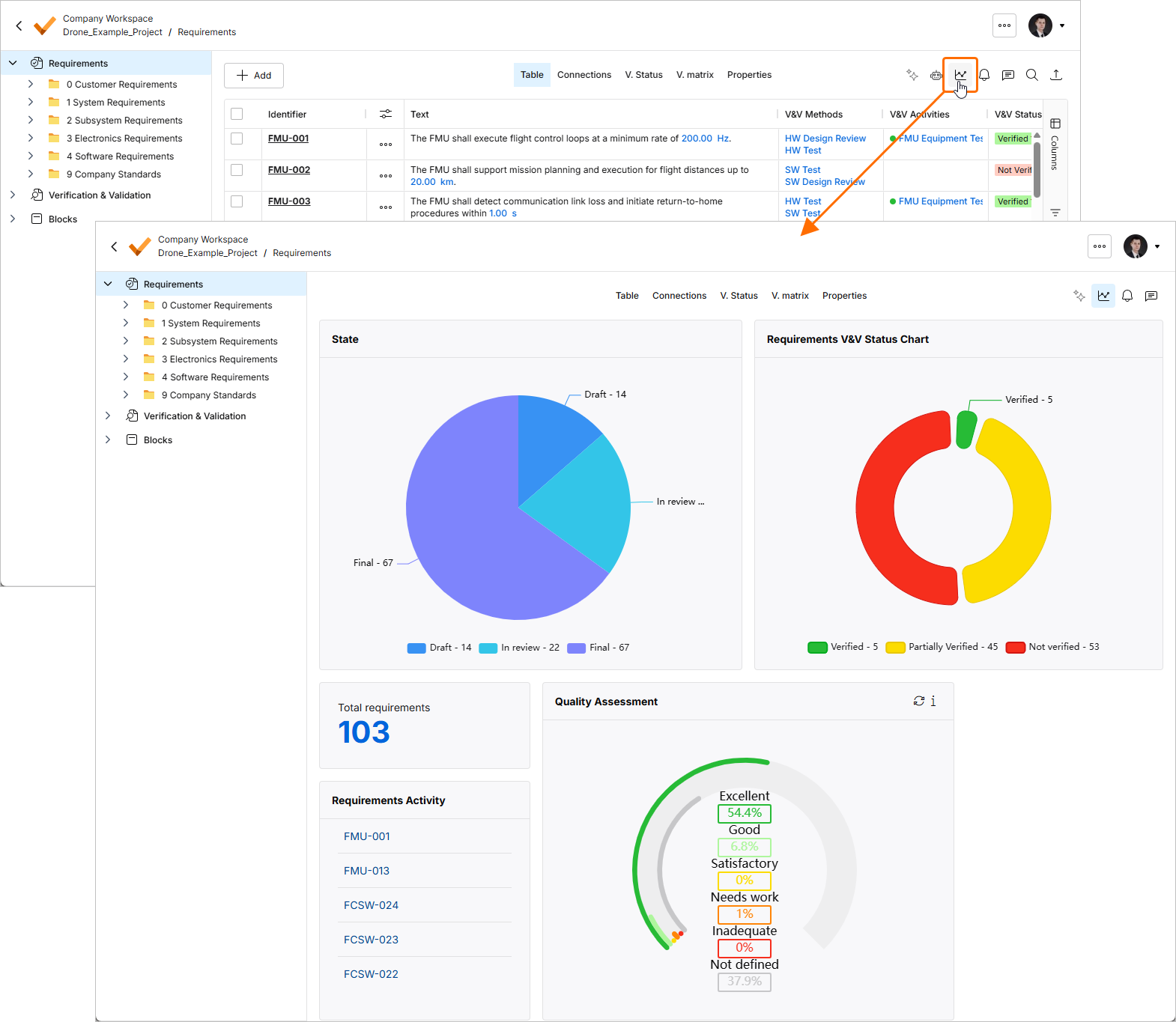
To access the Insights feature, navigate to the requirements module in your project and then click the  button at the top right.
Insights Interface
Upon opening the Insights feature, you will encounter several graphical representations. These graphs are generated from the requirements within the specification/section or folders. Currently, the Insights shows the following information.
-
State
-
Requirements V&V Status Chart
-
Number of Requirements within the Specification/section/folder
-
Requirements Activity (display the requirements that are modified recently)
-
Quality Assessment graph
State Graph
This pie chart displays the proportion of requirements in different states:
-
Not Defined: Requirements that have not yet been specified.
-
Draft: Requirements that are currently in the draft phase.
-
In Review: Requirements that are under review.
-
Final: Requirements that have been finalized.
Requirements V&V Status Chart
Another pie chart shows the number of requirements that are verified or not verified or partial verified within the specification.
-
Not Verified: Requirements that have not been verified.
-
Partial Verified: Requirements that have been partially verified.
-
Verified: Requirements that have been fully verified.
Quality Assessment
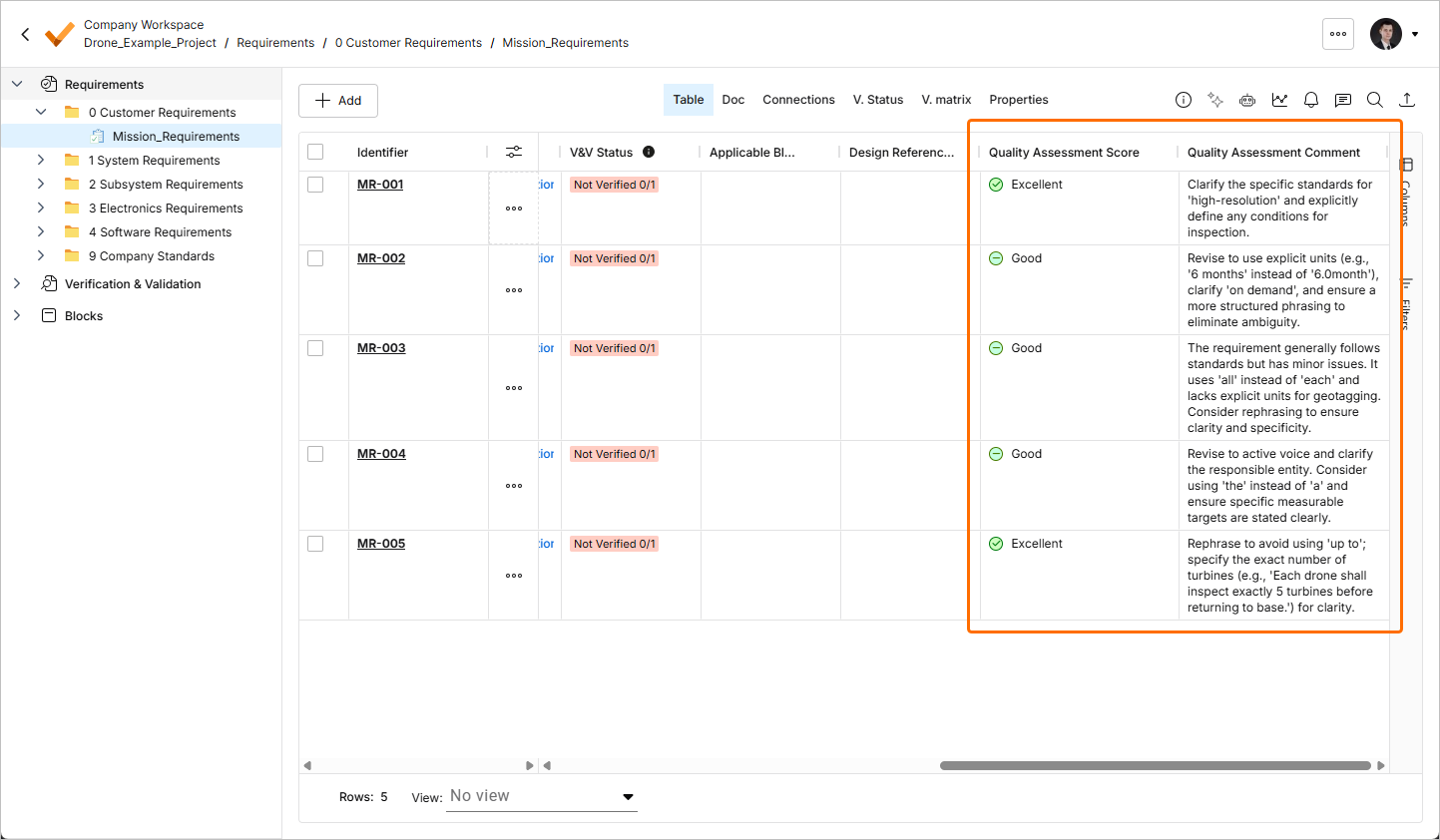
The Quality Assessment feature is an AI-powered tool designed to help you to maintain high-quality requirements. By evaluating the text against several quality parameters, this feature provides a Quality Assessment Score and a Quality Assessment Comment for each requirement, which is displayed in their respective columns within the Requirements module. This allows you to identify requirements that might need further refinement quickly.
Accessing Quality Assessment
To utilize the Quality Assessment feature, select the requirements, click the  button and select the Assistant » Quality Assessment command. The Quality Assessment window will open. You will be informed of how many Requirements will be analyzed. Using the text field in the Prompt Extension region, you can provide additional instructions.
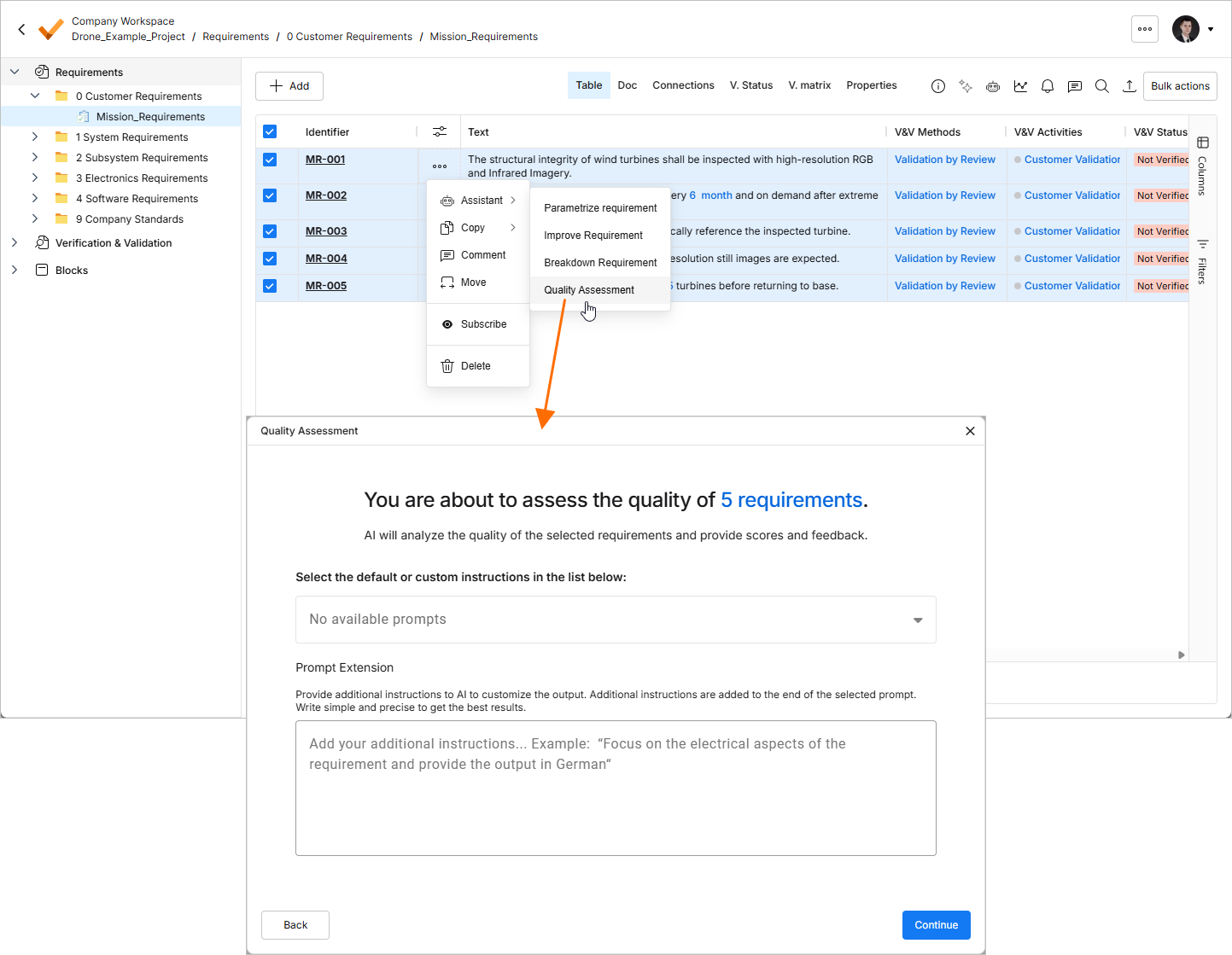
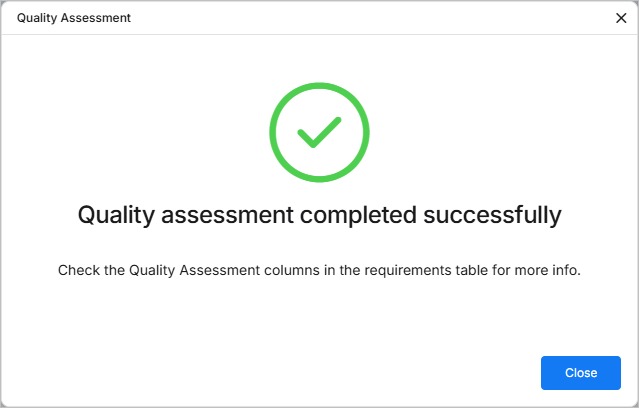
Click  to proceed. Once the process is finished, the next window will inform you that the quality assessment was successful.
The Quality Assessment Score and Quality Assessment Comment columns in the specification's table will provide additional information about the quality of your requirement text.
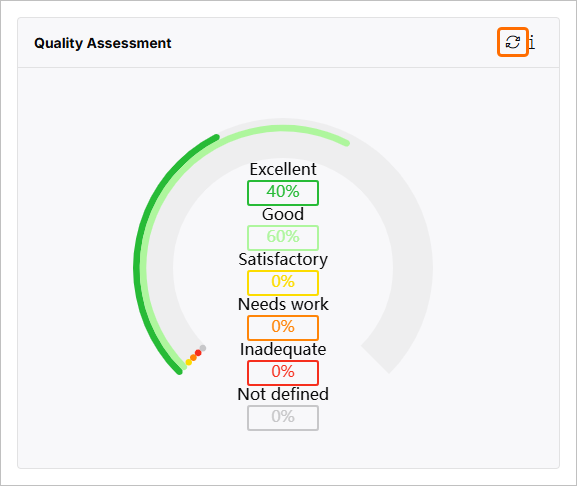
The Quality Assessment graph on the Insights view will show the updated results. In case you would like to do the new assessment, you can also do the refresh by click the  button at the top right of the graph.
Scoring Criteria
-
Score: 0-20 / 1 (Level 1 - Inadequate)
-
Criteria: The requirement text violates multiple INCOSE standards. It lacks structure, uses passive voice, contains vague terms, and has poor grammar and punctuation. No clear responsible entity or ambiguous or not actionable.
-
-
Score: 21-40 / 2 (Level 2 - Needs Improvement)
-
Criteria: The requirement follows some standards but has significant issues. It may be somewhat structured but still uses the passive voice, contains escape clauses, or lacks specific, measurable targets.
-
-
Score: 41-60 / 3 (Level 3 - Satisfactory)
-
Criteria: The requirement generally follows standards but has some minor issues. It may be primarily structured but includes minor grammatical errors or lacks specific units of measure.
-
-
Score: 61-80 / 4 (Level 4 - Good)
-
Criteria: The requirement adheres to most standards. Well-structured, active voice, and specific measurable targets, but may have one or two minor issues.
-
-
Score: 81-100 / 5 (Level 5 - Excellent)
-
Criteria: The requirement fully adheres to standards. It is clearly structured, active voiced, has specific measurable targets, no grammatical errors, and is unambiguous and actionable.
-
INCOSE Rules was taken into Consideration for Assessment
R1 - Use a structured, complete sentence: subject, verb, object.
R2 - Use the active voice in the main sentence structure of the need or requirement statement with the responsible entity clearly identified as the subject of the sentence.
R3 - Ensure the subject and verb of the need or requirement statement are appropriate to the entity to which the need or requirement refers.
R5 - Use definite article “the” rather than the indefinite article “a”.
R6 - Use appropriate units when stating quantities. All numbers should have units of measure explicitly stated.
R7 - Avoid the use of vague terms such as “some”, “any”, “allowable”, “several”, “many”, “a lot of”, “a few”, “almost always”, “very nearly”, “nearly”, “about”, “close to”, “almost”, and “approximate”.
R8 - Avoid escape clauses such as “so far as is possible”, “as little as possible”, “where possible”, “as much as possible”, “if it should prove necessary”, “if necessary”, “to the extent necessary”, “as appropriate”, “as required”, “to the extent practical”, and “if practicable”.
R9- Avoid open-ended clauses such as “including but not limited to”, “etc.” and “and so on”.
R10 - Avoid superfluous infinitives such as “be designed to”, “be able to”, “be capable of”.
R12, 13, 14 - Use correct grammar, spelling, punctuation.
R15 - Use a defined convention to express logical expressions such as “[X AND Y]”, “[X OR Y]”, [X XOR Y]”, “NOT[X OR Y]”.
R16 - Avoid the use of “not”
R17 - Avoid the use of the oblique ("/") symbol except in units, i.e. km/hr
R18 - Write a single sentence that contains a single thought conditioned and qualified by relevant sub-clauses.
R19 - Avoid combinators that join clauses, such as “and”, “or”, ”then”, ”unless”, ”but”, ”as well as”, ”but also”, ”however”, ”whether”, ”meanwhile”, ”whereas”, ”on the other hand”, or ”otherwise”.
R20 - Avoid phrases that indicate the purpose of the need or requirement.
R21 - Avoid parentheses and brackets containing subordinate text.
R22 - Enumerate sets explicitly instead of using a group noun to name the set.
R24 - Avoid the use of pronouns and indefinite pronouns.
R26 - Avoid using unachievable absolutes such as 100'%' reliability, 100'%' availability, all, every, always, never, etc.
R28 - Express the propositional nature of a condition explicitly for a single action instead of giving lists of actions for a specific condition.
R29 - Classify the needs and requirements according to the aspects of the problem or system it addresses.
R31 - When defining design inputs avoid stating a solution unless there is rationale for constraining the design. Focus on the problem “what” rather than the solution “how”.
R32 - Use “each” instead of “all”, “any" or “both” when universal quantification is intended.
R33 - Define quantities with a range of values appropriate to the entity to which they apply and to which the entity will be verified or validated against.
R34 - Provide specific measurable performance targets appropriate to the entity to which the need or requirement is stated and against which the entity will be verified to meet.
R35 - Define temporal dependencies explicitly instead of using indefinite temporal keywords such as “eventually”, “until”, “before”, “after”, “as”, “once”, “earliest”, “latest”, “instantaneous”, “simultaneous”, “at last”.
R38 - Avoid the use of abbreviations.
Quality Assessment Graph
This circular graph displays the quality levels of your requirements:
-
High: Indicates requirements of superior quality.
-
Medium: Represents requirements that are adequately defined but might need improvement.
-
Low: Signifies requirements that are likely to require significant refinement.
-
Not Defined: Pertains to requirements that have not been evaluated or are missing sufficient information.