
Improve Requirements
The ValiAssistant's Improve Requirements takes selected requirement(s), analyzes their text, and suggests improvements. Additionally, these suggestions can be edited in the process before finalizing their creation. This feature automates the process of revising the quality of requirements, saving time and eliminating the risk of human error from this tedious process.
After accessing the Improve Requirements feature from within the Requirements Module (learn more), a process which stages are detailed below will start.
After accessing the Improve Requirements process, you will be informed of exactly how many requirements will be checked.
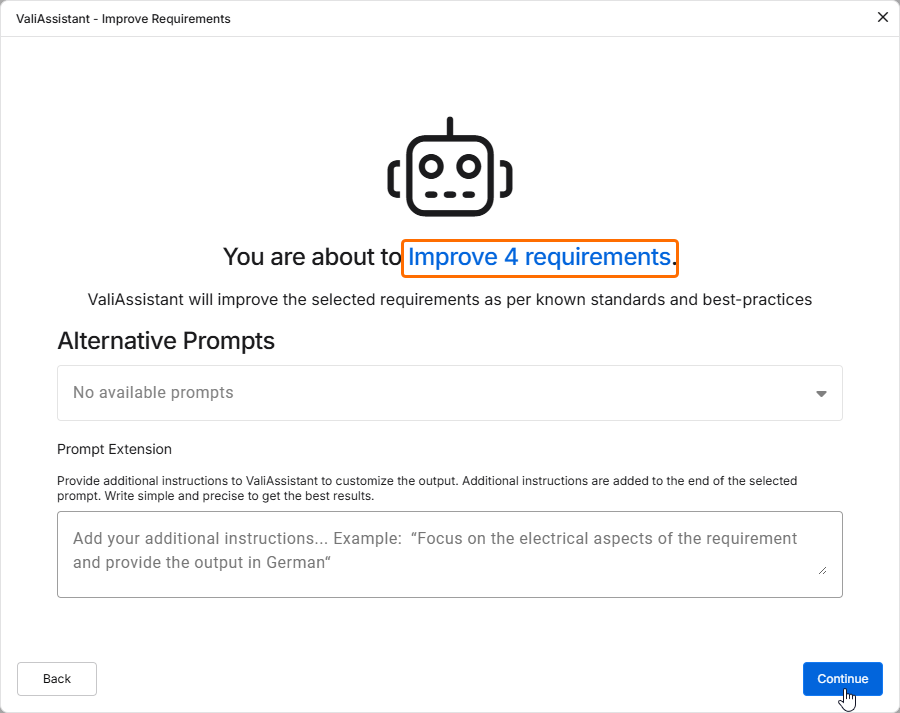
Click  to proceed.
Once the ValiAssistant has processed the requirements, suggested improvements will be shown. You can now compare the new and old requirements.
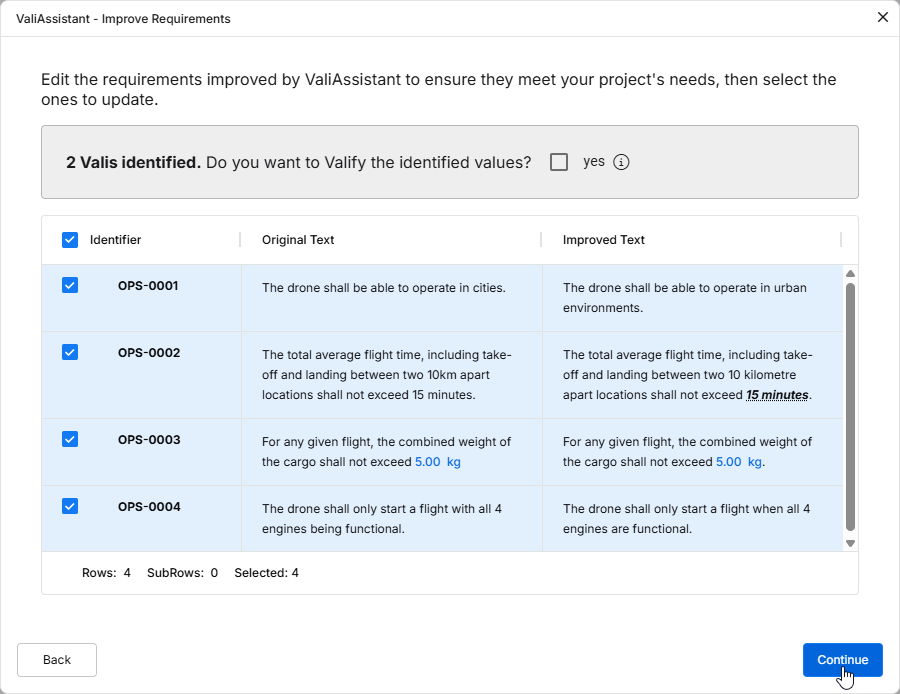
You can edit the text fields of the new requirements by double-clicking in corresponding fields. Using checkboxes, you can further decide which requirements you want to change.
Enable the Do you want to Valify the identified values? checkbox to Valify the Requirements. This will transform any Values + Units into Parameters (Valis).
Click to finalize the generation of these requirements. Once the requirements are successfully created, a confirmation window will appear, and the requirements will be added to the specification.