
User Flags
The User Flags settings page provides access to options that allow you to manage availability of certain features in Requirements & Systems Portal. In order to use these features, each user has to personally activate them.
The User Flags page is accessed by clicking the  icon at the bottom left and selecting Settings from the associated menu.
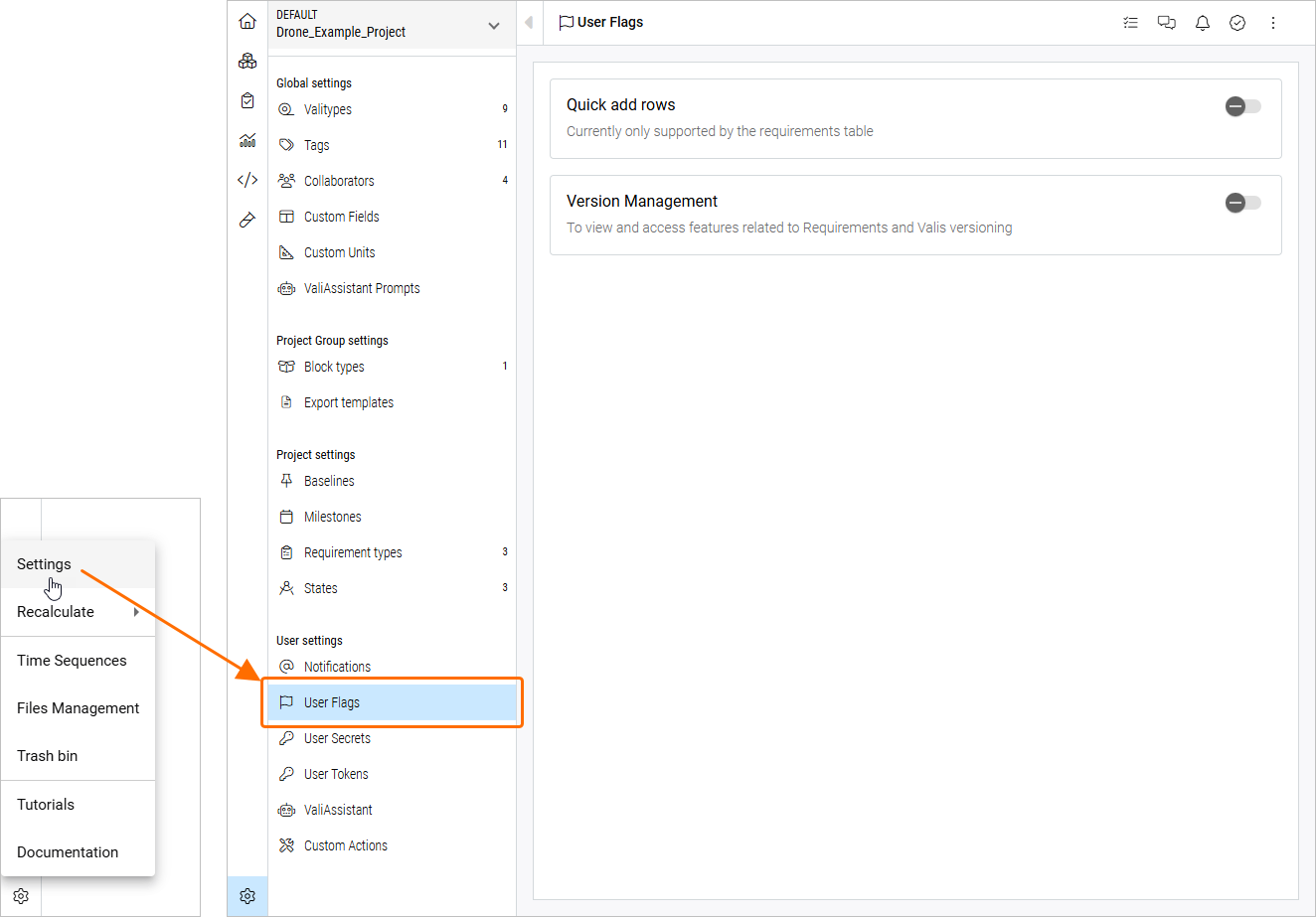
Availability of the following features is managed from the User Flags page:
-
Quick Add Rows – this feature allows you to create new requirements rapidly. After activating it on the tab’s left corner, it automatically displays a new requirement identifier with a default text. The user can then modify it and add it to the list of requirements.
-
Version Management – enable this feature to view and access features related to Requirements and Valis versioning (e.g., viewing versions of requirements – learn more about Requirement Versioning and Releasing).