
Change Type
Created: May 02, 2018 | Updated: March 06, 2024
| Applies to versions: 1.0, 1.1 and 2.0
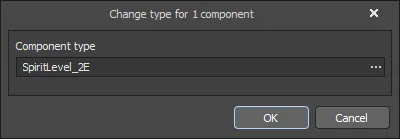 The Change type dialog
Summary
The Change type dialog is used to change the type of component(s) during library migration.
Access
The dialog is accessed from any editor by right-clicking in the Components region of the Preview Stage of the Library Migrator (File » Library Migrator from the main menus) then selecting Change component type.
Options/Controls
- Component type - enter the new component type in the textbox or use
 to open the Component Type dialog and choose the new type.