The “Applicable Blocks” column was enabled in the “Requirements module in the significant release Version 2.2. This feature now links the requirements with the blocks, replacing the old way through the Verification methods. The previous block-requirement link method has been changed by implementing “Applicable blocks.” The information below explains how it differs from the old to the current ways. Under the new process, requirements can be directly paired with blocks without a specific VM – learn more.
In the Valispace requirement verification workflow, requirements must always be linked to one or more blocks for verification. The usual process involves the user specifying the "Verification Method" for the requirement and assigning a "block" to the verification method. Once the user assigns the block to the verification method, the requirement and block connections are created.
Adding blocks to requirements through the Verification methods
Subsequently, this requirement becomes visible within the "Requirements" section of the block as shown in the figure.
Requirements shown within the “Requirements section of the blocl
The Requirements within the “Requirements” section of the block don't show up anymore if the block is added to the VM. The user needs to add them using the new method illustrated below.
If you find an issue, select the text/image and pressCtrl + Enterto send us your feedback.
Feature Availability
The features available to you depend on which Altium solution you have – Altium Develop, an edition of Altium Agile (Agile Teams or Agile Enterprise), or Altium Designer (on active term).
If you don’t see a discussed feature in your software, contact Altium Sales to find out more.

 Adding blocks to requirements through the Verification methods
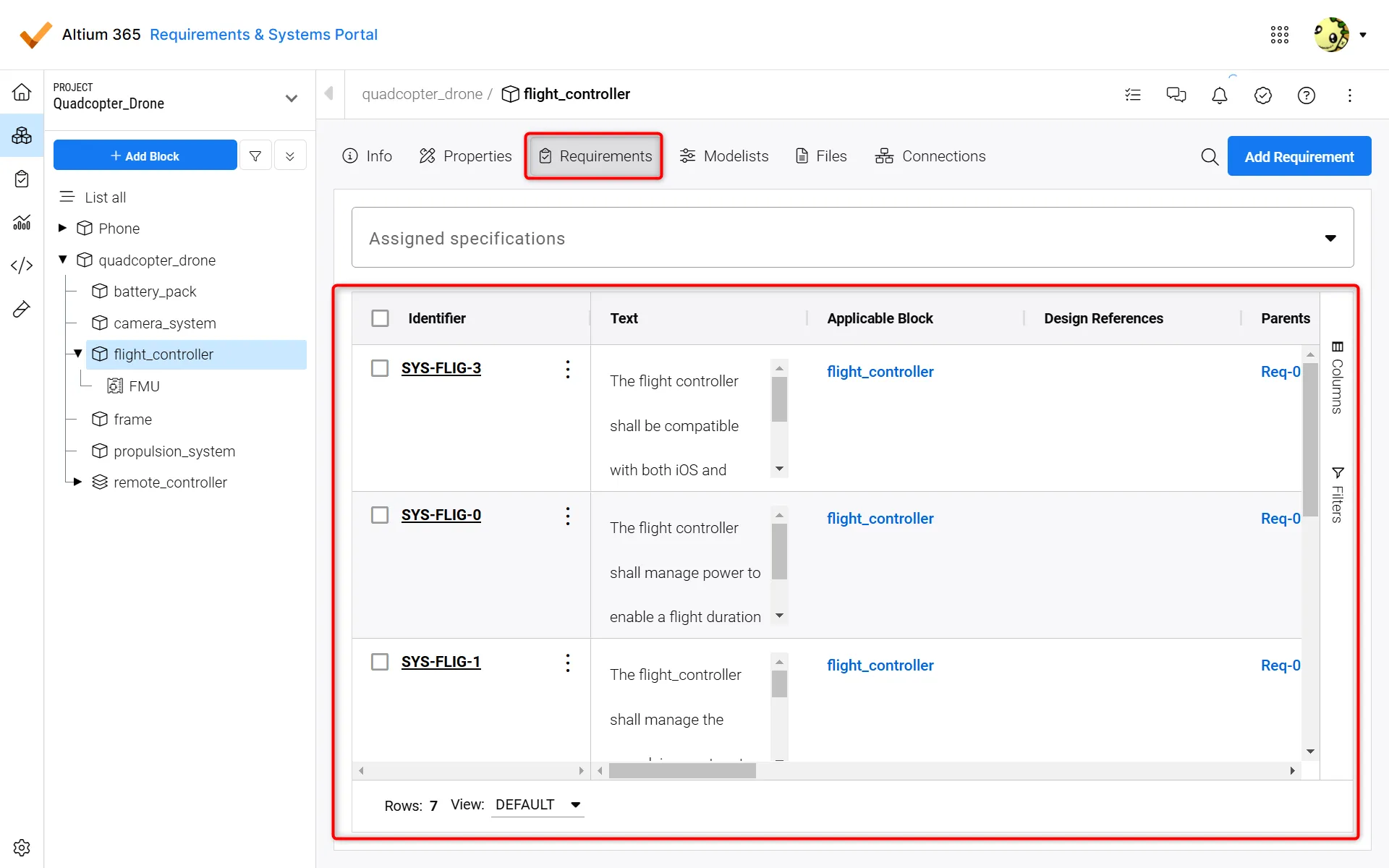 Requirements shown within the “Requirements section of the blocl