Release 1.58.3 (07 June 2022)
Updated: February 04, 2025
-
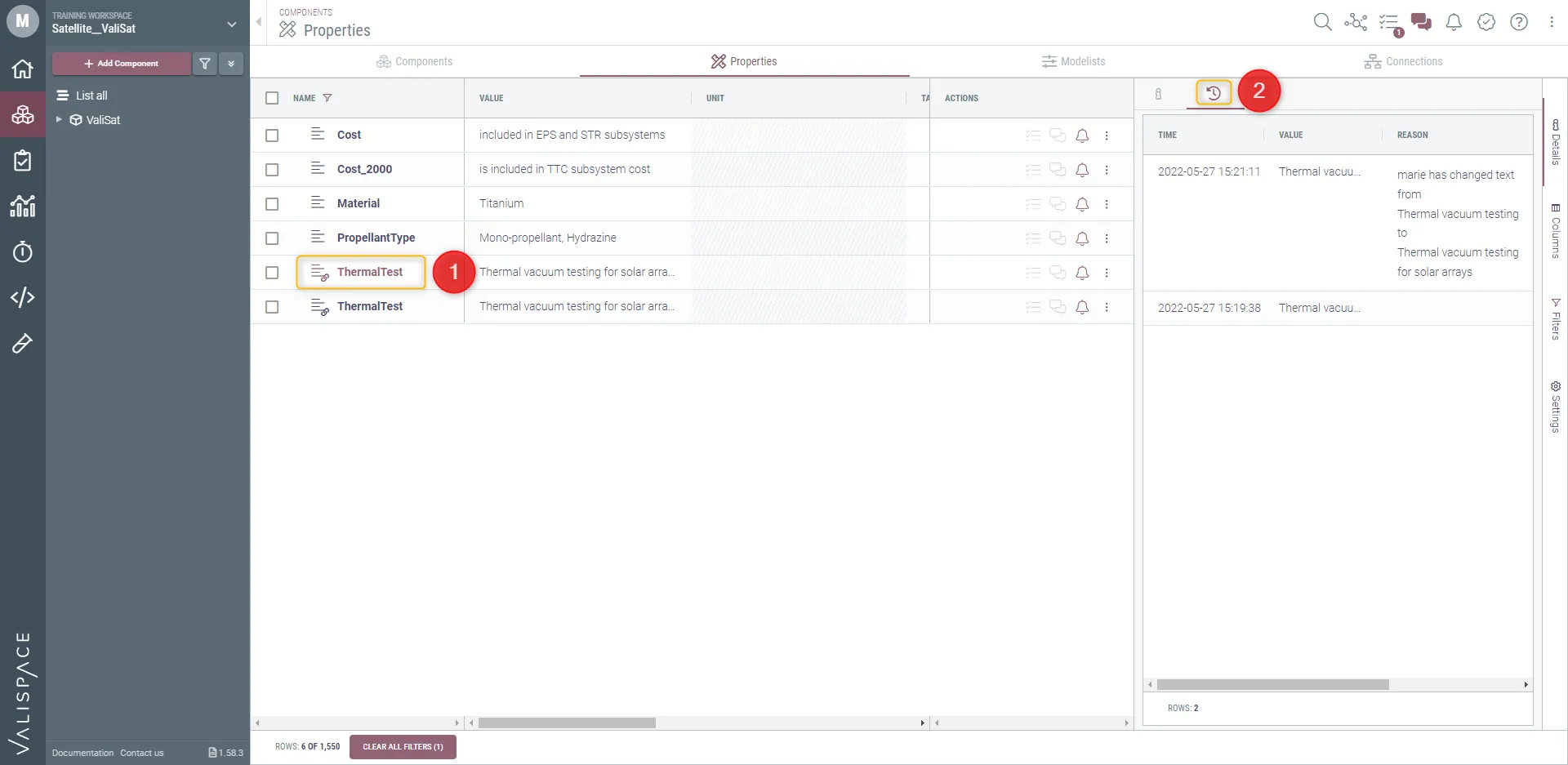
Changes history for Textvali
In the Components Module, the “history of changes” option has been implemented to the Textvali properties. When a Textvali is modified, the updates are saved and the user can access them. By clicking on the Textvali (1), a window opens up. Using the clock icon (2), the user can see when the latest changes were made and which collaborators were involved.