
Digitization of Requirements
Updated: February 04, 2025
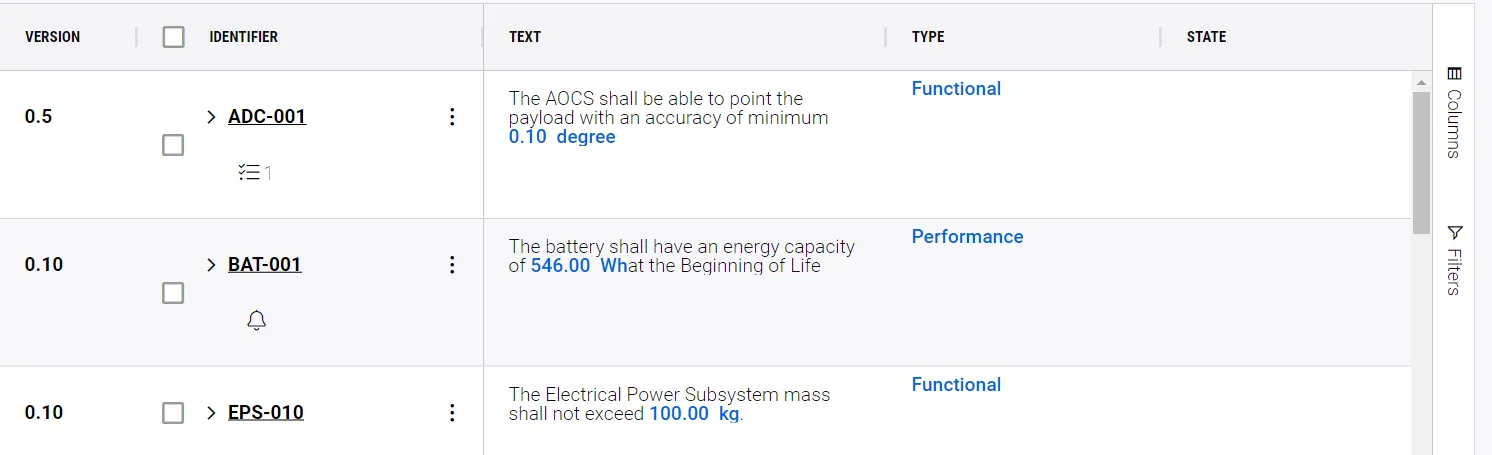
In Requirements & System Portal's Requirements Module, you can manage your project’s Requirements in an easy and efficient way.
Here you can:
-
Store, filter and assign your requirements to your project’s blocks
-
Track verification statuses and compliances throughout your design phases

Parameters in Requirement Text
-
Creating valis in the requirements module helps you to avoid copy-paste
-
When you make changes to your requirement text, updates are made in all places at one time
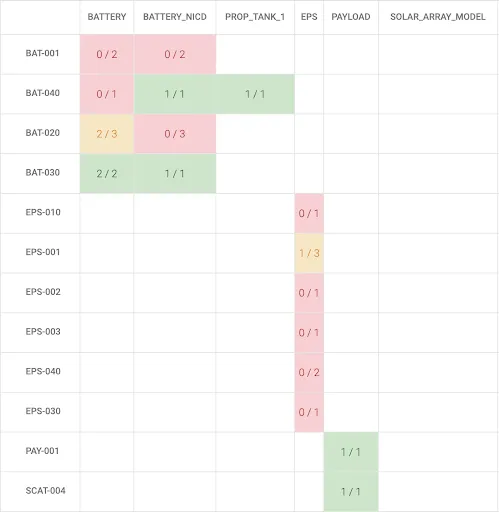
Requirement Status
-
The Status tab allows you to see which requirements have been verified, and which still need verification.