
Permissions Management
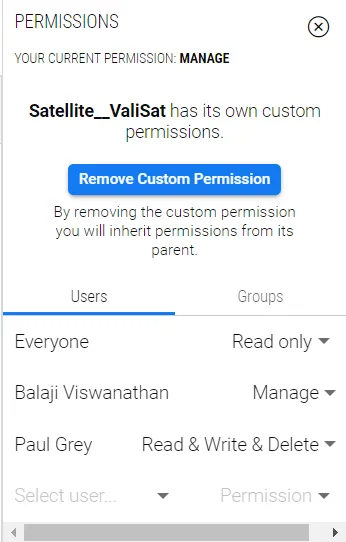 Permissions within the Requirements and Systems Portal
Requirements & Systems Portal’s permission system allows multiple users with different responsibilities to work in a single place, thus simplifying the work of multidisciplinary teams by partitioning them into groups and even individuals.
There are 4 types of permissions in Requirements & Systems Portal:
-
Read-only
-
Read & Write
-
Read & Write & Delete
-
Manage permission
You can use those 4 types of permissions to specifically assign members of your team to different permission levels inside each Module.
Here are some examples:
-
Give your Test Engineers Read & Write permissions on the Test Run Section of the Tests Module so they can create Test Runs each time they perform one, but only give them Read permission on the step section
-
Give your Wing Specialist Engineer permission to Read & Write on the Wing Block, but only Read Permission on the Engine.
For more information on this topic, you can refer to our documentation here.