
Datensätze und Funktionen
Oft sind Parameter von Blöcken und Teilen keine Einzelwerte, sondern variieren über die Zeit, die Spannung oder eine andere Dimension. Das Requirements Portal verarbeitet zweidimensionale Parameter mit Datasets und Functions. Datensätze sind punktweise Spezifikationen eines variierenden Vali, und Funktionen werden durch eine Formel und einen Variablenbereich definiert, der auch von minus unendlich bis unendlich reichen kann. Datensätze und Funktionen können wie gewohnt in Berechnungen und Formeln anderer Valis verwendet werden, und die Ergebnisse sind wiederum neue Datensätze oder Funktionen. Sie können auch an einem bestimmten Punkt ausgewertet werden, an dem der Wert eindeutig definiert ist, z. B. Mass (5), wobei Mass zeitabhängig ist (Einheit=s), ergibt den Wert der Masse zum Zeitpunkt T = 5s.
Datensätze
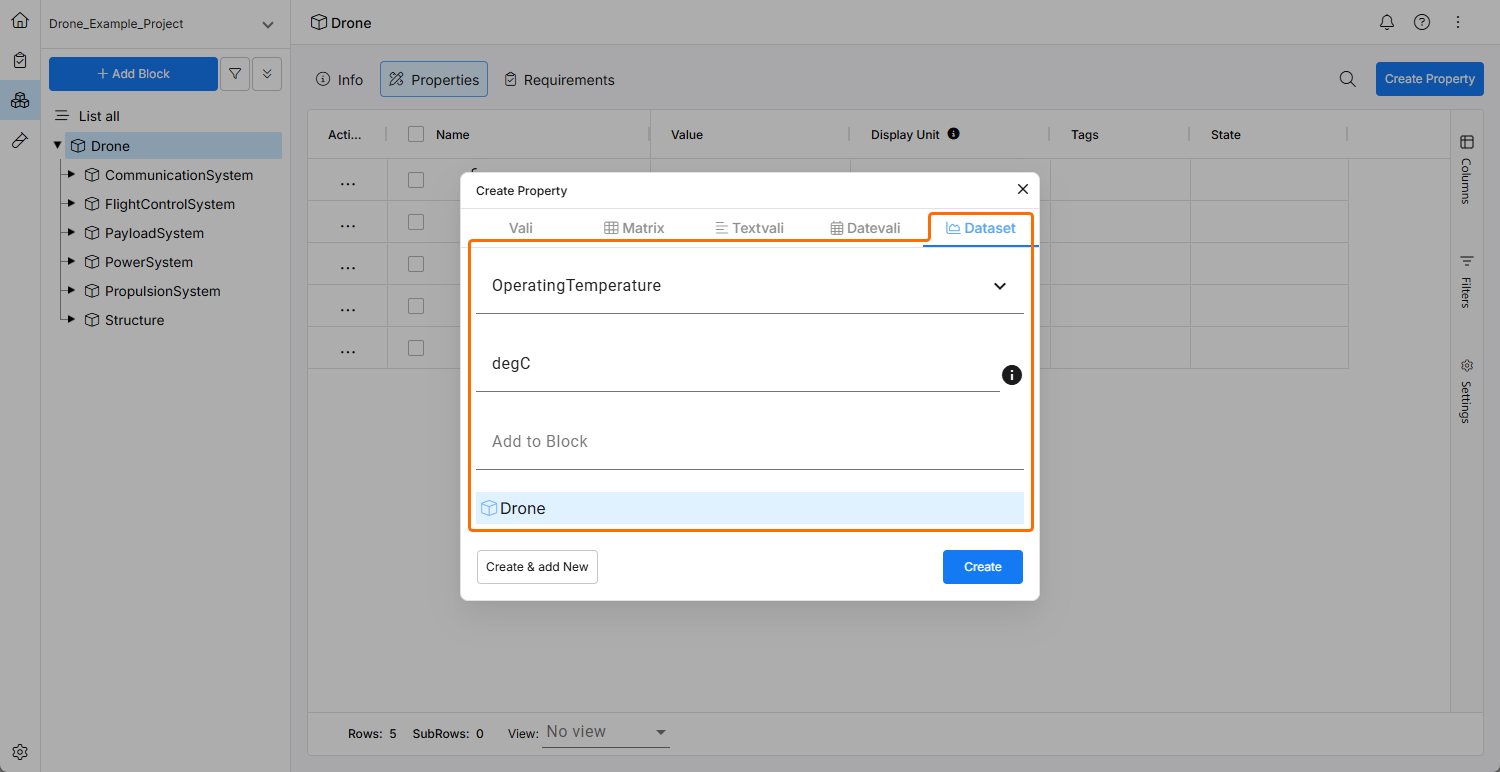
Datensätze sind punktweise Spezifikationen eines variierenden Vali. Datensätze können einem Vali auch als Messwerte zu Referenzzwecken hinzugefügt werden. Wählen Sie beim Erstellen eines Vali Dataset im Fenster Create Property aus. Sobald ein Datensatz-Vali erstellt wurde, können Sie die Werte der X-Achse oder Y-Achse auf der Registerkarte Info des Vali eingeben. Fügen Sie dem Datensatz Punkte hinzu, indem Sie mit dem Steuerelement add row unterhalb der Tabelle neue Zeilen hinzufügen. Sie können Werte auch aus CSV oder XLSX importieren.
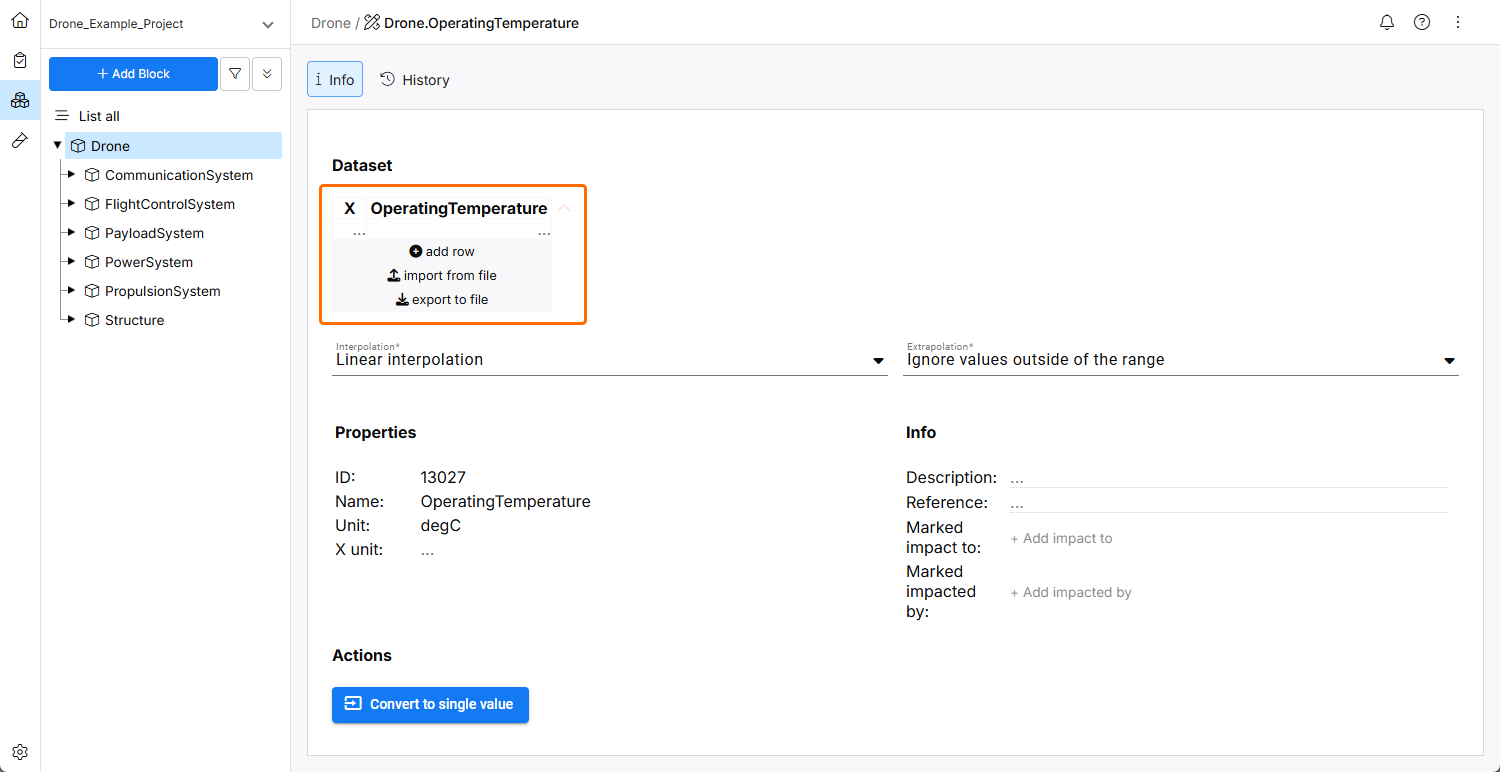
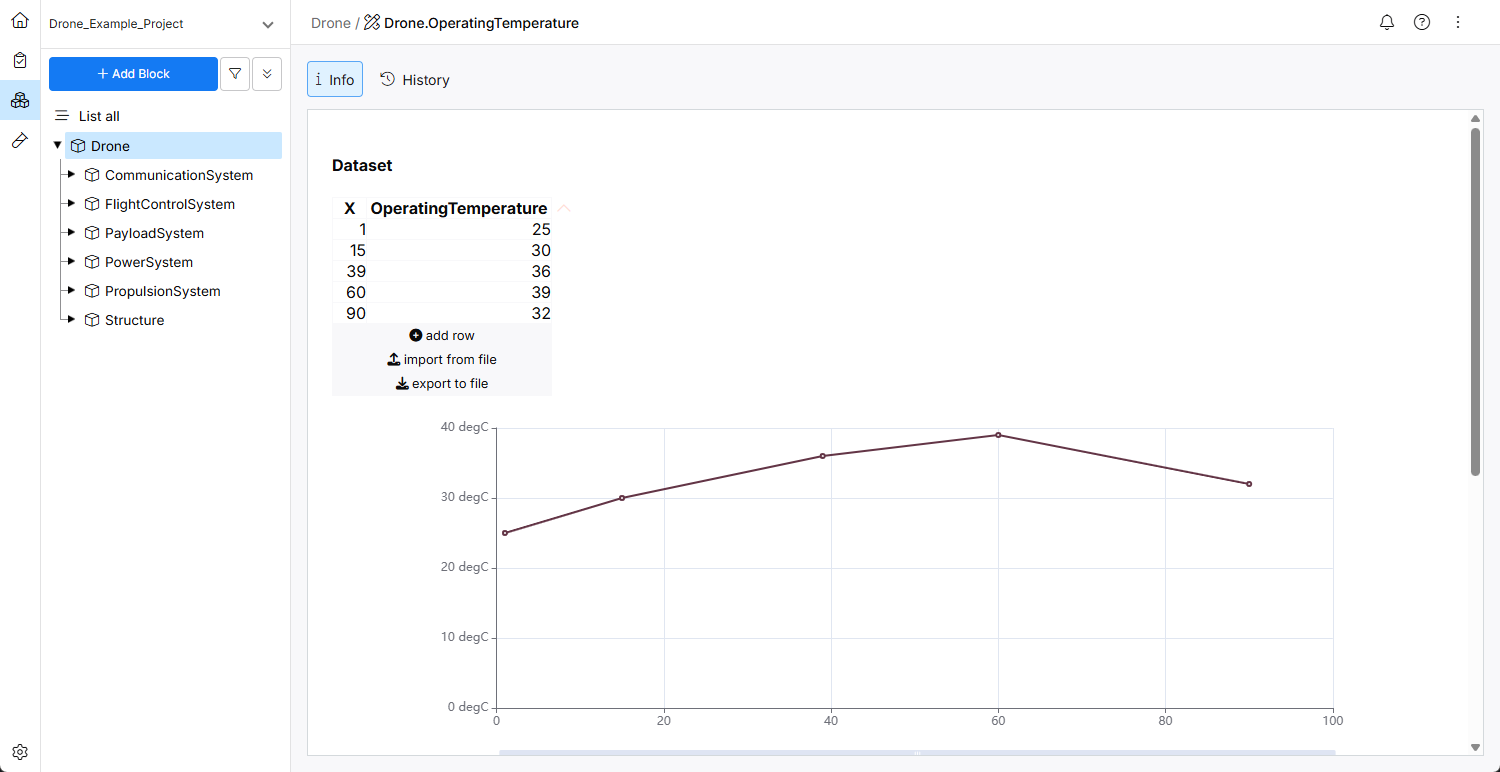
Die Variable hat standardmäßig den Namen X und keine Einheit. Sie können den Namen ändern, indem Sie auf den aktuellen Namen klicken und einen neuen Namen eingeben. Die Einheit können Sie über das Feld X unit im Bereich Properties des Datensatzes ändern.


Interpolation und Extrapolation
Interpolation und Extrapolation bestimmen die Werte des Vali zwischen und außerhalb der angegebenen Punkte. Dies wird verwendet, wenn Datensätze in Berechnungen eingesetzt und ausgewertet werden.
Interpolation kann sein:
-
No interpolation – Werte sind zwischen den Punkten nicht definiert
-
Stepwise interpolation – konstanter Wert zwischen den Punkten
-
Linear interpolation – lineare Funktion zwischen den Punkten
Extrapolation kann sein:
-
Ignore values outside of the range – Werte sind außerhalb des Bereichs der Datenpunkte nicht definiert
-
Assume values outside of the range as 0 – Werte sind außerhalb des Bereichs der Datenpunkte überall 0
-
Same value as last available point – die Werte sind außerhalb des Bereichs der Datenpunkte konstant und werden durch den ersten bzw. letzten angegebenen Punkt definiert
-
Continue the interpolation – gleiche Extrapolation wie die angegebene Interpolation
Berechnungen mit Datensätzen
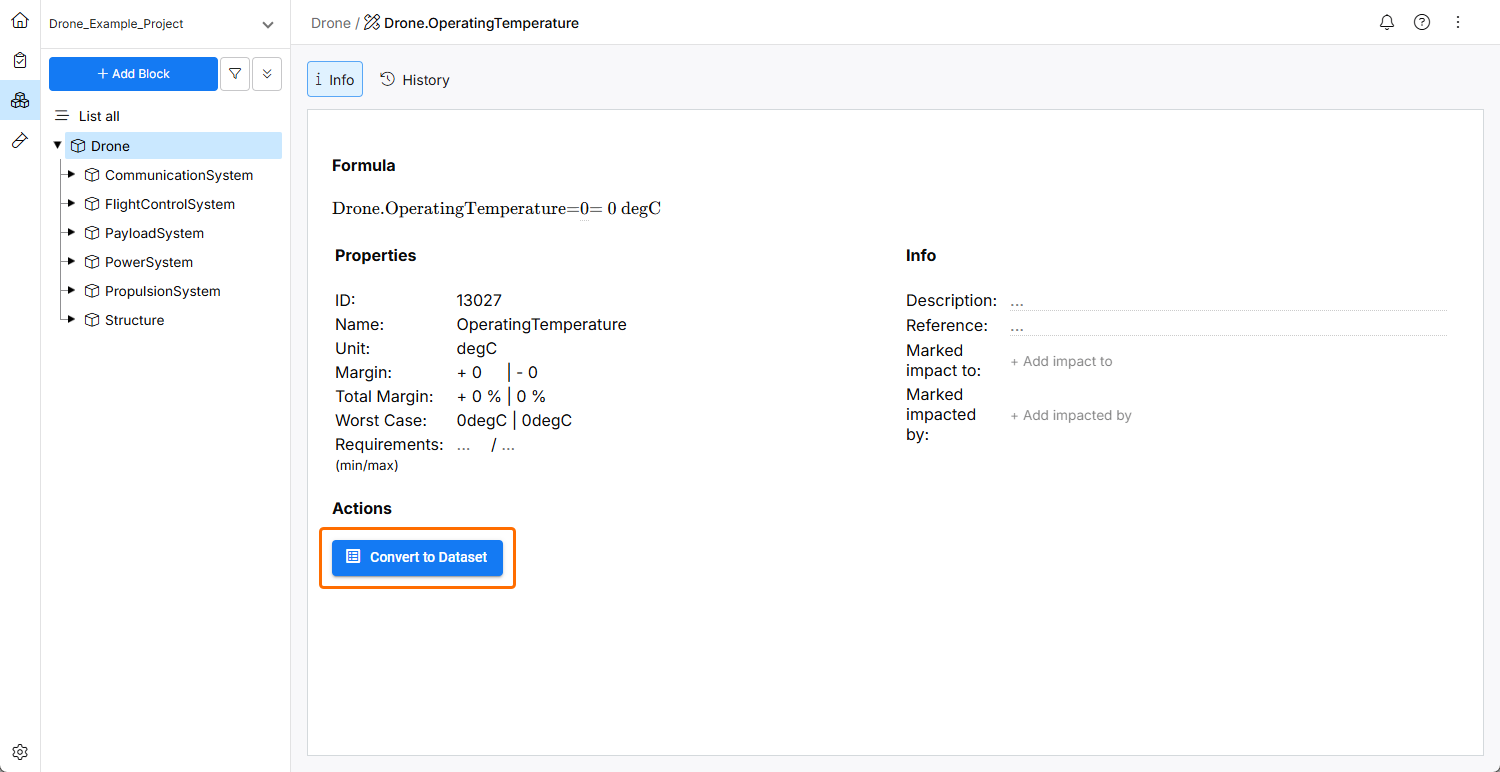
Wenn Sie einem Vali einen Datensatz hinzufügen, wird die Formel automatisch in average_of_datasets() geändert. Das bedeutet, dass das Ergebnis des in Berechnungen verwendeten Vali der Datensatz ist. Das Vali kann in normalen Berechnungen verwendet werden, z. B. Car.mass = sum_of_children() addiert die Massen der Unterblöcke, und wenn die Masse eines der Unterblöcke zeitabhängig ist, wird Car.mass ebenfalls zeitabhängig. Mathematische Operationen auf Datensätzen werden immer punktweise ausgeführt, z. B. nimmt sqrt(Car.mass) die Quadratwurzel jedes Datenpunkts, und das Ergebnis selbst ist wiederum ein Datensatz.
Funktionen
Valis können eine Funktion sein, indem eine Formel definiert wird, die von einer Funktionsvariablen abhängt, wie z. B. vali = 2*X + 4. X ist eine Funktionsvariable mit einem Namen und einer Einheit. Die Funktionsvariable kann in ihrem gesamten (unendlichen) Bereich gültig sein oder eingeschränkt werden, sodass die Funktion nur zwischen einem Minimal- und Maximalwert gültig ist.
Funktionsvariablen
Funktionsvariablen müssen mit einem Großbuchstaben beginnen. X, T und Time sind gültige Funktionsvariablen, während time dies nicht ist. Der Name der Funktionsvariablen ist über alle Valis hinweg global. Das bedeutet: Wenn X in einer Funktion verwendet wird, ist es dasselbe X, das auch in einer anderen Funktion verwendet wird.
Berechnungen mit Funktionen
Funktionen können innerhalb der normalen Berechnung verarbeitet werden. Wenn beispielsweise Vali1 = X^2 und Vali2 = 2*X, dann ergibt Vali3 = $Vali1 + $Vali2 die Funktion X^2 + 2*X. Wenn zwei Valis mit unterschiedlichen Variablen in einer Berechnung verwendet werden, ist das Ergebnis eine mehrdimensionale Funktion.
Valis sind Funktionen, die an jedem gültigen Punkt der Funktionsvariablen ausgewertet werden können. Wenn beispielsweise Vali1 = X^2 gilt, können Sie Vali2 = $Vali1(1) angeben, was zu Vali2 = 1 führt.
 KI-lokalisiert