Preparing Reports
At a Glance
- Explore report types, including Bill of Materials, BOM Compare, harness Manufacturing Data, component cross references, comments, and project history.
- Learn how to configure supported reports, preview and print them, and export them in a range of file formats.
- Understand how to add reports to Output Job files or generate them directly, and manage output folders to avoid overwriting reports.
A number of reports relating to the project or a specific project document can be prepared and generated for your design, including:
-
Bill of Materials – this report-type document provides an at-a-glance listing of all components required to build the product – including the bare board, which is essentially the base 'component' upon which all other parts are assembled. The BOM acts as a guide for what needs to be procured to build the product as designed. It also provides a means to calculate cost based on the required number of assembled boards in a requested spin.
-
BOM Compare – a report providing information regarding which components have been changed (such as added, removed, or replaced) during the release of a Workspace project.
-
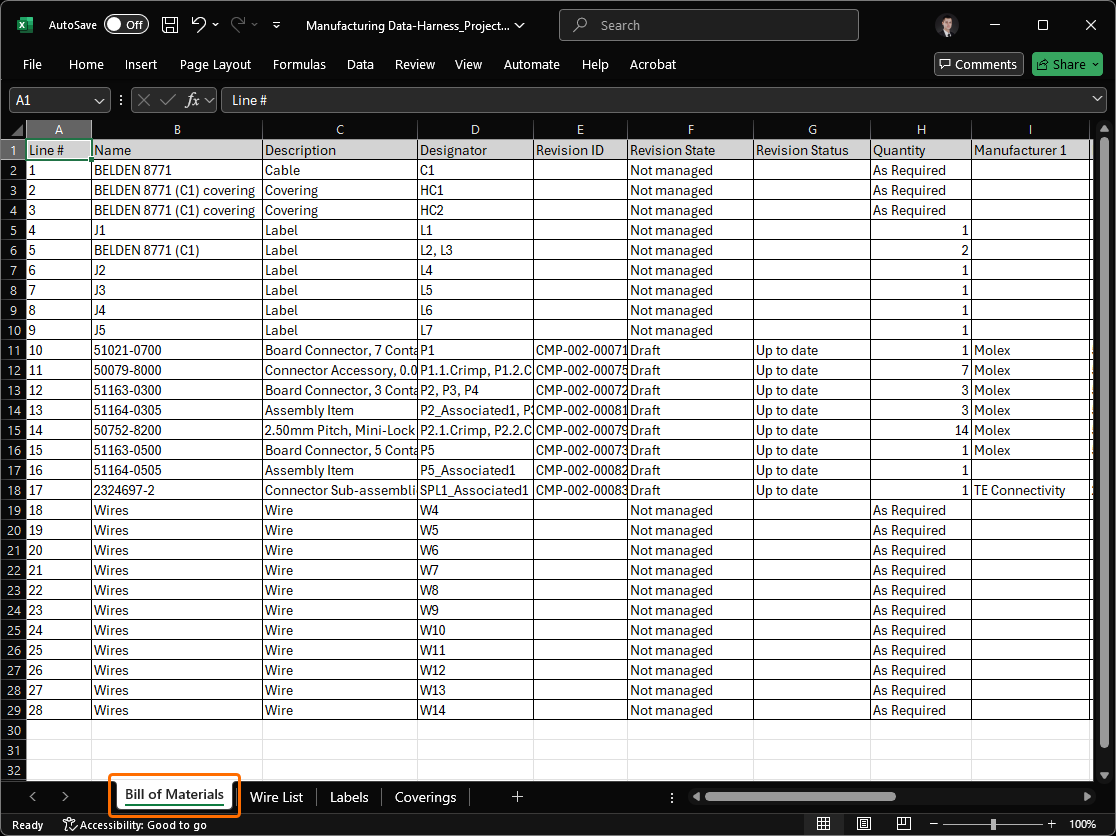
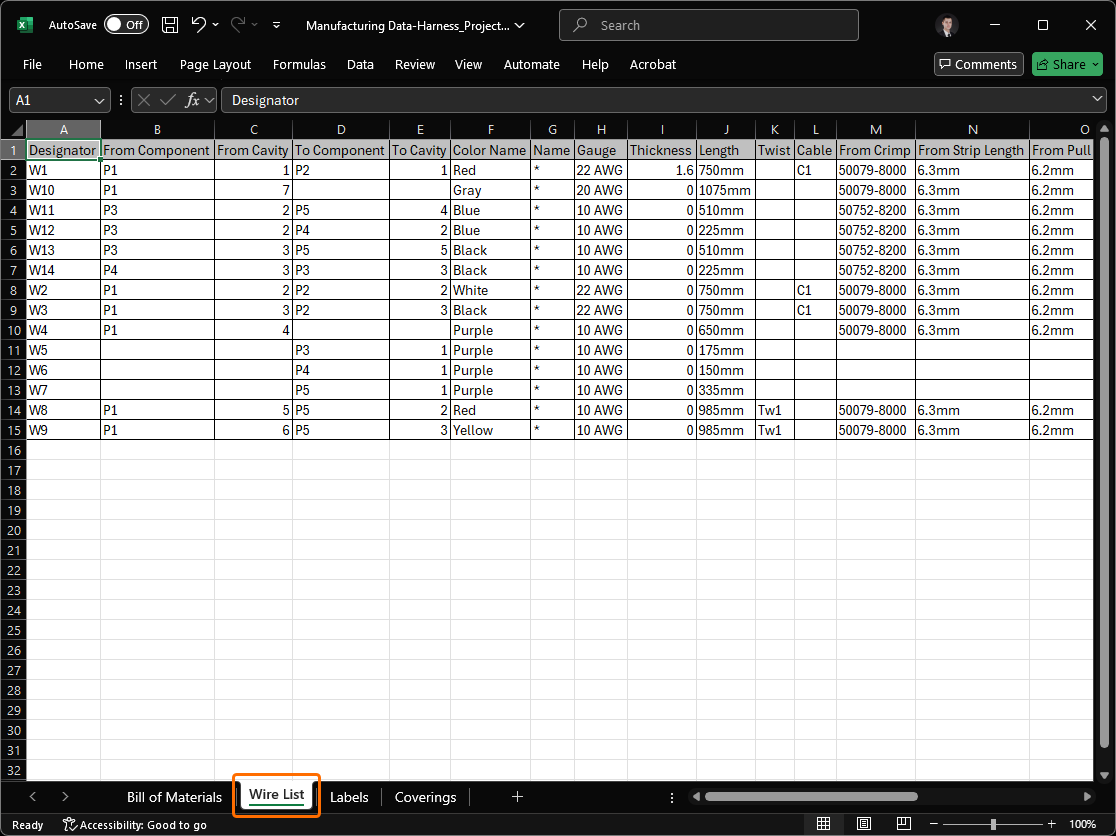
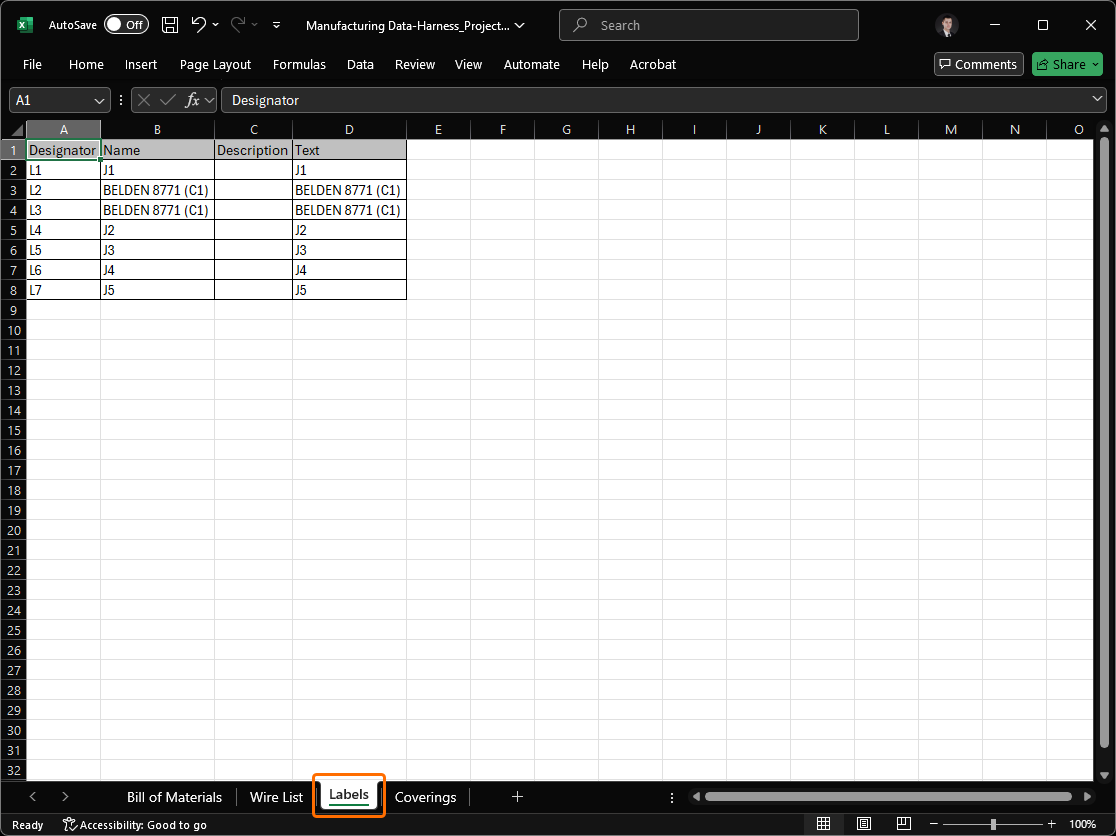
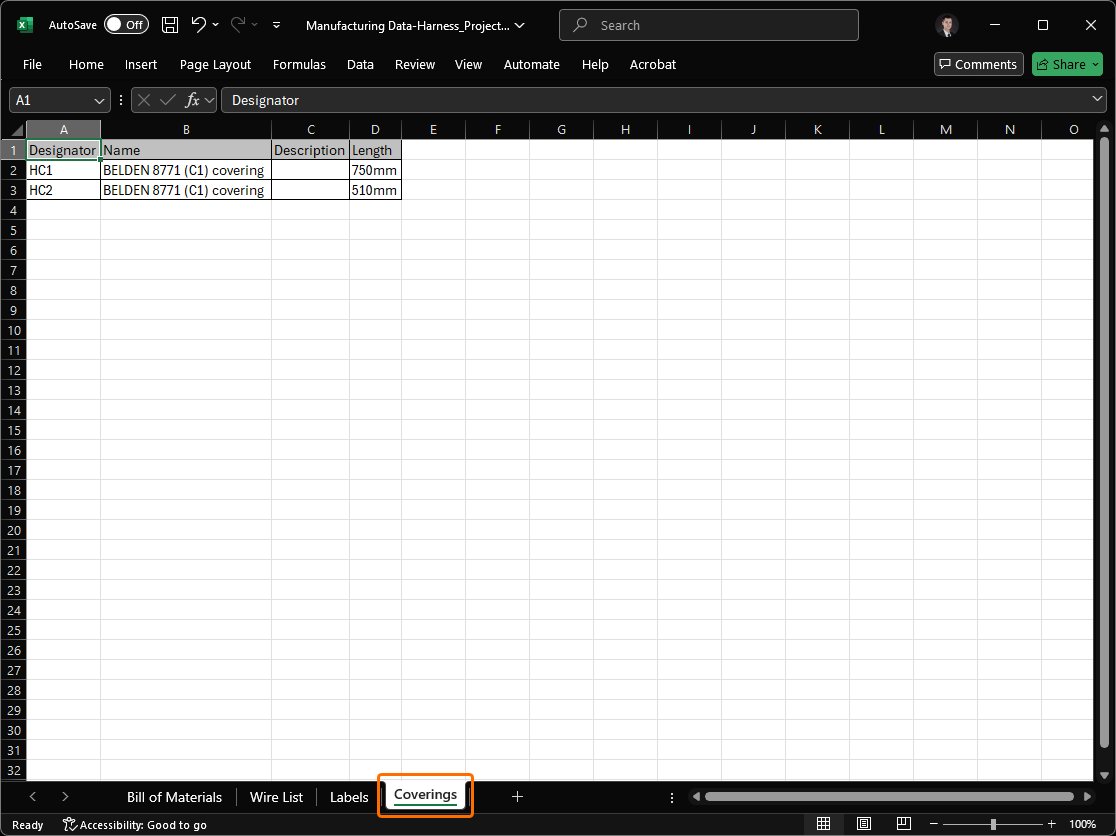
Manufacturing Data – a single Excel Workbook containing data for use by harness manufacturers. The generated Workbook includes four distinct sheets:
-
Bill of Materials – useful for quick quote generation.
-
Wiring List – for use with wire processing machines.
-
Labels – a summary of the physical labels to be printed for harness bundles, for use with Zebra or other printers.
-
Coverings – a summary of the coverings to be applied over harness bundles.
For more information about harness design, refer to the Harness Design page.
-
-
Component Cross Reference Report – creates a list of components, based on the schematic sheet that they are on in the design.
-
Export Comments – creates a PDF file with exported project document comments.
-
Project History – creates a PDF file with exported project history. Configure the output using the Project History Report Configuration dialog in which you can set the Period for which the report should be exported: either the entire project history or from/to a specific (or the latest) project release.

-
Report Project Hierarchy – creates a list of source documents used in the project. This output has no setup options, the ASCII report is written to the specified output folder.
-
Report Single Pin Nets – creates a report listing any nets that only have one connection. This output has no setup options, the ASCII report is written to the specified output folder. A report listing all of the source schematic documents for the design, in terms of their hierarchy within the project. The file is generated directly and is in the format <ActiveDocumentName>.REP.
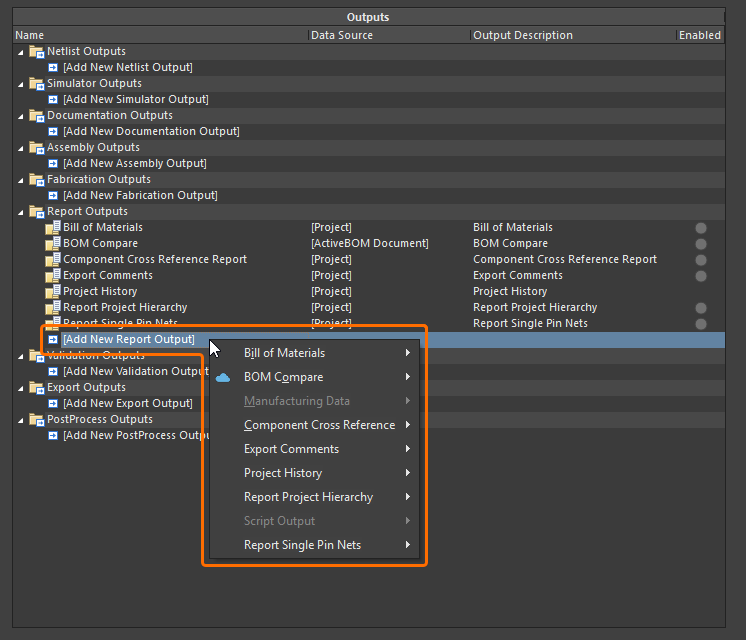
Report outputs can be added to the active Output Job file from the menu of the [Add New Report Output] control in the Report Outputs region of the file or from the Edit » Add Report Outputs sub-menus of the main menus.