전문적인 설계 환경,
클라우드를 통한 협업
Altium Develop은 PCB 설계와 클라우드 기반 협업을
하나의 플랫폼에 통합하여 일관된 설계 환경을 제공합니다.
KRW 2,660,000 /년
30일 무료 사용 시작하기
*국내 카드 결제 미지원: 구매 문의는 이메일(offices.korea@altium.com)로 연락 부탁드립니다.
학생일 경우, Student Lab에서 혜택을 받아보세요
전 세계 글로벌 기업들이 신뢰하는 플랫폼














복잡한 파일 관리, 이제 하나로 연결됩니다
산재된 파일과 버전 관리의 혼선을 넘어, 체계적이고 신뢰할 수 있는 통합 설계 환경을 경험해 보세요.
기존 방식
이메일, 개인 PC, 공유 폴더에 흩어져 있는 설계 파일은 협업을 지연시키고 버전 및 업데이트에 대한 지속적인 혼란을 야기합니다.


새로운 방식
모든 설계 데이터가 Altium 365 플랫폼에 통합되어, 팀원 모두가 하나의 프로젝트 환경에서 명확하게 변경 사항을 추적하고 검토할 수 있습니다.


Altium Designer의 전문적인 설계,
Altium 365를 통한 공유와 협업
하나의 통합된 환경에서 설계, 공유 및 협업까지 해결해 보세요.
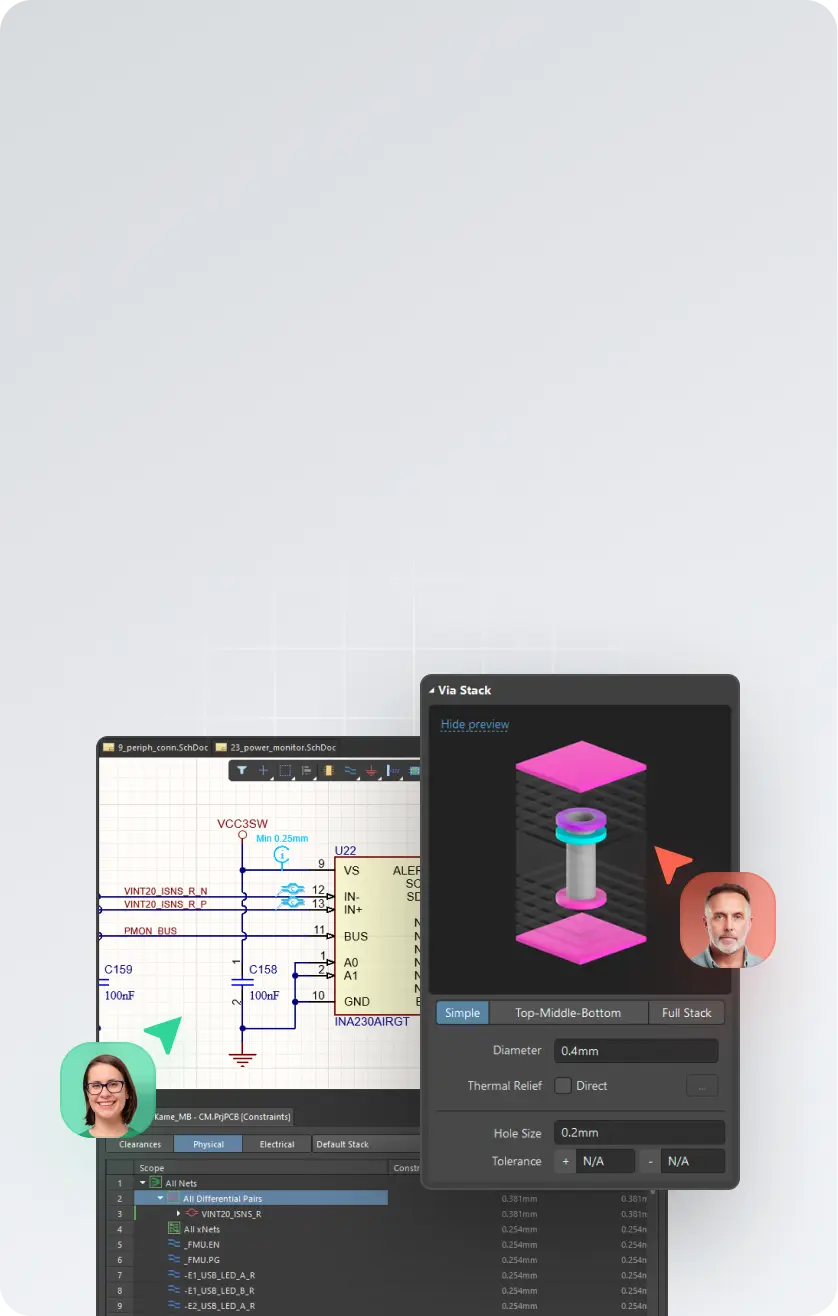

Altium Designer
설계
회로도, PCB, 멀티보드 및 하네스 설계까지 아우르는 고도의 설계 기능을 제공합니다.
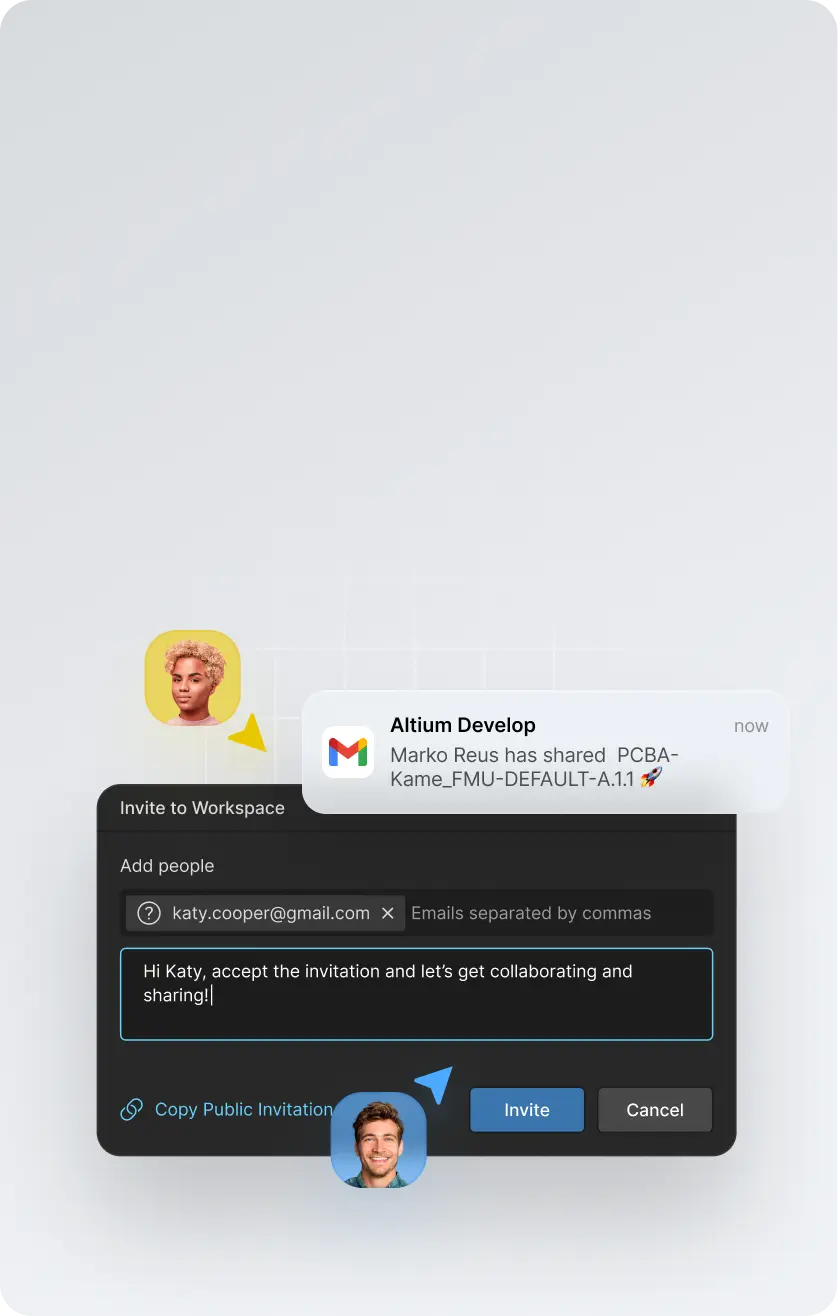

Altium 365
플랫폼 공유
보안이 강화된 워크스페이스에 설계 데이터를 통합하여 안전하게 관리할 수 있습니다.
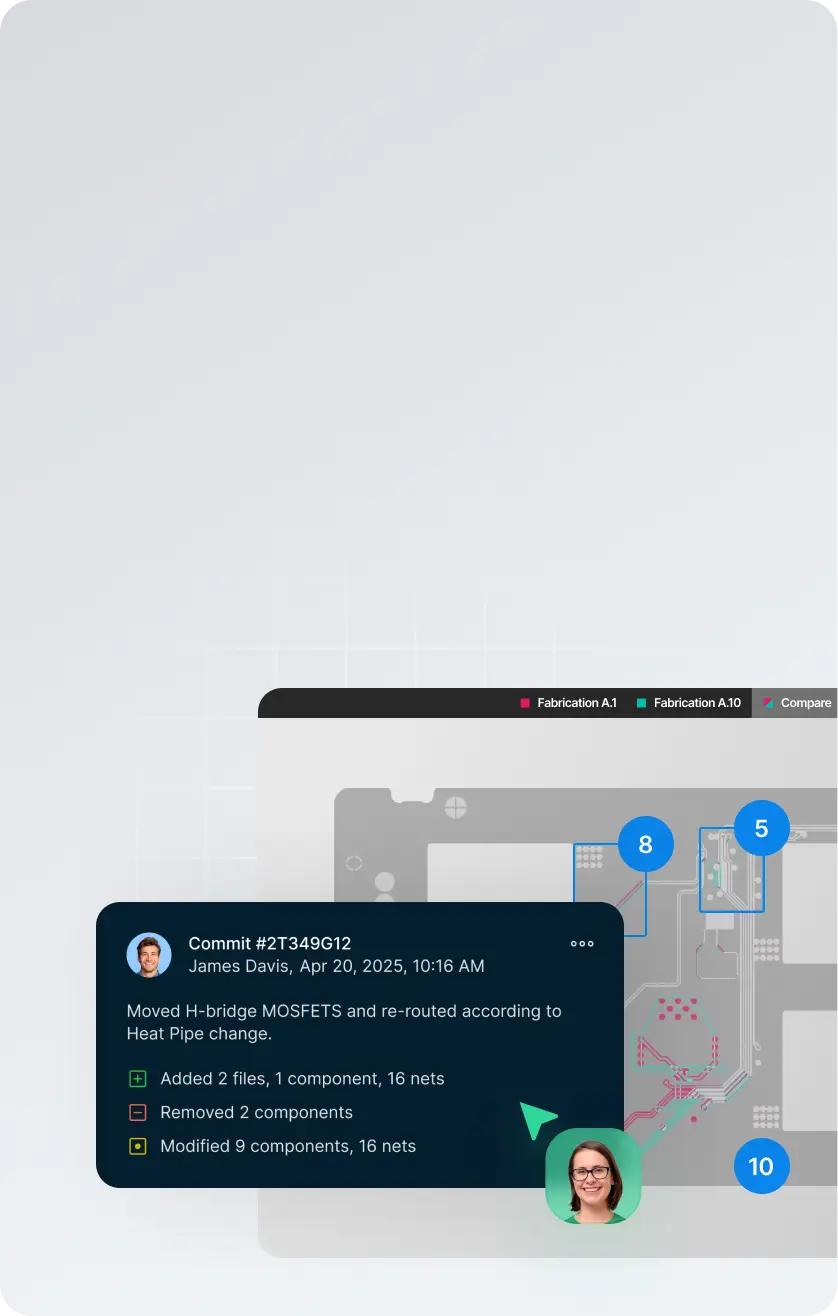

어디서나
가능한 협업
변경 사항을 추적하고 버전을 비교하며, 최종 배포 산출물을 체계적으로 관리할 수 있습니다.
KRW 2,660,000 /년


Altium Develop 무료 평가판을 시작해 보세요!
추가 라이선스가 필요하신가요?
Altium Designer 설계자 라이선스를 최대 4개까지 추가할 수 있습 니다. (개당 연간 KRW 1,330,000)
ECAD 설계자가 6명을 초과한다면, Altium Agile Teams 사용을 추천드립니다.
Altium Develop은 합리적인 가격의 PCB 설계 솔루션으로, 기술 문서·AI 챗봇·커뮤니티 중심의 셀프서비스 형태로 운영됩니다.
전문 엔지니어의 기술 지원 및 맞춤형 제품 안내는 제공되지 않으며, 지원이 필요하신 경우 Agile Teams 또는 Enterprise 솔루션을 권장합니다.

전 세계 PCB 엔지니어가
신뢰하는 Altium의 가치
설계, 공유, 협업까지 통합된 워크플로우를 경험해 보세요.


전 세계 글로벌 기업들이 신뢰하는 플랫폼





30일 무료 평가판으로
부담 없이 사용해 보세요.
원하는 대로 설계하세요. 약정이 아닌 워크플로
실험으로 경험해 보세요.
- 평가판 기간 동안 원하는 보드를 설계하세요
- 시작하는 데 신용카드가 필요하지 않습니다
- 특별히 요청하지 않는 한 영업을 위해 연락하지 않습니다
- 문제가 발생하면 선택적으로 기술 지원을 받을 수 있습니다
30일 무료 사용 시작하기
*국내 카드 결제 미지원: 구매 문의는 이메일(offices.korea@altium.com)로 연락 부탁드립니다.
학생일 경우, Student Lab에서 혜택을 받아보세요
Frequently asked questions
Altium Develop brings professional PCB design and the tools around it into one connected environment, built for individual engineers and lean product teams.
It includes Altium Designer for schematic and PCB design, with connected capabilities for design review, version history, component and sourcing intelligence, MCAD collaboration, requirements, and manufacturing handoff.
The idea is simple: stay focused on designing the board, while the information and people you need can connect to the work when needed — without adding enterprise process or changing the way you prefer to work.
Altium Develop is built for the people doing the engineering work, including:
- Individual PCB and hardware designers
- Independent engineers and consultants
- Startups and small product teams
- Lean engineering organizations that value speed and autonomy
It is a good fit when you need professional PCB design capability but don't need enterprise-level process and governance around it.
Work independently when that's fastest. Bring others into the design when you need review, sourcing input, mechanical coordination, or manufacturing feedback.
Because designing the board is only part of getting a board built.
Reviews happen. Components change. Mechanical constraints move. Someone needs the latest design. Manufacturing needs a clean release. Those handoffs can create unnecessary work when the information around the design is scattered across files, exports, email, and separate tools.
Altium Develop keeps more of that work connected to the design, so you can:
- Design PCBs in the full Altium Designer environment
- Keep design reviews and feedback connected to the right design and version
- See component and sourcing information while decisions can still be changed
- Bring mechanical, requirements, and manufacturing context into the work when needed
- Maintain a clearer path from design through release
You don't have to adopt a new process to use it. Work solo when you want to. Connect other people and capabilities when they help.
Altium Develop uses a subscription model with clear packaging for individual engineers and lean product teams.
Current pricing and what's included are available on the Altium Develop pricing page. You can also evaluate Altium Develop before purchasing to see how it fits your own design work.
Getting started is straightforward:
- Create your Altium Develop workspace.
- Install Altium Designer.
- Open or create a PCB project and start designing.
- Add connected capabilities or invite other people when you need them.
You can begin with PCB design and expand from there. Share a design for review, check version history, work with sourcing information, coordinate with mechanical engineering, or prepare work for manufacturing as those needs arise.
Start with the work you're already doing. Altium Develop connects more of what happens around it without forcing you into a new way of working.