

Altium Educator Center for Resources
The hub for innovative teaching and learning in the field of electronics design and PCB development.
Welcome to the Altium Education Center Resources:
Not Yet Signed Up?
Learn More

Access Your Licenses
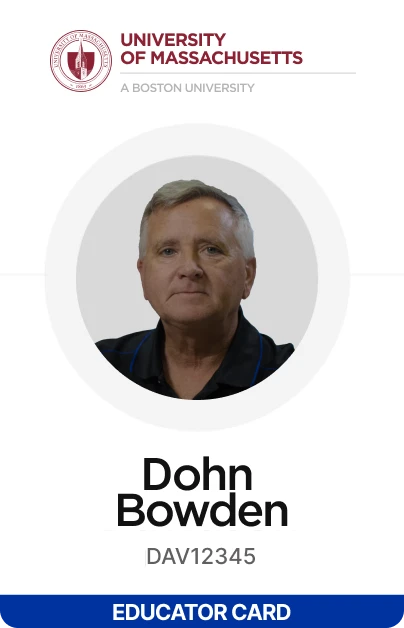
Instructors and faculty will have access to the Educator license included in the Educator Package.
Instructions on how to use these licenses can be found here
If you plan on sharing Educator licenses with other faculty members, you will need to invite them to your organization:
- Step 1
First, access the Company Dashboard as described here.
- Step 2
Then, add your faculty members as described in the “Add a User” section found here.
- Step 3
Direct students to enroll for free student licenses at Altium Student Lab.
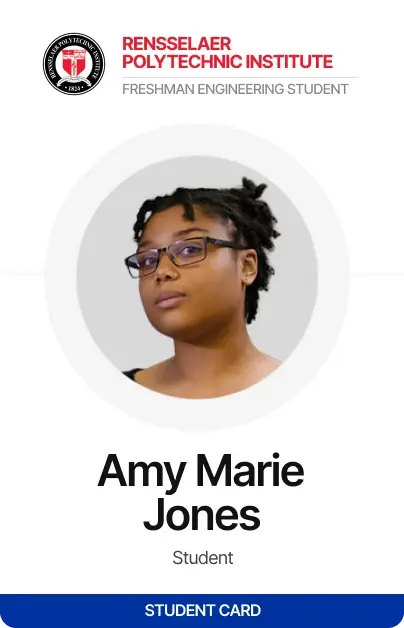
Students should register for their individual free student licenses. Students will be verified as an enrolled student before they can complete the student license request form. Direct students to enroll for their student licenses at Altium Student Lab
It’s recommended that students gain access to their student licenses before the course starts to avoid potential delays.
Please note that students must use their academic email addresses to request licenses.
Not yet enrolled in the Educator Center?
Get Educator Access to Altium Designer
Subscriptions and Support
 Equip my Lab
Collaborate, Design & Teach in One Workspace
The workspace is a cloud-based platform that allows instructors and students to collaborate on projects
with ease. Think: Google Docs, but for PCB design. And setting up your classroom has never been
easier. Follow these steps to ensure the best possible experience for you and your students.
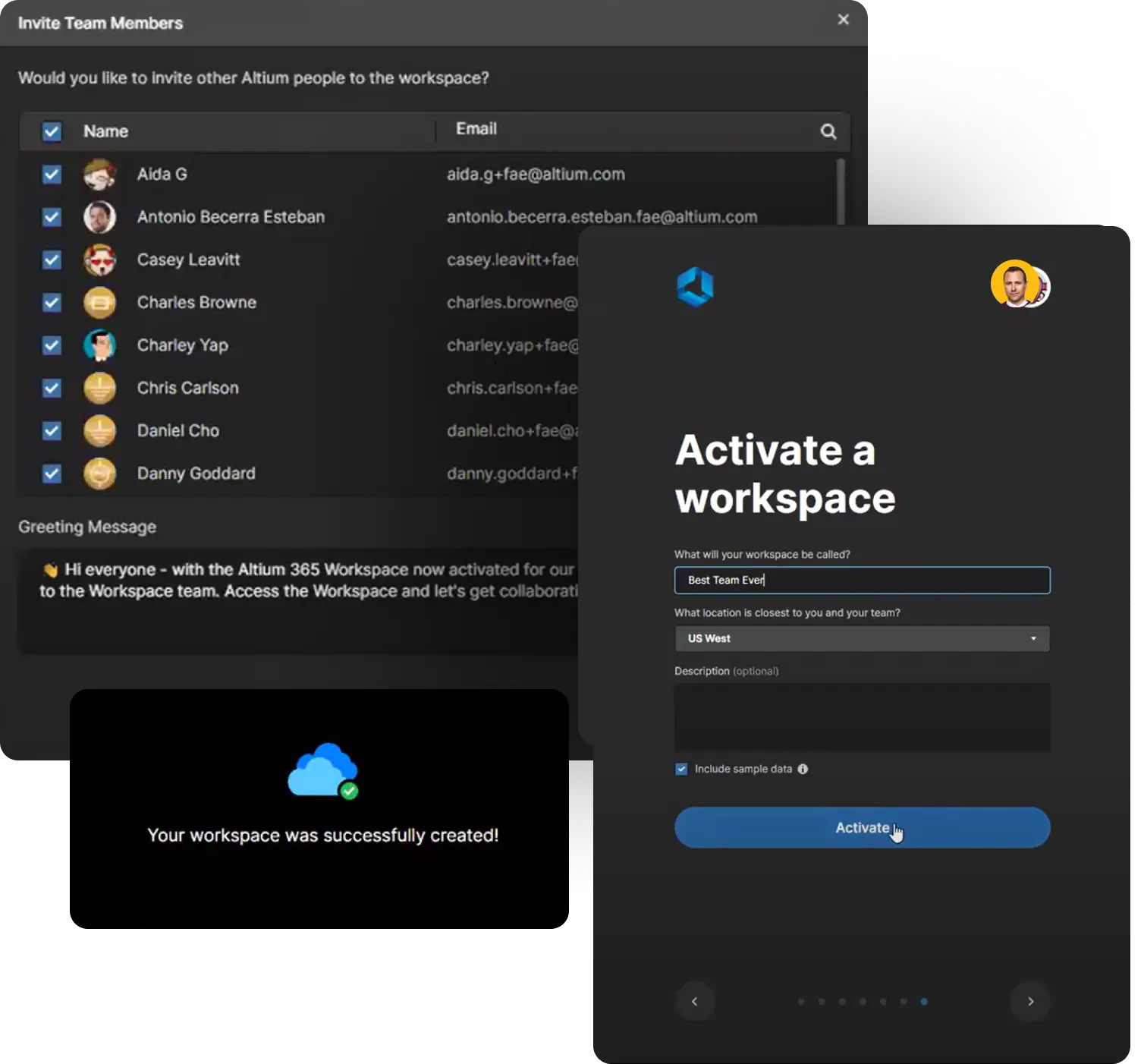
We recommend watching the Course for Instructors and Administrators.
Instructions in the
“Initial Set-Up”
- 1Activate Your Workspace
- 2Create appropriate roles and invite students to the workspace
Instructions in the
“Preparing for a Class”
- 1Set up the folder structure for your workspace
- 2Configure permissions - for restricted access for admins and students
In order to set up a workspace for your course, we recommend watching the Setting up the workspace for multiple classes training.
Follow these steps:
- Step 1Creating roles
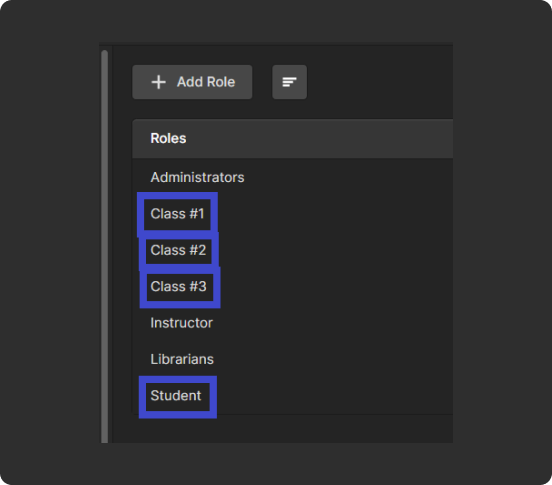
When creating roles for your workspace, we recommend creating a role specific to your course. This will allow you to differentiate students by the course they are enrolled in. We also recommend creating a generic “Student” role if not already created (as mentioned in the training). Above is an example of roles for 3 different classes.
- Step 2Inviting students
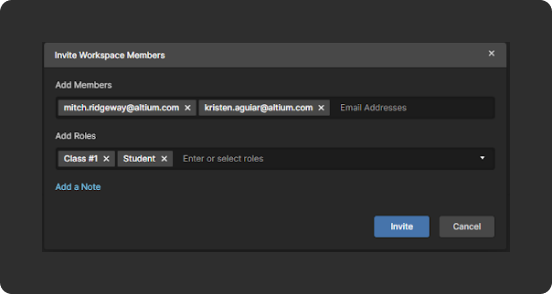
When inviting students to your workspace, make sure to add them to your course-specific role and the generic student role.
- Step 3Component library editing rights
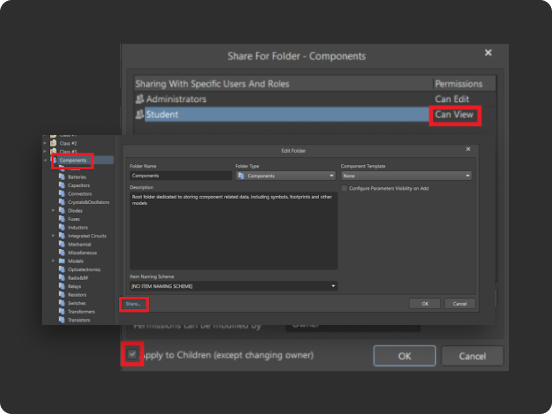
To prevent students from having editing rights to the component library, open the Explorer panel in Altium Designer. Then right click on the “Components” folder > Properties > Share
Next, remove the “Anyone Can Edit” option if it’s there. Then, add the generic “Student” role and set this to “Can View”. This will ensure that students will not be able to edit the component library. Also, check the “Apply to Children” box to apply these settings to all components within the folder.
- Step 4Top-level folder creation
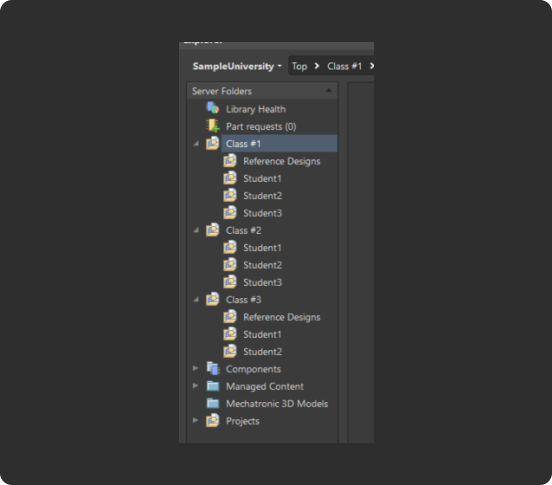
Next, create a top-level folder dedicated to your class. Each course using the workspace should have its own top-level folder. You will then be able to add sub folders for students, reference designs, and other course material. Here is an example of what a folder structure could look like if 3 different courses are utilizing the workspace.
- Step 5Assign permissions
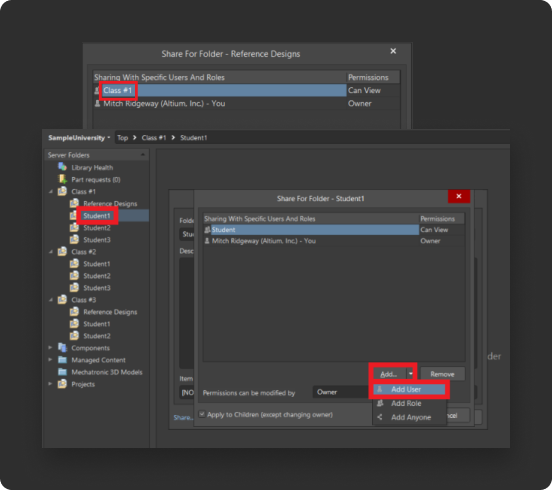
You can assign permissions to each folder within your course as you see fit:
a. Folders that all students within your course should have access to can be assigned the course specific role. For example, if we want all students in Course #1 to have access to the “Reference Designs” folder, we would right click on “Reference Designs” > Properties > Share. We would then assign the “Class #1” role and set the desired permissions. All students with the “Class #1” label now have access to the folder.
b. If each student has their own dedicated folder, you may want to set permissions so that only you and the student can access it. To do this, right click on the student’s folder > Properties > Share. Then select Add User.
Trusted by Internationally Recognized Universities






Bring Embedded Systems & PCB Design
Into Your Classroom
Give students practical experience designing and building electronic systems with Embedded Systems: From Product Design to PCB Layout, a curriculum co-developed by Altium and Renesas. Designed to bridge the gap between classroom learning and real-world engineering, it combines embedded systems fundamentals with foundational PCB design skills and hands-on hardware experience.
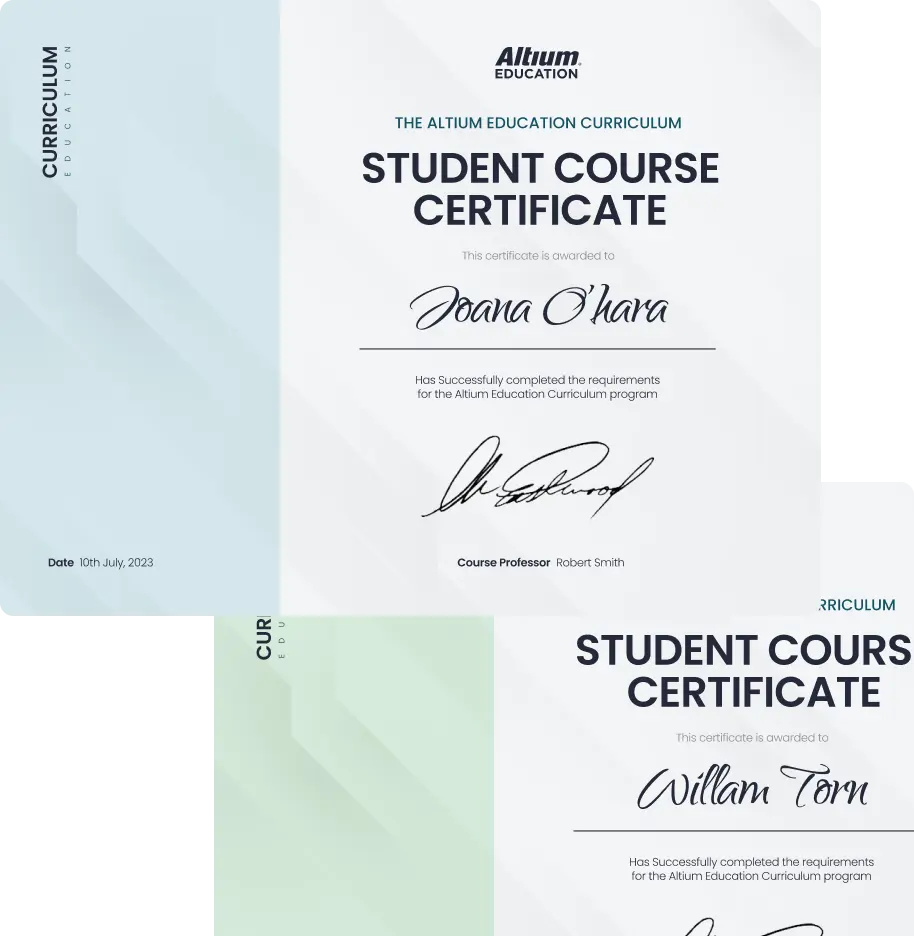
With over 60 hours of learning content, the curriculum includes ready-to-use instructor materials, student labs, and practical exercises that can be incorporated into existing engineering courses or taught as standalone courses. Students can also earn certificates and digital badges upon successful completion, helping them demonstrate their skills as they prepare for engineering careers.
GET ACCESS TO THE CURRICULUM
- 1
Request access to the Embedded Systems Curriculum and order Renesas QuickConnect Beginner’s Kits to bring hands-on electronics design learning into your classroom.
What's Included in the Embedded Systems Curriculum
Basic Embedded Systems Design
Introduce students to embedded systems fundamentals through practical learning with Renesas technologies and QuickConnect Beginner’s Kits. Students gain experience working with embedded hardware and exploring how electronic systems function. View the Full Agenda
Basic Printed Circuit Board (PCB) Design
Guide students through the PCB design process using Altium Designer, from schematic capture and component placement to PCB layout and design outputs. Students build foundational skills used in real-world electronics development. View the Full Agenda
Professional Training for Educators
Professional Training
Altium Essentials Professional On Demand Training are included for participating faculty. Access to the training courses are provided to approved accounts during onboarding session with Altium support team.


AWS Curriculum
Learn cloud skills and credentials that fuel innovation, accelerate impact, and change lives. All content is self-paced at no cost and can be accessed anytime, anywhere.
Please note: it is advised to complete these modules in order
 }})

 Contact Us