
Design Review
Accelerate your electronics design reviews, track everyone’s feedback in real-time, and prevent errors for higher-quality products.
Faster Reviews and Better Traceability

No more time wasted figuring out who hasn’t provided feedback. The status tracker gives you real-time visibility into which reviewers have given input and what still needs attention, making it easy to track progress and prepare for audits.
Higher Quality Products

No more missed feedback. Capture 100% of stakeholder input and ensure it’s addressed, reducing the risk of last-minute redesigns, production errors, and costly product recalls.
Key Capabilities
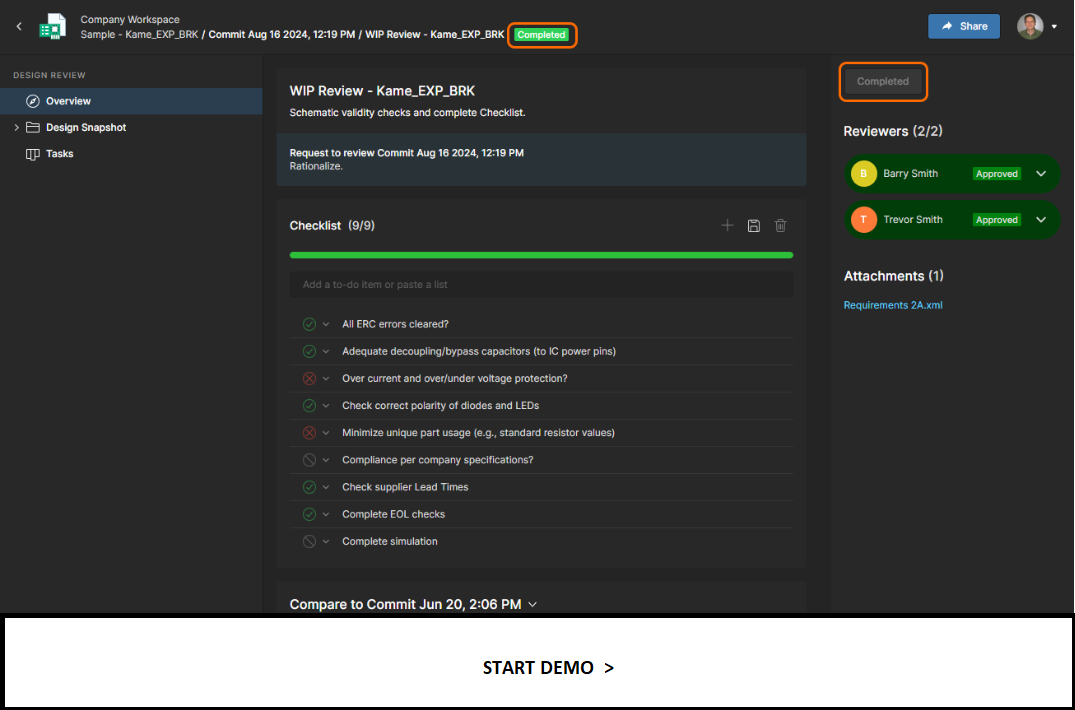
Status Tracker and Reporting
Invite stakeholders and easily track when their electronics design review is completed. Once finalized, all review information is available in one place, and fields are non-editable but available for viewing for context and audit preparation.
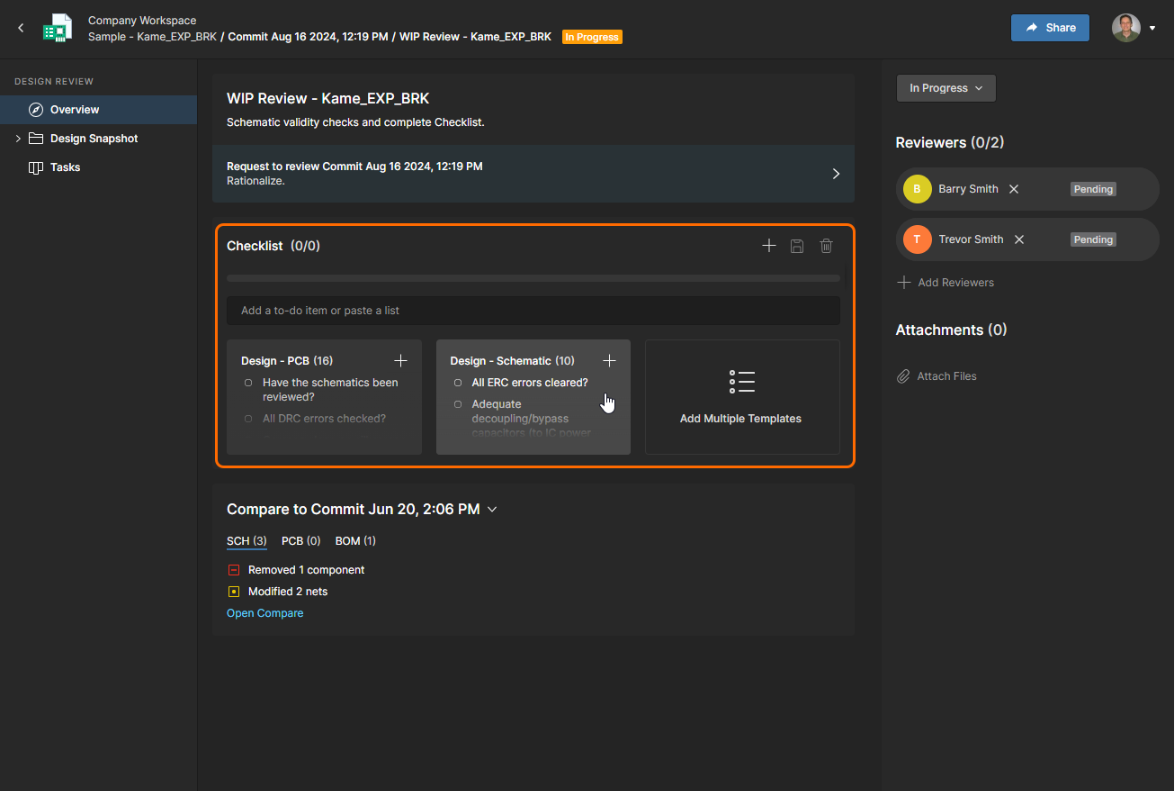
Checklist Templates and Tracking
Use included templates for various reviews or build your own and track progress on the Status Tracker.
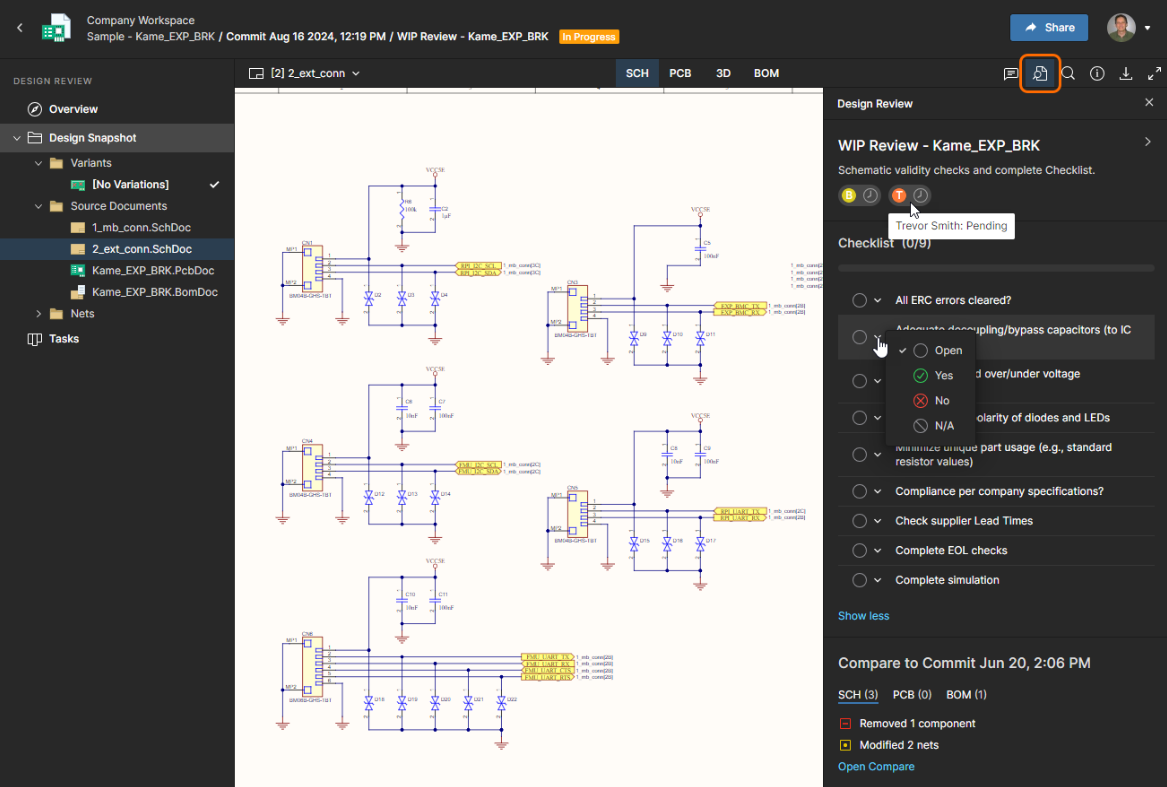
Comments & Tasks Are in the Review
Use comments and tasks as you normally would in Altium 365, but now you can track them by each design review.
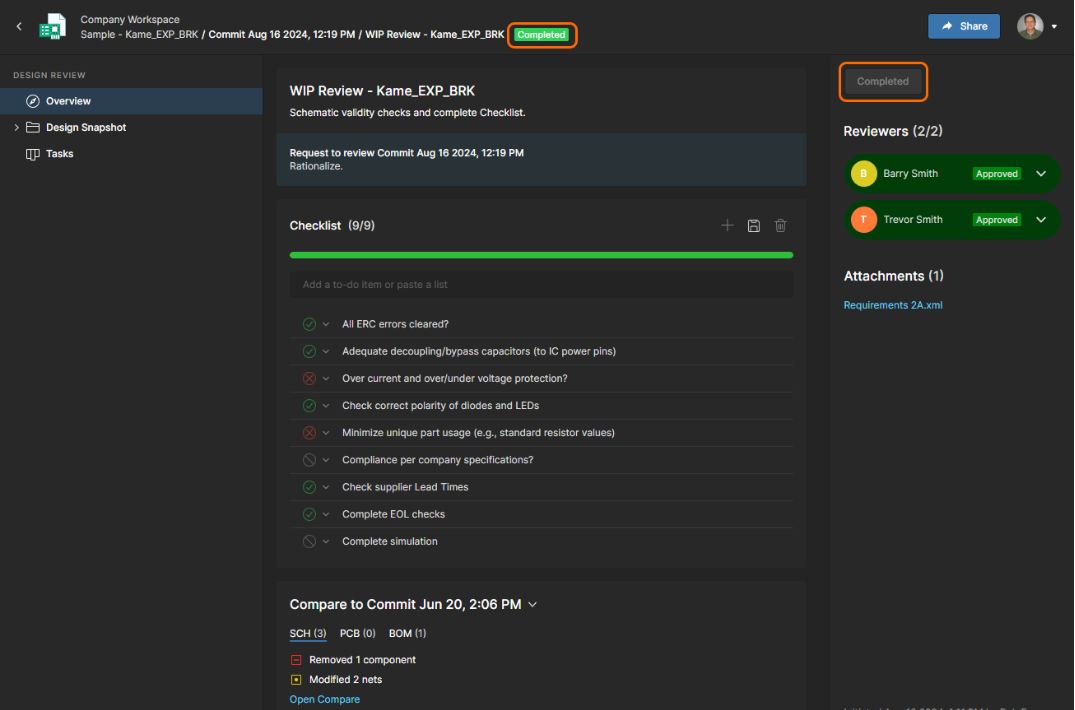
Seamless Browser-Based Access
Stakeholders can participate in PCB design reviews without installing specialized ECAD or design review software. External partners, manufacturers, and non-technical team members can review, comment, and approve designs from any device.
FAQs
Altium’s design review software enables seamless collaboration by allowing teams to conduct reviews asynchronously, track approvals, and leave digital markups directly on schematics and layouts. With structured workflows and browser-based access, electronics design teams reduce design cycles and prevent errors before production.
The Altium workspace makes it easy to compare different design versions during a PCB design review. Users can view schematic, PCB layout, and BOM changes between commits, ensuring that modifications align with requirements before final approval
Yes, the Altium workspace allows teams to integrate a PCB design checklist into their electronics design review process. You can use our built-in templates or create custom checklists to ensure every design meets quality, compliance, and manufacturing requirements before approval.


Try Altium Develop
for Big Company Power
at a Small Company Price
The cloud solution for secure co-creation of electronic hardware. Altium Develop enables teamwork for fast, effective product development.
- Manage Engineering Projects to Best Practices
- Trace Requirements in Context at Each Stage
- Design in 3D with Advanced Layouts & Routing
- Procure Parts with Accurate Supply Chain Data
- Share Designs Across ECAD & MCAD Tools
Try Altium Develop
Free for 30 days
Manage requirements, design PCBs, source parts, and collaborate across engineering specialities.