
Comparing Altium® Agile Teams to Cadence® OrCAD® X
Your team needs more than a feature checklist. Agile Teams combines Altium Designer and Altium 365 in one workspace with up to 25 concurrent PCB co-authors, browser-based design reviews, and live supply-chain data. OrCAD X splits those workflows across multiple apps and limits co-design to two designers. Here's exactly how they compare.
- Up to 25 designers co-authoring the same PCB layout simultaneously
- Seat-free browser reviews with checklists and audit-ready logs
- One workspace for ECAD, MCAD, procurement, and manufacturing
- Live Octopart pricing, stock, and lifecycle data in every BOM
Upload your OrCAD files and start
Two tools, two workflows, one team paying the price
Pick the situation that sounds most like your day-to-day reality, and see how Altium Agile Teams closes the gap.

Symphony concurrent co-design is capped at two designers, and schematic sync runs through OnCloud as a separate step.

Up to 25 authors edit the same PCB layout simultaneously, with automatic conflict detection and merging - no check-out queues.
Browser markup is available via OnCloud, but lacks approval checklists, sign-off workflows, and audit records.
Anyone you invite can open, inspect, comment on, and approve designs in a browser - no seat required. Managed Design Review adds checklists, approvals, and a full audit log.
Comments live in browser markup only - no structured review workflow, no checklists, no audit-ready history.
Comments and tasks pin to the exact point on the design. Structured design reviews keep every decision tied to the design, with a complete history in version control.
Live BOM pulls from Sourcengine, but deep lifecycle risk intelligence requires the CIP add-on, and BOM management across multiple ECAD tools isn't supported.
Octopart and IHS Markit data surface availability, pricing, and lifecycle risk directly inside the design tool, with automated risk rollups and multi-supplier RFQ support.
There is no native workflow engine. Process control requires an external PLM, and there is no first-party Jira sync.
Configurable workflows automate approvals and ECOs with templates, bi-directional Jira sync keeps tasks current, and PLM connectors for Duro and Arena are included out of the box.
Click a capability to see how
OrCAD X compares to Agile Teams
Symphony co-design tops out at two designers, browser markup lacks checklists and audit records, and team management is split across LiveBOM, MCADX, and LiveDoc.
Up to 25 authors co-edit one layout simultaneously. Browser reviews include checklists, approvals, and exportable audit logs. All disciplines — ECAD, MCAD, procurement, manufacturing — work from one shared workspace with role-based permissions and bi-directional Jira sync.
The win: Your whole team works together in one place, with the governance controls enterprise IP protection requires.
Covers schematics, layout, PSpice, HDI, and rigid-flex, but lacks multi-board and harness design. Design reviews offer comments and browser markup only - no checklists or approvals.
Covers schematics, layout, SPICE, high-speed, rigid-flex, multi-board, and harness design. Browser-based commenting integrates with structured design reviews, checklists, and full audit logs. ECAD-MCAD sync works bi-directionally with five major MCAD tools.
The win: A complete design environment, with structured review and collaboration built in - not bolted on.
LiveBOM pulls Sourcengine data, and deeper lifecycle risk intelligence requires the CIP add-on. BOM management is limited to OrCAD and Allegro designs, with no automated RFQs or risk rollups.
Octopart and IHS Markit data are embedded in the design tool — no add-on needed. MultiCAD BOM ingestion covers designs from other ECAD tools. Automated risk rollups and multi-supplier RFQs are included.
The win: Engineering and procurement work from the same live BOM, with supply-chain risk visible before it becomes a delay.
Revision history, lock-based check-out, and audit trails are available, but graphical diffs are limited, and unified component management with where-used tracking requires add-ons.
Every commit records the user, timestamp, and a visual diff across schematics, PCBs, Gerbers, and BOMs. A unified component model includes where-used tracking, lifecycle states, and managed reuse blocks.
The win: You always know what changed, who changed it, and whether any downstream designs are affected.
Two ways to start
Whether you're evaluating Agile Teams for the first time or ready to switch from OrCAD X, there's a clear next step.
Evaluating Agile Teams?
You’re on OrCAD X and want to see what Agile Teams can do.
- Try a free evaluation workspace with your real projects
- Import OrCAD designs using the built-in Import Wizard
- See concurrent co-authoring, design reviews, and live BOM data in action
Ready to switch?
You’re ready to migrate from OrCAD X to Altium Agile Teams.
- Import Wizard translates OrCAD designs up to version 17.4, including Capture schematics, PCB layouts, and CIS database libraries
- Migrate at your own pace. Bring projects across one at a time
- Your team is up and running without starting from scratch

Why Agile Teams?
Agile Teams gives engineering teams the structure they need to move fast, without scattering work across tools.
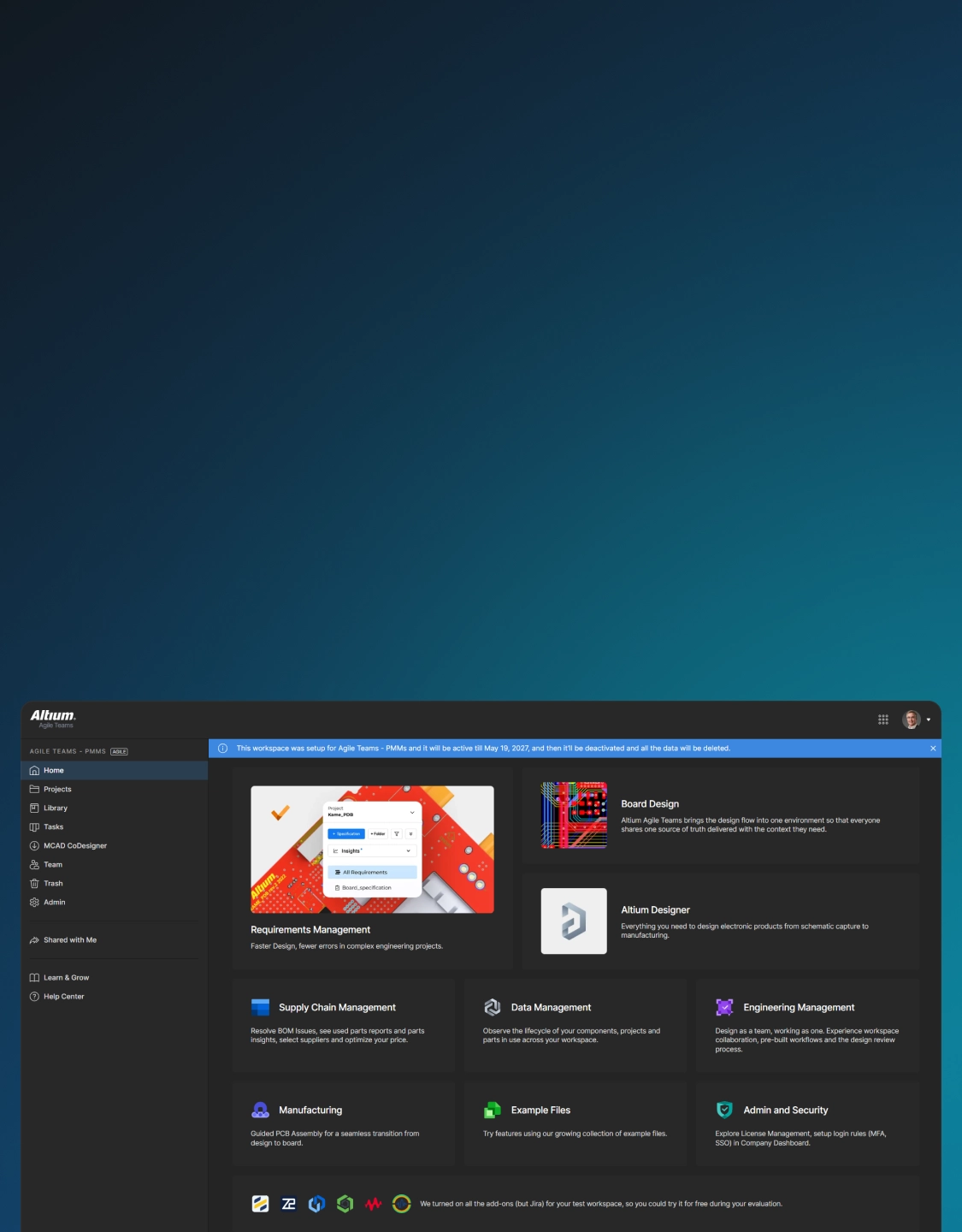
Altium Agile Teams
Engineering teams design boards, collaborate across disciplines, and manage the full product development cycle - all from one workspace. Altium Designer, Altium 365, and Octopart work together so nothing falls through the gaps between tools.
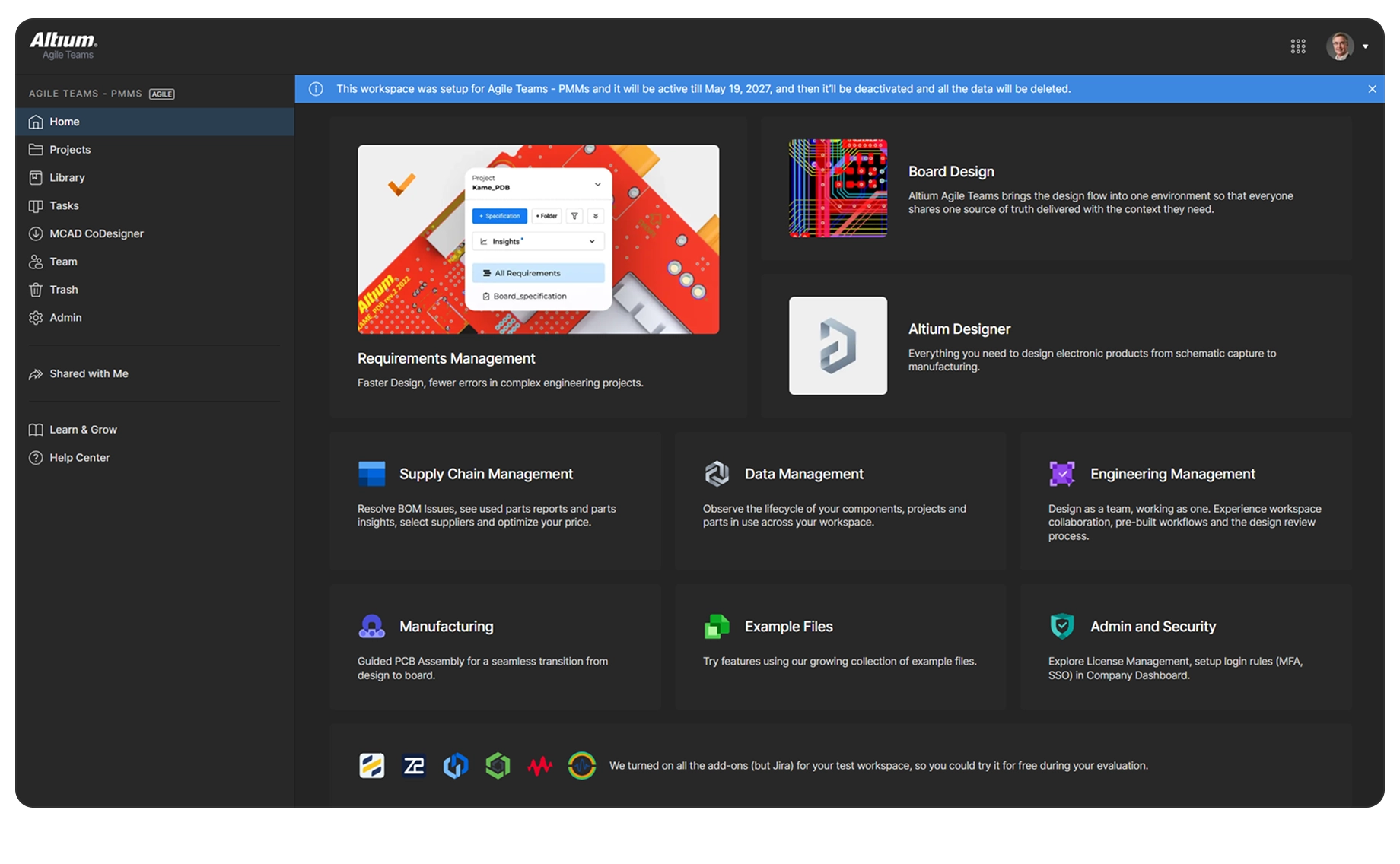
Requirements
Manage, trace, and verify requirements across hardware product development without slowing your team’s velocity.
Team Management
Bring the project team together by connecting requirements, design, purchasing, and manufacturing. Enhance visibility, foster cross-functional collaboration, and ensure on-time delivery.
Supply Chain
Accelerate collaboration between engineering and procurement with structured BOM management and up-to-date part intelligence.
Manufacturing
Streamline PCB manufacturing with a centralized portal for DFM reviews, version-controlled manufacturing packages, and faster design-to-production handoff with your contract manufacturer.
Data Management
Bring all electronic design data together in one secure workspace with unified data management. Everyone works from a shared, single source of truth.

See how Agile Teams compares
Bring your real designs into a free Agile Teams evaluation and see concurrent co-authoring, browser-based design reviews, and live BOM data working together. The Import Wizard handles your existing OrCAD files, so you're not starting from scratch.
Contact us to set up a free Agile Teams evaluation with your own projects.
Free 30-day access
Are You A Student? Enroll in the Student Lab