
Importing a Design from CR-5000
Altium Designer includes the capability to import Zuken® CR-5000™ files through the Import Wizard. The Wizard is a quick and simple way to convert CR-5000 design files to Altium Designer files. The Wizard walks you through the import process and handles both the schematic and PCB parts of the project, as well as managing the relationship between them.
Preparing Zuken Binary Files for Import
The Zuken CR-5000 Importer requires ASCII files, so the native Zuken CR-5000 binary files will need to be converted to ASCII format before using the Import Wizard.
Use the following steps to convert the Zuken CR-5000 binary PCB database files to ASCII files:
-
Convert the binary file <basename>.ftp into an ASCII file: In the
cdbdirectory, extract <basename>.ftf using the DOS (or command script) command: ftout.exe<basename>. For example, C:\cr5000\bin\ftout.exe basename. -
Convert the binary file <jobname>.pcb into an ASCII file: In the
pcbdirectory, extract<jobname>.pcfusing the DOS (or command script) command: pcout.exe<jobname>. For example, C:\cr5000\bin\pcout.exe jobname.
To convert the Zuken CR-5000 schematic binary file (*.sht) to ASCII format (*.eds), run the Zuken edifWriter.exe utility. This opens a GUI for creating the ASCII format file.
The Zuken CR-5000 Importer requires two ASCII files to import a Zuken CR-5000 PCB design, and an ASCII schematic file to import a schematic.
- An ASCII layout file which contains placement and layer symbols, layer count, units, etc. (*.pcf)
- An ASCII representation of the footprints used in the design (library) (*.ftf)
- An ASCII representation of the schematic (*.eds, *.edf)
- An ASCII representation of the symbol (*.laf)
- An ASCII representation of the symbol (*.smb)
Using the CR-5000 Importer
The Zuken CR-5000 design file importer is available through Altium Designer's Import Wizard (File » Import Wizard) by selecting the Zuken CR-5000 Design Files option on the Wizard's Select Type of Files to Import page. The Wizard provides options for nominating design files (schematic and pcb) and library files, and also CR-5000 to Altium Designer layer mapping options for both footprints and PCB layouts.

Import Wizard - Zuken CR5000 Design Files
Zuken CR5000 Design Files

The Zuken CR-5000 Importer requires ASCII files, therefore, you will need to convert your Zuken CR-5000 binary files to ASCII before using the Import Wizard.
Use the following steps to convert your Zuken CR-5000 binary PCB database files to ASCII files:
-
Convert the binary file
<basename>.ftpinto an ASCII file: In the cdb directory, extract<basename>.ftfusing the DOS (or command script) command:ftout.exe<basename>. For exampleC:\cr5000\bin\ftout.exe basename. -
Convert the binary file
<jobname>.pcb into an ASCII file: In the pcb directory, extract<jobname>.pcfusing the DOS (or command script) command:pcout.exe<jobname>. For example:C:\cr5000\bin\pcout.exe jobname.
To convert the Zuken CR-5000 schematic binary file (*.sht) to ASCII format (*.eds), run the Zuken editWriter.exe utility. This opens a GUI for creating the ASCII format file.
The Zuken CR-5000 Importer requires two ASCII files to import a Zuken CR-5000 PCB design and an ASCII schematic file to import a schematic:
-
An ASCII layout file which contains placement and layer symbols, layer count, units, etc. (
*.pcf) -
An ASCII representation of the footprints used in the design (library) (
*.ftf) -
An ASCII representation of the schematic (
*.eds, *.edf) -
An ASCII representation of the symbol (
*.laf,*.smb)
-
An ASCII representation of the symbol (
*.prf) -
An ASCII representation of the component library (
*.cdf)
Select the Zuken CR-5000 Files to Import

Click Add to choose which Zuken design files to include in the process. You can delete a selected file by clicking Remove.
Select Footprint Libraries to Import

Click Add to choose which Zuken library files (*.FTF) to include in the process. You can delete a selected file by clicking Remove.
Setting the General Options

Use the General Options page to set up general log reporting options.
Under General Settings, enable the desired options: Log All Errors, Log All Warnings, and Log All Events.
Log of Analyzing

The Log of Analyzing page lists any errors/warnings found during the scanning of the Zuken files you are importing.
General Import Options

Use this page of the Wizard to review the output project structure and specify the Output Directory in which to import the files. Use the Browse Folder icon to search for and choose the Output Directory.
Setting the Schematic Import Options

This page of the Wizard is used to set the import options for your schematic. Enable the desired options.
You can edit the Power Ports names and Probes names textboxes, ensuring that each item is separated by a semi-colon.
Setting the PCB Import Options

Use this page of the Wizard to set the import options for your PCB.
You can edit Testpoint names in the textbox, ensuring that each item is separated by a semi-colon. Use the Font drop-down to select the desired font.
Current Board Layer Mapping

This page of the Wizard shows the board layer mapping. Information displayed includes Sort Key, Zuken Layer, and its associated Altium Designer Layer. Pink highlighting in the Altium Designer Layer denotes that the corresponding Zuken Layer will not be imported.
If desired, you can edit the layer mapping for any or all layers. You can rearrange the columns by dragging a column header into the desired position. Click on the header of any column to access  or
or  then click to sort that column in ascending or descending order, respectively.
When you hover over the column heading, a filter icon ( ) appears. Click to open a drop-down from where you can select your filter choices for that column. Choices include:
- (All) – click to display all items in that column.
-
(Custom) – click to open the Custom AutoFilter dialog in which you can specify a custom filter for that column.

- (Blanks) – click to display only items that are blank in that column.
- (Non blanks) – click to display only items that are not blank in that column.
Current Footprints Layer Mapping

This page of the Wizard shows the footprints layer mapping. Information displayed includes Sort Key, Zuken Layer, and its associated Altium Designer Layer. Pink highlighting in the Altium Designer Layer denotes that the corresponding Zuken Layer will not be imported.
If desired, you can edit the layer mapping for any or all layers. You can rearrange the columns by dragging a column header into the desired position. Click on the header of any column to access or then click to sort that column in ascending or descending order, respectively.
When you hover over the column heading, a filter icon () appears. Click to open a drop-down from where you can select your filter choices for that column. Choices include:
- (All) – click to display all items in that column.
-
(Custom) – click to open the Custom AutoFilter dialog in which you can specify a custom filter for that column.
- (Blanks) – click to display only items that are blank in that column.
- (Non blanks) – click to display only items that are not blank in that column.
Importing Progress
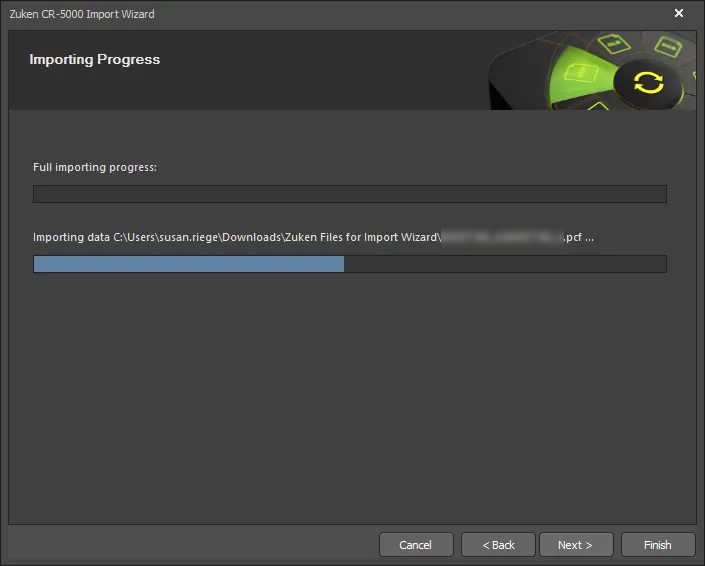
On this page of the Wizard, a green progress bar shows the progress of the import process while also listing each file at the process continues.
Closing the Wizard

The Zuken CR5000 Import Wizard has completed. The Messages panel appears with any relevant messages. Click Finish to close the Wizard.
The files will be grouped into an Altium Designer PCB project (*.PrjPcb) that is automatically created and available in the Projects panel.
Zuken CR5000 files translate as follows:
-
Zuken CR5000 ASCII PCB Layout (
*.pcf) files translate to Altium Designer PCB files (*.PcbDoc). -
Zuken CR5000 ASCII representation of the footprints files (
*.ftf) translate into Altium Designer PCB library files (*.PcbLib). -
Zuken CR5000 ASCII representation of the schematic files (
*.eds) translate to Altium Designer schematic files (*.SchDoc) and schematic library files (*.SchLib). -
Zuken CR5000 ASCII representation of the symbol files (
*.prf) translate to schematic library files (*.SchLib). -
Zuken CR5000 ASCII representation of the component library files (
*.cdf) translate to schematic library files (*.SchLib). -
If any warnings were generated during the import process, a
*.LOGfile is created showing the warnings.
Zuken CR5000 files translate as follows:
-
Zuken CR5000 ASCII PCB Layout (*.pcf) files translate to Altium Designer PCB files (*.PcbDoc).
-
Zuken CR5000 ASCII representation of the footprints files (*.ftf, *.laf) translate into Altium Designer PCB library files (*.PcbLib).
-
Zuken CR5000 ASCII representation of the schematic files (*.eds, *.edf, *.smb) translate to Altium Designer schematic files (*.SchDoc) and schematic library files (*.SchLib).