
Manufacturing Rule Types
At a Glance
- Learn what the Manufacturing category of design rules covers in Altium Designer.
- Understand how rules like Minimum Annular Ring affect routing space and fabrication cost.
- See why balancing manufacturability and layout density is an important part of PCB design.
The design rules of the Manufacturing category are described below.
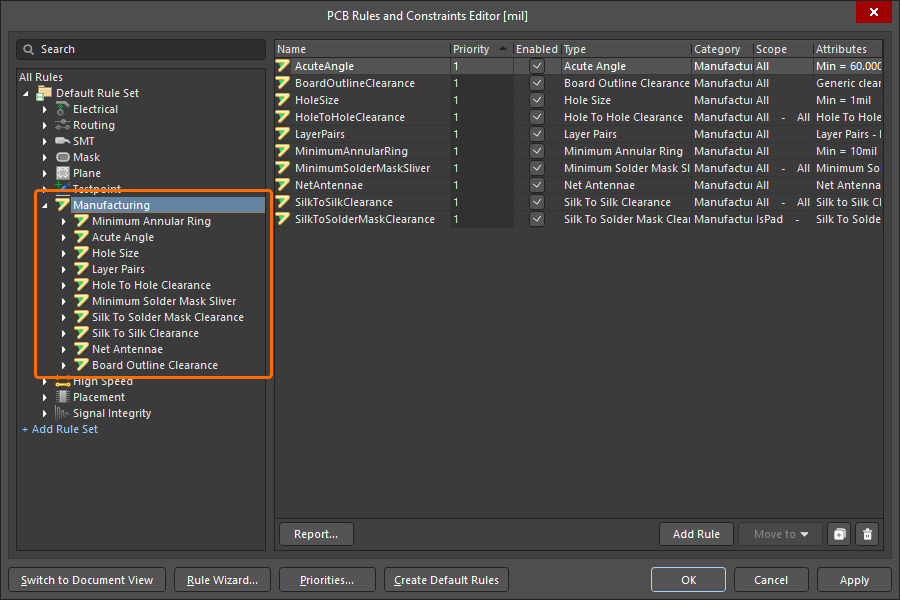
The Manufacturing category of design rules.
Minimum Annular Ring
This rule specifies the minimum annular ring required for a pad or via. The annular ring is measured radially, from the edge of the pad/via hole to the edge of the pad/via (also referred to as the land perimeter).
Constraints
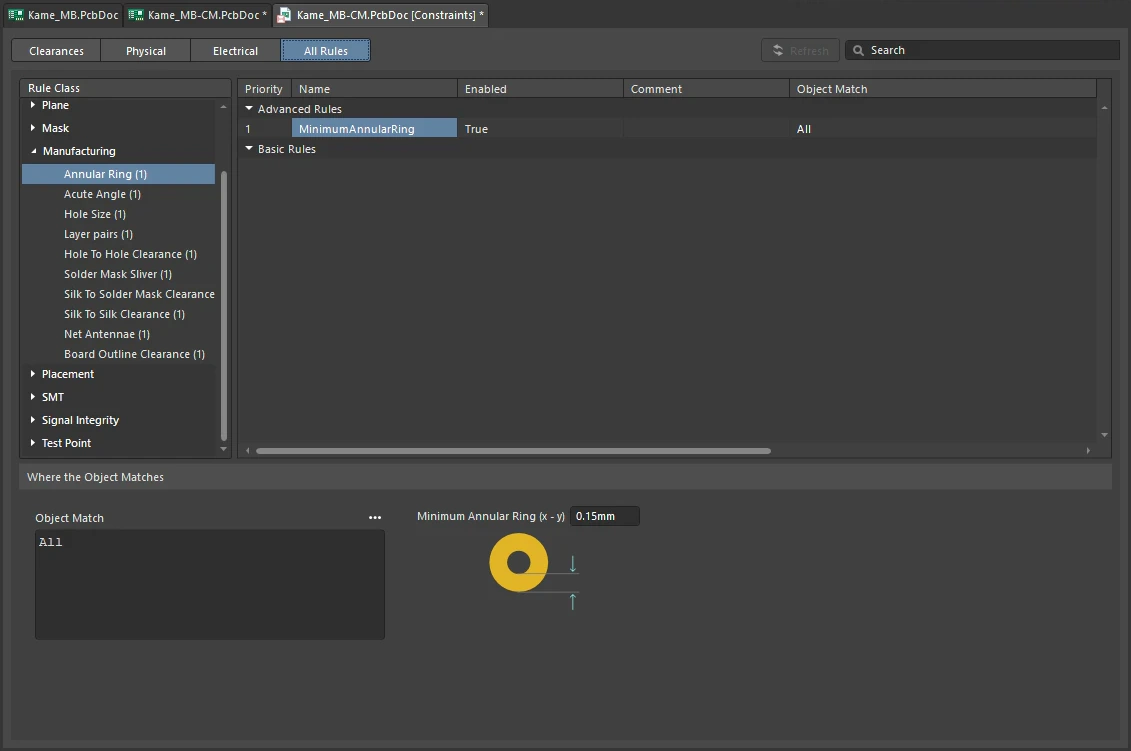
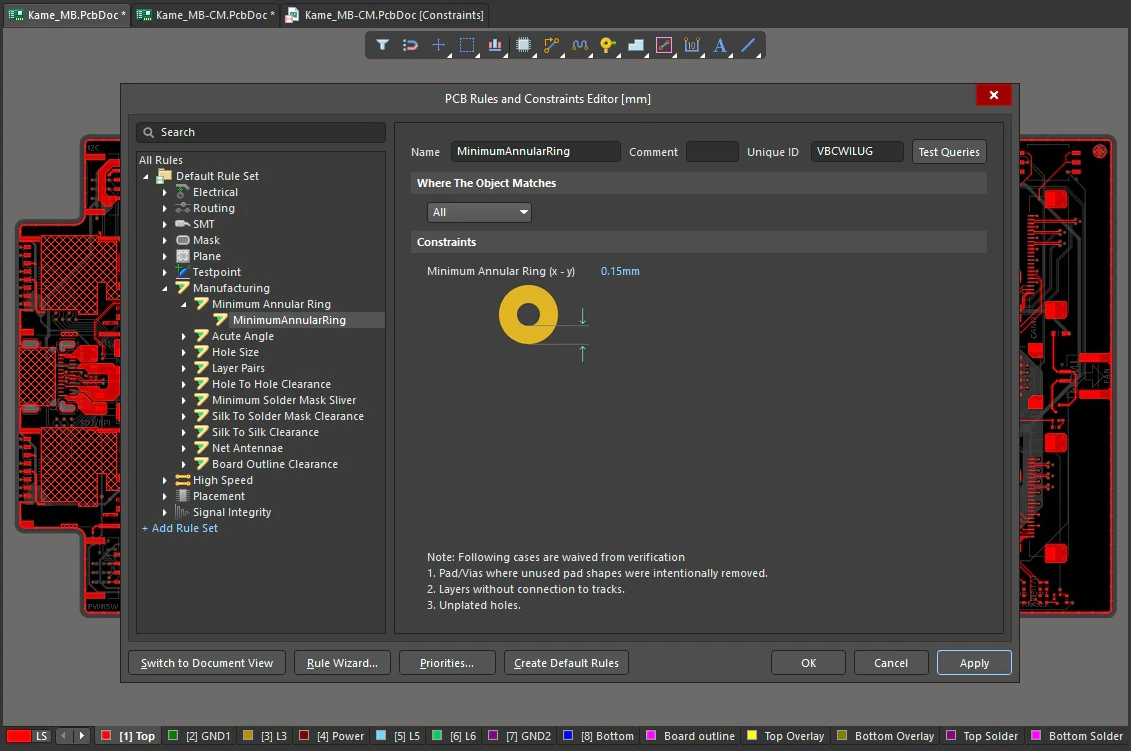
Minimum Annular Ring Constraints
| Default Rule | Not required. |
| Minimum Annular Ring (x-y) | The minimum value for the annular ring around the pads/vias targeted by the rule. |
| IPC Standards |
|
| Avoiding drill breakout | Standards define a minimum value for the annular ring, but these values can be reduced further. The reason why they are defined at the levels they are is to guard against drill breakout. Drill breakout occurs as a result of several manufacturing parameters (e.g. hole location, hole size, film expansion) interacting unfavorably with one another, leading to the hole being drilled in such a position as to cut through the connecting copper track(s). It is possible to control drill breakout by applying teardrops to required pads and vias. Teardropping (otherwise known as filleting, or tapering) is the process of applying additional land area to the pad/via at the junction with any connecting track(s). Learn more about defining teardrops. |
| Hole larger than land | Violation of the Minimum Annular Ring rule are detected for pads and vias with connections on layers on which pad/via shapes are smaller than the pad/via hole, for example when the pad/via shapes have been configured manually in the Properties panel. |
| Rule Application | Online DRC and Batch DRC. |
Acute Angle
This rule specifies the minimum angle permitted between any objects in the same net. The Acute Angle rule works on nets only. It finds all the acute angles created by any objects in one net. The rule essentially creates a contour from all the primitives in a net (on the same layer) and then analyzes this contour for any points that might create an angle smaller than the acute angle limit value.
Constraints
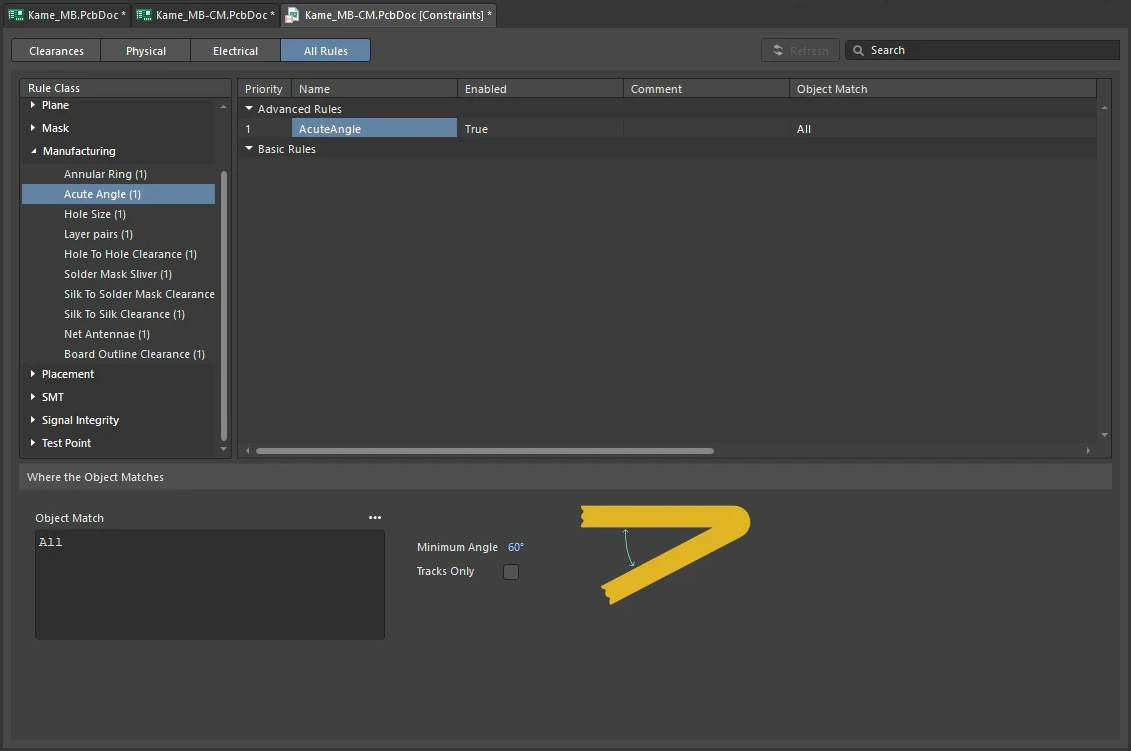
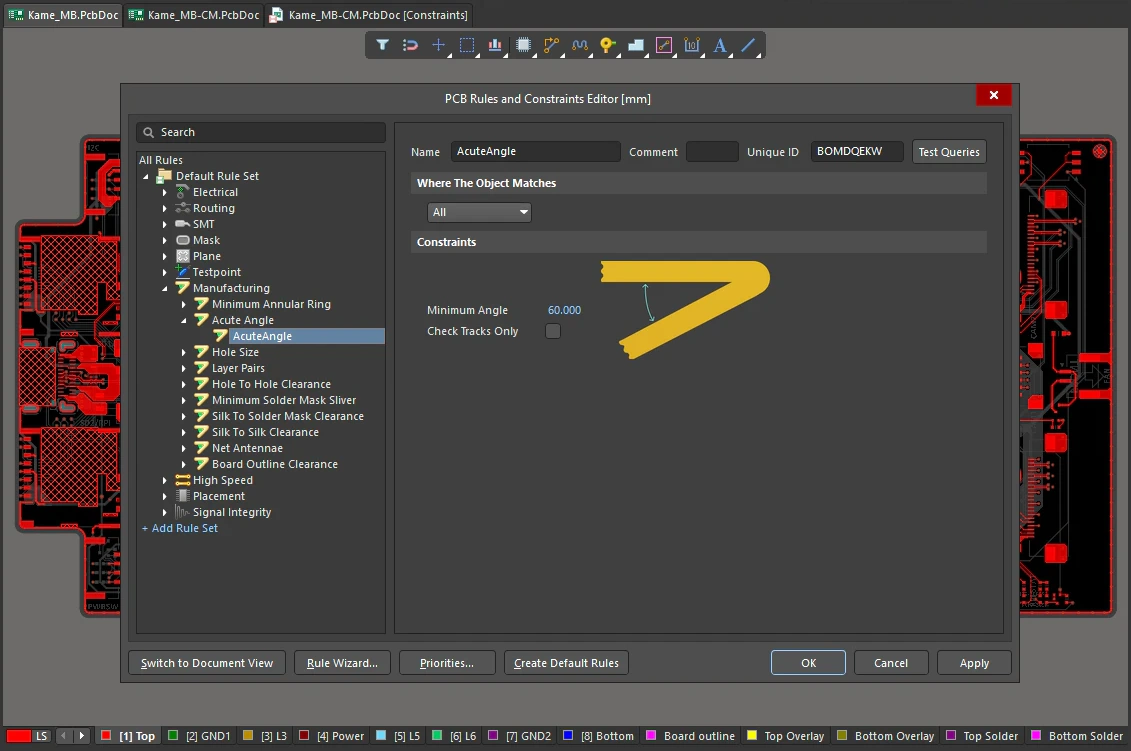
Acute Angle Constraints
| Default Rule | Not required. |
| Minimum Angle | Specifies the minimum permissible angle created between objects in the same net. |
| Check Tracks Only | Enable this option to force the DRC to check acute angles for track objects only. |
| Rule Application | Online DRC and Batch DRC. |
Hole Size
This rule specifies the maximum and minimum hole size for pads and vias in the design. The hole size is the diameter of the hole to be drilled through the pad/via during fabrication.
Constraints
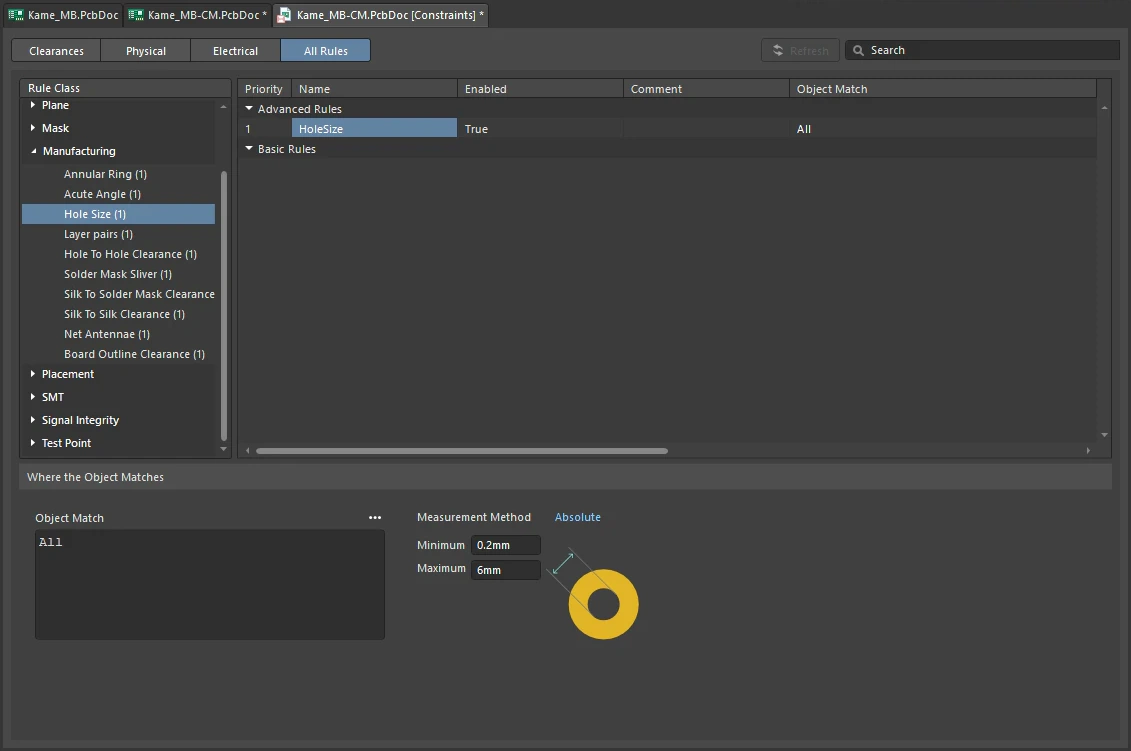
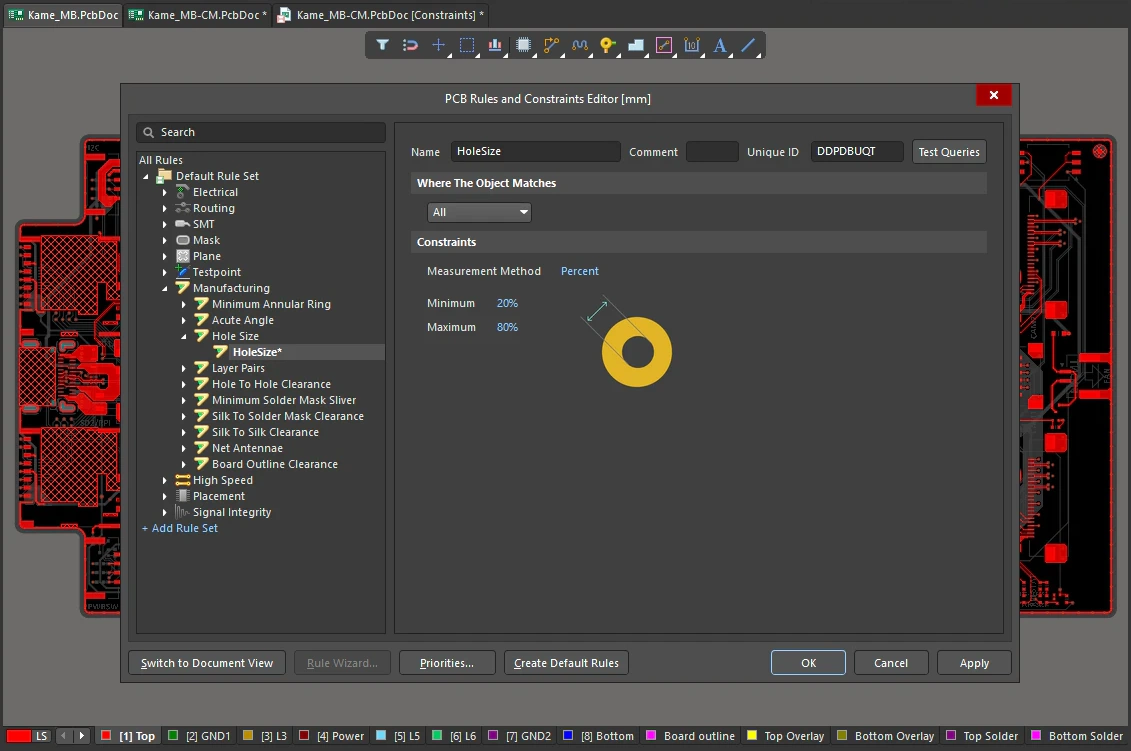
Hole Size Constraints
| Default Rule | Required |
| Measurement Method | Specifies the method used in defining the minimum/maximum hole sizes:
|
| Minimum | The value for the minimum hole allowed for pads and vias. The value will appear as an absolute value (Default = 1mil) or percentage of the pad/via size (Default = 20%), depending on the measurement method selected. |
| Maximum | The value for the maximum hole allowed for pads and vias. The value will appear as an absolute value (default = 100mil) or percentage of the pad/via size (Default = 80%), depending on the measurement method selected. |
| Rule Application | Online DRC and Batch DRC. |
Layer Pairs
This rule checks to ensure that the used via types match the currently defined via types. The used via types are determined from the vias and pads found in the board. The permissible via types are defined on the Via Types tab of the Layer Stack Manager.
Constraints
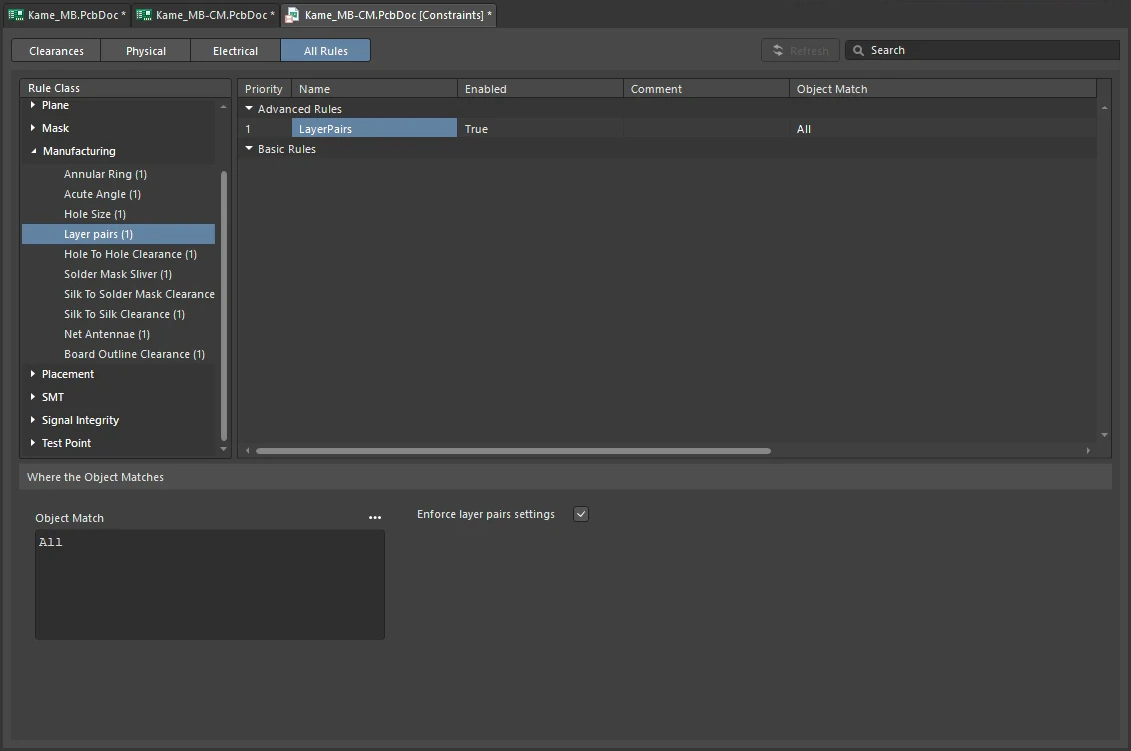
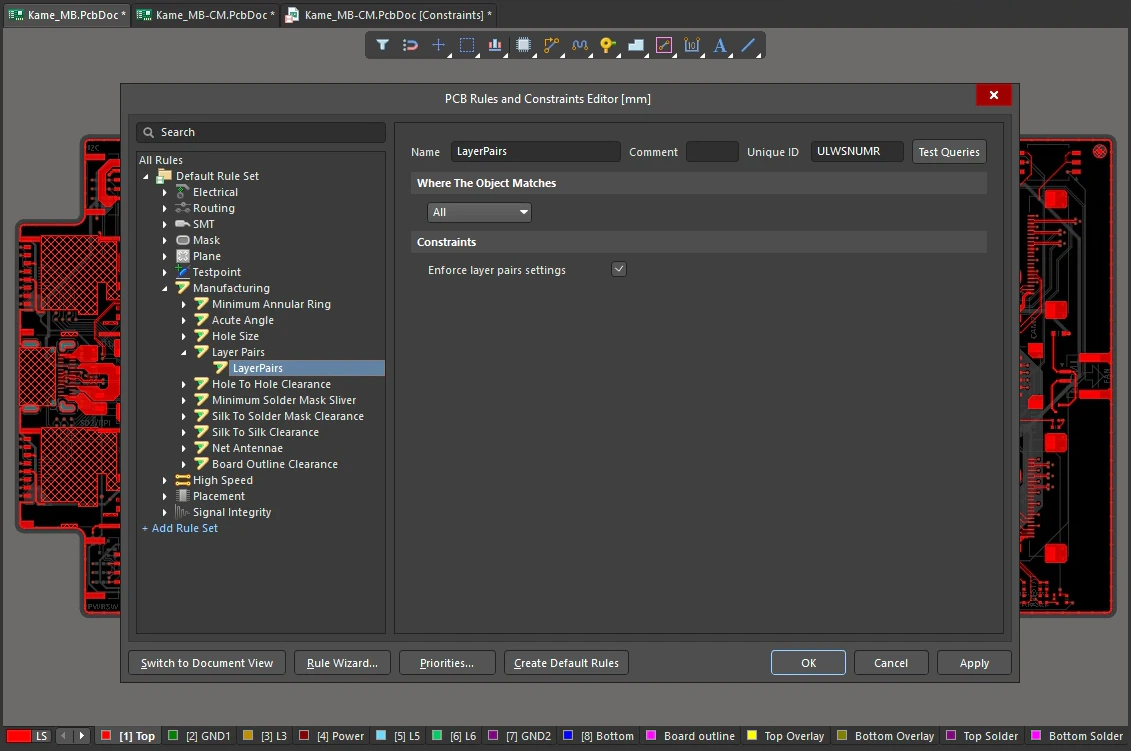
Layer Pairs Constraints
| Default Rule | Required |
| Enforce layer pairs settings | Specifies whether the check is made or not. |
| Rule Application | Online DRC, Batch DRC, and during interactive routing. |
Hole To Hole Clearance
This rule ensures checking of manufacturing compatibility of drilled holes. When enabled, it will flag any multiple vias / pads at the same location, or overlapping pad / via holes. There is also an option to determine whether stacked micro vias are allowed or not.
Constraints
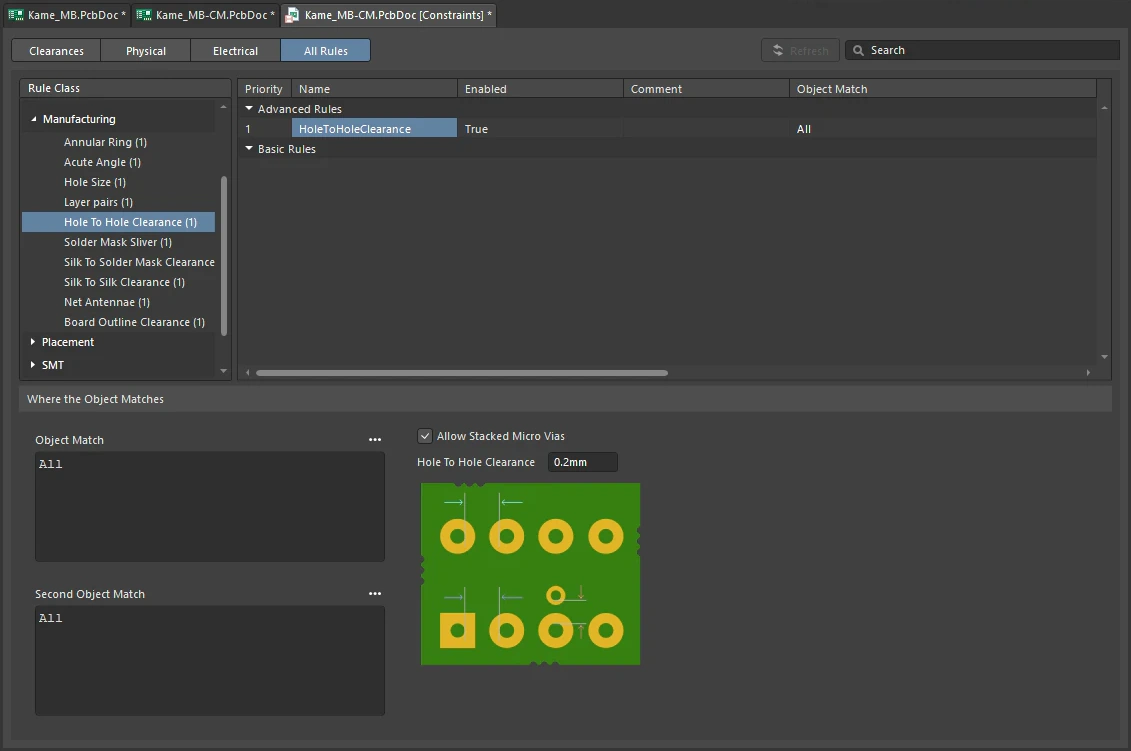
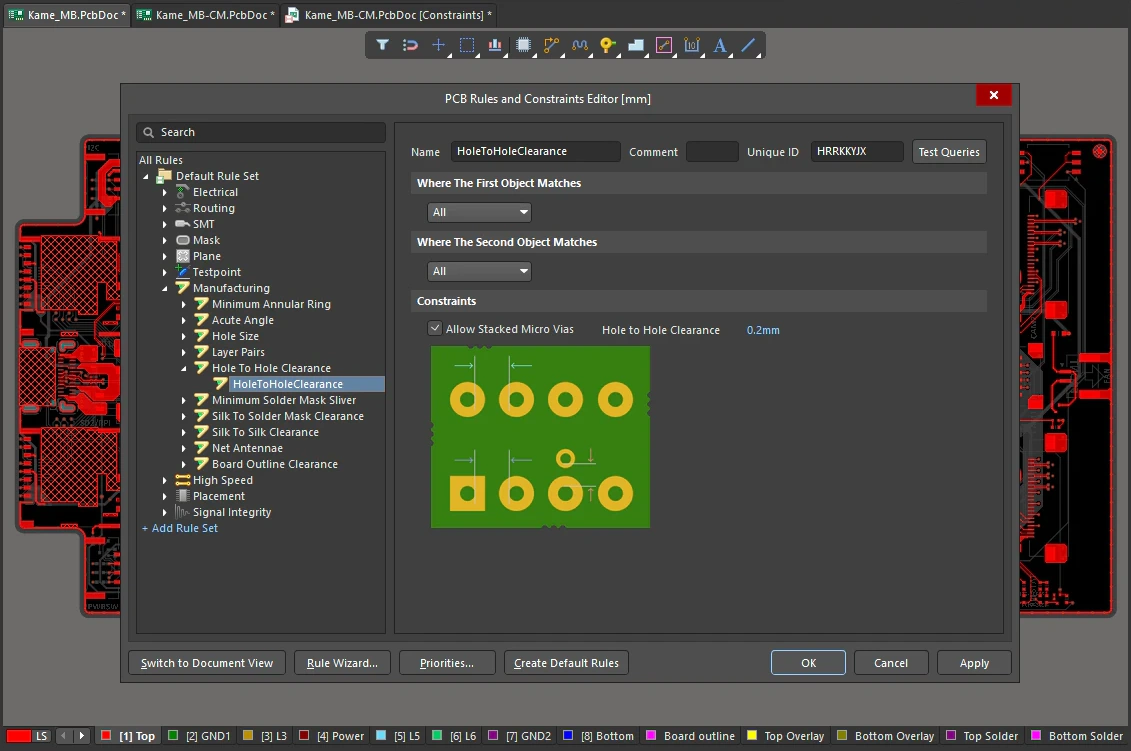
Hole To Hole Clearance Constraints
| Default Rule | Required |
| Allow Stacked Micro Vias | Enable this option to allow micro vias to be stacked. |
| Hole To Hole Clearance | The value for the minimum permissible clearance between pad/via hole-edges in the design. |
| Rule Application | Online DRC and Batch DRC. |
Minimum Solder Mask Sliver
This rule helps identify narrow sections of solder mask that may cause manufacturing problems at a later stage. Ensuring that there is a minimum width of solder mask across the board, this rule checks that the distance between any two solder mask openings is equal to, or greater than, a user-specified minimum value. This includes the pads, vias, and any primitives that reside on solder mask layers. It also checks Top and Bottom sides independently.
Constraints
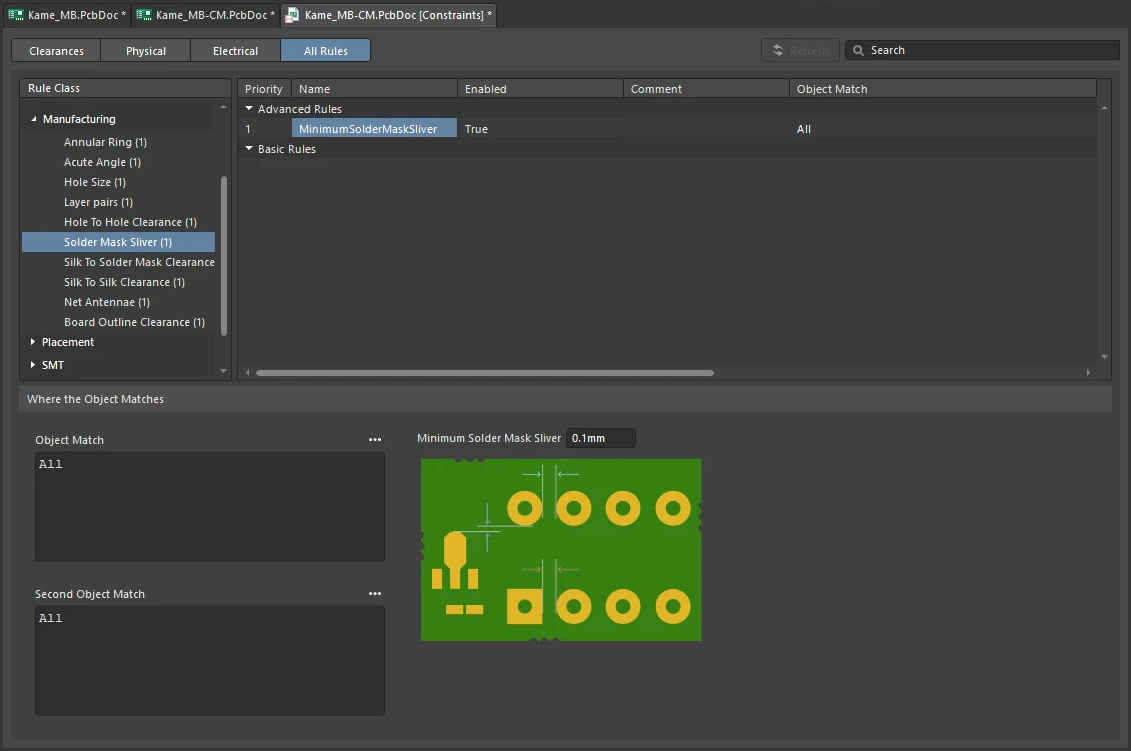
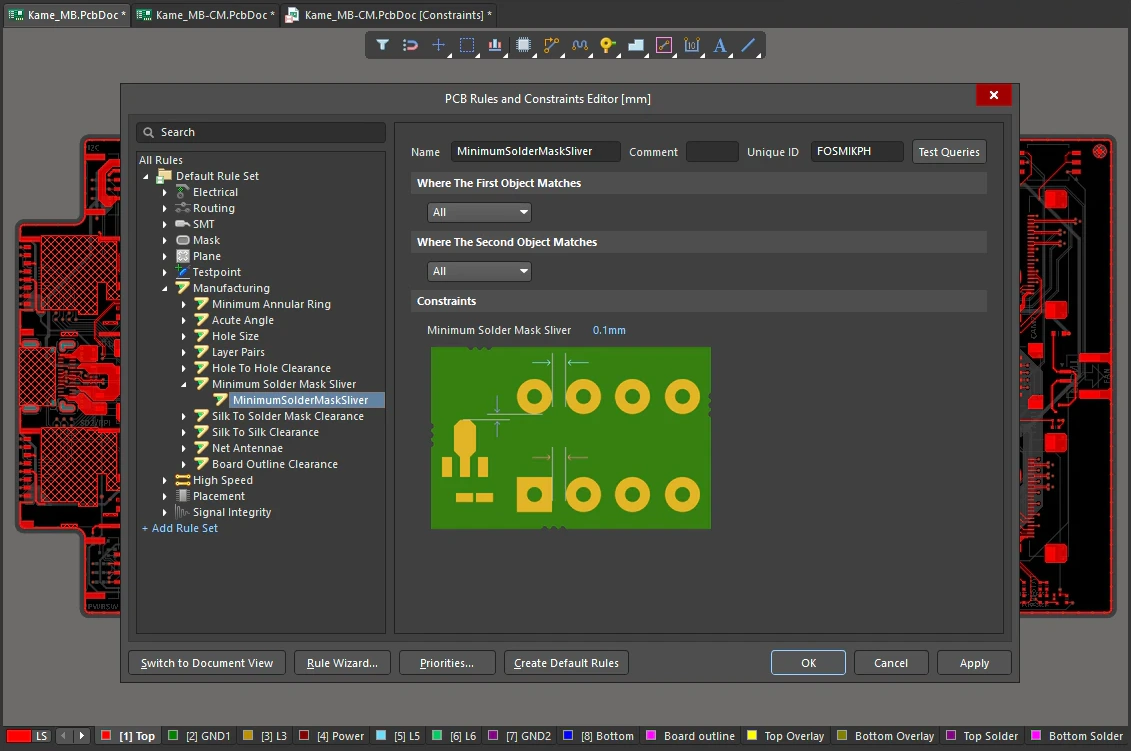
Minimum Solder Mask Sliver Constraints
| Default Rule | Required |
| Minimum Solder Mask Sliver | Specifies the minimum allowed width of solder mask. |
| Rule Application | Online DRC and Batch DRC. |
Silk To Solder Mask Clearance
This rule checks the clearance between any silkscreen primitive and any solder mask primitive, or exposed copper-layer primitive (exposed through openings in the solder mask). The check ensures that the distance is equal to, or greater than, the value specified in the constraint.
Many manufacturers routinely strip (or 'clip') silkscreen to the mask opening and not just to the copper pad. However, doing so can render silkscreen text unreadable. Being able to catch such occurrences, through DRC, allows you to manipulate offending silkscreen text prior to sending the board to manufacturing.
Constraints
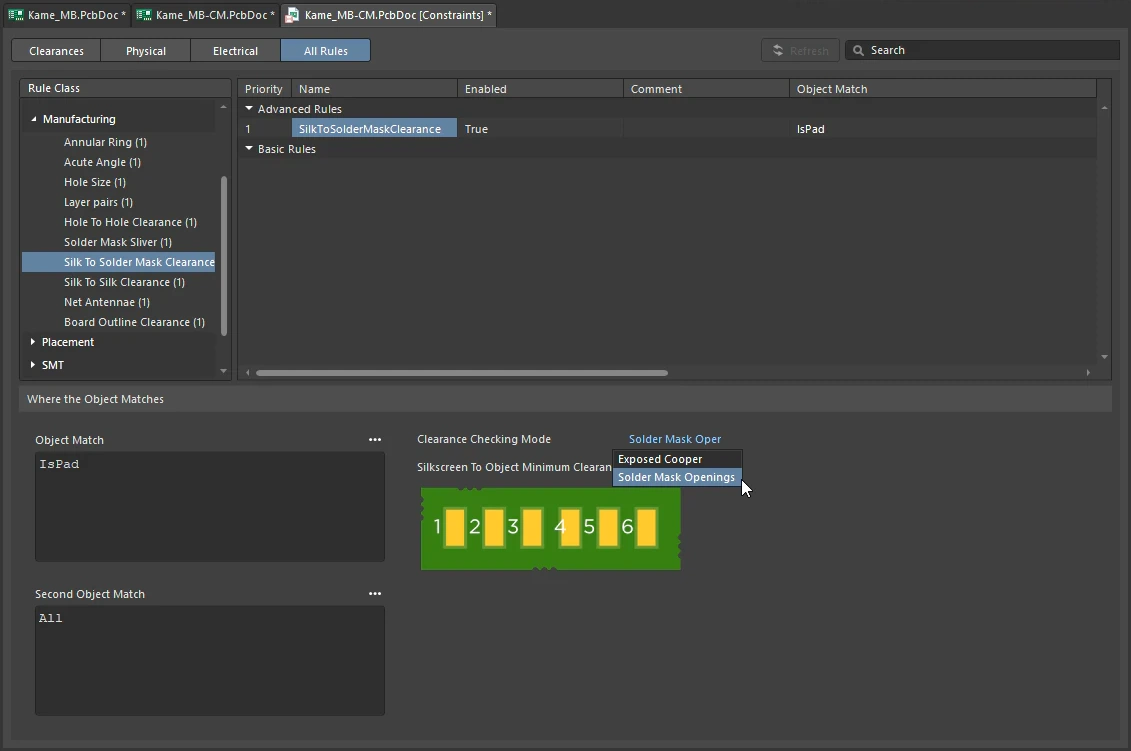
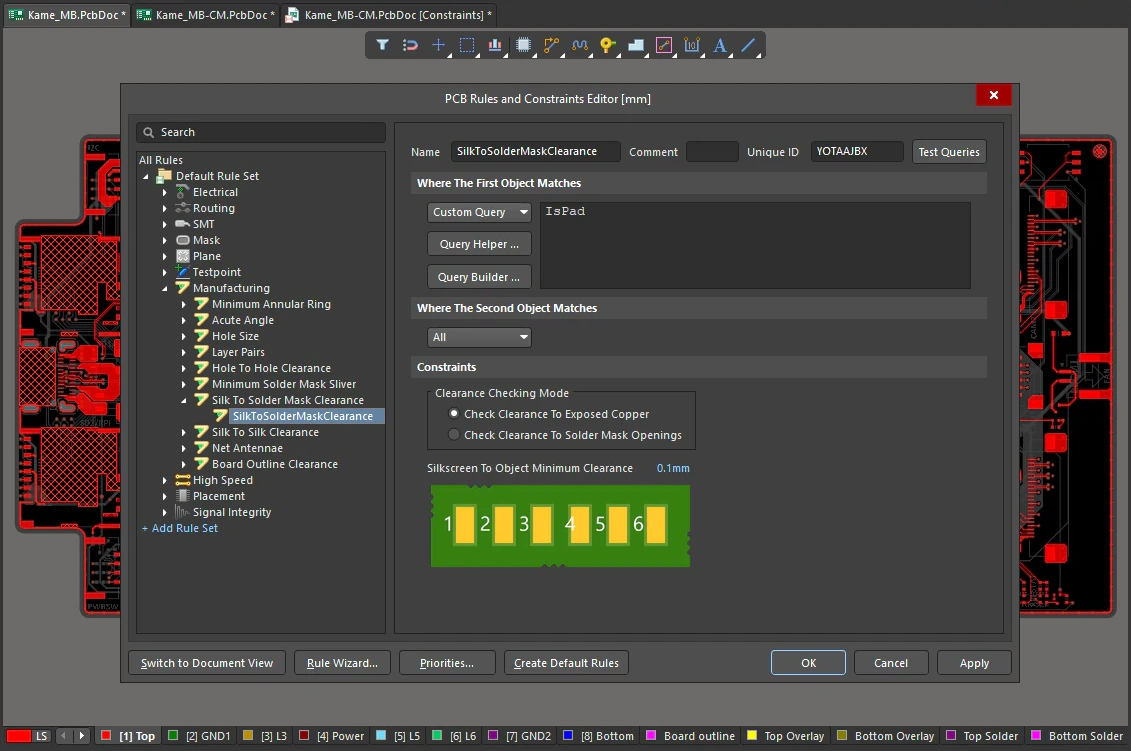
Silk To Solder Mask Clearance Constraints
| Default Rule | Required |
| Clearance Checking Mode | Choose a checking mode for the clearance:
|
| Silkscreen To Object Minimum Clearance | Specifies the minimum permissible clearance between a silkscreen object and either exposed copper, or solder mask openings, depending on the clearance checking mode chosen. |
| Rule Application | Online DRC and Batch DRC. |
Silk To Silk Clearance
This rule defines the minimum clearance allowed between text and other objects on a silkscreen layer.
Constraints
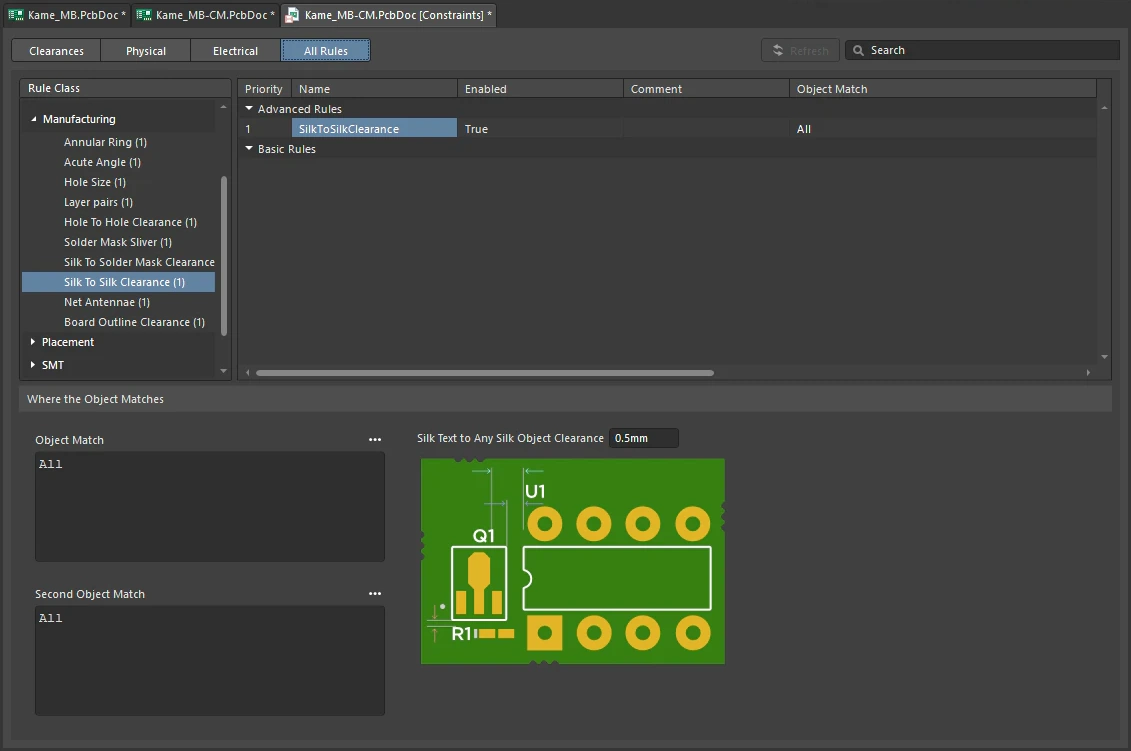
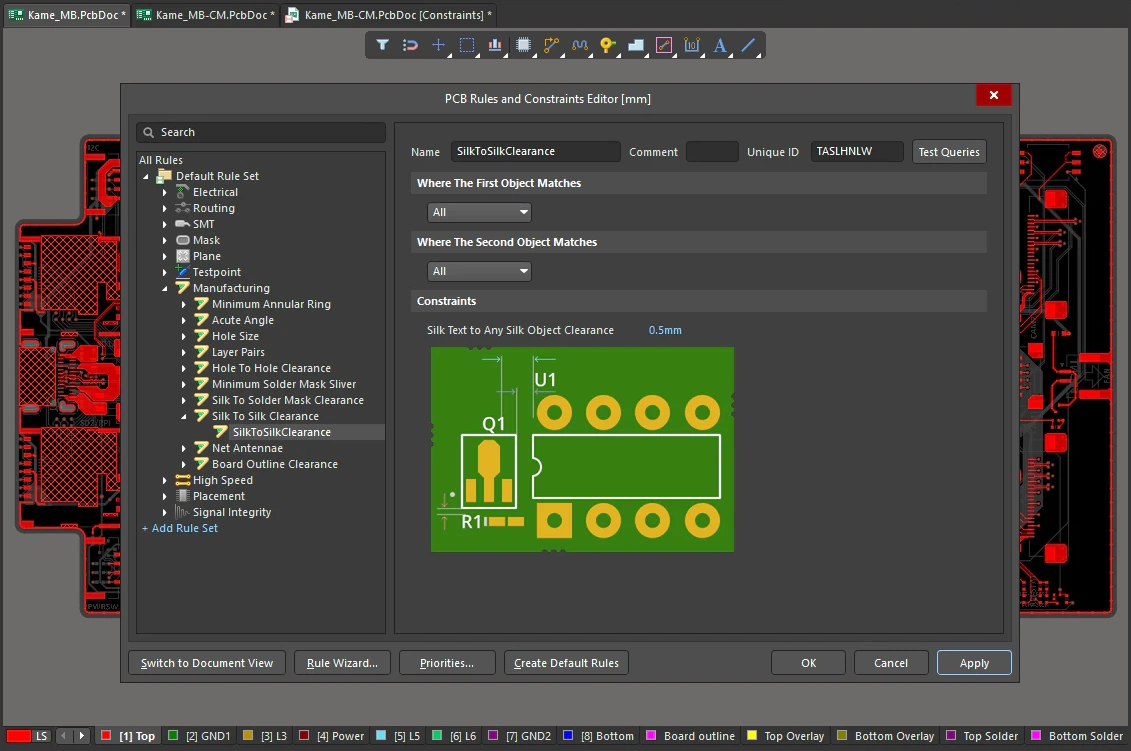
Silk To Silk Clearance Constraints
| Default Rule | Required |
| Silk Text to Any Silk Object Clearance | Specifies the minimum permissible clearance between any two silkscreen objects. |
| Rule Application | Online DRC and Batch DRC. |
Net Antennae
This rule operates at a net level in the design to flag any open-ended track/arc primitive, or open-ended track/arc that is terminated with a via, and thus forms an antenna.
Constraints
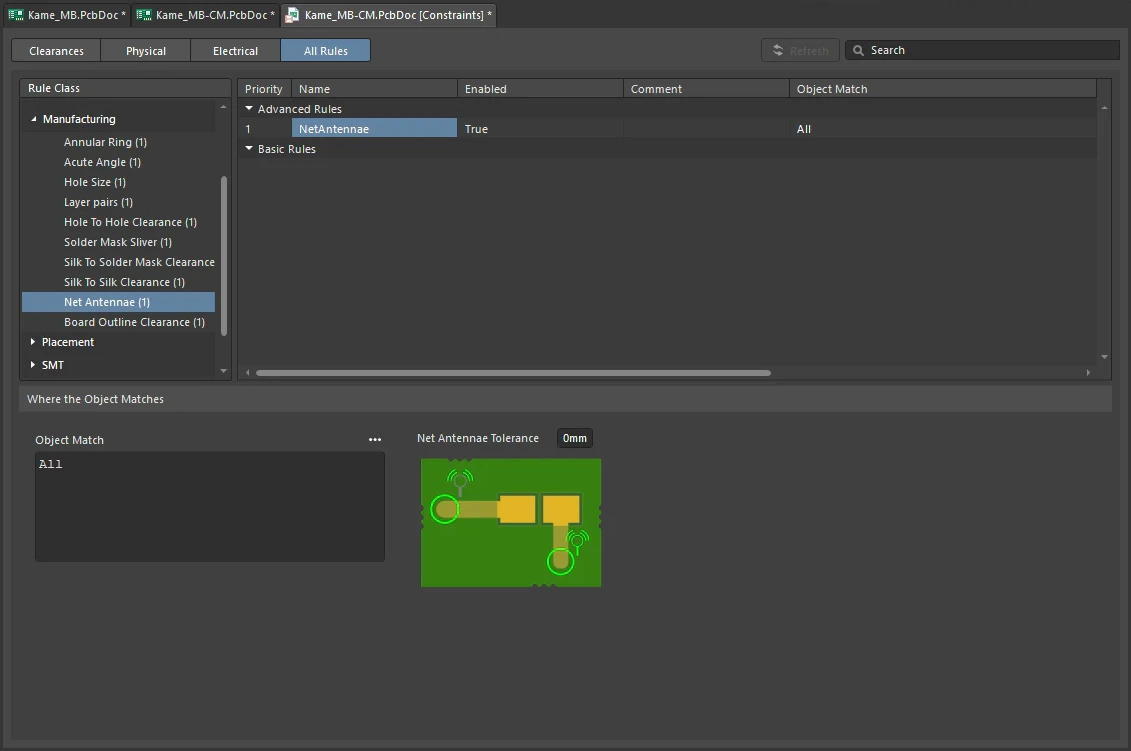
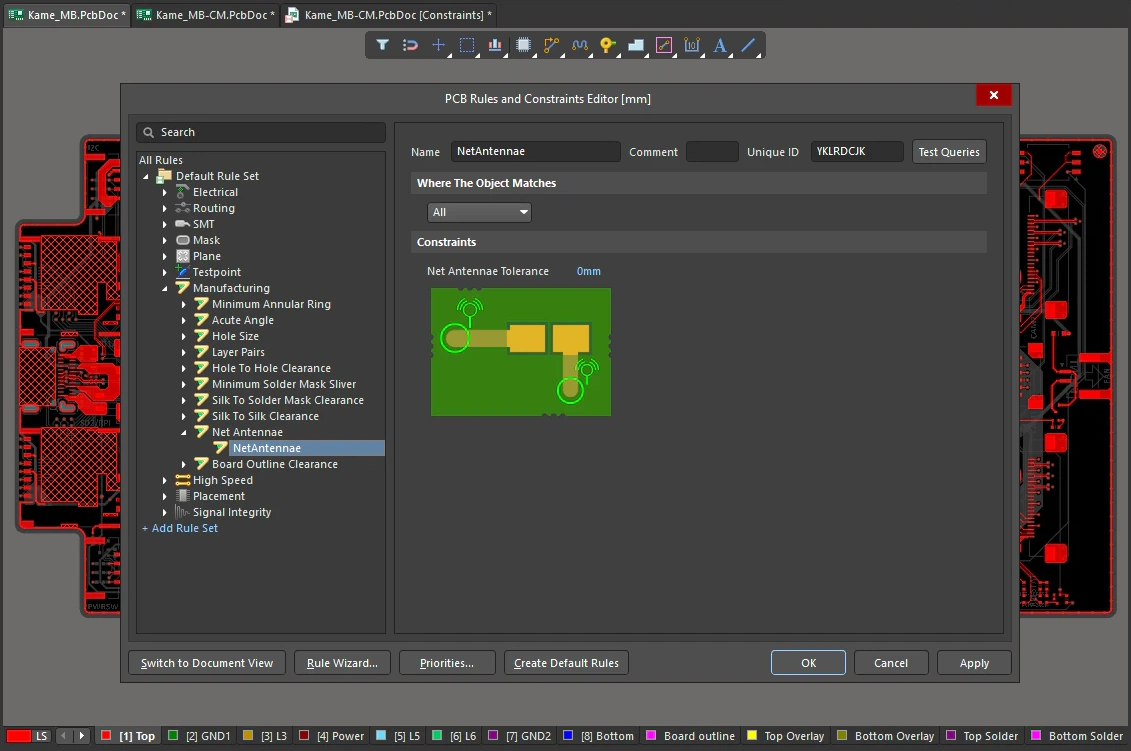
Net Antennae Constraints
| Default Rule | Required |
| Net Antennae Tolerance | Maximum permissible length for the stub of an open-ended track/arc primitive (or one that terminates in a via). |
| Rule Application | Online DRC and Batch DRC. |
Board Outline Clearance
This rule defines the minimum clearance allowed from design objects that are fabricated, to edges of the board. Either a single clearance value can be specified for all object-to-edge possibilities, or different clearances for different pairings can be defined, through the use of a dedicated Minimum Clearance Matrix. The terms Board Outline and Board Edge are general names used interchangeably to describe the outer edge of the board. The term edge is defined in the table below the image. The Board Outline Clearance design rule checks object-to-edge clearances on the electrical and overlay (silkscreen) layers.
Constraints
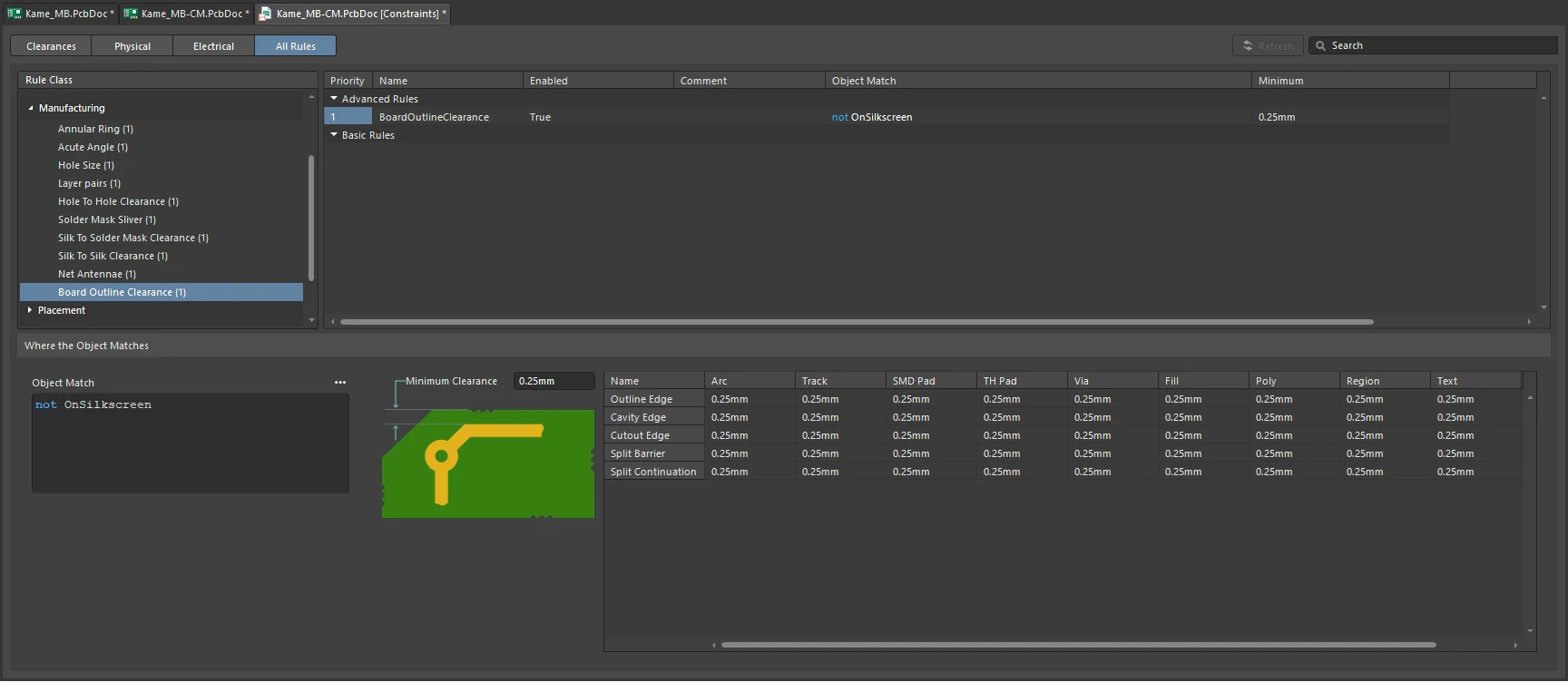
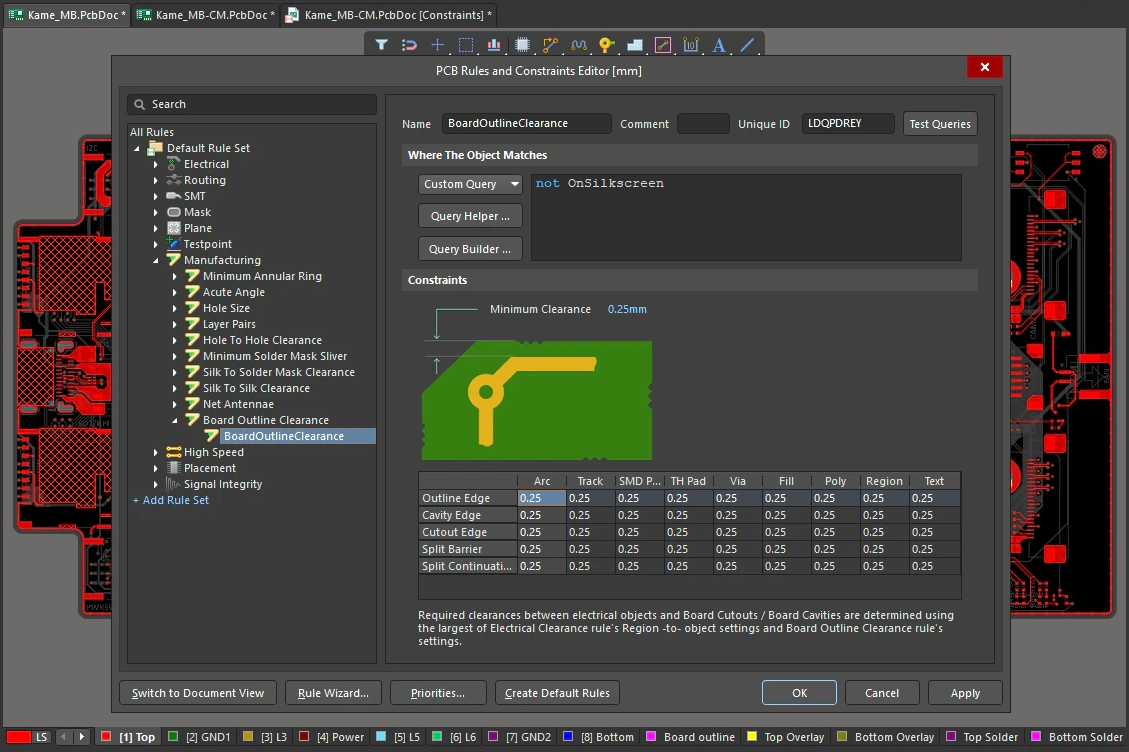
Board Outline Clearance Constraints
| Default Rule | Not required. |
| Minimum Clearance | The value for the minimum clearance required. A value entered here will be replicated across all cells in the Minimum Clearance Matrix. Conversely, when a different clearance value is entered for one or more object pairings in the matrix, the Minimum Clearance constraint will change to N/A, to reflect that a single clearance value is not being applied across the board. |
| Minimum Clearance Matrix | Provides the ability to fine tune clearances between the various object-to-edge clearance combinations in the design.
|
| Working with the Clearance Matrix | Definition of clearance values in the matrix can be performed in the following ways:
|
| Outline Edge | The outer-most (exterior) edge of the board. |
| Cavity Edge | The edge of a user-defined cavity. |
| Cutout Edge | The edge of a user-defined cutout. |
| Split Barrier | When a Split Line defines the edge of the board on this layer, this edge is referred to as a Split Line Barrier. |
| Split Continuation | When this layer continues beyond a Split Line, this edge is referred to as a Split Line Continuation (a permeable boundary). To allow an object-kind to cross a Split Continuation, set the clearance value to zero. Zero indicates that for these object-kinds, this is a continuation layer, and the objects are allowed to violate (pass over) the split line. Use this technique to allow routed tracks, for example, to travel across from one Layer Stack Region to another. |
| Rule Application | Online DRC, Batch DRC, interactive routing, and autorouting. |