The design rules of the Mask category are described below.
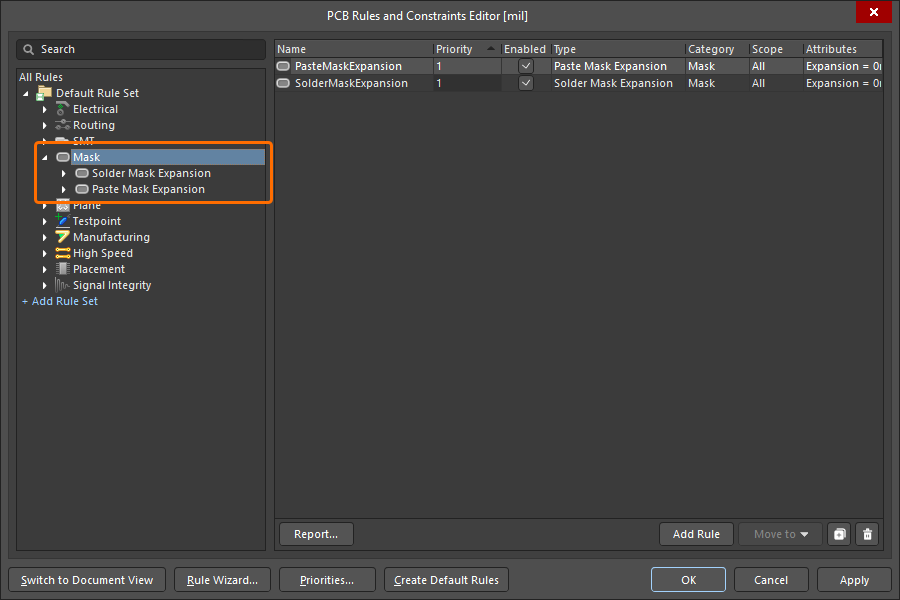
The Mask category of design rules.
Solder Mask Expansion
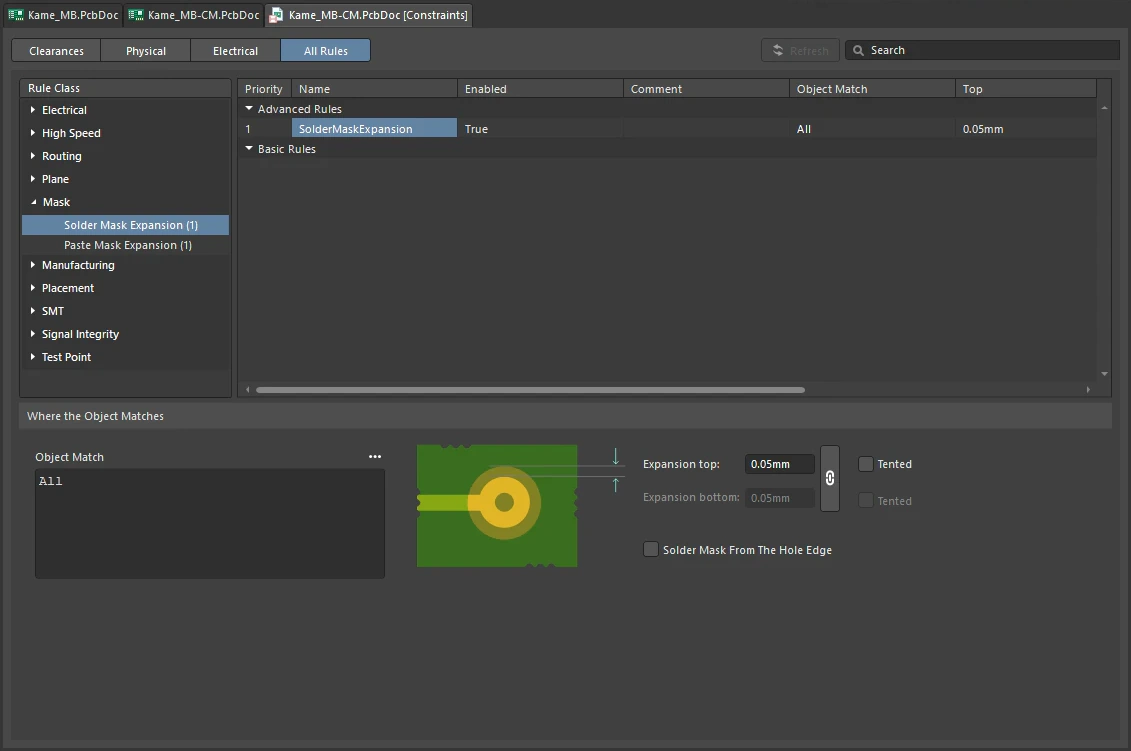
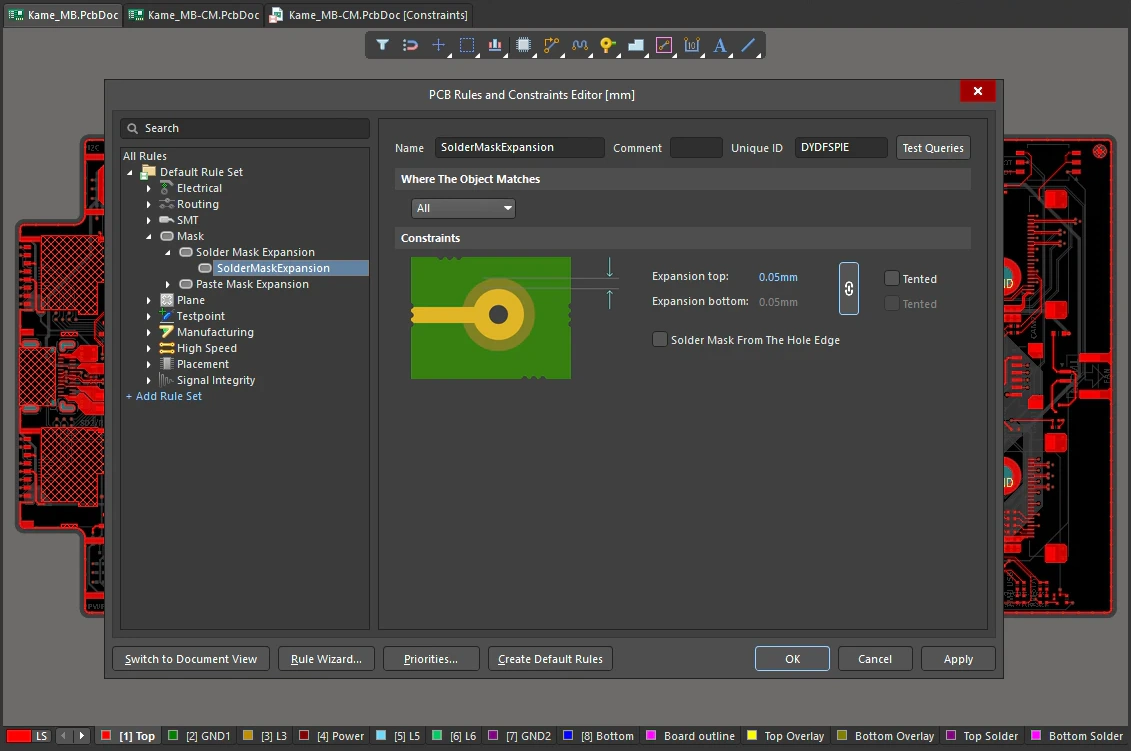
The shape that is created on the solder mask layer at each pad and via site is the pad or via shape (or hole), expanded or contracted radially by the amount specified by this rule.
Constraints
Solder Mask Expansion Constraints
| Default Rule |
Required i |
| Expansion top / Expansion bottom |
This constraint is used to specify the expansion/contraction value applied to the initial pad/via shape (or hole) to obtain the final shape on the top and bottom solder mask layer, respectively.
-
Enter a positive value to expand the mask, enter a negative value to contract it.
-
Use the  button to toggle between single, or separate expansions for the top and bottom sides of the board. When linked ( button to toggle between single, or separate expansions for the top and bottom sides of the board. When linked ( ), specify a value for the expansion for both in the Expansion top field. The Expansion bottom field will automatically inherit that same value. When unlinked () you must specify both the top and bottom values. ), specify a value for the expansion for both in the Expansion top field. The Expansion bottom field will automatically inherit that same value. When unlinked () you must specify both the top and bottom values.
The default values for top and bottom expansion used for any newly created Solder Mask Expansion rule are 0 mil, when the PCB.SolderMaskZeroExpansion option is enabled in the Advanced Settings dialog. When this option is disabled, the default values are 4 mils. Note that all existing Solder Mask Expansion rules store their initial values in a PCB document and these values will not change while opening the document in another version of Altium Designer.
|
| Solder Mask From The Hole Edge |
This option determines the reference for the calculated mask expansion. When disabled, the perimeter of the object is used (the copper land edge for a pad or via). When enabled, the perimeter of the pad/via hole is used. For example, a 5mil Solder Mask Expansion applied to a 60mil diameter round pad will create a mask opening of 70mil (pad diameter + (2 x expansion)). If the reference is the hole edge, and the same pad had a hole diameter of 30mil, then the 70mil mask opening would be achieved by a 20mil expansion (hole diameter + (2 x expansion)).
The significance of the Solder Mask From The Hole Edge option is that when enabled, the Solder Mask opening will follow the shape of the pad or via hole. The mask is therefore independent of pad shape and size, and is scaled from both the hole size and shape. So for example, a pad/via with a square hole will create a square mask opening that matches the hole dimensions, plus the assigned expansion value. Also note that a pad or via's expansion mask opening size will track any changes in the hole size.
|
| Tented |
-
Tenting means that there is no opening in the mask, that is, the opening is closed or tented.
-
If Tented is enabled, the expansion values are ignored.
-
The tenting options also obey the linked setting (), if linked is enabled then only the top Tented option is available.
-
The Tented options correspond to the Solder Mask Tenting - Top and Solder Mask Tenting - Bottom properties for the pad when viewing properties through the PCB List panel.
|
| Strategies |
-
Solder mask expansion can be defined at the rule level or can be locally overridden by defining it at the object level.
-
Solder mask expansion can be defined for pads and vias on an individual basis. While browsing properties for a pad or via through the Properties panel, options are available to follow the expansion defined in the applicable design rule, or to override the rule and apply a specified expansion directly to the individual pad or via in question. For pads, you can also manually select from a standard set of predefined mask shapes or create your own custom mask shape.
-
Partial and complete tenting of pads and vias can be achieved by defining the appropriate value for the Expansion constraint:
-
To partially tent a pad/via (covering the land area only) – if the expansion is from the land pattern perimeter, set the Expansion to a negative value that will close the mask right up to the pad/via hole. If the expansion is from the hole edge, simply set the Expansion to be 0.
-
To completely tent a pad/via in which varying pad/via sizes are defined (covering the land and hole) – use the Tented options.
-
To tent all pads/vias on a single layer – use the Tented options and ensure that the scope of the rule (the Full Query) targets all pads/vias on the required layer.
-
Solder mask expansion can also be defined at the individual level for the following objects (through the Properties panel, when browsing the properties of a selected object): Track, Region, Fill, Arc. Options are available to follow the expansion defined in the applicable design rule, to override the rule and apply a specified expansion directly to the individual object in question, or to have no mask at all.
|
| Rule Application |
During output generation. |
Learn more about Working with Pads and Vias.
Paste Mask Expansion
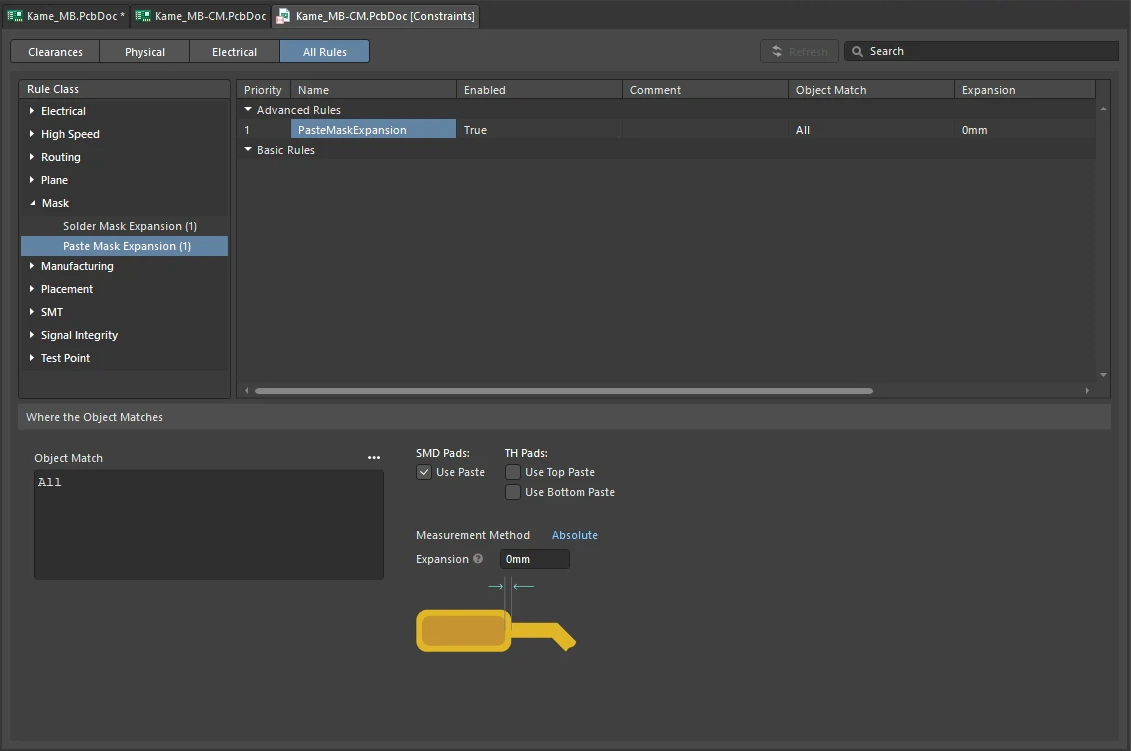
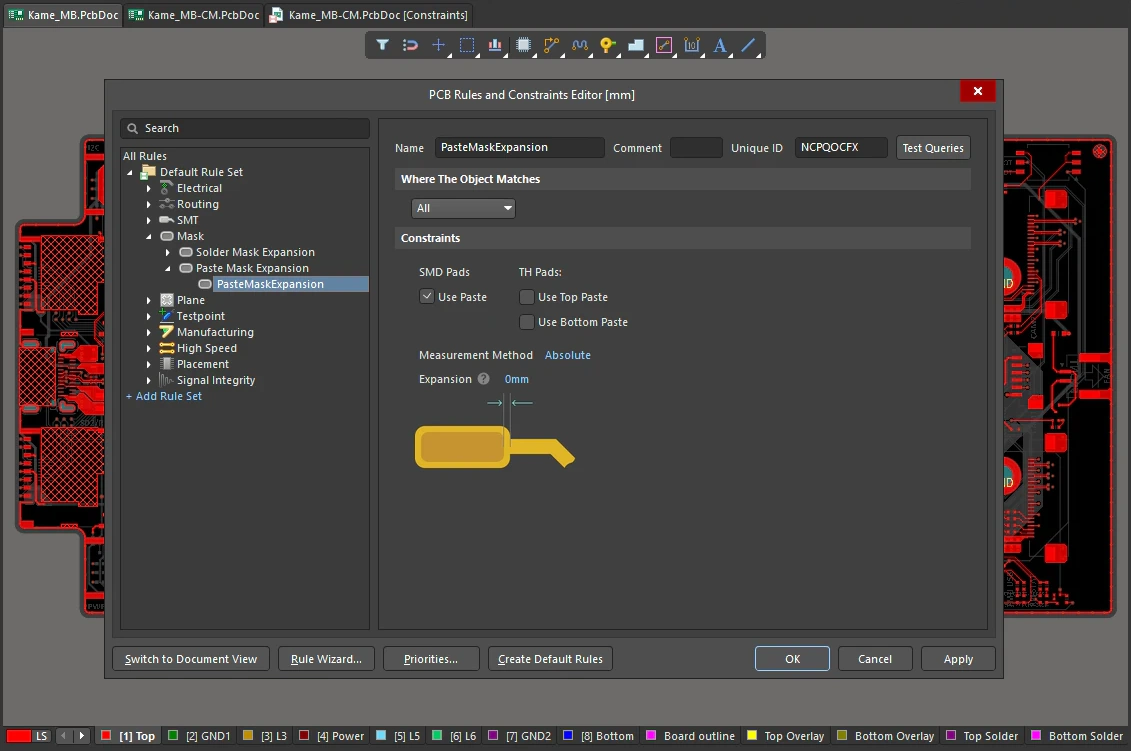
The shape that is created on the paste mask layer at each pad site is the pad shape, expanded or contracted radially by the amount specified by this rule.
Constraints
Paste Mask Expansion Constraints
| Default Rule |
Required i |
| SMD Pads |
Use Paste – check the box to enable paste at the chosen Expansion value, for SMD pads scoped by the design rule. Clear the checkbox to remove the paste from the scoped pads. |
| TH Pads |
Use Top Paste – check the box to enable paste at the chosen Expansion value for the top side of thru-hole pads scoped by the design rule. Clear the checkbox to remove the paste from the scoped pads.
Use Bottom Paste – check the box to enable paste at the chosen Expansion value for the bottom side of thru-hole pads scoped by the design rule. Clear the checkbox to remove the paste from the scoped pads.
The paste mask layer for thru-hole pads is supported in Draftsman documents and Gerber, Gerber X2, ODB++, IPC-2581, and PCB Print outputs.
|
| Measurement Method |
Use this drop-down to specify the paste mask as an absolute expansion or as a percentage of the pad area.
-
When the option is set to Absolute, the paste mask is expanded/contracted by the positive/negative amount specified by Expansion.
-
When the option is set to Percent, the Expansion is defined as a percentage of the pad area. You can set the Expansion as follows:
-
Expansion = 0 – the paste mask opening is the same size as the pad.
-
Expansion < 0 – enter a negative value to define a paste mask area that is <Value> percent smaller than the pad area.
-
Expansion > 0 – enter a positive value to define a paste mask area that is <Value> percent larger than the pad area.
|
| Expansion |
The value applied to the initial pad shape to obtain the final shape on the paste mask layer. This expansion value is reflected in the Expansion value of the Pad Stack region of the Properties panel when a pad is selected (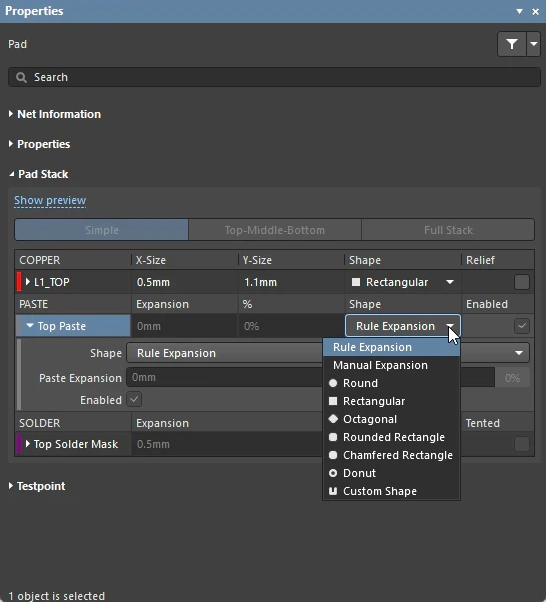 ). ). |
| Strategies |
-
Paste mask expansion can be defined at the rule level or can be locally overridden by defining it at the object level.
-
Paste mask expansion can be defined for pads on an individual basis, in the Pad Stack section of the Properties panel (). Available options include: follow the expansion defined in the applicable design rule, override the rule and apply a specified expansion directly to the individual pad in question, select from a standard set of predefined mask shapes, or create a custom mask shape.
-
Paste mask expansion can also be defined at the individual level for the following objects (through the Properties panel, when browsing the properties of a selected object): Track, Region, Fill, Arc. Options are available to follow the expansion defined in the applicable design rule, to override the rule and apply a specified expansion directly to the individual object in question, or to have no mask at all.
|
| Rule Application |
During output generation.
The paste mask layer for thru-hole pads is supported in Draftsman documents and Gerber, Gerber X2, ODB++, IPC-2581, and PCB Print outputs.
|
Learn more about Working with Pads and Vias.