
Testpoint Rule Types
At a Glance
- Learn what the Testpoint category covers in Altium Designer and which rule types are discussed.
- Understand the purpose of the Fabrication Testpoint Style and Assembly Testpoint Style rules in defining valid testpoint pads and vias.
- See the key requirement for Testpoint Manager assignment, including the need for at least one Style rule scoped to All.
The design rules of the Testpoint category are described below.
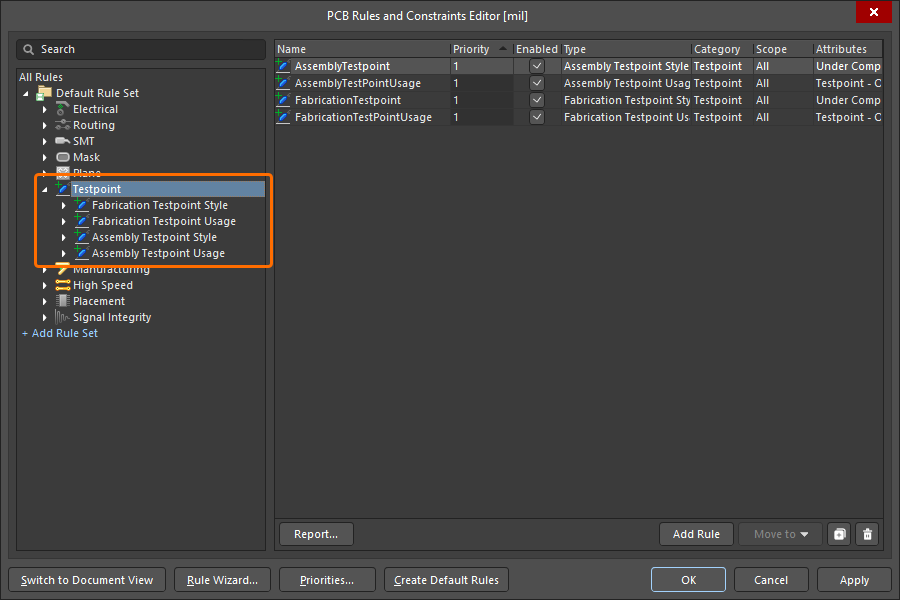
The Testpoint category of design rules.
Fabrication and Assembly Testpoint Style
The Fabrication Testpoint Style and Assembly Testpoint Style design rules specify the allowable physical parameters of pads and vias that are to be considered for use as testpoints for bare-board fabrication testing, or in-circuit assembly testing respectively. The constraints between these two rules are identical.
Constraints
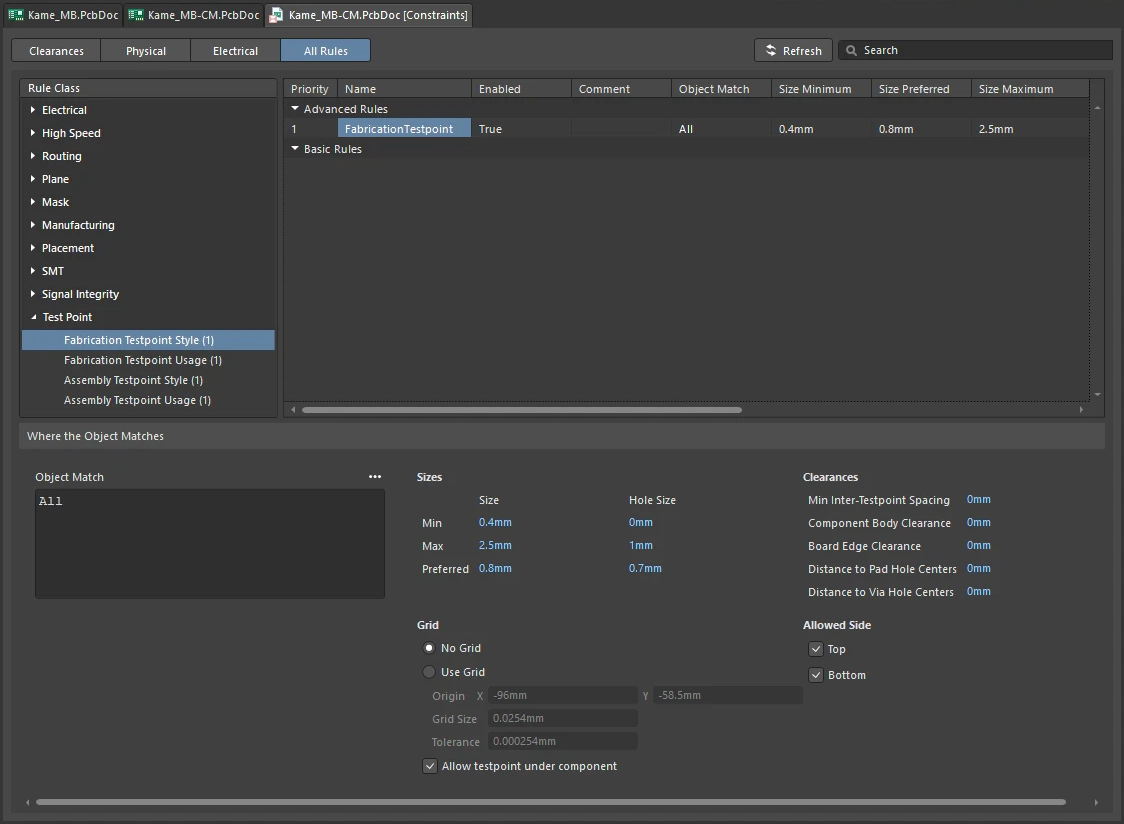
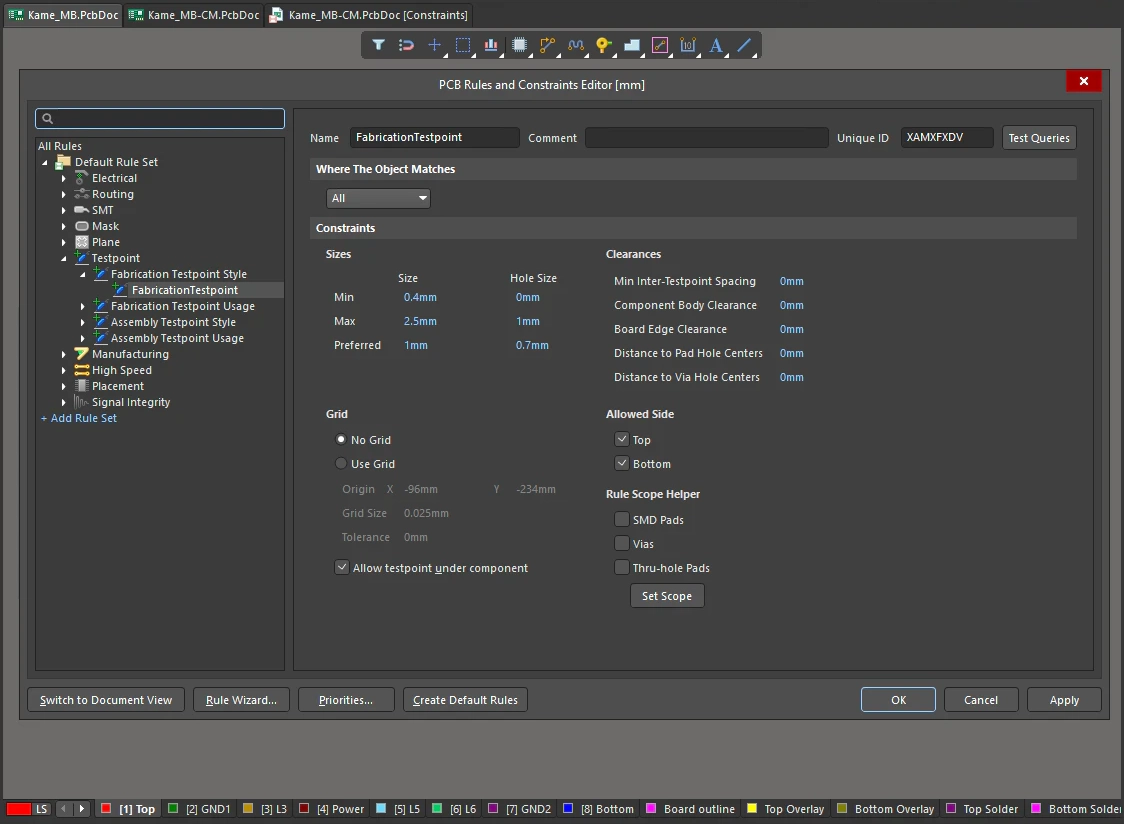
Fabrication and Assembly Testpoint Style Constraint
| Default Rule | Required |
| Sizes | The following options allow you to specify pad/via diameter and hole size criteria when testing for valid testpoints:
|
| Clearances | The following options allow you to define clearance constraints specific to board testing:
|
| Grid | Use of a grid is most appropriate when targeting a non-custom bed-of-nails fixture. To include use of a grid, enable the Use Grid option. To disable use of a grid, enable the No Grid option. If you do want to use a grid, the following options allow you to define it in a more comprehensive manner:
|
| Allowed Side | Use these options to specify on which side of the board prospective testpoint pad/via locations can reside - either Top, Bottom, or both. |
| Allow Testpoint Under Component | Use this option to enable the use of pads/vias located underneath components (on the same side of the board as the components) for testpoint purposes. This option would typically be enabled in a Fabrication Testpoint Style rule, but not for an Assembly Testpoint Style rule - as the pad/via will typically not be accessible once the board is populated with components. |
| Rule Scope Helper | Use this region of the constraints to determine which objects the rule is to apply to. Simply enable the checkbox for the objects to be included - SMD Pads, Vias, Thru-hole Pads - and click on the Set Scope button. The logical query for the rule scope will be created and entered into the Full Query region for the rule. Note that the helper is only available in the PCB Rules and Constraints Editor. |
| Rule Application | This rule is obeyed by the Testpoint Manager, the Autorouter, the Online and Batch DRC, and during output generation. The Online DRC and Batch DRC test all attributes of the rule except the Preferred Size and Preferred Hole Size - these settings are used by the Autorouter to define the size of testpoint pads/vias that the Autorouter places. |
Fabrication and Assembly Testpoint Usage
The Fabrication Testpoint Usage and Assembly Testpoint Usage design rules specify which nets require testpoints for bare-board fabrication testing, or in-circuit assembly testing, respectively. The constraints between these two rules are identical.
Constraints
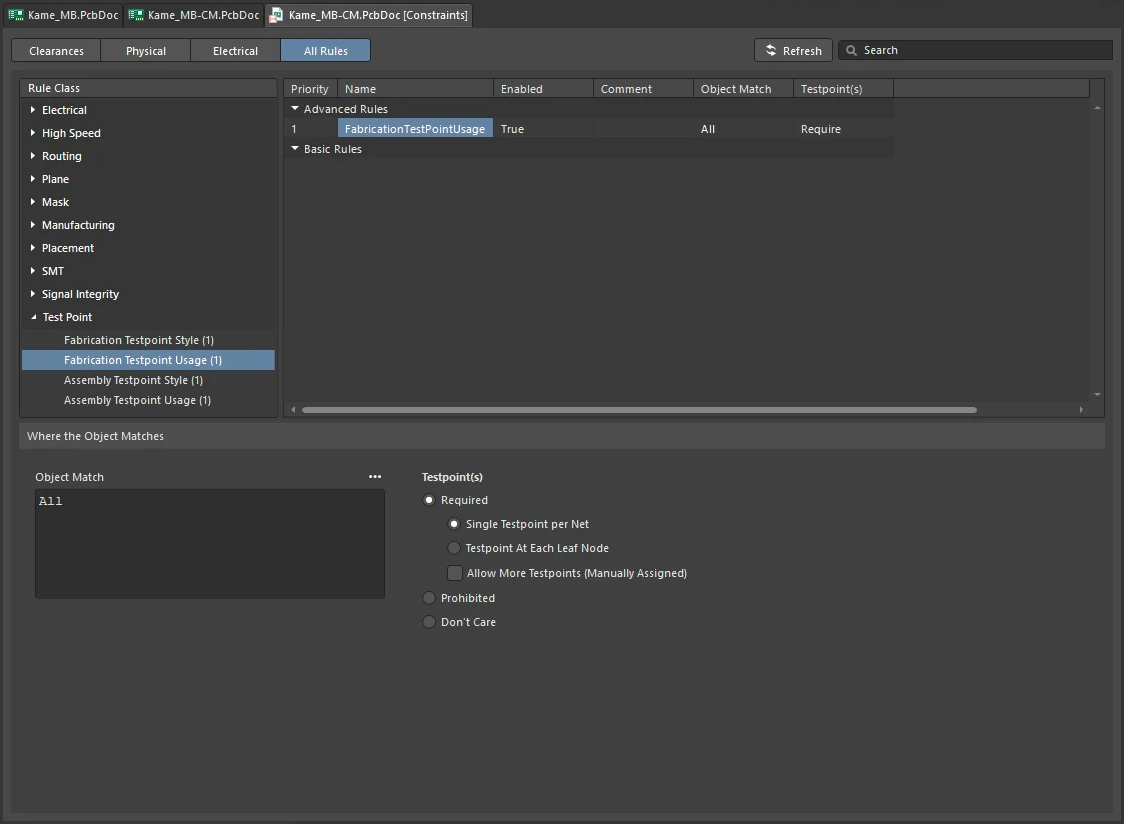
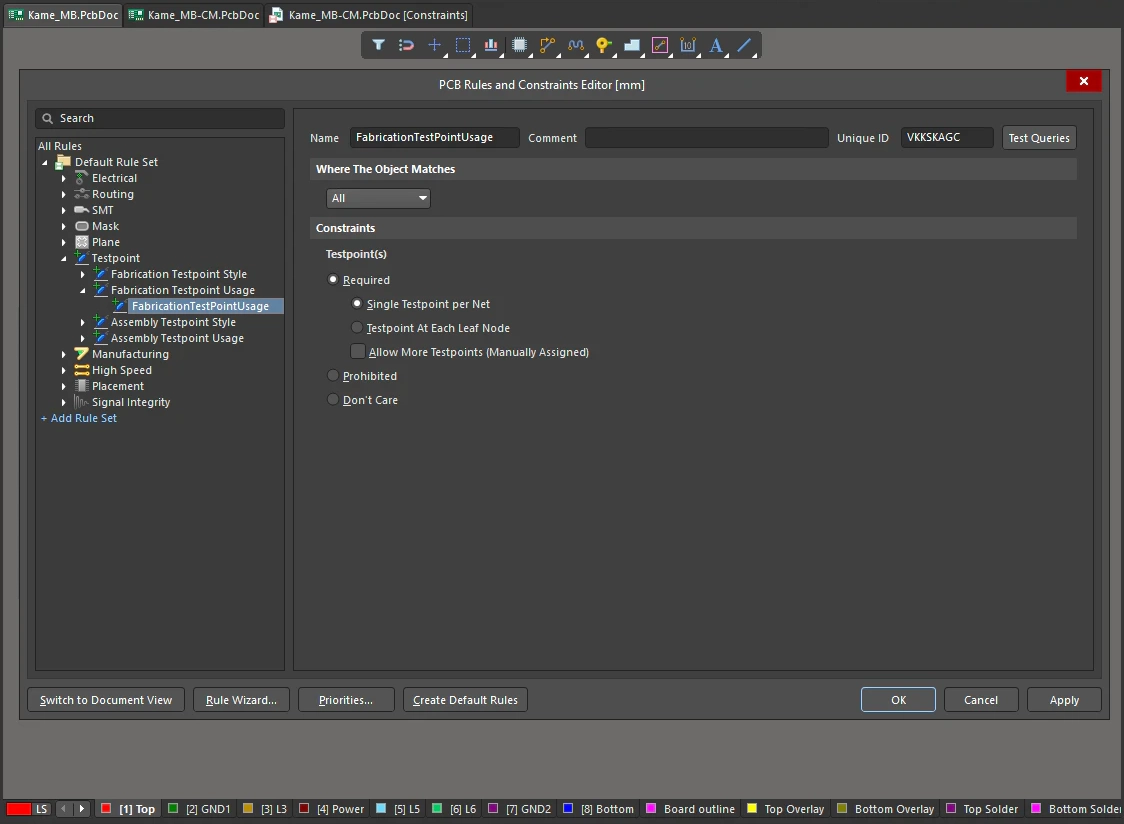
Fabrication and Assembly Testpoint Usage Constraint
| Default Rule | Required |
| Required | Each target net must have a testpoint assigned. You can further sub-specify whether:
In addition, you can specify that a target net can have more testpoints – these must be manually assigned. |
| Prohibited | Each target net must not have a testpoint assigned. |
| Don't Care | Each target net can have a testpoint assigned. It does not matter if a testpoint cannot be assigned to a net. |
| Assigning testpoints | Use the Testpoint Manager dialog to identify the status of testpoint coverage for each net in a design, both in terms of bare-board fabrication and in-circuit assembly testing. A DRC report, obtained from running a Batch DRC, can be used to identify each net that fails this rule. |
| Testpoint reports | Fabrication and Assembly Testpoint reports can be configured and generated along with other fabrication and assembly outputs, as part of an Output Job Configuration file (*.OutJob). Use these reports to interrogate the locations of all valid fabrication and assembly testpoints, assigned in the design, respectively. |
| Importing older designs | When opening/importing PCB designs created in a release of the software prior to the Summer 09 release, Testpoint Usage rules will become Fabrication Testpoint Usage rules. |
| Rule Application | This rule is obeyed by the Testpoint Manager, Autorouter, the Online and Batch DRC, and during output generation. |