
Altium®and OrCAD® in one workspace.
Your company runs both Altium Designer and OrCAD. Your design data shouldn't be split across two islands because you have two ECAD tools. Agile Teams holds your Altium and OrCAD files together, so every contributor works from the current design and knows where the project stands.
- Review OrCAD files in your browser — no ECAD seat needed
- Collect comments, complete tasks, and conduct design reviews across both formats
- Manage BOMs from both tools in one place, with live part data
Two ECAD tools, one company, too many gaps
Pick the situation that best describes your trouble, and see how having both formats in one workspace solves that pain.

Silos: Two systems, multiple revisions. Someone opens last week's revision because they didn’t know a newer one existed, and the rework starts from there.

Together: One workspace holds both formats with a dated version history and author attribution. Everyone works from the current design, and a visual diff shows exactly what changed.
Trial tip: Upload OrCAD files, add comments, and check the version history.
Silos: Firmware, mechanical, and procurement colleagues can't open the CAD file, so they wait on an engineer to stop and export a view before they can weigh in.
Together: The web viewer opens Altium and OrCAD designs in a browser. The whole team inspects schematics, boards, and BOMs without an ECAD seat.
Trial tip: Upload your OrCAD files and share them with a co-worker.
Silos: Feedback gets hidden in email, chat, and hallway conversations. Half of it never makes it back to the team designing the system.
Together: Comments and tasks pin to the exact point on the design, across both formats. A structured design review keeps every decision tied to the design, with a full history in version control.
Trial tip: Upload your OrCAD files and run a simulated design review.
Silos: Each tool has its own BOM. Consolidating quantities or spotting an end-of-life part means stitching spreadsheets together by hand.
Together: BOM Portal brings both tools' BOMs together with live availability, pricing, and lifecycle data. It consolidates quantities across products so you catch risk early and buy better.
Trial tip: Upload an OrCAD file and review the BOM in BOM Portal.
Silos: A useful OrCAD reference design would take a day to convert before you even know if it's worth using — and complex conversions leave errors to clean up by hand.
Together: Review the OrCAD file as it is: open it in the browser, run a design review, collect every comment in one place. Convert it only if the team decides it's worth building on.
Trial tip: Upload an OrCAD reference design and review it with your team.
Click a job to see how a siloed workflow
compares to a Multi-CAD workflow in Agile Teams
Silos: Agile Teams lets you track revisions of your Altium designs. But for an OrCAD file, seeing what changed between versions—or knowing which one is current—means comparing by hand or trusting file names.
Together: Agile Teams tracks every revision of your Altium and OrCAD files, each kept in its native format, with a dated history, author attribution, and visual diffs. You always know which version is the latest and exactly what changed.
The win: Everyone works from the current design, and you can see exactly what changed and who changed it — across both formats.
Silos: Only ECAD-seat holders can open the design, so reviews stall waiting on exports, and feedback scatters across email and chat.
Together: The web viewer opens both formats in a browser, and comments, tasks, and design reviews attach to the exact point on the design.
The win: The whole team inspects and reviews without needing an ECAD seat, and every decision stays tied to the design itself.
Silos: Separate BOMs in each tool make it hard to consolidate quantities, catch a problem part, or buy at volume.
Together: BOM Portal brings both tools' BOMs together with live availability, pricing, lifecycle, and compliance data, and consolidates across products.
The win: You see supply-chain risk on every line before it becomes a delay, and you can order at better prices.
Silos: Converting a complex design between ECAD tools is rarely clean — it leaves errors and artifacts a person has to fix by hand, wasted on a design you might reject.
Together: Review the native OrCAD file in the browser, run a design review, and keep all feedback and history in version control.
The win: The team decides whether the design earns the conversion effort. If it doesn't, you've lost nothing.
Two ways to start
However you run Altium and OrCAD today, there's a way to start collaborating on both.
New to Agile Teams?
You use Altium Designer and OrCAD, but aren't on Agile Teams yet.
- Try a free evaluation workspace with your team
- Bring your real Altium and OrCAD projects into one workspace
- See design reviews, BOMs, and version history across both formats
Already have Agile Teams?
You use both Altium Agile Teams and OrCAD
- Nothing new — you already have this
- Add your OrCAD files to your existing Teams workspace
- See design reviews, BOMs, and version history across both formats

Why Agile Teams?
Agile Teams provides the structure engineering requires,
connecting every discipline in one workspace without sacrificing speed.
Altium Agile Teams
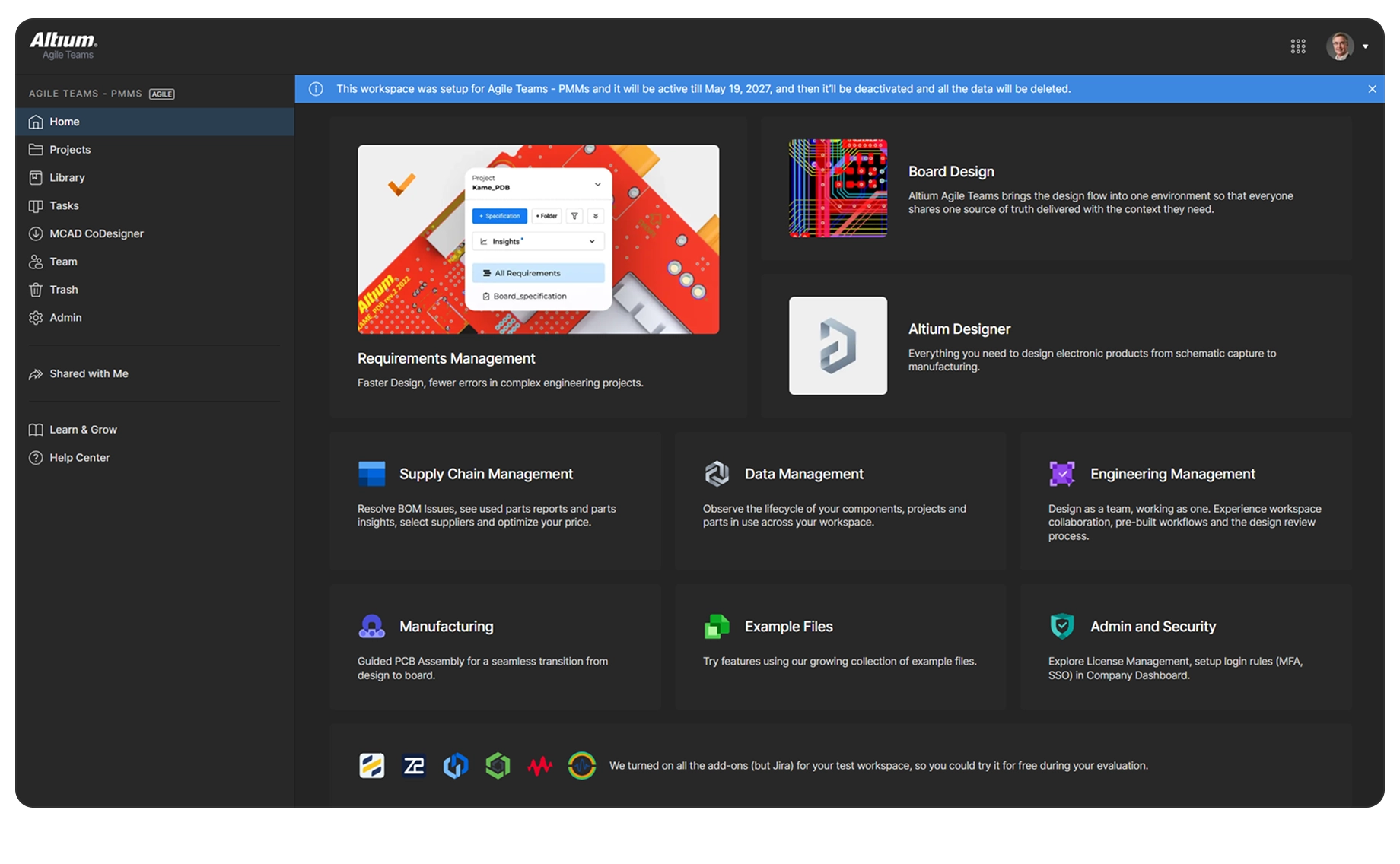
Engineering teams manage board designs, share work with stakeholders, and collaborate across disciplines. Access Altium and OrCAD files side by side, in a browser, with no conversion needed to review or manage BOMs.
Requirements
Manage, trace, and verify requirements across hardware product development without slowing your team’s velocity.
Team Management
Bring the project team together by connecting requirements, design, purchasing, and manufacturing. Enhance visibility, foster cross-functional collaboration, and ensure on-time delivery.
Supply Chain
Accelerate collaboration between engineering and procurement with structured BOM management and up-to-date part intelligence.
Manufacturing
Streamline PCB manufacturing with a centralized portal for DFM reviews, version-controlled manufacturing packages, and faster design-to-production handoff with your contract manufacturer.
Data Management
Bring all electronic design data together in one secure workspace with unified data management. Everyone works from a shared, single source of truth.

Start collaborating on your OrCAD files
Bring your Altium and OrCAD work into one workspace and give your whole team one place to review, comment, and manage the design.
Contact us to set up a free Agile Teams evaluation with your own projects.
Already have Agile Teams? Upload your OrCAD files and start working with them now
Free 30-day access
Are You A Student? Enroll in the Student Lab