
Collaboration Lessons from a Hardware Design CEO
Oct 27, 2026 9:00am PDT


Requirements
in PCB Design
Move requirements off the spreadsheet and into Altium Designer.
- View Specs alongside Your PCB Designs
- Turn Notes into Clear Requirements with AI
- Stay in Sync with Everyone on Your Team


Start for Free
Free 30-day access. No credit card required.
Are you a student? Enroll in the Student Lab
Clearly Define Design Intent

Bring requirements in from spreadsheets, documents, or use AI to turn meeting notes into structured specs.
Understand What Affects Your Work

See the requirements that apply to your schematics and PCB layouts directly in Altium Designer — without context switching.
Trace Design Decisions Back to Requirements

Link requirements to PCB design objects or BOM components to verify how each was implemented, for traceability and future reference.
Key Capabilities
You’re already working with requirements in your projects.
Requirements Portal gives you a structured process, so nothing falls through the cracks.
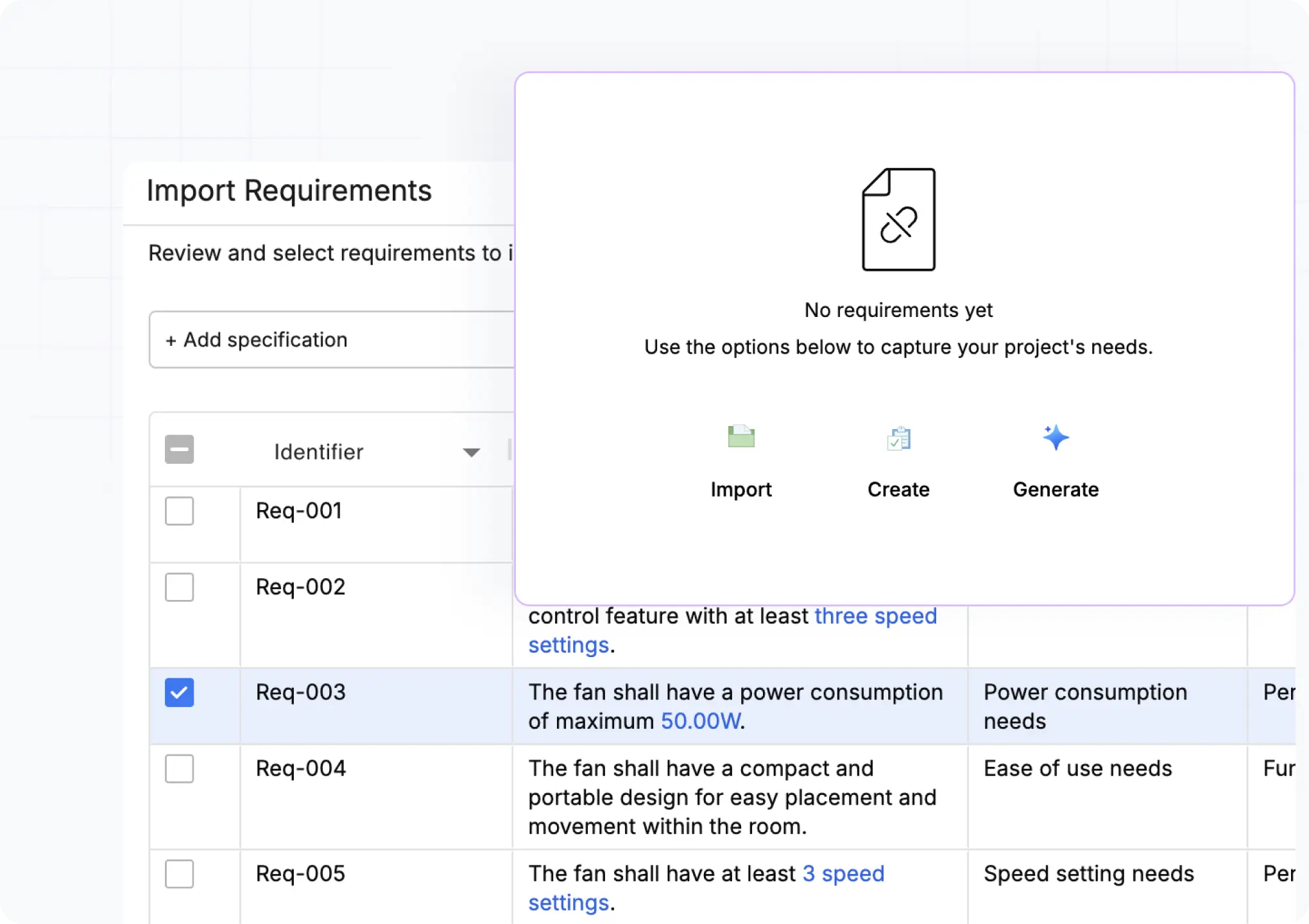
Import Requirements from Documents and Notes
Centralize all requirements in a shared cloud workspace that everyone in your project can access. Import requirements from spreadsheets, PDFs, and documents. Use the Engineering Assistant to turn them into clear, well-structured specifications.
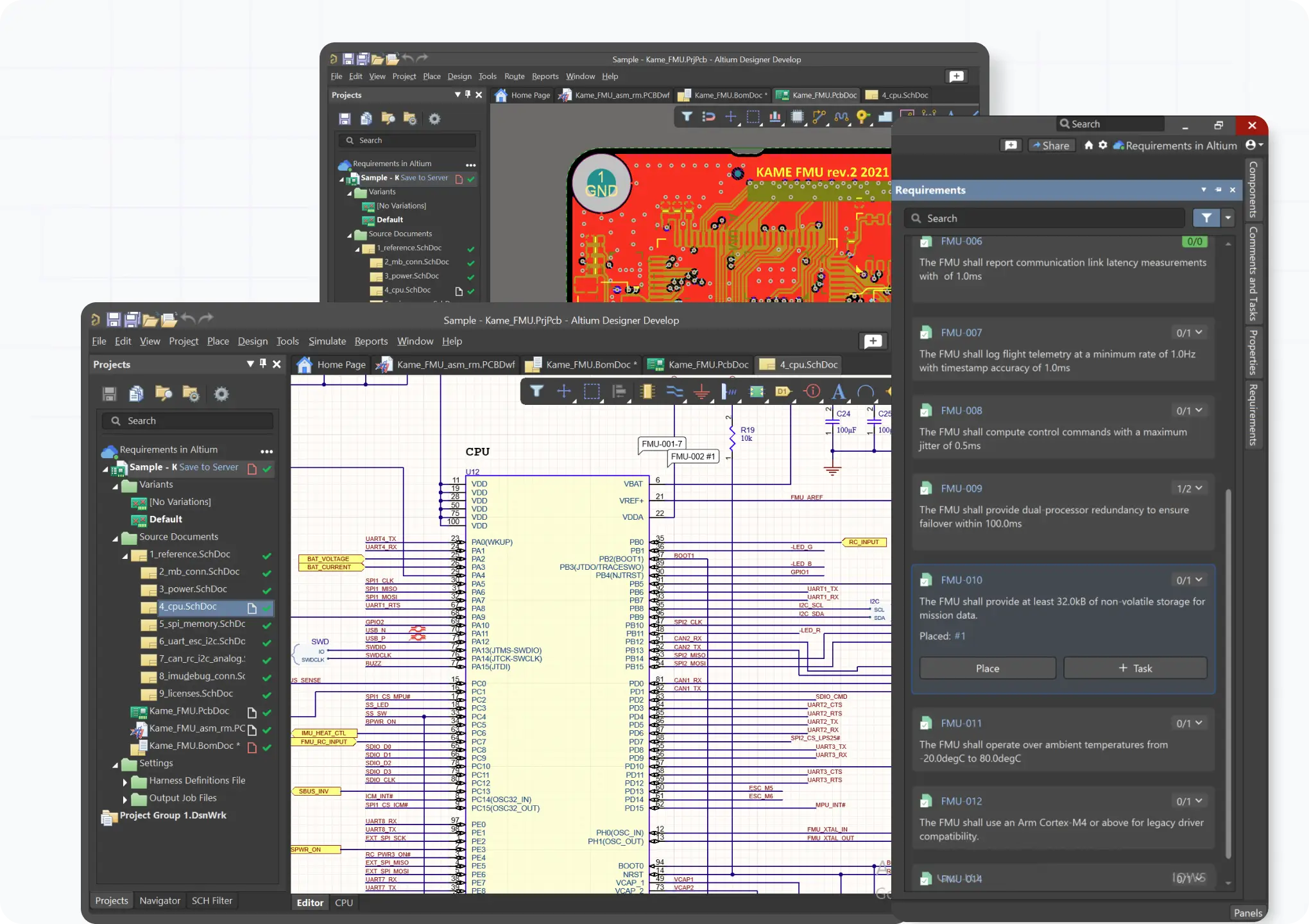
View Requirements in Your PCB Design Environment
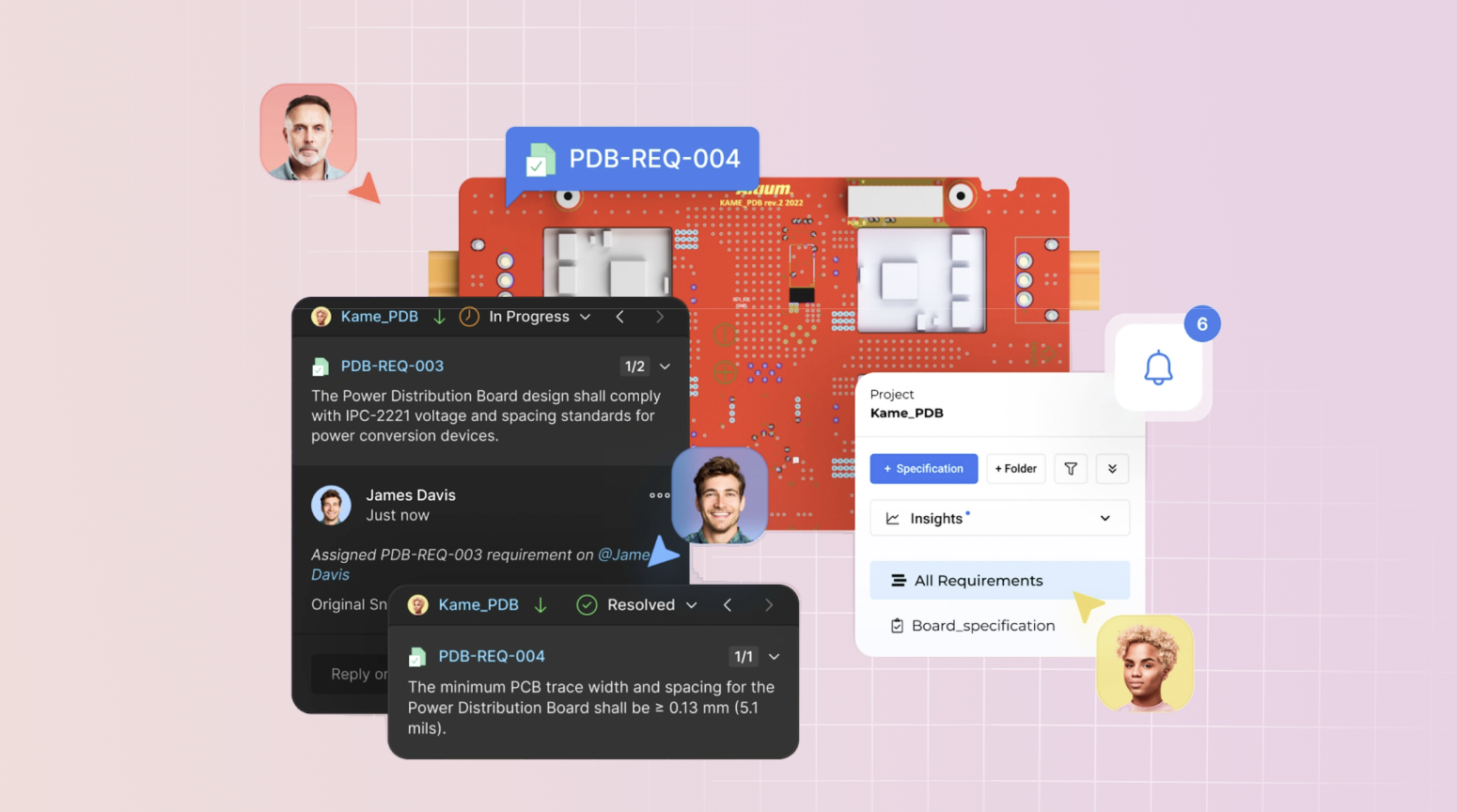
Open the requirements panel in Altium Designer to see the requirements that apply to your work alongside your schematics and PCB layouts. Your team sees the same designs and specs in the browser.
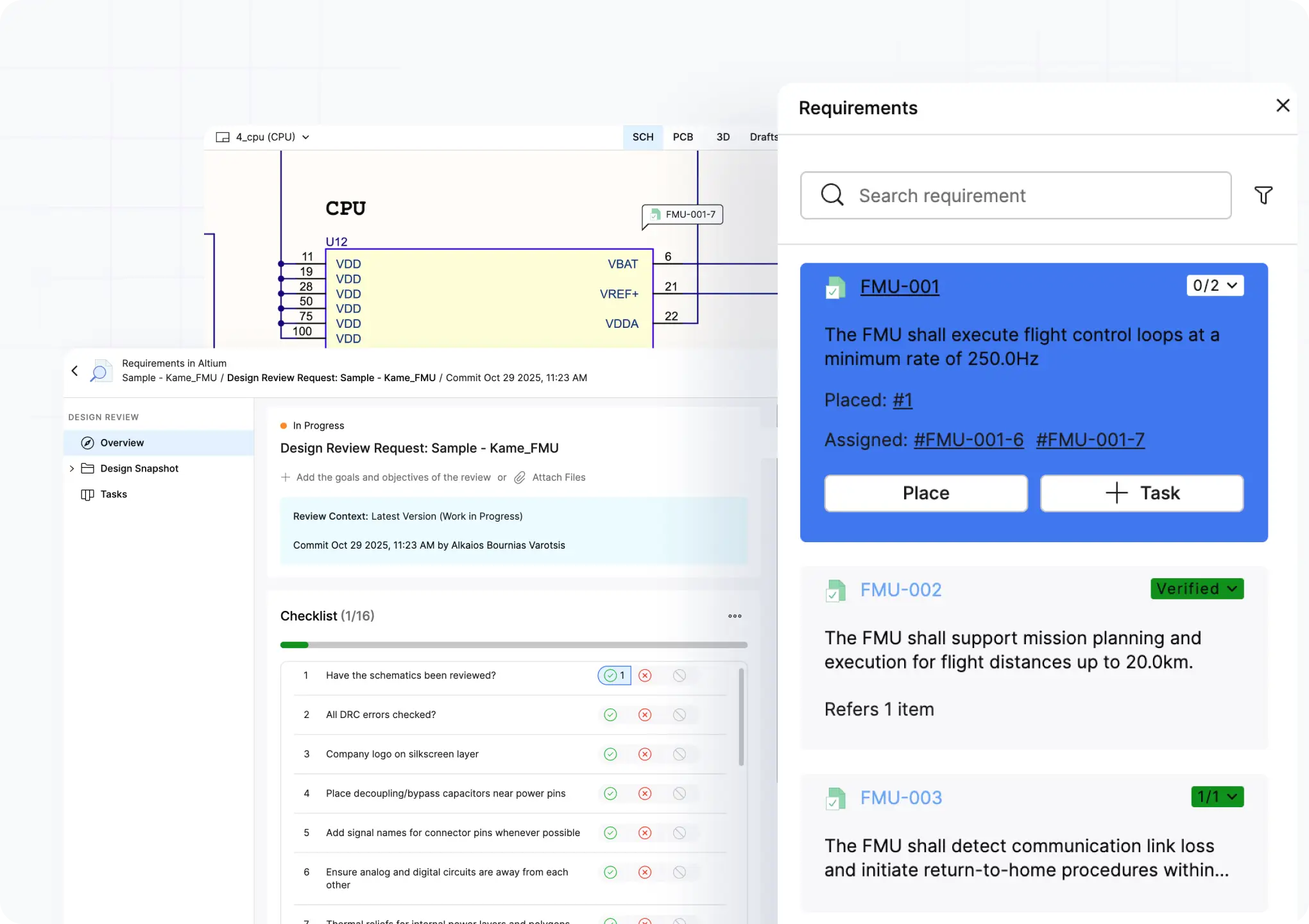
Review Designs Against Requirements with AI
Ask the Engineering Assistant to review your PCB designs against your requirements. See which requirements are already implemented in the design and which still need your attention before sign-off.
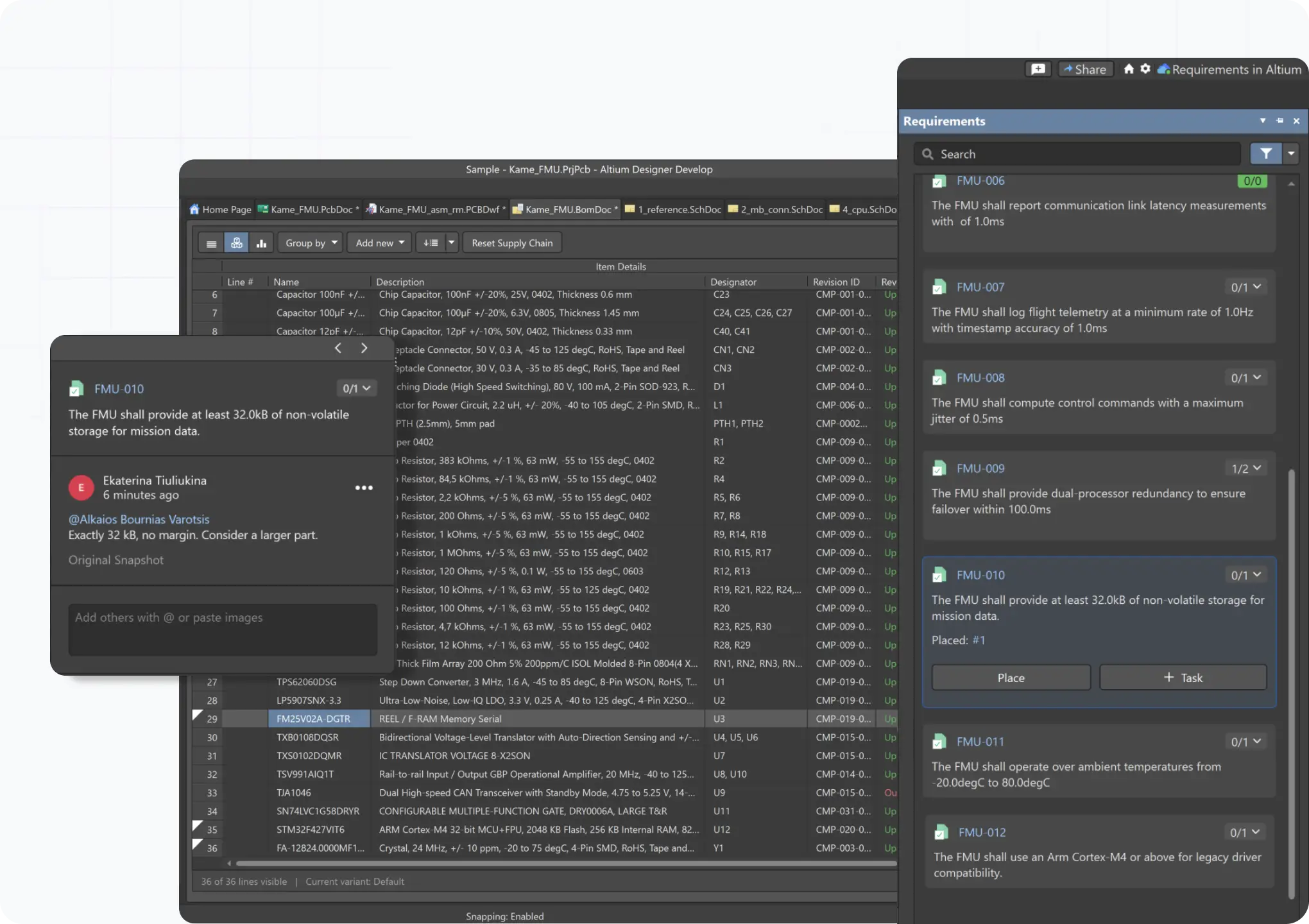
Link Requirements to PCB Design Objects and BOMs
Trace requirements to design objects down to the component level by placing them on your schematics, PCB layouts, or BOMs. Mark them as verified and document how each one was implemented, keeping traceability and documentation inside the design itself.

Requirements Tool for Engineering Teams
Requirements Portal helps keep everyone aligned on the same spec.
Other capabilities include:
- Shared Workspace with Unlimited Users
- Agentic Requirements Engineering
- Verification & Validation and Test Case Management
Requirements Portal is included in every Altium Develop and Agile Teams subscription.
Valued by Users,
Trusted by Organizations

“The introduction of the Requirements Portal helps the UX-Group to always keep track of the fast changing requirements during the development process of our products. The integration into Altium is also a huge improvement for our review process during the hardware development and helps to shorten it noticeably.”


“The introduction of the Requirements Portal helps the UX-Group to always keep track of the fast changing requirements during the development process of our products. The integration into Altium is also a huge improvement for our review process during the hardware development and helps to shorten it noticeably.”


“We've found Altium's Requirements Portal to be a game-changer in our product development process. The structured approach to documenting requirements has streamlined our workflow, making it easier to manage and organize project specifications effectively. Working with requirements is both productive and enjoyable!”


“Requirements Portal has been an instrumental tool, allowing us to gather all-level requirements in one database and ensure full traceability throughout the project's life. Its ease of use, flexibility and scalability are features we really enjoy.”

Get Started with Requirements Portal
See what you could build with requirements connected to your PCB design.
Common Questions
Requirements Portal® is natively integrated with Altium Designer®.
Link your design project to its requirements in Requirements Portal, and they appear in the Requirements panel next to your schematic or PCB layout. From there, you can place requirements on design objects, assign them as tasks, and mark them as verified. Everything is saved to your Workspace and stays in sync with Requirements Portal in real time, without changing your design files.
If you already have your requirements in spreadsheets, Word, or PDF files, you can import them directly into Requirements Portal. If you have unstructured documents, like meeting notes or customer emails, use the AI-Assisted Importer to convert them into structured requirements and organize them automatically. Once your requirements are imported, connect them to your PCB project, and they'll show up automatically in Altium Designer.
The Engineering Assistant takes care of the busywork: it turns documents and meeting notes into structured requirements, helps you see which requirements affect your design, and answers your questions about them. It proposes, you review each suggestion, and nothing changes without your approval. Learn more about AI for requirements.
When you mark a requirement as verified or link it to a design object in Altium Designer, the status syncs back to Requirements Portal. Your requirements owner, team lead, systems engineer, and verification engineers see the updated status in their browser — they don't need Altium Designer. The traceability is visible to everyone with access to the project.
Yes. There are three ways to work with requirements in Altium:
- Requirements Portal (web viewer) is where requirements owners create, manage, and organize requirements, plan verification, and track progress.
- Altium Designer (desktop application) is where electronics engineers view, reference, verify, and trace requirements in the context of their schematics and layouts.
- Design Portal (web viewer) is where any team member can view requirements linked to a design project, review status, and leave comments.
Electronics engineers work in Altium Designer. Mechanical engineers, embedded software developers, verification engineers, and other stakeholders use Requirements Portal or Design Portal in their browser. No Altium Designer author license needed.
Yes. Requirements are the broadest of the three, and they can specify PCB design rules, like minimum spacing. PCB design rules are best practices, informed by manufacturing constraints or your team's engineering experience. Design constraints are how you enforce those rules in Altium Designer. Learn more about setting up design constraints.
No. Requirements Portal supports any type of requirement: system-level, mechanical, thermal, firmware interface, compliance, and more. The integration with Altium Designer focuses on electronics design, but the requirements workspace itself is discipline-agnostic. Your whole team works from the same set of requirements regardless of their engineering domain.

Free 30-Day Eval.
Explore at Your Own Pace.
Try it on a sample project, or import your own requirements.
✓ Import requirements from Excel, Word, or PDFs
✓ Work and review with an AI Engineering Assistant
✓ Invite your whole team into the shared workspace
✓ Link requirements to designs and tests for verification
Contact us to request a demo.
Start for Free
Free 30-day access. No credit card required.
Requirements Engineering Resources

Guide to Requirements Management for Modern Electronics Teams
Requirements Portal Introductory Tutorials
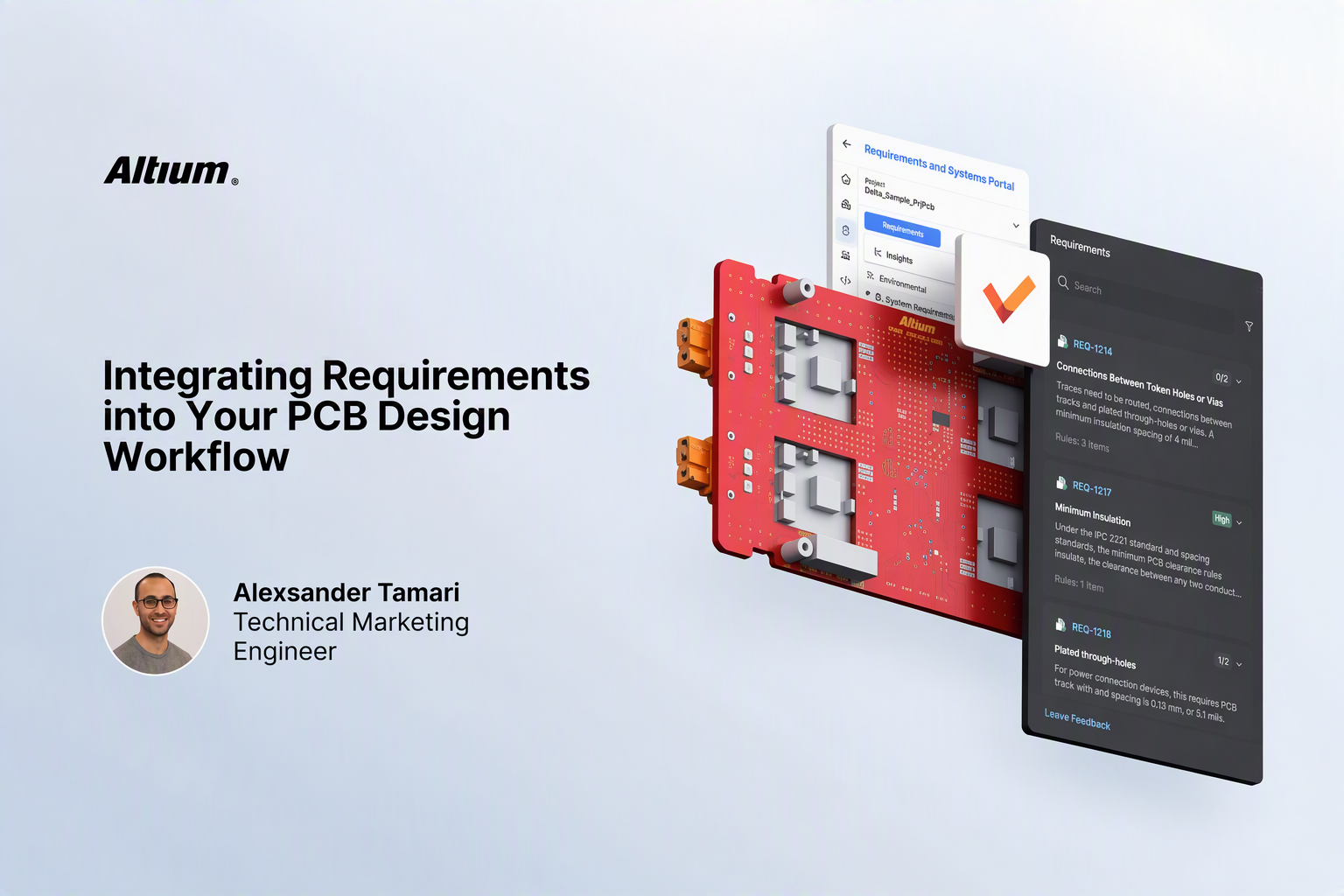
Integrating Requirements into Your PCB Design Workflow