
img

Moving from EAGLE to KiCad? Compare the workflow first.

For Product Teams Replacing EAGLE

 KiCad may be the right path if you want a free, open-source PCB editor and can manage the workflow around it. But if your boards are moving toward production, the decision is bigger than import compatibility. Compare KiCad and Altium Develop across review, sourcing, release, manufacturing handoff, and the work that happens after layout

  • No credit card
  • No sales outreach
  • Design whatever you want

Which Of These Describes 
Most Of Your Projects?

Pick the statement that sounds most like your day-to-day work.

KiCad can get the board designed. Getting from a board file to a complete, consistent manufacturing package — Gerbers, BOM, assembly docs, review sign-off — requires more manual assembly and process discipline in every release cycle.

Altium Designer keeps the path from design to release package in one environment. Output jobs, BOM management, and revision tracking are built in — less manual assembly before every CM handoff.

Trial tip: Generate a full fabrication and assembly package in both tools. Time the process and note how much you had to assemble manually versus what the tool handled for you.

The question is not whether KiCad can do it. The question is how much manual vigilance the tool demands from you. As layer counts rise and constraints tighten, more of the verification burden falls on your process rather than the tool.

This is where the cost of missing features starts to rise. Constraint handling, real-time rule awareness, and earlier visibility into problems start to matter more than tool cost alone.

Trial tip: Take a layout with tight constraints and test how early each tool surfaces problems. Compare how much of the verification you're doing manually.

KiCad supports hierarchical sheets and symbol libraries, but cross-project reuse requires manual folder management and discipline. Keeping components aligned across products is your responsibility.

Managed libraries and design reuse blocks let you maintain a single source of truth across products — update once, propagate everywhere. Component data stays consistent without manual tracking.

Trial tip: Import your most-reused block into Altium's Managed Content. See how fast the next project starts.

Git-friendly file formats make version control possible, but seeing what actually changed in the schematic or layout requires additional steps outside the editor. Design history depends on your Git discipline and commit habits.

Git-based version control is built in, with visual diff for schematics, layouts, and BOMs. See what changed, when, and why — without leaving the design environment or using the command line.

Trial tip: Make a few schematic and layout changes in a real project. Time how quickly you can answer: what changed, where, and does it matter? Compare how much of that answer comes from the tool versus your own documentation.

KiCad is a single-user design tool. Sharing work for review or stakeholder visibility means exporting files, screenshots, or PDFs. Feedback lives in email or chat — disconnected from the design.

Reviewers, mechanical engineers, and procurement can view and comment on designs directly in the browser — no Altium license needed. Comments stay tied to the design revision, not a separate thread.

Trial tip: Ask a teammate who doesn't use the PCB tool how they currently get visibility into design status. If the answer involves asking you for screenshots or exports, that's extra friction and time for the team.

KiCad is free and open-source with community-driven updates. Ideal when budget is the primary constraint and your team can absorb the time and money required to manage the workflow across the board.

Altium Designer’s costs have come down, and Signal integrity, MCAD integration, and sourcing intelligence are all included. But it only makes sense if the tool clearly reduces respins, shortens release cycles, or saves enough time to justify the investment.

Trial tip: Track hours spent on workflow tasks outside the PCB editor during your trial — library maintenance, BOM cross-referencing, output packaging, review coordination. Multiply by your team's loaded cost per hour. The math usually answers itself.

What You're Trying To Do - 
And How Each Tool Handles It

Click any workflow to see how KiCad and Altium compare.

Workflow 1. Get from Design to Manufacturing Faster

Produces standard manufacturing outputs: Gerbers, BOMs, pick-and-place files. Assembling a complete, consistent release package with drawings, revision notes, and documentation depends on your own templates and process. Each release is a manual assembly job.

Takeaway: For teams shipping products repeatedly, the question isn't whether either tool can output files. It's how much manual assembly, checking, and rework lands on the engineer before every release — and what that time costs when you're trying to hit a ship date.

Integrated output job files, documents, and repeatable release configurations. Set up a release package once and regenerate it cleanly across revisions and products. Revision tracking ensures the right design state produces the correct outputs.

Trial tip: Generate a full fab and assembly package and inspect it as if you were sending it to your CM today. Time the process and note how much you'd have to redo on the next revision.

Workflow 2. Catch Errors Before They Become Expensive Respins

Solid DRC that works well when you have clear net class habits and a structured review process. Most engineers who've used KiCad seriously make it work fine; it just depends on your own discipline to catch what the tool doesn't flag.

Takeaway: If a single respin costs you a week of schedule, a client conversation, and more than a year of Altium's license, stronger constraints pay for themselves on the first avoided mistake. If your boards rarely carry that risk, KiCad's approach is fine.

Strong constraint system with real-time DRC that's always running. On dense or high-layer-count boards, issues surface while you're still routing — not during review or after fabrication.

Trial tip: Intentionally violate a clearance or impedance rule in both tools. Compare how quickly each one tells you, whether you'd have caught it on your own, and how much time that gap would have cost you on a real project.

Workflow 3. Keep Components Trusted and BOMs Clean

Full control over your libraries. Also full responsibility. Symbols, footprints, and parameters stay aligned only if you maintain them, and sourcing data like lifecycle status and availability typically live outside the design environment and are often checked separately, sometimes too late.

Takeaway: For product companies shipping to production, a component going NRND or EOL after layout is committed can delay a build by weeks. If BOM surprises have cost you time or money, built-in sourcing visibility starts paying back on every project. If your library hygiene is tight and sourcing rarely bites you, KiCad's approach works.

Managed libraries with enforced structure across symbols, footprints, and parameters. Supplier data, lifecycle status, and part risk are surfaced inside the design workflow, not in a separate spreadsheet or supplier tab you check after layout.

Trial tip: Find a used component in your library. Check whether it's still in active production, not just in stock, but not NRND or EOL. Note whether you had to leave your design environment, and what it would cost to discover that status change at quoting versus catching it during selection.

Workflow 4. Keep the Team Aligned Without Slowing Down

KiCad is designed for individual use. Sharing designs for review, feedback, or stakeholder visibility requires exporting files and managing feedback outside the tool. Version truth depends on your Git discipline.

Takeaway: Small product companies move fast with lean teams. The question is whether your review, feedback, and alignment process can keep up with your design pace — or whether it creates drag through file exports, email threads, and version confusion.

Browser-based design review lets team members, manufacturing engineers, and stakeholders view and comment on designs without an Altium license. Comments are tied to specific revisions. Version history shows what changed visually — no command line required.

Trial tip: Share a design with a teammate or stakeholder who doesn't use the PCB tool. Time how long it takes them to open the design, understand the current state, and leave useful feedback. Compare both workflows.

Workflow 5. Manage Sourcing Risk Before It Hits Your Build

Component sourcing is handled outside KiCad. Engineers typically check availability and pricing in supplier portals or spreadsheets after design is underway — sometimes discovering problems at quoting or purchasing.

Takeaway: For product companies on tight build schedules, a supply chain surprise at quoting can push production back by weeks. Earlier visibility into sourcing risk doesn't eliminate the problem, but it moves the discovery point to where you can still act without rework

Octopart integration surfaces real-time pricing, stock, lifecycle status, and alternates inside the design environment. Part risk becomes visible during component selection, not after layout.

Trial tip: Take your current BOM and check the sourcing status of every component — pricing, stock, lifecycle. Note how long it takes, how many tools you need, and whether any components have risk you hadn't caught yet.

Workflow 6. Build a Workflow That Scales With the Product

Excels as a programmable platform. Python-based extensions, custom DRC scripting, and a deep community automation ecosystem make it a natural fit for engineers who want full control over their workflow. That flexibility is real, but building and maintaining custom tooling is time you're not billing.

Takeaway: If you want to extend your CAD tool the same way you extend your IDE, KiCad is the clear winner. If you'd rather skip the tooling work and rely on built-in automation that's already there, Altium gives you that time back for billable projects.

Favors integrated workflows over open extensibility. Output jobs, design rule templates, managed libraries, and release processes handle common repetitive work without writing code. As the product line grows, the workflow is already there.

Trial tip: Pick three repetitive tasks from your current process — generating outputs, checking rules, and updating documentation. Time yourself on each and compare which tool lets you automate or eliminate them faster, whether through scripting or built-in workflow.

Choose Based On Your 
Typical Week - Not A Feature List

Both tools are used by real engineers in production. The right one depends on what you design, how often you ship, and what your manufacturing partners expect.

logo-kicad2.svg
When the tool works, spending more doesn't

Buy the open source product that matches your needs

  • Your boards are under 6 layers and rarely require signal or power analysis
  • You catch errors through your own review discipline, and respins are rare
  • Your library system is tight, and you rarely hit sourcing surprises at handoff
  • Your CMs accept standard Gerber/ODB++ packages and don't ask for polished documentation
  • You're comfortable setting up and managing version history in Git
  • You enjoy building custom tooling, and the time investment pays off across projects
logo-altium-develop.svg
When your work demands it, or your manufacturing partners do

Buy the product that matches your needs

  • You're designing denser, higher-layer, multi-board, or rigid-flex work - or heading there
  • A single respin would cost you more than the tool does in a year
  • You'd rather have the tool manage library consistency and flag part risk for you
  • Your CMs expect professional release packages with minimal back-and-forth
  • You need to see what changed visually without leaving the editor
  • You'd rather use built-in automation than build and maintain your own
PCB layout Altium Develop

Connect the Work Your Team Already Does
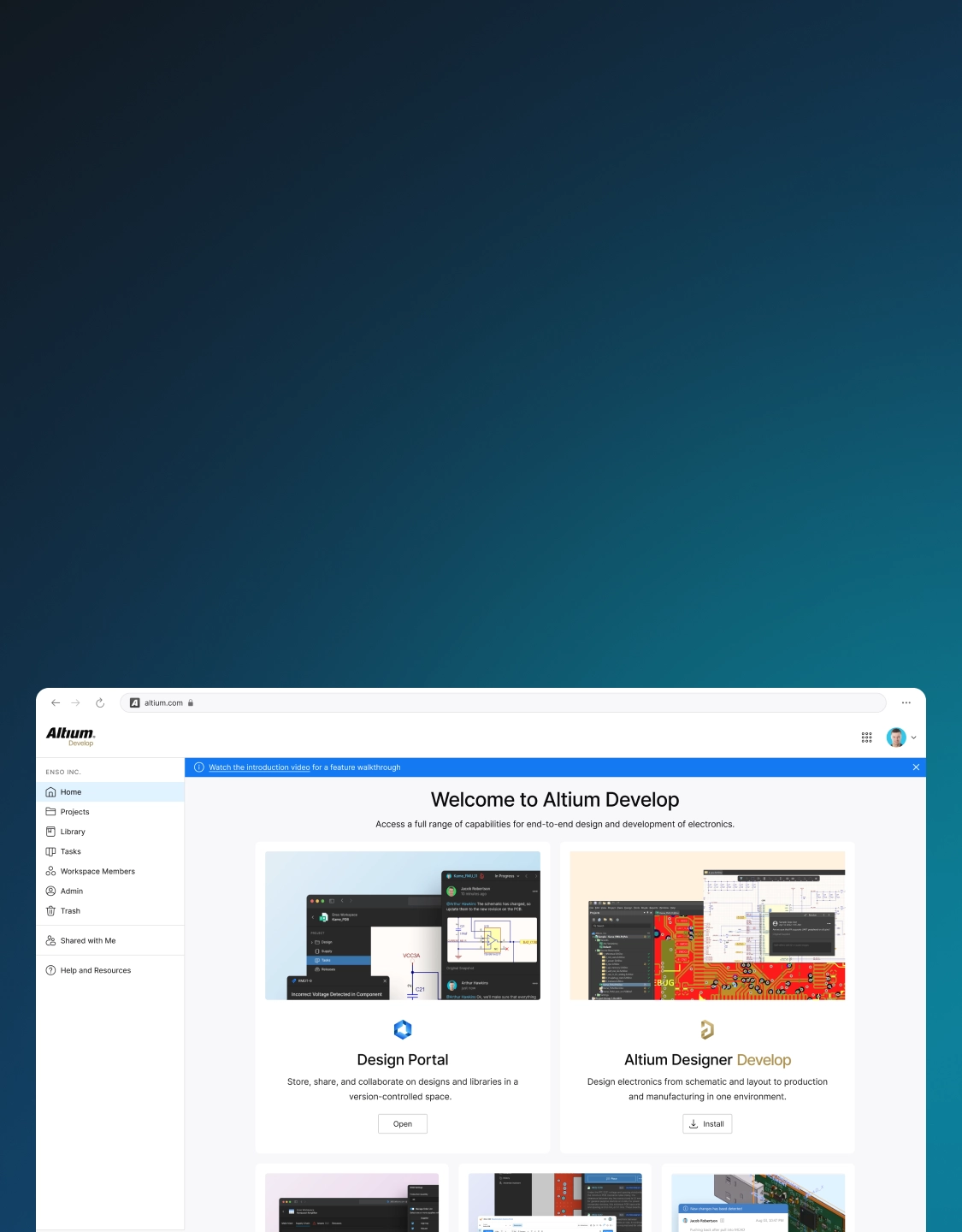
img

Altium Develop

Design is only part of shipping a product.

Your team also defines requirements, sources parts, reviews designs,
delivers releases, and manages costs — often across multiple people
and roles. Altium Develop connects those steps so less falls through
the cracks between handoffs.
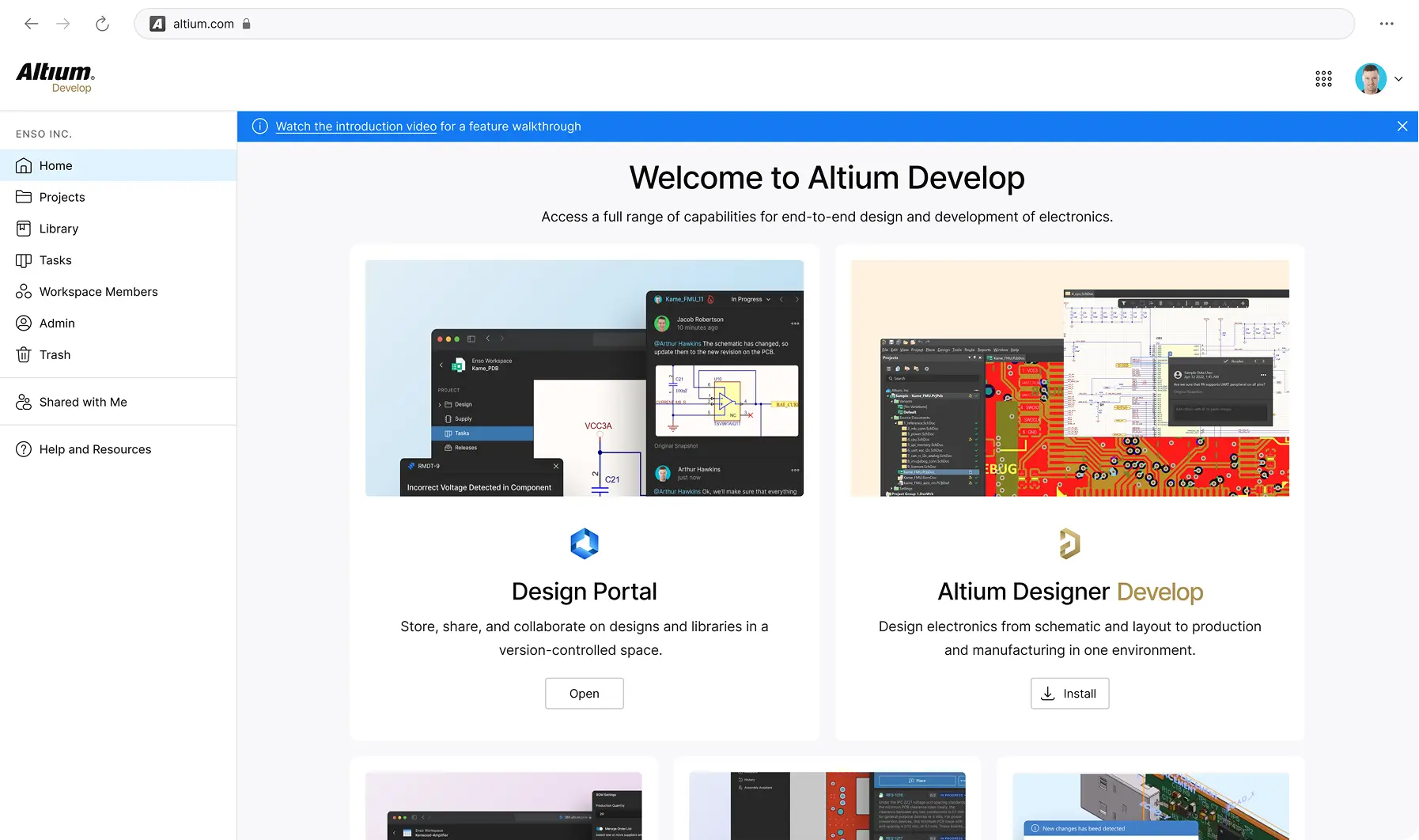
img
Define

Link requirements directly to design items so nothing gets lost between the spec and the board — even when the person writing the spec isn't the person designing the board

Source

Find, validate, and manage components with supplier data and approved component lists built into your workflow. Procurement sees what engineering selected and why.

Share

Mechanical engineers, procurement, and manufacturing partners see designs directly in the browser — no Altium license needed. Comments and markups happen on the actual design, not in a separate thread.

Deliver

Generate and manage release packages (Gerbers, BOMs, assembly docs) with revision tracking so nothing ships without a record and your CM gets a clean handoff every time.

Track

Version-controlled design history with visual diffs and an audit trail so the whole team knows what changed, when, and why.

Free 30-day trial.
No pressure
attached.

Design whatever you want. Treat it as a workflow
experiment, not a commitment.

  • Design any board you want during the trial
  • No credit card required to start
  • No sales contact unless you request it
  • Optional technical support if you get stuck

Start Free

Free 30-day access. No credit card required.

Are You A Student? Enroll in the Student Lab