Advanced PCB Design.
Connected When It Counts.
Design in Altium Designer. Coordinate reviews, sourcing, BOM decisions and releases in Altium 365 - on your terms.
Includes Altium Designer + Altium 365.
/year
Start Free
Free 30-day access. No credit card required.
Are You A Student? Enroll in the Student Lab
Trusted by innovators worldwide















Start with the Board. Connect the Work Around It.
Altium Develop keeps PCB design at the center. Work your way in Altium Designer, then use Altium 365 when your board needs a review, sourcing input, or release handoff.
Design Flow
Work the way you design best
Keep schematic capture, layout, rules-driven design, 3D visualization, and manufacturing outputs inside Altium Designer.


Connected Collaboration
Bring others in when work calls for it
Share design context, collect feedback, align on the right version, and prepare sourcing and release outputs - without turning design into a committee process.


From Focused Design to Aligned Release.
Keep PCB design at the center. Work in Altium Designer, then bring others in for review, alignment, sourcing, or release without forcing everyone into the design tool.
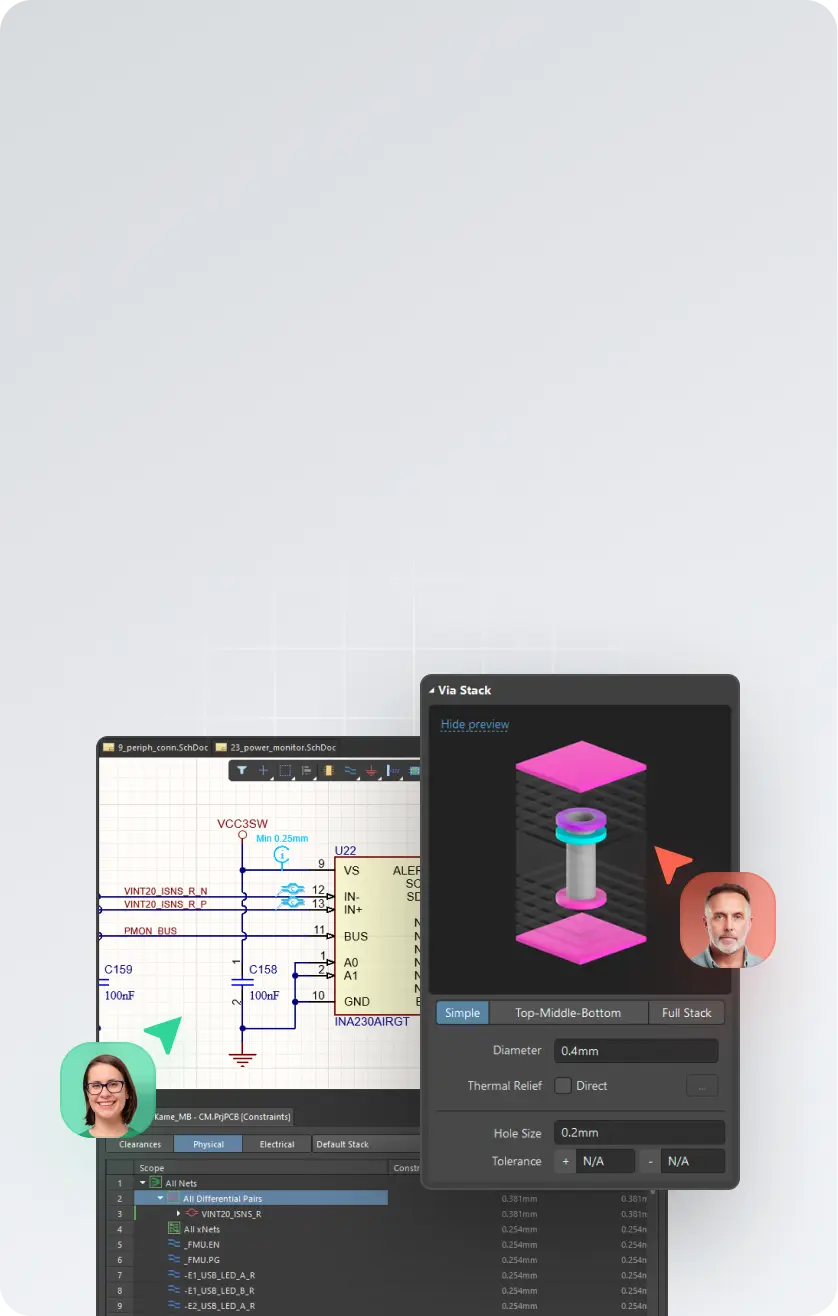

Design the Board
Create schematics, PCB layouts, multi-board designs, harness designs, design rules, 3D views, and manufacturing outputs in Altium Designer.
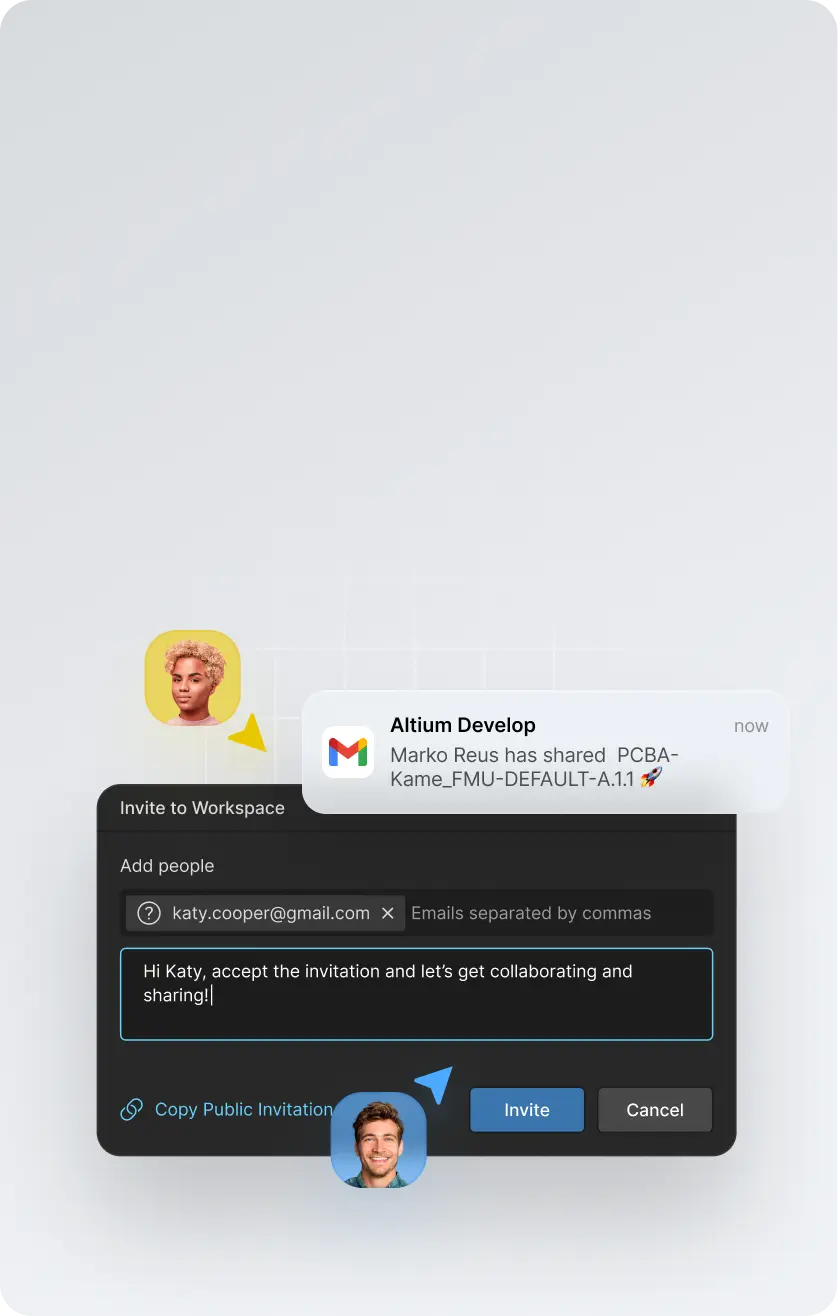

Invite Input When Needed
Bring reviewers, stakeholders, or collaborators into the right design context without requiring every participant to use Altium Designer.
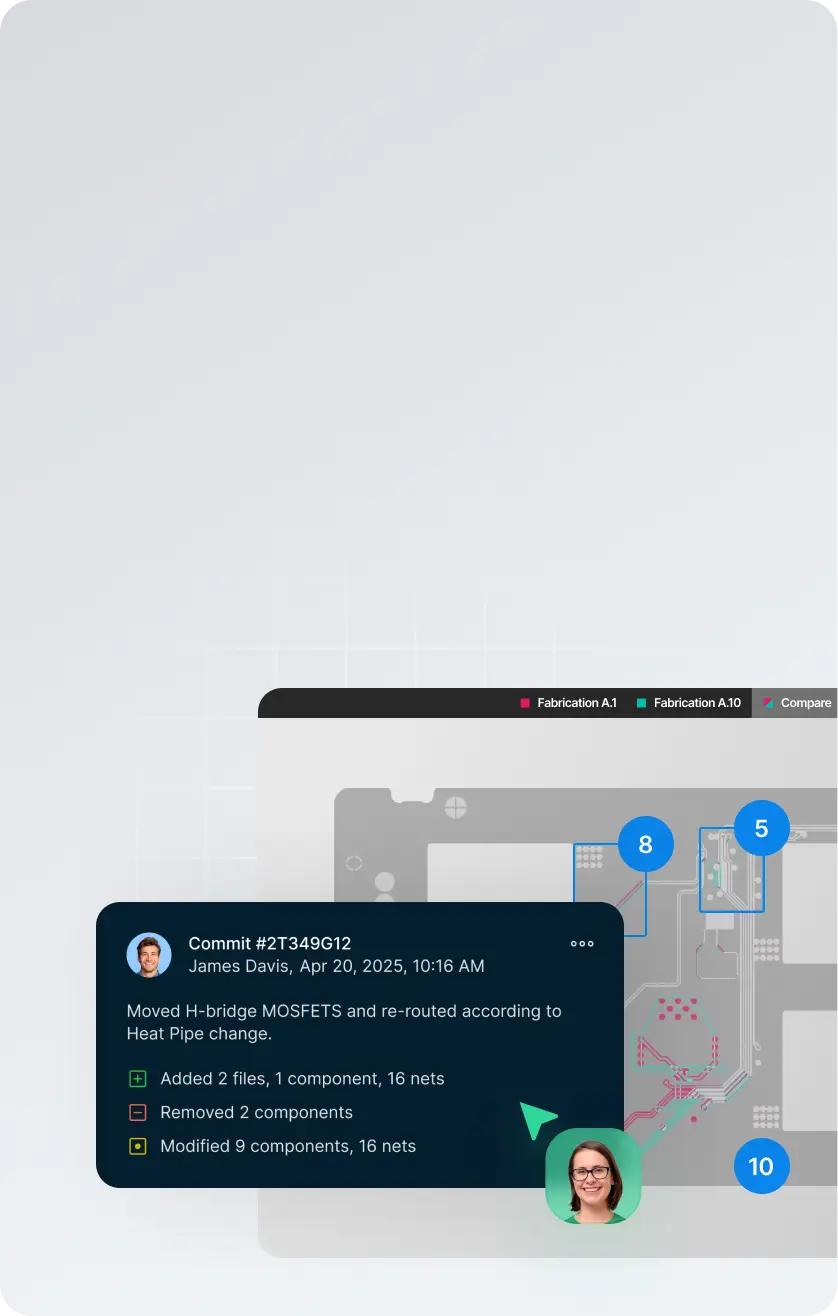

Keep the Work Aligned
Capture comments, track decisions, compare versions, and move toward release with clearer context around the board.
/year


Start an eval to explore Altium Develop firsthand
Scale Your Team
Add up to 4 more Altium Designer Authors for $995/year each.
If you have more than 5 ECAD Authors, explore Altium Agile Teams

Full PCB Design Power. Connected Clarity.
Altium Develop gives hardware designers the full Altium Designer PCB experience, with practical coordination when the board needs review, sourcing input, or release handoff.


Trusted by innovators worldwide





Free 30-day trial.
No pressure
attached.
Design whatever you want. Treat it as a workflow
experiment, not a commitment.
- Design any board you want during the trial
- No credit card required to start
- No sales contact unless you request it
- Optional technical support if you get stuck
Start Free
Free 30-day access. No credit card required.
Are You A Student? Enroll in the Student Lab
Frequently asked questions
Altium Develop brings professional PCB design and the tools around it into one connected environment, built for individual engineers and lean product teams.
It includes Altium Designer for schematic and PCB design, with connected capabilities for design review, version history, component and sourcing intelligence, MCAD collaboration, requirements, and manufacturing handoff.
The idea is simple: stay focused on designing the board, while the information and people you need can connect to the work when needed — without adding enterprise process or changing the way you prefer to work.
Altium Develop is built for the people doing the engineering work, including:
- Individual PCB and hardware designers
- Independent engineers and consultants
- Startups and small product teams
- Lean engineering organizations that value speed and autonomy
It is a good fit when you need professional PCB design capability but don't need enterprise-level process and governance around it.
Work independently when that's fastest. Bring others into the design when you need review, sourcing input, mechanical coordination, or manufacturing feedback.
Because designing the board is only part of getting a board built.
Reviews happen. Components change. Mechanical constraints move. Someone needs the latest design. Manufacturing needs a clean release. Those handoffs can create unnecessary work when the information around the design is scattered across files, exports, email, and separate tools.
Altium Develop keeps more of that work connected to the design, so you can:
- Design PCBs in the full Altium Designer environment
- Keep design reviews and feedback connected to the right design and version
- See component and sourcing information while decisions can still be changed
- Bring mechanical, requirements, and manufacturing context into the work when needed
- Maintain a clearer path from design through release
You don't have to adopt a new process to use it. Work solo when you want to. Connect other people and capabilities when they help.
Altium Develop uses a subscription model with clear packaging for individual engineers and lean product teams.
Current pricing and what's included are available on the Altium Develop pricing page. You can also evaluate Altium Develop before purchasing to see how it fits your own design work.
Getting started is straightforward:
- Create your Altium Develop workspace.
- Install Altium Designer.
- Open or create a PCB project and start designing.
- Add connected capabilities or invite other people when you need them.
You can begin with PCB design and expand from there. Share a design for review, check version history, work with sourcing information, coordinate with mechanical engineering, or prepare work for manufacturing as those needs arise.
Start with the work you're already doing. Altium Develop connects more of what happens around it without forcing you into a new way of working.