Your workspace is growing. Keep your skills up to date with the latest workflows, best practices & admin tips
Altium Designer
Design Rules & Constraint Manager
Master PCB design constraints to
eliminate rule violations before fabrication
Trusted PCB Design Training Courses Backed by Leading Tech and Electronics Companies





Create Rule-Driven, Fabrication-Ready Layouts
Learn how to define, scope, and validate advanced design rules in Altium Designer’s Constraint Manager for high-speed performance and manufacturing success.
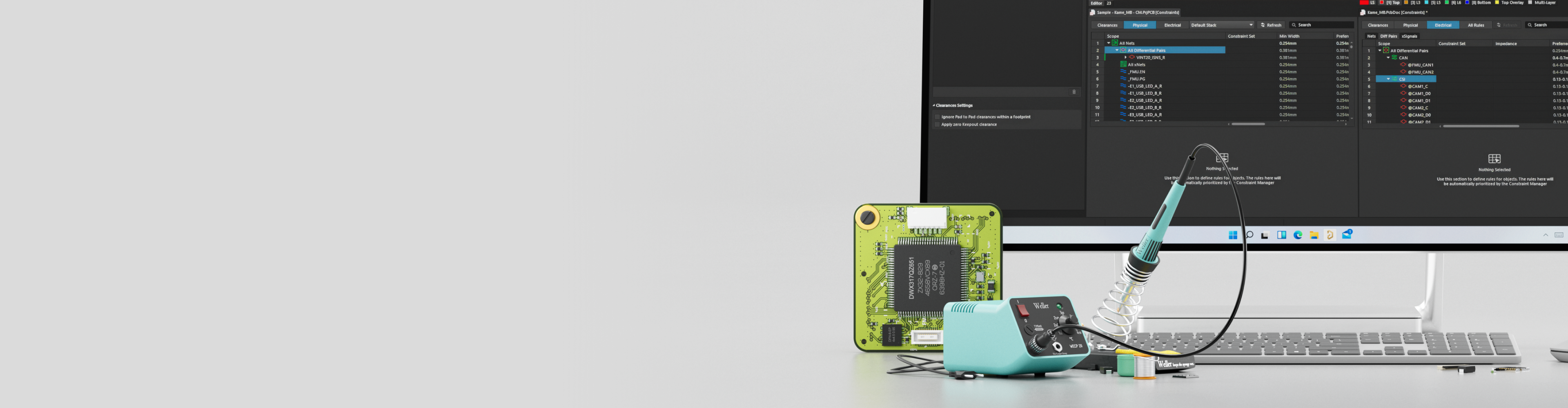
Altium Designer Design Rules and Constraint Manager—offered as public instructor-led or private team training—shows you how to move from manually managed rules to a scalable, constraint-driven design workflow. In a dedicated Altium Workspace, you’ll configure, apply, and verify electrical, high-speed, and manufacturing constraints that improve signal integrity, reduce respins, and ensure fabrication-ready PCB layouts.
- Configure and scope design rules for clearances, widths, vias, and net classes in the Constraint Manager
- Apply differential pair, length matching, and xSignal constraints to meet high-speed timing requirements
- Use design queries to create precise, reusable rule scopes for complex designs
- Define HDI via structures, DFM/DFA requirements, and creepage constraints for compliant layouts
- Run automated DRC to validate constraints early and eliminate rule violations before fabrication
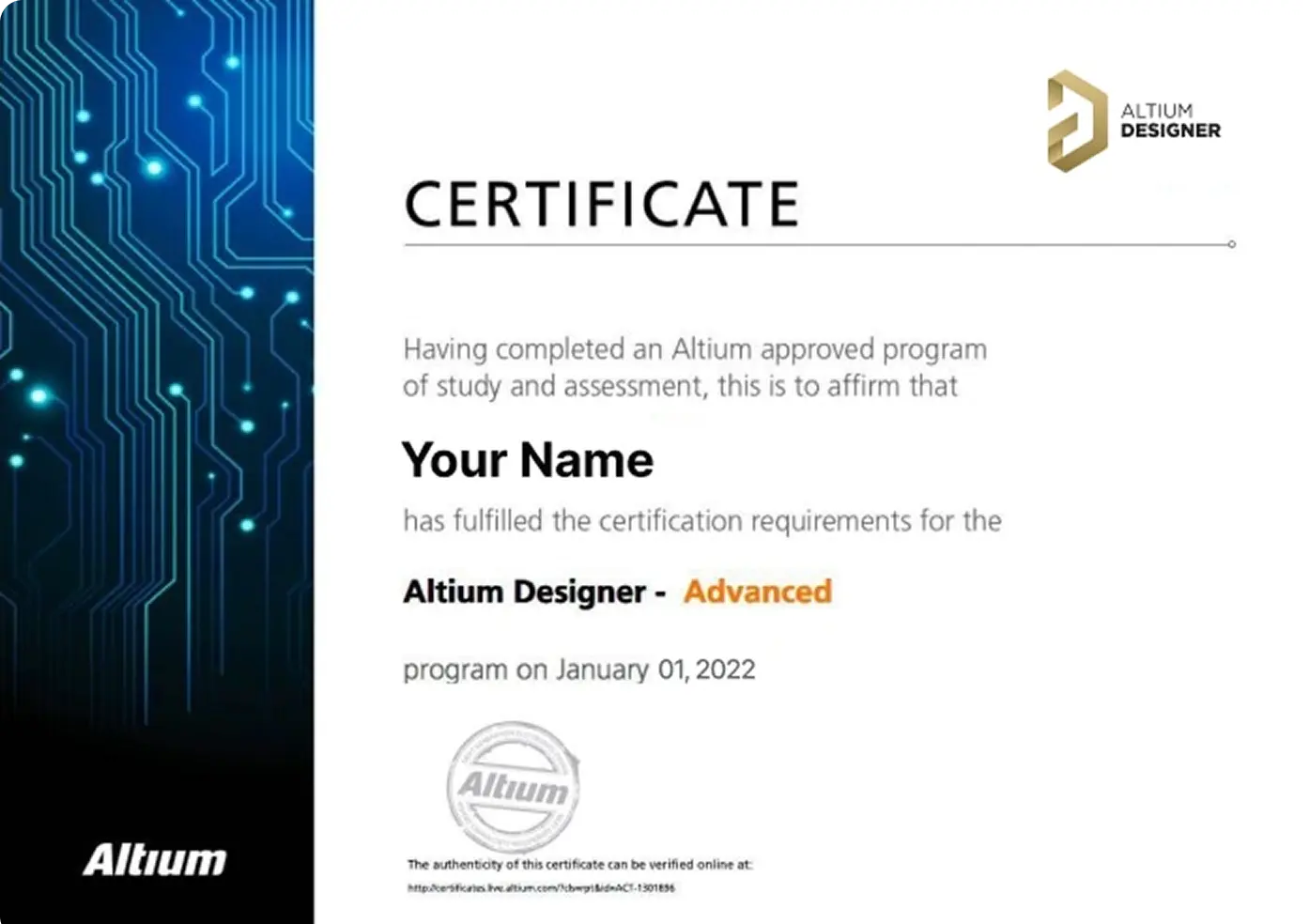
- Earn an Altium certificate and digital badge to validate your constraint management expertise

Turn Design Rules Into First-Pass Success
Training Starts at
Is the Design Rules & Constraint Manager
Course Right for You?

This training course is perfect for:
- PCB designers adopting a constraint-driven design methodology
- High-speed design engineers working with differential pairs, length matching, and xSignals
- Layout engineers responsible for signal integrity and timing closure
- Teams standardizing design rules across projects and designs
- Engineers developing HDI or manufacturing-ready PCB layouts
- Anyone looking to eliminate rule violations before fabrication
Looking for More Options?
See All Available Training Courses

Get Industry-Recognized Credentials
Earn a certificate and digital badge that validates your skills and supports career advancement.

Tackle Complex Design Challenges
Work directly with instructors to explore advanced concepts and apply solutions to your team’s real-world projects.

Learn Industry-Standard Techniques
Master proven methods in a live, guided format to sharpen professional competence and design precision.

Train with Industry Experts
Gain hands-on guidance from Altium experts who bring deep industry knowledge and practical design experience to every session.
Choose Training to Match
Your Learning Style
Hours of Training: 1 day, including breaks
Public instructor-led training delivers expert guidance from Altium instructors, online.
Requirements:
A stable internet connection
Access to an Altium Account
- Latest Altium Designer installation
This training course is based on advanced features and requires a Professional, Enterprise, or Altium Designer Agile license. If required, an appropriate license can be provided for the duration of the training course.

Course Agenda
Accessing the Altium Platform and Training Setup
1 HoursKey Topics Covered:
- Accessing Altium Platform - Learn how to access the designated training workspace and connect to the Altium Platform environment
- Training Folder Structure - Navigate the training workspace, understand the project organization, and locate exercise files and reference materials
- Design Environment Preparation - Configure the Altium Designer environment and familiarize yourself with the Constraint Manager interface for the exercises to follow
Design Rules and Net Class Management
2 HoursKey Topics Covered:
- Default Design Rules - Understand the structure and hierarchy of Altium Designer’s default design rules, including rule types, priorities, and scoping mechanisms
- Rule Configuration and Customization - Learn how to create, modify, and manage design rules for electrical clearances, trace widths, via sizes, and other critical parameters within the Constraint Manager
- Net Classes - Define and manage net classes to group related nets, enabling efficient rule application across power, signal, and high-speed net groups
- Constraint Manager Navigation - Gain hands-on experience navigating the Constraint Manager interface to view, edit, and apply constraints across the design
Differential Pairs and Design Queries
1.5 HoursKey Topics Covered:
- Differential Pairs - Define differential pair relationships, configure spacing and impedance constraints, and manage differential pair classes for high-speed signal routing
- Using Design Queries - Master the query language to create precise rule scopes, target specific nets, components, or regions, and build complex conditional rules using the Query Builder and manual query expressions
- Advanced Scoping Techniques - Combine design queries with net classes and component classes to create sophisticated, context-aware design rules
Length Matching and xSignals
2 HoursKey Topics Covered:
- Length Matching - Configure matched-length rules for signal groups, define tolerance constraints, and use interactive length tuning tools to achieve precise timing alignment in high-speed interfaces
- xSignals - Understand and define xSignals to represent complete signal paths through series passive components, enabling accurate length and timing analysis across net boundaries
- xSignal Configuration and Management - Create xSignal definitions from schematic and PCB, manage xSignal classes, and apply matched-length constraints to xSignal groups for interfaces such as DDR, USB, and PCIe
- Practical Length Tuning - Hands-on exercises using the interactive length tuning router to meet matched-length constraints while maintaining clean routing
HDI Vias, Manufacturing Constraints, and Creepage
1.5 HoursKey Topics Covered:
- HDI Vias - Configure via rules for HDI designs, including microvias, blind vias, buried vias, and via-in-pad strategies, with proper layer span and aspect ratio constraints
- Rules for DFM and DFA - Define Design for Manufacturing (DFM) and Design for Assembly (DFA) rules to ensure board designs meet fabrication house capabilities and assembly process requirements
- Creepage - Configure creepage and clearance constraints based on voltage ratings and safety standards (such as IPC-2221 and IEC 60950/62368), ensuring designs meet regulatory compliance requirements
- Constraint Verification and DRC - Run design rule checks to validate all configured constraints, identify and resolve violations, and prepare designs for manufacturing handoff
Choose an Upcoming Course Date
for Live Training Delivered by Altium Instructors
Language: English
Region: India
Seats Available: 15
Price:
Language: English
Region: EMEA
Seats Available: 11
Price:
Language: English
Region: Americas
Seats Available: 10
Price:
USD 4,800*
Hours of Training: 1 day, including breaks
Private training delivers confidential learning exclusively for your team, online.
Requirements:
A stable internet connection
Access to an Altium Account
- Latest Altium Designer installation
This training course is based on advanced features and requires a Professional, Enterprise, or Altium Designer Agile license. If required, an appropriate license can be provided for the duration of the training course.
*for 6 seats—additional seats are available for purchase up to 15.

Course Agenda
Accessing the Altium Platform and Training Setup
1 HourKey Topics Covered:
- Accessing Altium Platform - Learn how to access the designated training workspace and connect to the Altium Platform environment
- Training Folder Structure - Navigate the training workspace, understand the project organization, and locate exercise files and reference materials
- Design Environment Preparation - Configure the Altium Designer environment and familiarize yourself with the Constraint Manager interface for the exercises to follow
Design Rules and Net Class Management
2 HoursKey Topics Covered:
- Default Design Rules - Understand the structure and hierarchy of Altium Designer’s default design rules, including rule types, priorities, and scoping mechanisms
- Rule Configuration and Customization - Learn how to create, modify, and manage design rules for electrical clearances, trace widths, via sizes, and other critical parameters within the Constraint Manager
- Net Classes - Define and manage net classes to group related nets, enabling efficient rule application across power, signal, and high-speed net groups
- Constraint Manager Navigation - Gain hands-on experience navigating the Constraint Manager interface to view, edit, and apply constraints across the design
Differential Pairs and Design Queries
1.5 HoursKey Topics Covered:
- Differential Pairs - Define differential pair relationships, configure spacing and impedance constraints, and manage differential pair classes for high-speed signal routing
- Using Design Queries - Master the query language to create precise rule scopes, target specific nets, components, or regions, and build complex conditional rules using the Query Builder and manual query expressions
- Advanced Scoping Techniques - Combine design queries with net classes and component classes to create sophisticated, context-aware design rules
Length Matching and xSignals
2 HoursKey Topics Covered:
- Length Matching - Configure matched-length rules for signal groups, define tolerance constraints, and use interactive length tuning tools to achieve precise timing alignment in high-speed interfaces
- xSignals - Understand and define xSignals to represent complete signal paths through series passive components, enabling accurate length and timing analysis across net boundaries
- xSignal Configuration and Management - Create xSignal definitions from schematic and PCB, manage xSignal classes, and apply matched-length constraints to xSignal groups for interfaces such as DDR, USB, and PCIe
- Practical Length Tuning - Hands-on exercises using the interactive length tuning router to meet matched-length constraints while maintaining clean routing
HDI Vias, Manufacturing Constraints, and Creepage
1.5 HoursKey Topics Covered:
- HDI Vias - Configure via rules for HDI designs, including microvias, blind vias, buried vias, and via-in-pad strategies, with proper layer span and aspect ratio constraints
- Rules for DFM and DFA - Define Design for Manufacturing (DFM) and Design for Assembly (DFA) rules to ensure board designs meet fabrication house capabilities and assembly process requirements
- Creepage - Configure creepage and clearance constraints based on voltage ratings and safety standards (such as IPC-2221 and IEC 60950/62368), ensuring designs meet regulatory compliance requirements
- Constraint Verification and DRC - Run design rule checks to validate all configured constraints, identify and resolve violations, and prepare designs for manufacturing handoff

Sign up for Private Training
Private training gives design teams a secure, confidential space to work through real projects and challenges. Get expert, instructor-led guidance delivered onsite or online.
Meet Your Instructors
Learn from industry-leading experts. Altium instructors are seasoned engineers with deep PCB experience and the latest Altium Designer knowledge. Their insights and real-time feedback during the course are invaluable.
Michael Heil
Instructor

Michael Heil is an expert PCB designer and Altium Certified Trainer with over a decade of experience in electronics design. His deep understanding of Altium Designer's advanced features and practical design techniques makes him a valuable resource for engineers looking to elevate their skills.
Barry Berends
Instructor

Barry Berends is a seasoned PCB designer and Altium Designer trainer with over 20 years of experience in electronics design and more than 14 years working with Altium Designer. Based in the Netherlands and operating across EMEA, Barry is known for his practical, structured training approach and deep expertise in Altium Designer—from Essentials to Advanced topics—helping engineers worldwide optimize their design workflows and deliver robust, production-ready solutions.
Tally Kainth
Instructor

Tally Kainth is an accomplished electronics engineer and Altium Certified Trainer with a strong background in PCB design and development. With a focus on real-world applications, Tally's training sessions offer practical insights into using Altium Designer's latest tools to create high-performance designs efficiently.
Tomas Chester
Instructor

Tomas Chester is an expert in PCB design with over 15 years of experience, specializing in high-speed and high-density designs. As an Altium Certified Trainer, Tomas brings a wealth of knowledge and industry experience to his sessions, providing engineers with actionable insights and advanced techniques in Altium Designer.
Showcase Your Skills with
Altium Course Certificates & Badges
Top Electronics Companies Worldwide Prefer
Working with Altium-Experienced Designers
Earn Your Course Certificate
Stand out in the industry with an official Altium Designer certificate that validates your PCB design knowledge.
Looking to upskill?
Book a private, instructor-led, or on-demand course today.


Skilled PCB Designers Refine Their Craft Through Altium Training
G2 users consistently rate Altium as their top choice for easy-to-use PCB design.
Ready to take the next step in your career? Book your training today!
Altium Training
Loved by Learners, Trusted by Pros
Join a growing community of successful PCB design students.

94% of customers report they are likely or extremely likely to recommend Altium’s Instructor-led training to a friend.

Careers in PCB Design are Growing! Nearly 78% of the electronic design workforce is projected to retire in the next 15 years.
Printed Circuit Design & Fab (PCD&F) magazine
Are you ready to take your career to the next level?
Ready for More?