Your workspace is growing. Keep your skills up to date with the latest workflows, best practices & admin tips
Altium Workspace
User Training
Design, Collaborate, and Release with Confidence in One Comprehensive Day
Trusted PCB Design Training Courses Backed by Leading Tech and Electronics Companies





Work Smarter in Your Altium Workspace
From Day One
The hands-on training that helps designers and engineers get the most out of the Altium Platform
This is a purpose-built training program for PCB designers, electrical engineers, and design team members who work — or will work — within an Altium Workspace environment. In a single intensive day, you'll move from workspace access and project migration through to team collaboration, design reviews, and a fully released manufacturing package — guided by expert instructors through every key designer workflow.
- Connect to and navigate the Altium Workspace as a designer, and migrate existing projects with version control enabled from the start.
- Work confidently with Git-based version control — committing, pushing, and reviewing project history directly in Altium Designer.
- Collaborate with your team in real time using Comments, Tasks, and structured Online Design Review workflows.
- Release your PCB designs using the Project Releaser and manage lifecycle states with a clear, repeatable process.

Learn through hands-on exercises with real-world applications!
Training Starts at
Is the Workspace User Training
Right for You?
This training course is designed for:
- PCB designers and electrical engineers working with Altium Designer and an Altium Workspace
- Design team members onboarding to a new Altium Workspace-connected design environment
- Engineers migrating from local design workflows to a team-connected Workspace setup
- Engineering team leads looking to standardise design processes and collaboration workflows across their team
Looking for More Options?
See All Available Training Courses

Hands-on Training
Work through real design tasks in a dedicated Altium Training Workspace — every module includes live demonstrations and guided exercises that reflect the workflows you'll use every day.

Master the Full Designer Workflow
Go beyond the basics. Get structured guidance on project migration, Git version control, component management, and the Project Releaser — workflows that most designers learn slowly through trial and error.

Collaborate with Structure and Traceability
Learn to use Comments, Tasks, and Online Design Review workflows that replace ad-hoc email communication with in-platform, traceable collaboration — keeping your team aligned without slowing design down.

Train with Altium Experts
Learn directly from Altium-certified instructors with hands-on experience in Altium Platform workflows, PCB design, and team-based design environments.
Choose Training to Match
Your Learning Style
Get up to speed on Altium Workspace design workflows in a single day
USD 800
Hours of Training: 8 hours / 1 day
Downloadable Activities: 11 module exercise files + 1 optional (Module A)
Public instructor-led training delivers expert guidance from Altium instructors, online.
Requirements:
- A stable internet connection
- An invitation to the Altium Training Workspace (provided at registration)
- An active Altium account (see optional Module A for account creation)
License: This training requires an Altium Designer Professional or Enterprise license with Altium Platform access.

Course Agenda
Module 01 — Altium Training Workspace Access
0.5 HoursKey Topics Covered:
- Locating and Accepting Workspace Invitations: Ensure all participants have access before training begins.
- Signing In to Altium Live: Complete two-factor authentication and connect to the Altium Training Workspace from Altium Designer.
- Navigating the Training Workspace: Familiarise yourself with the Altium Platform environment ahead of the core modules.
Module 02 — Project Migration
0.75 HoursKey Topics Covered:
- Making a Project Available Online: Migrate a local Altium Designer project to the Workspace and enable version control.
- Synchronising Project Elements: Sync sheet templates and components with managed Workspace items using the ECO workflow.
- Verifying Project Structure: Confirm the migrated project is correctly structured and accessible to the team.
Module 03 — Workspace Templates
0.5 HoursKey Topics Covered:
- Template Types and Locations: Explore project, schematic, Draftsman, OutJob, ActiveBOM, and component templates stored in the Workspace.
- Configuring Altium Designer to Use Workspace Templates: Set preferences and document paths so Designer pulls templates from the Workspace by default.
- Using Project and Draftsman Templates: Apply workspace-stored templates to new projects and documentation outputs.
Module 04 — Project Creation
0.5 HoursKey Topics Covered:
- Creating a Personal Folder in the Workspace: Set up a working area in the correct Workspace location.
- Launching the Create Project Dialog: Use menus and keyboard shortcuts to start a new project from a Workspace template.
- Configuring Project Settings: Set project name, description, parameters, version control, and constraint management from the start.
Module 05 — Working with Projects
0.5 HoursKey Topics Covered:
- Git Version Control Fundamentals: Understand how Git is used within Altium Designer and the Workspace — and why regular commits matter.
- Interpreting Version Control Status Icons: Read Git status information in the Projects panel to understand the state of your design files.
- Committing, Renaming, and Reviewing History: Perform an initial commit, rename project files, push changes to the server, and navigate project history.
Module 06 — Permissions and Sharing
0.5 HoursKey Topics Covered:
- Understanding Permission Levels: Distinguish between owner, administrator, and member access in Altium Workspace.
- Sharing a Project from Altium Designer and the Web Interface: Open the Share dialog from both environments and configure access for internal and external collaborators.
- Snapshots and Design Review Links: Create read-only Snapshots on the Web and generate shareable links for stakeholder review.
Module 07 — Working with Components
0.75 HoursKey Topics Covered:
- Browsing the Workspace Component Library: Use the Explorer panel (Folders and Search views) and Components panel to find managed components.
- Placing Managed Components in a Schematic: Place components directly from the Workspace library using the Components panel.
- Manufacturer Part Search: Search for and place components using Octopart-powered Manufacturer Part Search, and save parts to the Workspace.
Module 08 — Collaboration — Comments and Tasks
0.75 HoursKey Topics Covered:
- Adding Comments and Tasks: Place comments on design objects or areas and create Tasks to manage team to-do lists — from Altium Designer and the web interface.
- Viewing and Responding to Comments: Use the Comments and Tasks panel in Altium Designer to review, reply to, and resolve team feedback.
- Collaborating via the Web Interface: Access Comments and Tasks through the Workspace online interface and respond in real time.
Module 09 — History and Design Comparisons
1 HourKey Topics Covered:
- Design Comparison Fundamentals: Configure Local History preferences and use Show Differences to compare document versions.
- Comparing Local vs. Workspace Documents: Run comparisons between local design files and Workspace-stored versions, including bi-directional updates.
- Project History Comparisons: Compare schematic, PCB, and BOM revisions across the full project history using the Workspace History panel.
Module 10 — Online Design Review
1 HourKey Topics Covered:
- Design Review Process Overview: Understand the submitter, reviewer, and approver roles and how the Online Design Review workflow supports structured sign-off.
- Submitting a Design for Review: Initiate a review process from Altium Designer and configure the review with the correct team members.
- Completing a Review and Resolving Actions: Work through the review as a reviewer via the Workspace web interface, respond to checklists, and approve or reject the submission.
Module 11 — Project Releaser
1 HourKey Topics Covered:
- Preparing for Release: Check and configure OutJob files, validate project name and revision, and commit and push before releasing.
- Running the Release Process: Execute the Project Releaser to generate all manufacturing outputs in a single, structured step.
- Reviewing History and Managing Lifecycle States: Review release outputs in the Workspace, run a second release if needed, and advance the design through lifecycle states.
Module A (Optional) — Altium Account Creation
0.5 HoursKey Topics Covered:
- Account Registration and Verification: Walk through creating a new Altium account from scratch.
- License Association: Connect your account to the appropriate Altium license.
- Preparing for Platform Access: Ensure your account is fully configured and ready for training.
Choose an Upcoming Course Date
for Live Training Delivered by Altium Instructors
Language: English
Region: EMEA
Seats Available: 12
Price:
Language: English
Region: Americas
Seats Available: 12
Price:
Language: English
Region: EMEA
Seats Available: 12
Price:
Language: English
Region: Americas
Seats Available: 12
Price:
USD 4,800*
Hours of Training: 8 hours / 1 day
Downloadable Activities: 11 module exercise files + 1 optional (Module A)
Private training delivers confidential learning exclusively for your team, online.
Requirements:
A stable internet connection
- An invitation to the Altium Training Workspace
- An active Altium account (see optional Module A for account creation)
License: This training requires an Altium Designer Agile, Professional, or Enterprise license with Altium Platform access. A license can be provided for the duration of the training.
*for 6 seats—additional seats are available for purchase up to 15.
**Onsite delivery is available only when bundled with select training programs.
Course Agenda
Module 01 — Altium Training Workspace Access
0.5 HoursKey Topics Covered:
- Locating and Accepting Workspace Invitations: Ensure all participants have access before training begins.
- Verifying Account Credentials: Confirm login, account status, and platform connectivity.
- Navigating the Training Workspace: Familiarize yourself with the Altium Platform environment ahead of the core modules.
Module 02 — Project Migration
0.75 HoursKey Topics Covered:
- Making a Project Available Online: Migrate a local Altium Designer project to the Workspace and enable version control.
- Synchronising Project Elements: Sync sheet templates and components with managed Workspace items using the ECO workflow.
- Verifying Project Structure: Confirm the migrated project is correctly structured and accessible to the team.
Module 03 — Workspace Templates
0.5 HoursKey Topics Covered:
- Template Types and Locations: Explore project, schematic, Draftsman, OutJob, ActiveBOM, and component templates stored in the Workspace.
- Configuring Altium Designer to Use Workspace Templates: Set preferences and document paths so Designer pulls templates from the Workspace by default.
- Using Project and Draftsman Templates: Apply workspace-stored templates to new projects and documentation outputs.
Module 04 — Project Creation
0.5 HoursKey Topics Covered:
- Creating a Personal Folder in the Workspace: Set up a working area in the correct Workspace location.
- Launching the Create Project Dialog: Use menus and keyboard shortcuts to start a new project from a Workspace template.
- Configuring Project Settings: Set project name, description, parameters, version control, and constraint management from the start.
Module 05 — Working with Projects
0.75 HoursKey Topics Covered:
- Git Version Control Fundamentals: Understand how Git is used within Altium Designer and the Workspace — and why regular commits matter.
- Interpreting Version Control Status Icons: Read Git status information in the Projects panel to understand the state of your design files.
- Committing, Renaming, and Reviewing History: Perform an initial commit, rename project files, push changes to the server, and navigate project history.
Module 06 — Permissions and Sharing
0.5 HoursKey Topics Covered:
- Understanding Permission Levels: Distinguish between owner, administrator, and member access in Altium Workspace.
- Sharing a Project from Altium Designer and the Web Interface: Open the Share dialog from both environments and configure access for internal and external collaborators.
- Snapshots and Design Review Links: Create read-only Snapshots on the Web and generate shareable links for stakeholder review.
Module 07 — Working with Components
0.75 HoursKey Topics Covered:
- Browsing the Workspace Component Library: Use the Explorer panel (Folders and Search views) and Components panel to find managed components.
- Placing Managed Components in a Schematic: Place components directly from the Workspace library using the Components panel.
- Manufacturer Part Search: Search for and place components using Octopart-powered Manufacturer Part Search, and save parts to the Workspace.
Module 08 — Collaboration — Comments and Tasks
0.75 HoursKey Topics Covered:
- Adding Comments and Tasks: Place comments on design objects or areas and create Tasks to manage team to-do lists — from Altium Designer and the web interface.
- Viewing and Responding to Comments: Use the Comments and Tasks panel in Altium Designer to review, reply to, and resolve team feedback.
- Collaborating via the Web Interface: Access Comments and Tasks through the Workspace online interface and respond in real time.
Module 09 — History and Design Comparisons
1 HourKey Topics Covered:
- Design Comparison Fundamentals: Configure Local History preferences and use Show Differences to compare document versions.
- Comparing Local vs. Workspace Documents: Run comparisons between local design files and Workspace-stored versions, including bi-directional updates.
- Project History Comparisons: Compare schematic, PCB, and BOM revisions across the full project history using the Workspace History panel.
Module 10 — Online Design Review
1 HourKey Topics Covered:
- Design Review Process Overview: Understand the submitter, reviewer, and approver roles and how the Online Design Review workflow supports structured sign-off.
- Submitting a Design for Review: Initiate a review process from Altium Designer and configure the review with the correct team members.
- Completing a Review and Resolving Actions: Work through the review as a reviewer via the Workspace web interface, respond to checklists, and approve or reject the submission.
Module 11 — Project Releaser
1 HourKey Topics Covered:
- Preparing for Release: Check and configure OutJob files, validate project name and revision, and commit and push before releasing.
- Running the Release Process: Execute the Project Releaser to generate all manufacturing outputs in a single, structured step.
- Reviewing History and Managing Lifecycle States: Review release outputs in the Workspace, run a second release if needed, and advance the design through lifecycle states.
Module A (Optional) — Altium Account Creation
0.5 HoursKey Topics Covered:
- Account Registration and Verification: Walk through creating a new Altium account from scratch.
- License Association: Connect your account to the appropriate Altium license.
- Preparing for Platform Access: Ensure your account is fully configured and ready for training.

Sign up for Private Training
Private training gives design teams a secure, confidential space to work through real projects and challenges. Get expert, instructor-led guidance delivered onsite or online.
Meet Your Instructors
Learn from industry-leading experts. Altium instructors are seasoned engineers with deep PCB experience and the latest Altium Designer knowledge. Their insights and real-time feedback during the course are invaluable.
Michael Heil
Instructor

Michael Heil is an expert PCB designer and Altium Certified Trainer with over a decade of experience in electronics design. His deep understanding of Altium Designer's advanced features and practical design techniques makes him a valuable resource for engineers looking to elevate their skills.
Barry Berends
Instructor

Barry Berends is a seasoned PCB designer and Altium Designer trainer with over 20 years of experience in electronics design and more than 14 years working with Altium Designer. Based in the Netherlands and operating across EMEA, Barry is known for his practical, structured training approach and deep expertise in Altium Designer—from Essentials to Advanced topics—helping engineers worldwide optimize their design workflows and deliver robust, production-ready solutions.
Tally Kainth
Instructor

Tally Kainth is an accomplished electronics engineer and Altium Certified Trainer with a strong background in PCB design and development. With a focus on real-world applications, Tally's training sessions offer practical insights into using Altium Designer's latest tools to create high-performance designs efficiently.
Tomas Chester
Instructor

Tomas Chester is an expert in PCB design with over 15 years of experience, specializing in high-speed and high-density designs. As an Altium Certified Trainer, Tomas brings a wealth of knowledge and industry experience to his sessions, providing engineers with actionable insights and advanced techniques in Altium Designer.
Showcase Your Skills with
an Altium Course Certificate
Top Electronics Companies Worldwide Prefer
Working with Altium-Experienced Designers
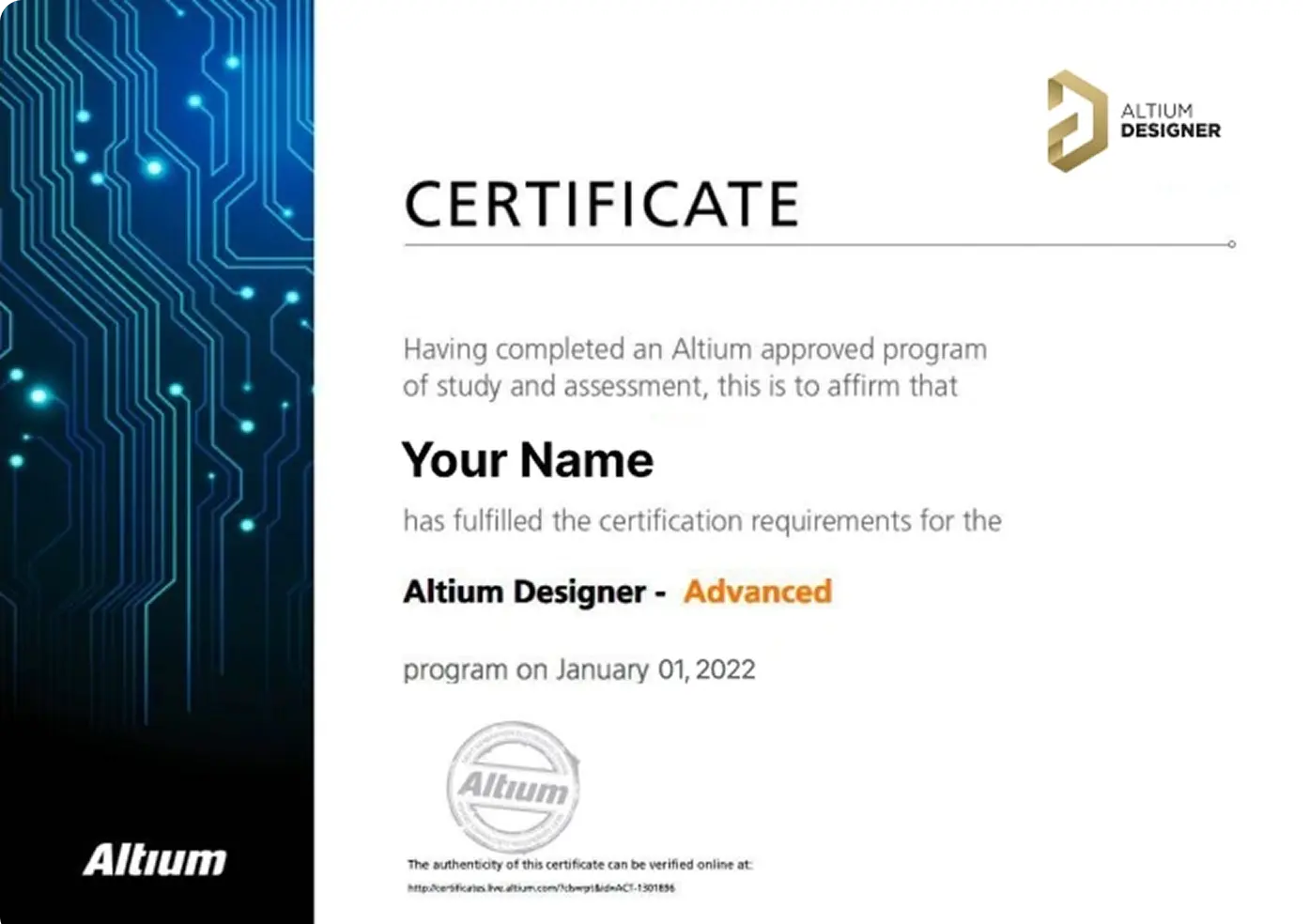
Earn Your Course Certificate
Validate your skills with an official Altium Designer certificate, recognized as a markof expertise in PCB design.
Ready to level up your career? Book your course <br> today and take your skills to new heights.

Skilled PCB Designers Refine Their Craft Through Altium Training
G2 users consistently rate Altium as their top choice for easy-to-use PCB design.
Ready to take the next step in your career? Book your Advanced Course today!
Altium Training
Loved by Learners, Trusted by Pros
Join a growing community of successful PCB design students.

94% of customers report they are likely or extremely likely to recommend Altium’s Instructor-led training to a friend.

Careers in PCB Design are Growing! Nearly 78% of the electronic design workforce is projected to retire in the next 15 years.
Printed Circuit Design & Fab (PCD&F) magazine
Are you ready to take your career to the next level?
Ready for More?