Importing a Design from LTspice into Altium Designer

Simulation designs saved from LTspice® are able to be imported into Altium Designer with the LTSpice Import Wizard.

To access LTspice file import capabilities in Altium Designer, the LTSpice Importer software extension must be installed. This extension can be installed or removed manually.

For more information about managing extensions, refer to the Extending Your Installation page (Altium Designer Develop, Altium Designer Agile, Altium Designer).

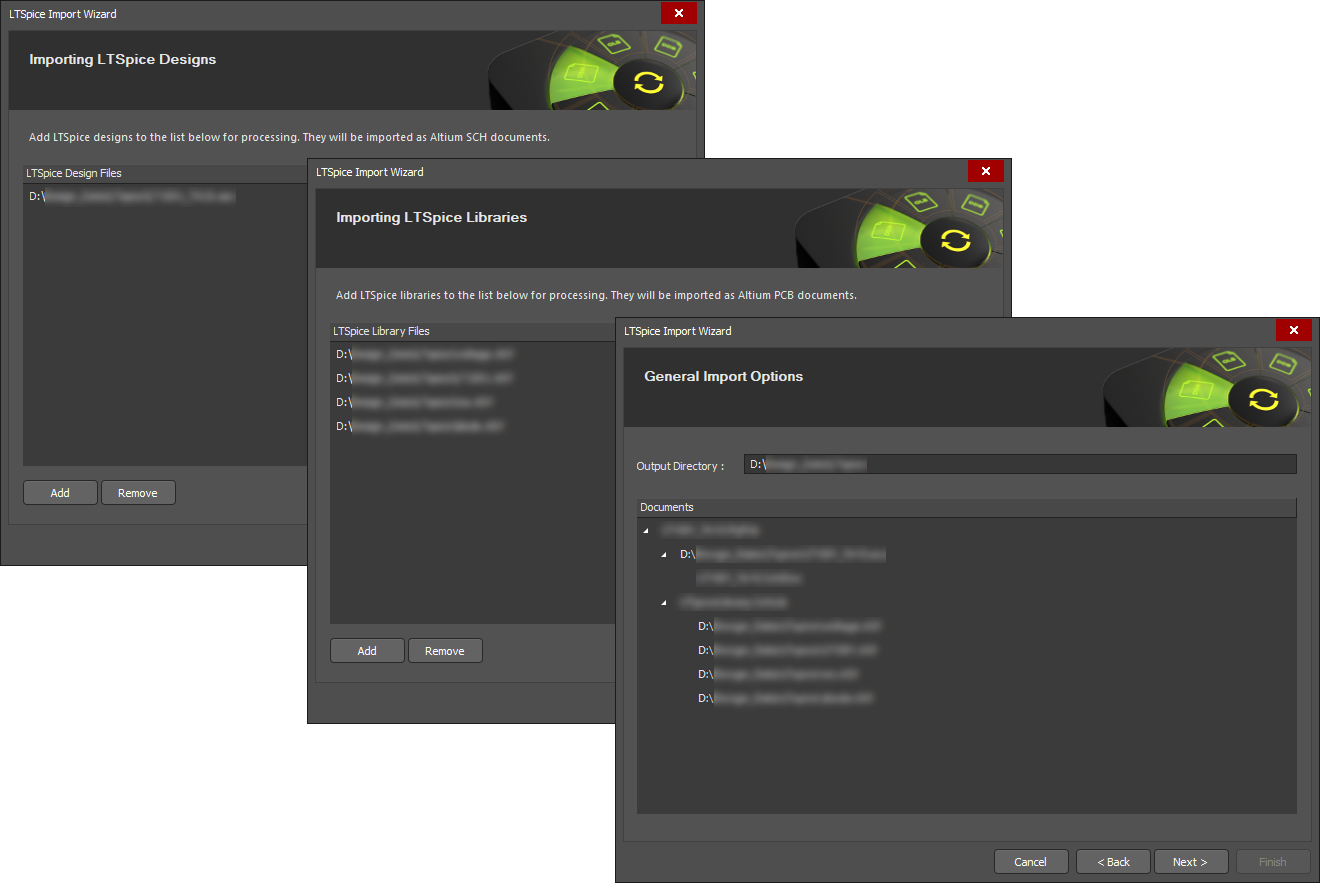
Invoke the wizard with the File » Import Wizard menu command, select LTSpice Design Files as the file type option, and then complete the subsequent wizard steps.

Select LTSpice Design Files in the Import Wizard to import LTspice files.

Component symbol files referenced by the LTspice design file (*.asc) are automatically added as library files, and in turn, the simulation models referenced within the component library files are also added to the import.

The import process results in an Altium Designer PCB project that also includes a Schematic Library containing the design's components and a set of generated simulation models in the general *.mdl format. LTspice Voltage Sources are imported as an equivalent Altium Designer Simulation Stimulus type.

Library and Model files

  • The successful import of an LTspice design relies on the availability of the design's component library data files, such as the supporting component symbol files (*.asy) and simulation model files (*.sub or *.lib, etc). All the required files should exist in the same source folder as the LTspice design file (*.asc) that is being imported.
  • Contrary to the above, if the LTspice application has been installed on the PC that hosts Altium Designer, then the library files will automatically be detected in the LTSpice installation and added to the import process.
  • Note that the Import Wizard also supports importing LTspice component library files (*.asy) only, without the need for a corresponding design file (*.asc).
If you find an issue, select the text/image and pressCtrl + Enterto send us your feedback.
기능 제공 여부

사용 가능한 기능은 보유하고 계시는 Altium 솔루션에 따라 달라집니다. 해당 솔루션은 Altium Develop, Altium Agile의 에디션(Agile Teams 또는 Agile Enterprise), 또는 활성기간 내의 Altium Designer 중 하나입니다.

안내된 기능이 고객님의 소프트웨어에서 보이지 않는 경우, 보다 자세한 내용을 위해 Altium 영업팀 에 문의해 주세요.

구버전 문서

Altium Designer 문서는 더 이상 버전별로 제공되지 않습니다. 이전 버전의 Altium Designer 문서가 필요하신 경우, Other Installers 페이지의 Legacy Documentation 섹션을 방문해 주세요.