Importazione di un progetto da LTspice
Created: August 01, 2022 | Updated: November 28, 2025
Simulation designs saved from LTspice® are able to be imported into Altium Designer with the LTSpice Import Wizard.
To access LTspice file import capabilities in Altium Designer, the LTSpice Importer software extension must be installed. This extension can be installed or removed manually.
For more information about managing extensions, refer to the Extending Your Installation page (Altium Designer Develop, Altium Designer Agile, Altium Designer).
Invoke the wizard with the File » Import Wizard menu command, select LTSpice Design Files as the file type option, and then complete the subsequent wizard steps.

Select LTSpice Design Files in the Import Wizard to import LTspice files.
Component symbol files referenced by the LTspice design file (*.asc) are automatically added as library files, and in turn, the simulation models referenced within the component library files are also added to the import.
The import process results in an Altium Designer PCB project that also includes a Schematic Library containing the design's components and a set of generated simulation models in the general *.mdl format. LTspice Voltage Sources are imported as an equivalent Altium Designer Simulation Stimulus type.
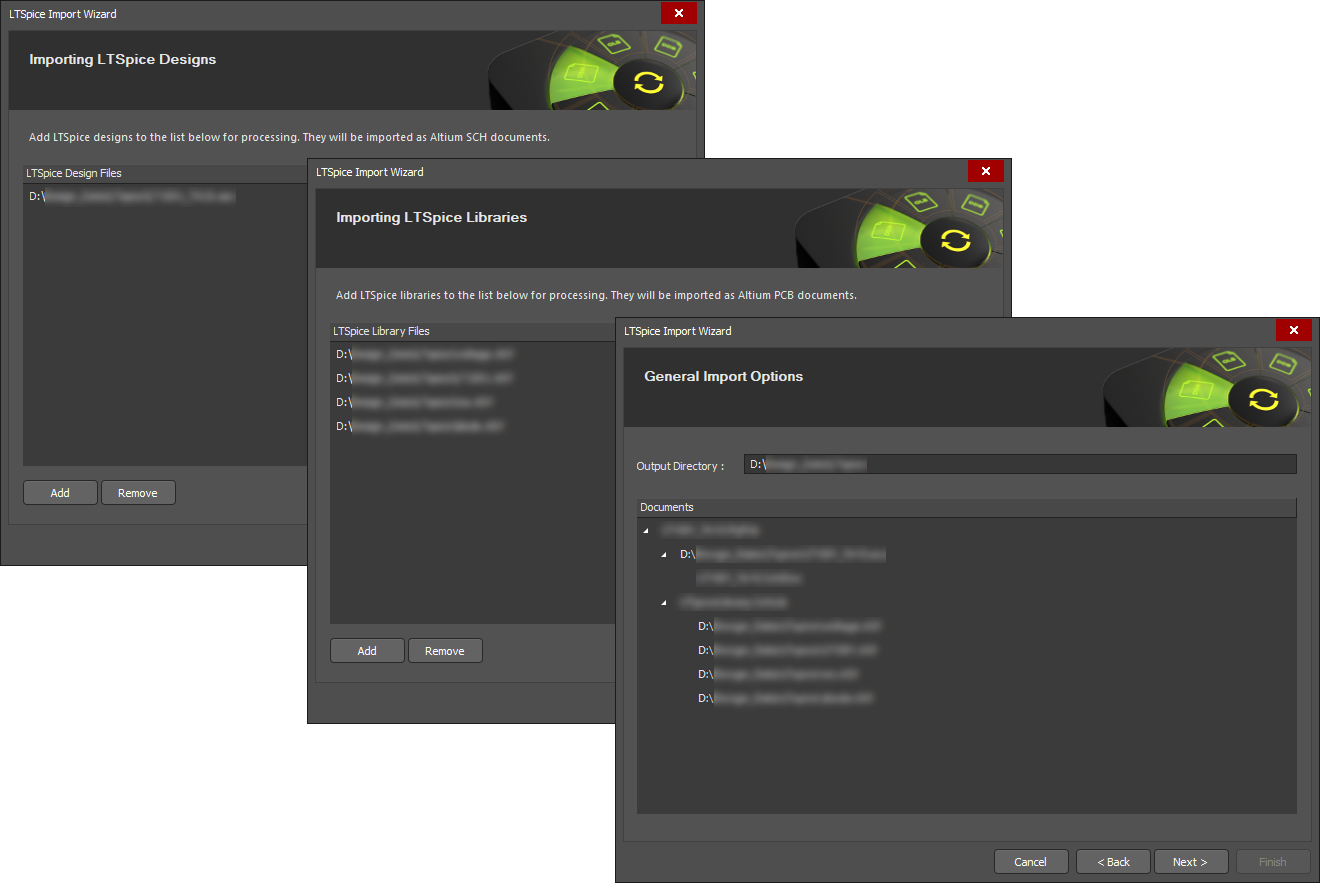
Library and Model files
-
The successful import of an LTspice design relies on the availability of the design's component library data files, such as the supporting component symbol files (
*.asy) and simulation model files (*.sub or *.lib, etc). All the required files should exist in the same source folder as the LTspice design file (*.asc) that is being imported.
-
Contrary to the above, if the LTspice application has been installed on the PC that hosts Altium Designer, then the library files will automatically be detected in the LTSpice installation and added to the import process.
-
Note that the Import Wizard also supports importing LTspice component library files (
*.asy) only, without the need for a corresponding design file (*.asc).

Localizzato tramite A
Se trovi un problema, seleziona il testo/l’immagine e premi
Ctrl + Invio
per inviarci il tuo feedback.
