
交互式布线
Altium Essentials: PCB Routing
This content is part of the official Altium Professional Training Program. For full courses, materials and certification, visit Altium Training.

布线是通过在铜层上放置 PCB 设计对象(如走线、圆弧和过孔),在每个网络中的各个节点之间定义连接路径,从而在节点之间创建连续电气连接的过程。与其逐个放置这些对象来构建连接路径,不如由你interactively route该连接。
-
在 PCB 编辑器中,交互式布线是一种智能化过程。启动交互式布线命令后,单击一个焊盘即可选择要布线的连接。当你将光标从焊盘移开时,交互式布线器会尝试从该焊盘一直到当前光标位置定义一条布线路径。布线器定义的路径受多种属性控制,包括当前的corner style以及 gloss设置。
-
正在放置的走线/圆弧的属性由Routing Width设计规则控制,而与其他网络对象之间的间距则由电气Clearance设计规则控制。
-
交互式布线器如何响应板上已存在的对象(例如元件焊盘和其他网络上的走线),取决于当前的Routing Conflict Resolution模式。该模式决定了布线器是会Walkaround障碍物,还是在需要时将对象Hugand Push,或者Push它,或者Stop,或者Ignore它。
交互式布线连接——启动命令并单击一条连接线后,交互式布线器会从该网络对象到当前光标位置寻找一条路径,并绕开现有对象。单击鼠标按钮将放置所有阴影显示的走线段,Ctrl+Click以自动完成布线。
交互式布线可用于:
-
单个网络 – Route » Interactive Routing
-
配置为差分对的两个网络 – Route » Interactive Differential Pair Routing(了解更多)
-
一组选定的网络 – Route » Interactive Multi-Routing
要熟练掌握布线,首先需要充分理解 对象在 PCB 设计空间中的定位方式,下一节将对此进行概述。 同样重要的是了解如何控制布线的显示,以便在密集的设计空间中轻松看清当前正在处理的内容,第二节将对此进行概述。 提高布线熟练度的第三项技能,是学习如何在布线过程中控制走线和过孔的属性。
如果你已经具备这些技能,并且来到此页面是为了进一步了解布线流程,那么请直接跳转到使用交互式布线器部分。
对象在设计空间中的定位方式
PCB 编辑器是基于网格的编辑环境,默认情况下,你的交互式布线将放置在当前吸附网格上。除了吸附网格外,软件还提供了许多附加吸附功能,用于帮助你准确定位和对齐设计对象。这些功能统称为Unified Cursor-Snap System。
光标吸附系统有两个核心方面,what光标吸附到什么,以及when何时会发生吸附。
-
What - 光标可吸附的空间点包括:用户定义的Grids、工作Guides,以及现有 Objects上的吸附点。
-
When - 光标吸附到吸附点:当光标位于Snap Distance范围内,且在该Layer上允许吸附时,就会发生吸附。
光标吸附功能演示:可在Properties面板中配置这些选项,或按下Ctrl+E。
吸附到什么 |
|
| Snap to grids | 网格同时支持笛卡尔和极坐标格式( |
| Snap to objects | 已放置的对象会在光标进入Snap Distance范围内时pull光标到相应位置,依据的是光标与该对象吸附点(热点)的接近程度。例如,可利用此功能将光标吸附到走线中心或非网格焊盘中心。对象吸附可应用于:所有层、仅当前层,或禁用。 使用Shift+E快捷键可在这些模式之间循环切换,并可在状态栏上查看当前模式( )。 )。 |
| Snap to guides | 可放置水平、垂直、对角和点参考线,用于对象对齐,如上方视频所示。详细了解参考线。 |
| Snap to object axes | 该功能可在 X 或 Y 方向上拉动光标,使其与位于Axis Snap Range 范围内的已放置对象热点在轴向上对齐(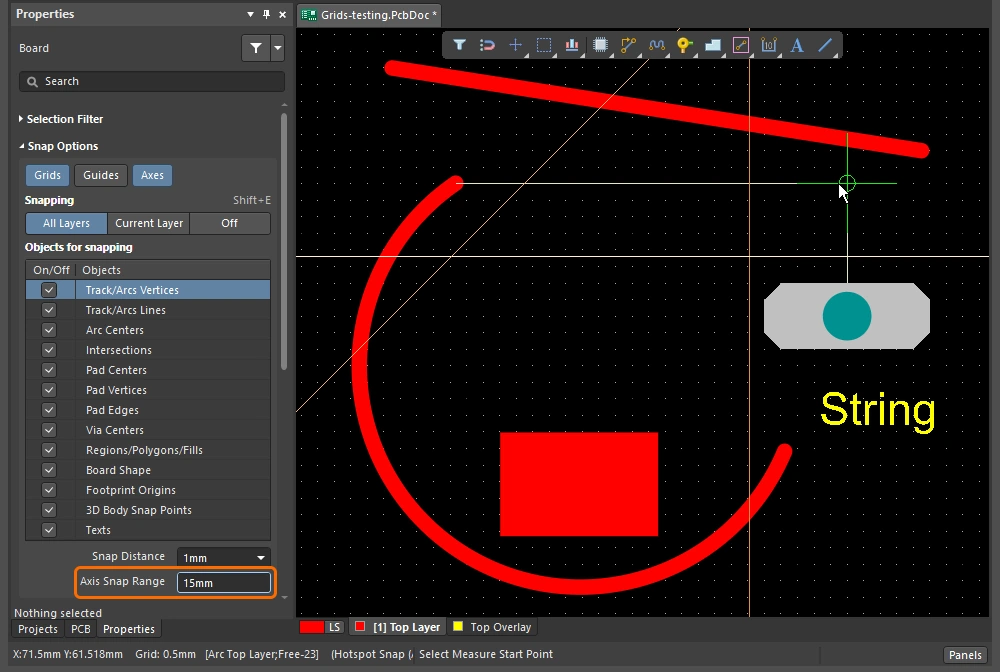 )。 )。 |
| Controlling the snapping |
|
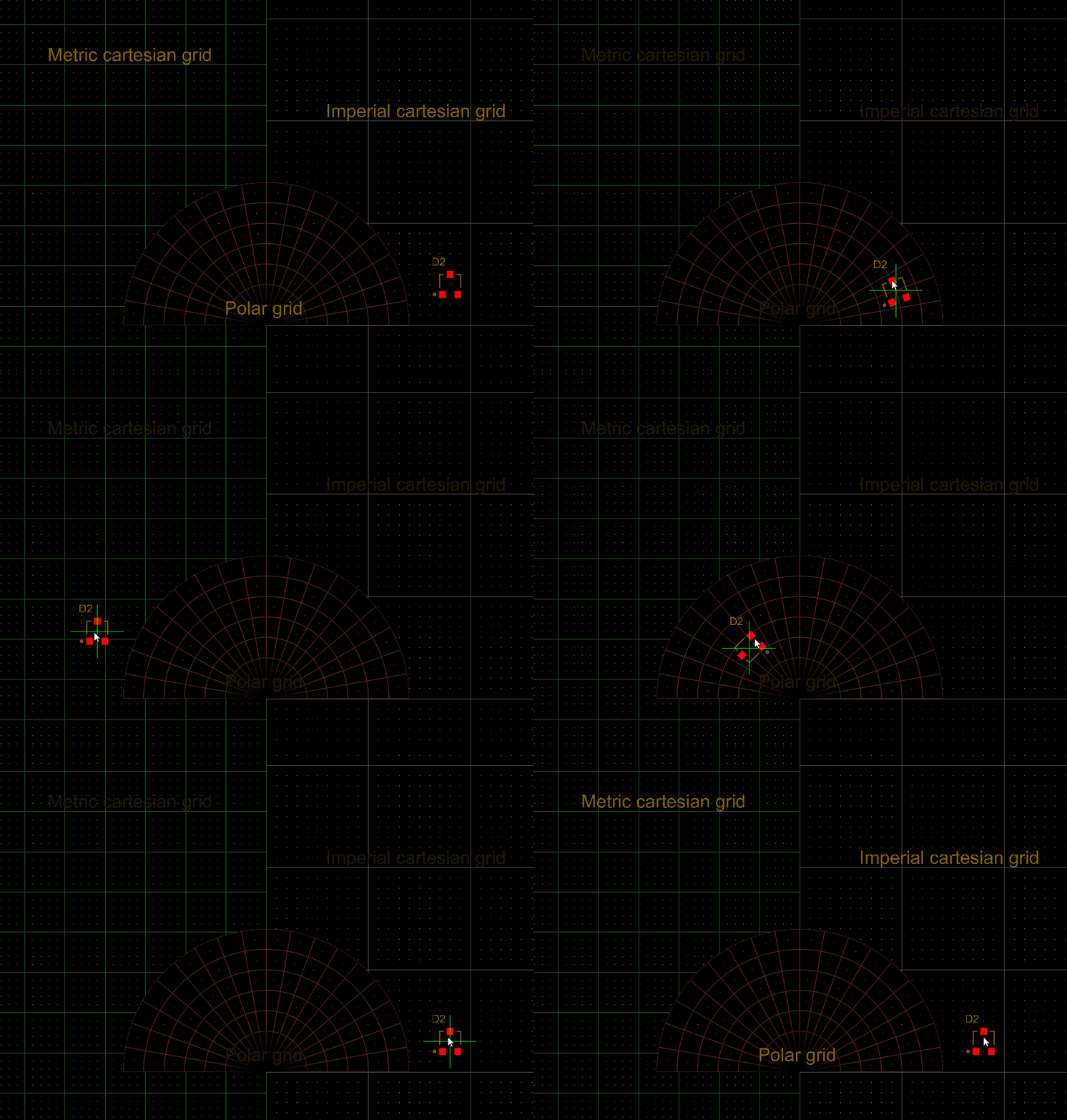 )。同一区域内可以定义多个网格,系统将应用优先级最高的网格(数值最小)(
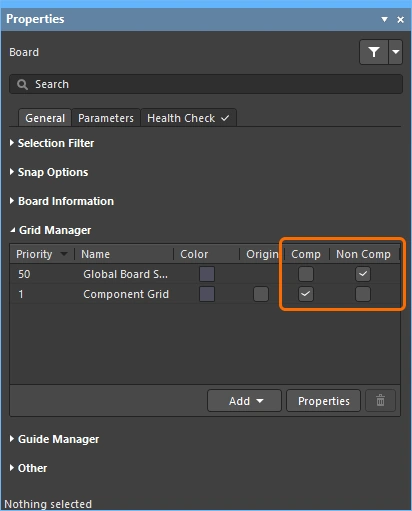 )。 详细了解
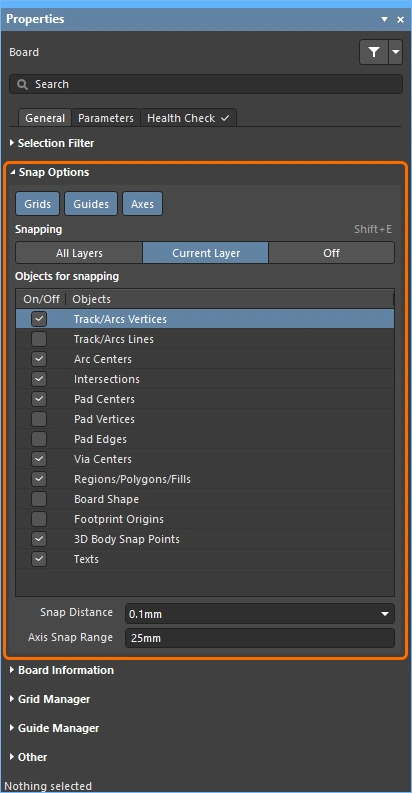 )中配置吸附选项(设计空间中未选择任何对象时)。
Snapping to the Grid
| Toggle the units | 按下Q键可在英制单位和公制单位之间切换。网格单位会改变,但网格间距不会改变。 |
| Active grid? | 如果当前光标位置下定义了多个网格,则优先级最高的网格(数值最小)将作为活动网格应用(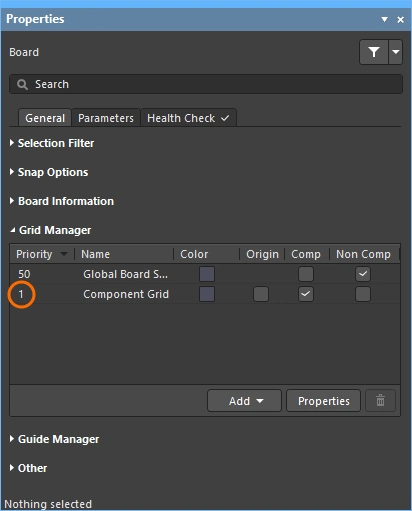 )。 )。 |
| Quickly select a grid | 要从预定义列表中选择网格,请按下 |
| Edit the grid value | 要编辑活动网格的值,请按下 |
| Managing grids | 单个网格在Grid Editor ( |
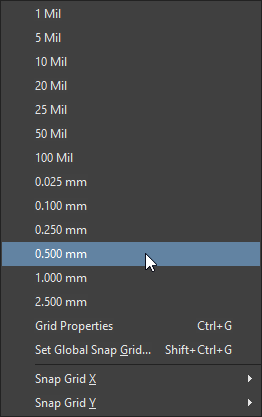 )。如有需要,此列表可自定义,详细了解
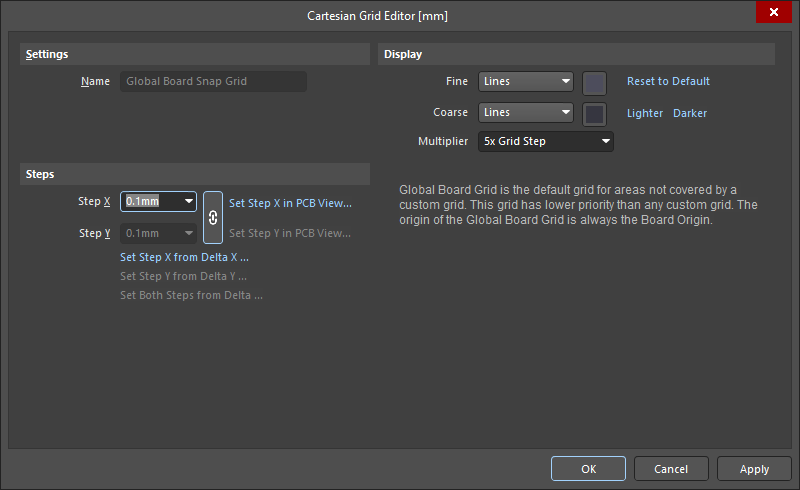 )。
)。
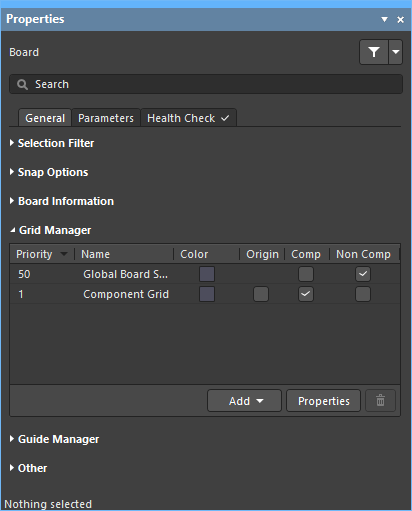 )中。
)中。
详细了解使用网格。
Snapping to Objects
| Snap to objects | 光标会吸附到:已启用的Objects for snapping(1),且这些对象位于已启用的Snapping层(2)上,并且当光标处于Snap Distance范围内时(3)( |
| When to snap | 对象吸附有三种状态:关闭、当前层或所有层。按下 |
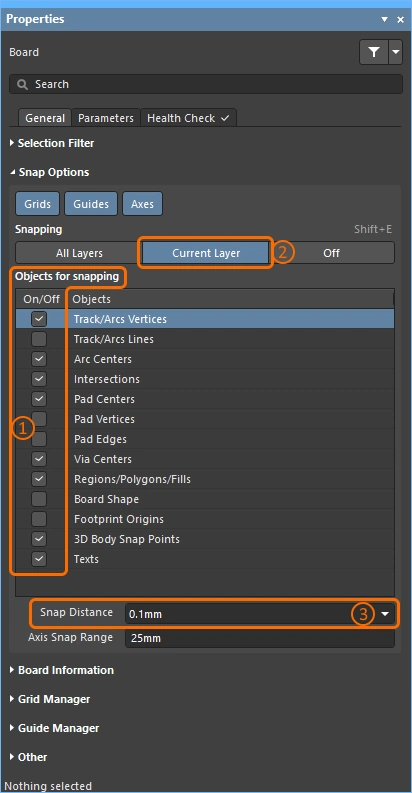 )。
)。
Snapping to Guides and Axes
| To place a guide | 要放置参考线,请使用Place » Work Guides子菜单,或Properties面板中的Guide Manager部分( |
| 参考线属性 | 其可见性、颜色和位置在Properties面板的 Guide Manager部分中管理(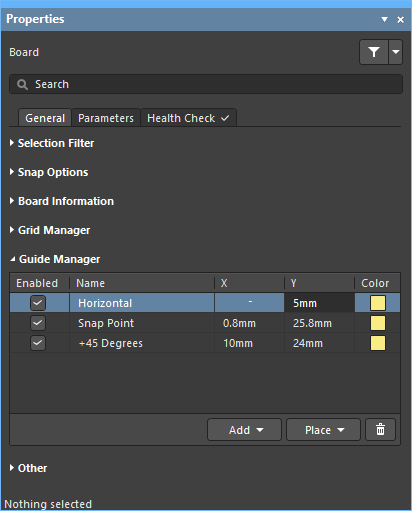 )。 )。 |
| 吸附到参考线 | 参考线吸附适用于:启用Guides吸附选项时(1),且光标位于Snap Distance范围内时(2)(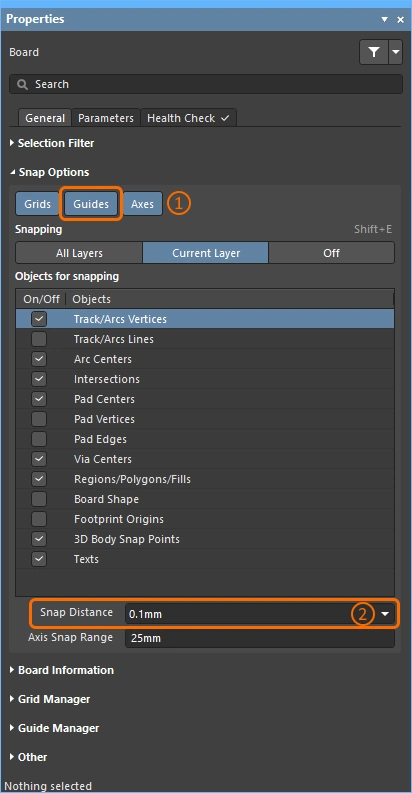 )。 )。 |
| Enabling axis snapping | 轴向吸附适用于:启用Axes吸附选项时(1),针对已启用的Objects for snapping(2),这些对象位于已启用的Snapping层(3)上,并且处于Axis Snap Range范围内(4)( |
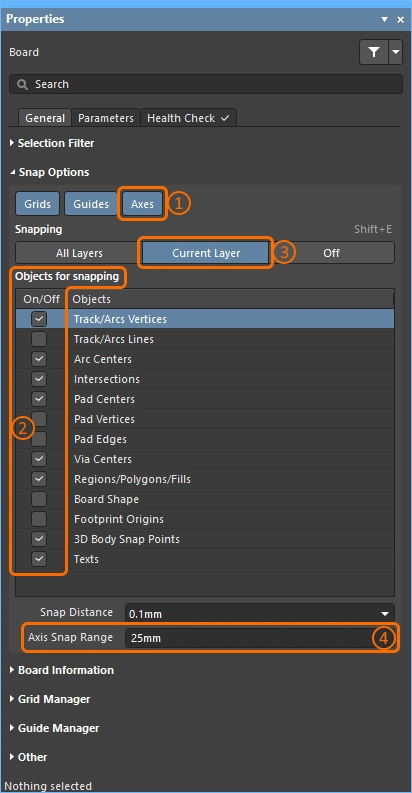 )。
)。
控制布线的显示
印制电路板设计通常非常密集,板上对象也十分拥挤。软件提供了许多功能来帮助管理对象可见性,包括:层可见性、遮罩与变暗、对象可见性与透明度,以及其他多种功能。
使用高亮、对象控制和层控制功能来帮助理解设计。
| Single layer mode | 按下Shift+S可将显示切换到单层模式。共有 3 种模式可用,请在Preferences对话框的PCB Editor – Board Insight Display页面中启用你偏好的模式(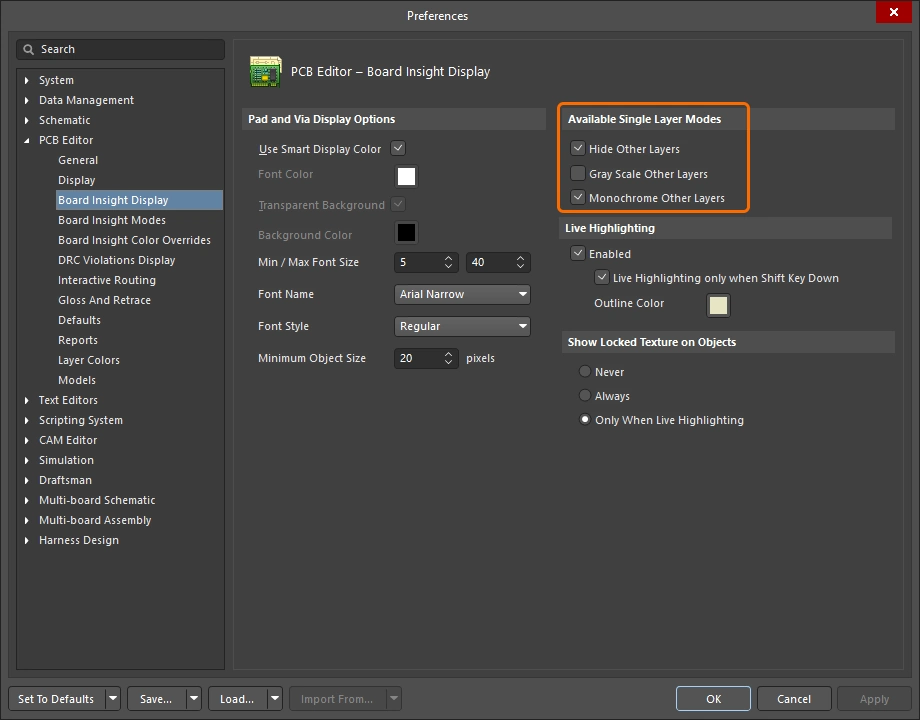 )。 每按一次 )。 每按一次Shift+S,都会切换到下一个已启用的单层模式,最终返回到当前所有已启用层的显示。 |
| Layer sets | 可预先配置多组可见层集合,然后通过编辑窗口左下角的Manage Layer Sets按钮进行选择(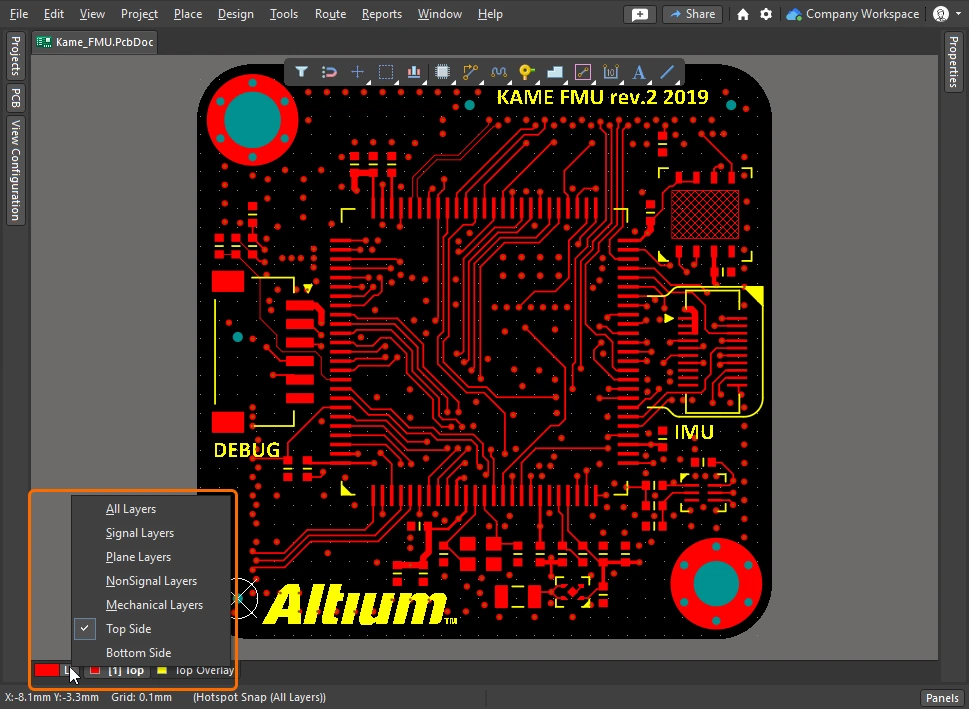 )。新的集合在View Configuration面板中定义,上方视频对此进行了演示。 )。新的集合在View Configuration面板中定义,上方视频对此进行了演示。 |
| Dim or Mask to fade | 要快速高亮感兴趣的对象,例如元件、网络、差分对或任意类型的类,可在PCB面板中浏览该对象并启用Dim或Mask模式(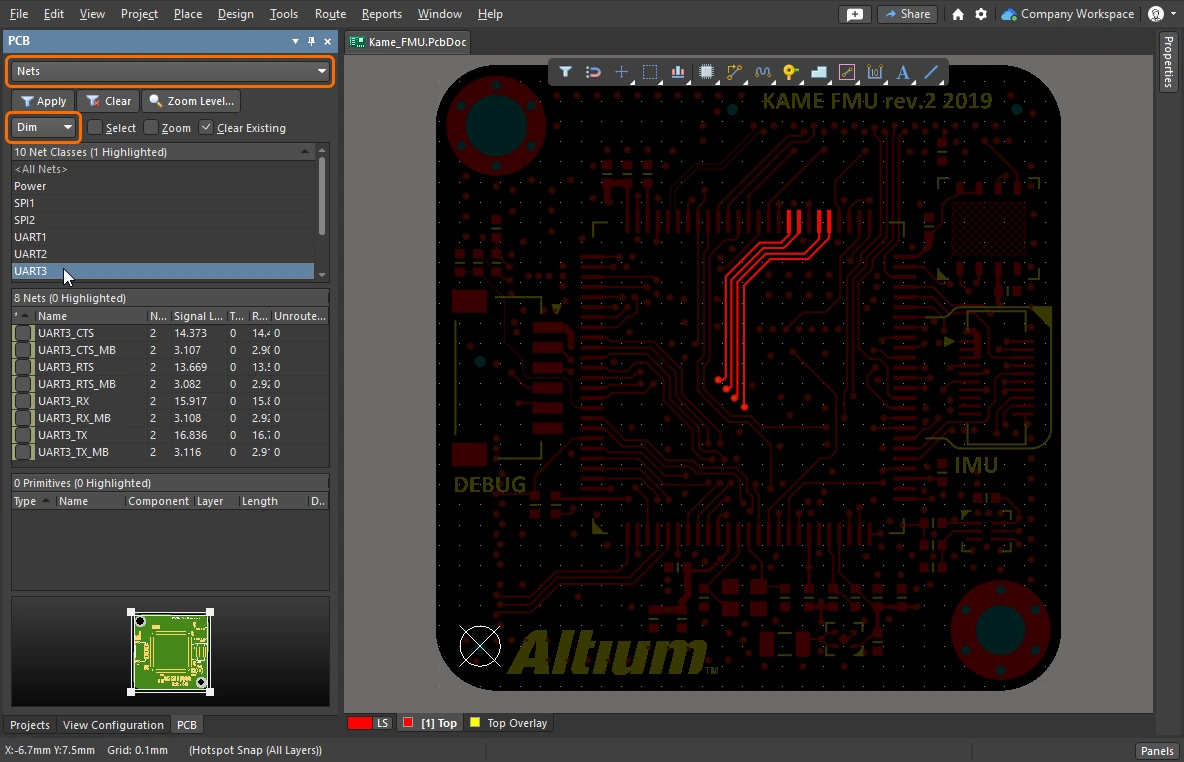 )。这两种模式都会将除你感兴趣对象except的所有对象淡化,从而使目标对象更加突出。Dim 和 Mask 级别可在 View Configuration面板中配置( )。这两种模式都会将除你感兴趣对象except的所有对象淡化,从而使目标对象更加突出。Dim 和 Mask 级别可在 View Configuration面板中配置(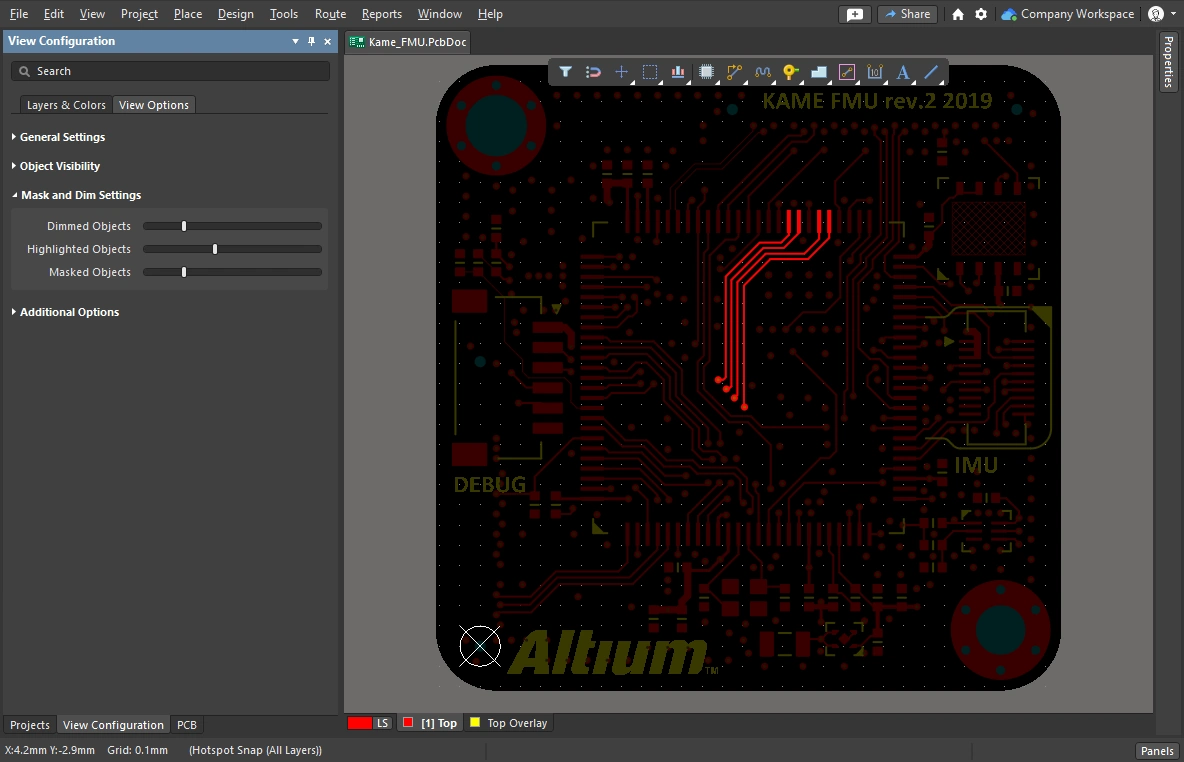 )。 )。 |
| Clearance boundaries | 启用此选项可显示电气对象周围所需的间距。( |
| Object transparency | 每种对象类型的透明度级别都可以在 Object Visibility 面板的 View Configuration 部分中进行配置(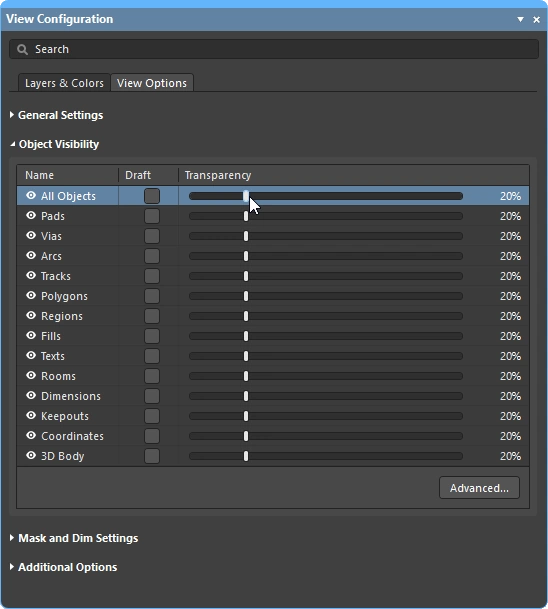 )。使用该组顶部的 All Objects 滑块可同时调整所有对象。 )。使用该组顶部的 All Objects 滑块可同时调整所有对象。 |
| The visibility of objects | 隐藏暂时不关注的对象,是减少设计空间杂乱的便捷方式(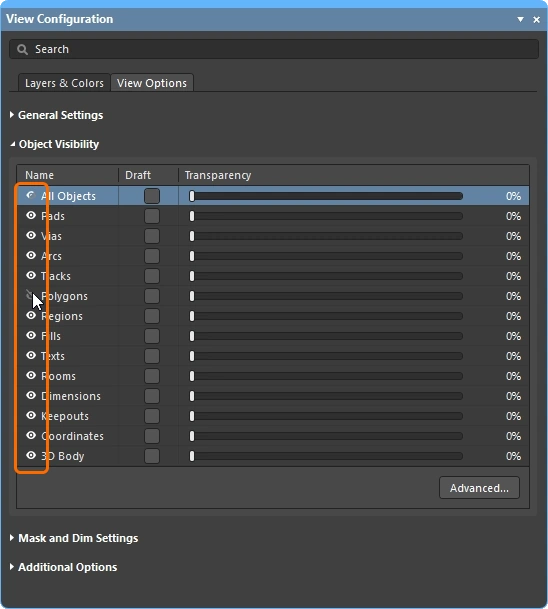 )。请注意,这些对象仍然会被约束系统检测;若要让多边形不仅不可见,而且也不参与约束系统,请不要仅隐藏 and,而应改为 Shelve。 )。请注意,这些对象仍然会被约束系统检测;若要让多边形不仅不可见,而且也不参与约束系统,请不要仅隐藏 and,而应改为 Shelve。 |
| Displaying net names | 在 View Configuration 面板中配置选项,以控制焊盘、过孔和走线上的网络名称显示(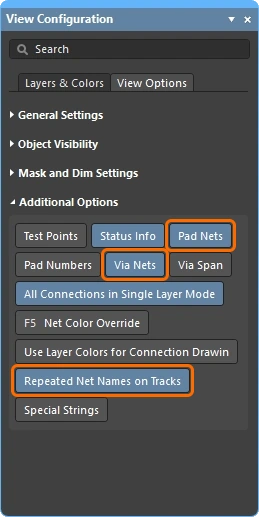 )。请注意,网络名称始终显示在每个走线段的中心位置,但如有需要也可重复显示。显示字体属性可在 PCB Editor – Board Insight Display 对话框的 Preferences 页面中配置( )。请注意,网络名称始终显示在每个走线段的中心位置,但如有需要也可重复显示。显示字体属性可在 PCB Editor – Board Insight Display 对话框的 Preferences 页面中配置(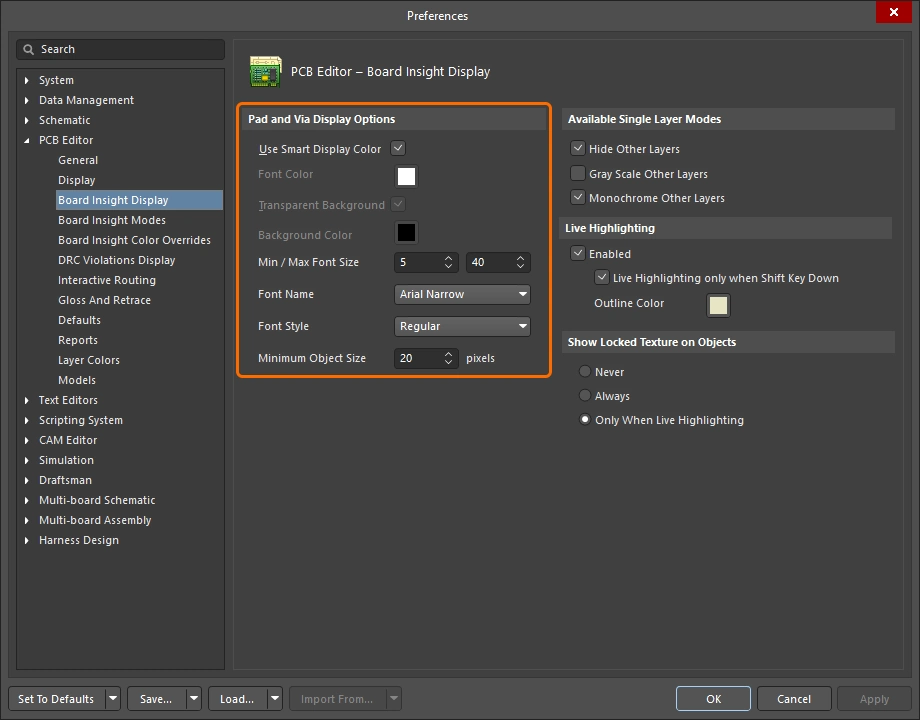 )。 )。 |
 )。间距会以白色阴影显示,并按适用于当前正在布线(或滑移)的对象的电气间距约束所指定的距离进行配置。你可使用
控制布线属性
现在你已经配置好了 间隙、布线宽度和布线过孔样式 等设计约束——可以开始布线了。当你单击开始布线时,布线器如何知道应使用多宽的走线,以及在切换层时应使用多大的过孔?
一个简单示例:先完成布线准备,然后在布线过程中选择布线宽度和过孔样式。
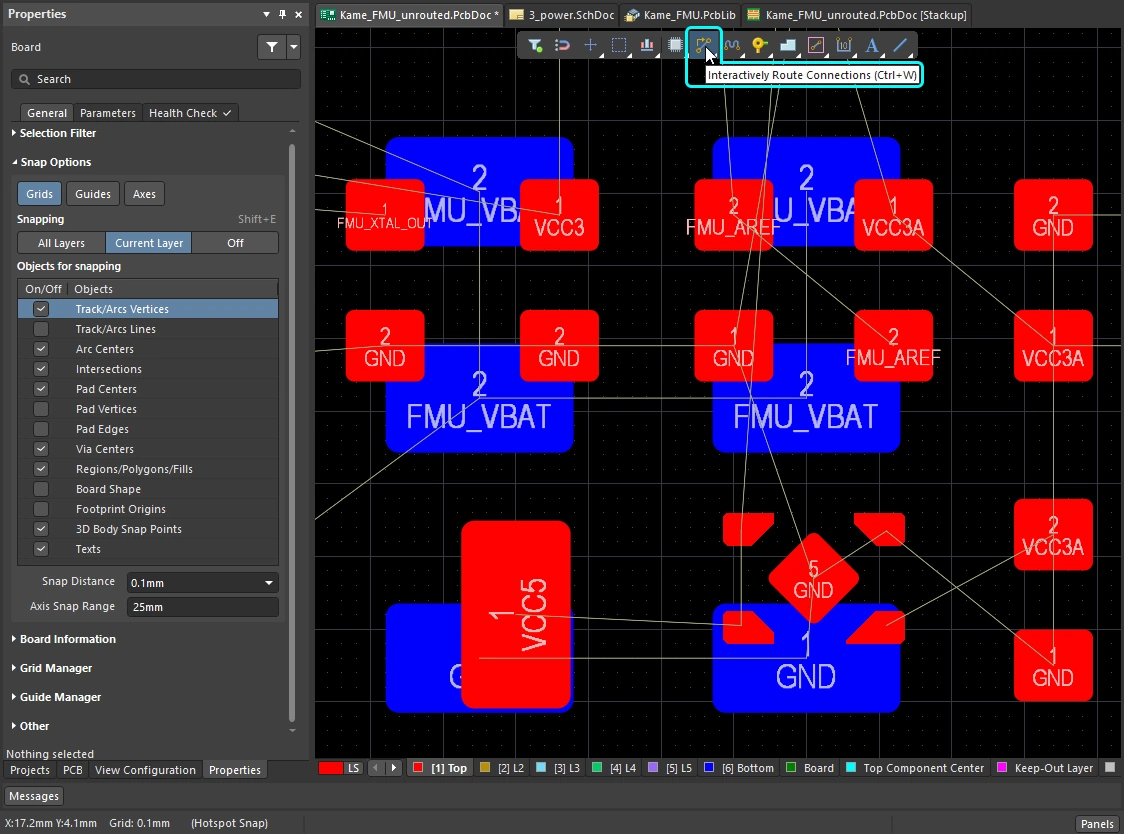 )。
)。
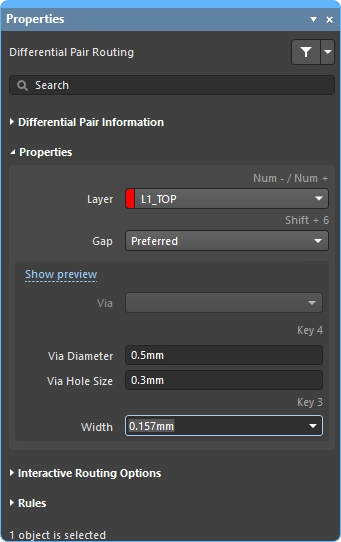 ),并编辑:
Changing the Routing Width (0:29)
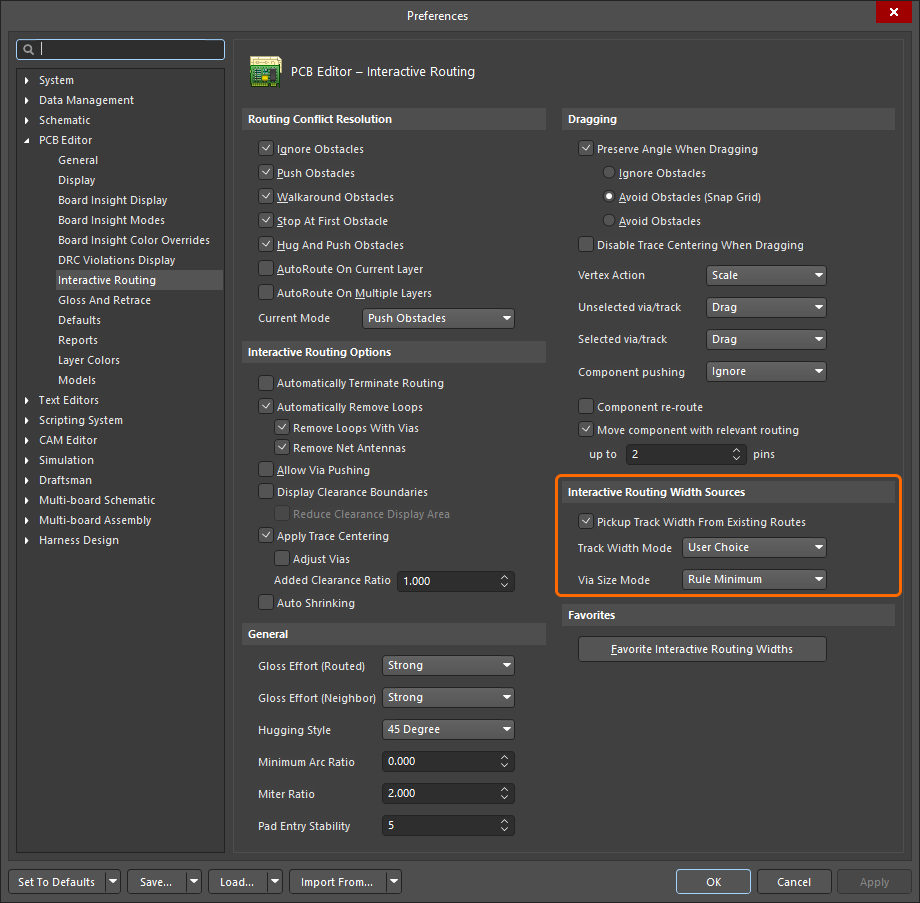 )。
)。
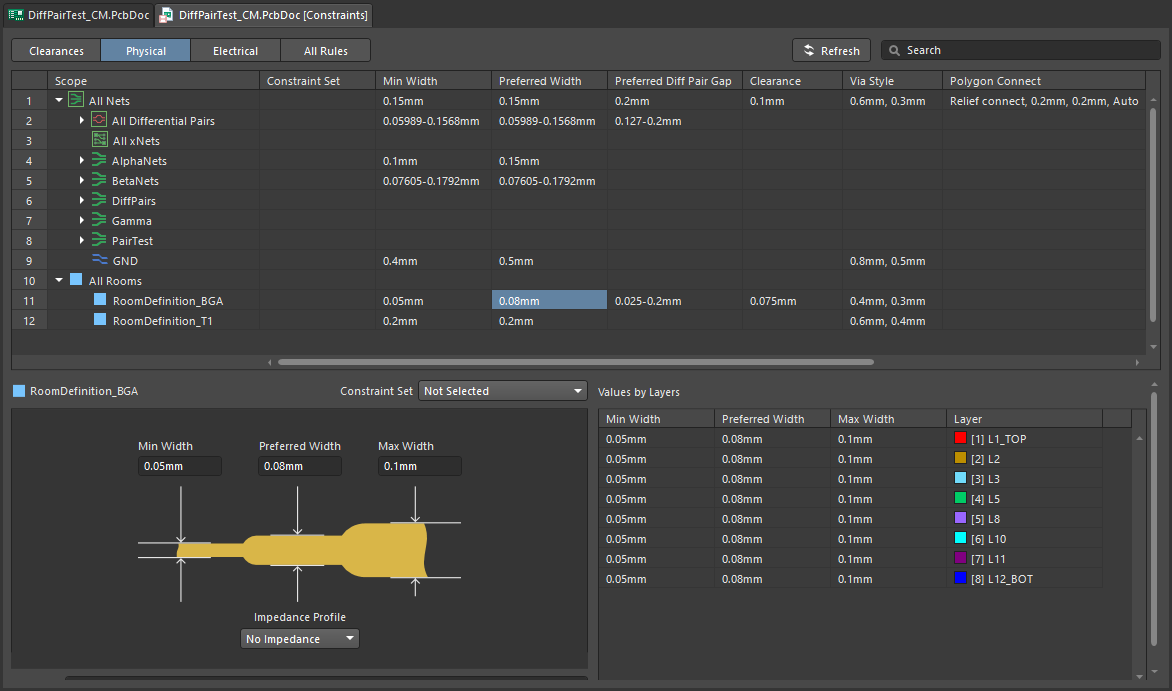 )。PCB 编辑器会尝试将宽度保持在该范围内。
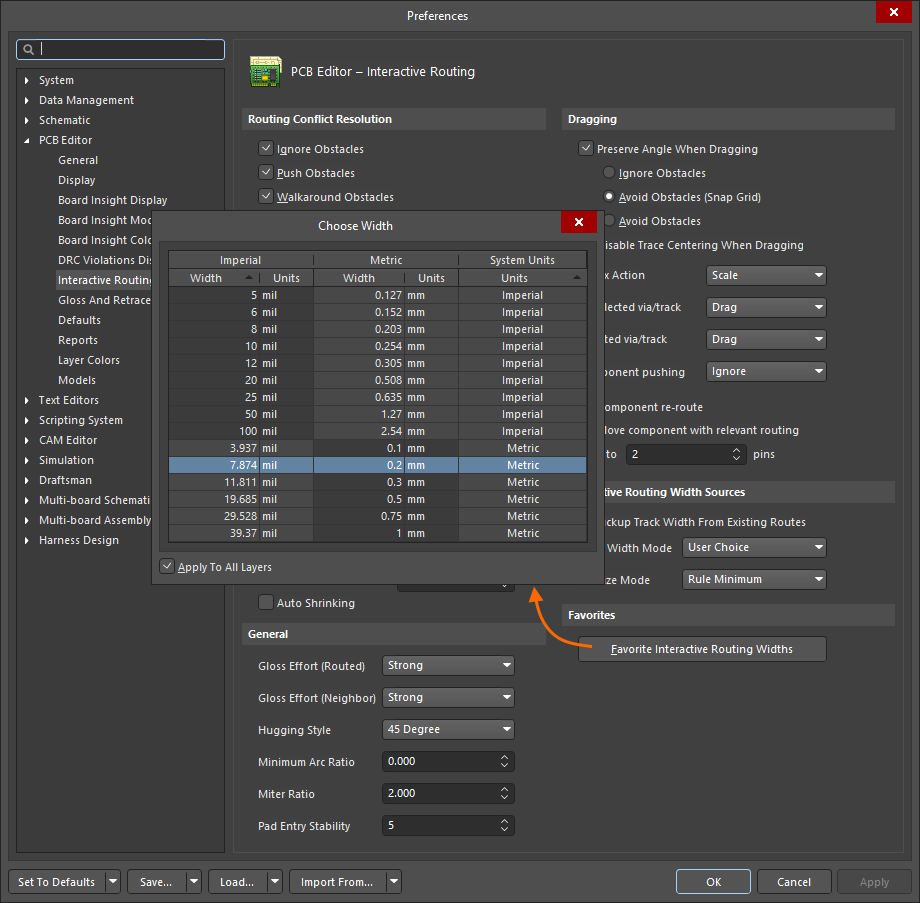 )。 最后一次使用的状态会保留为当前 Track Width Mode。当前走线宽度模式会显示在状态栏和抬头显示中(
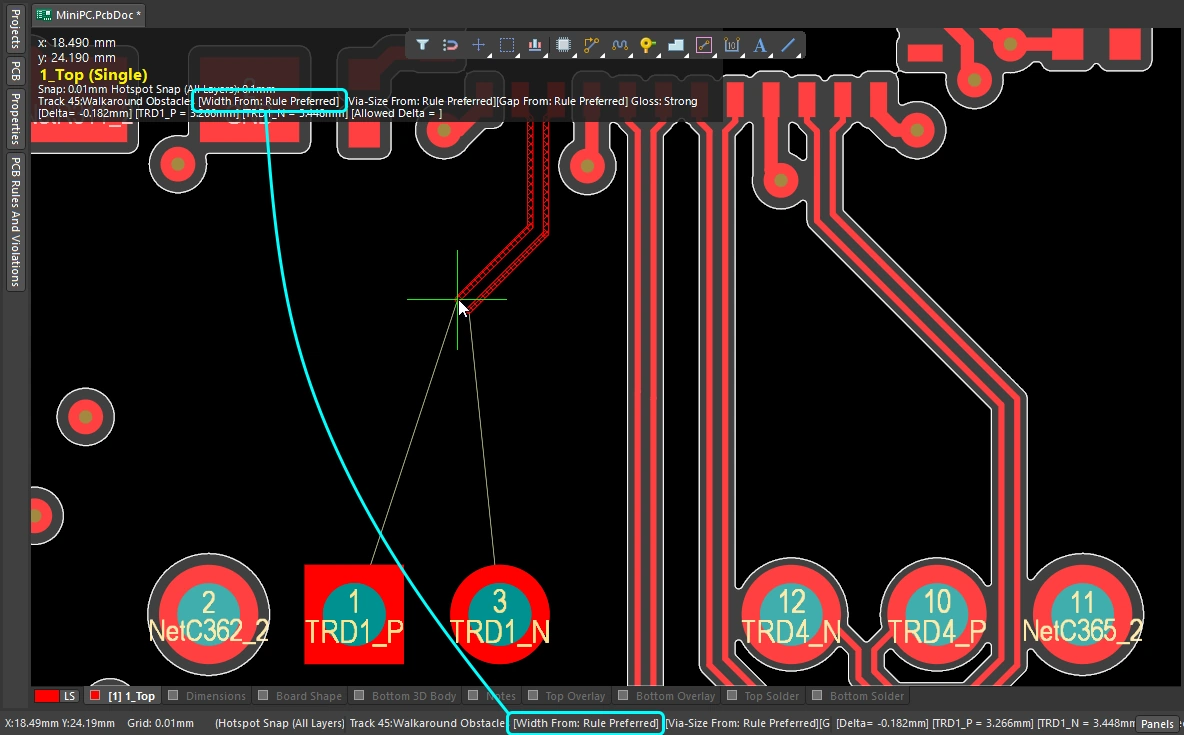 )。
)。
Changing the Routing Layer (1:14)
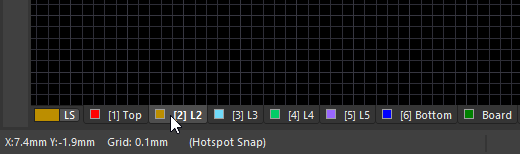 )。 如果你单击另一个层上的对象开始布线,则该层会自动成为活动信号层。
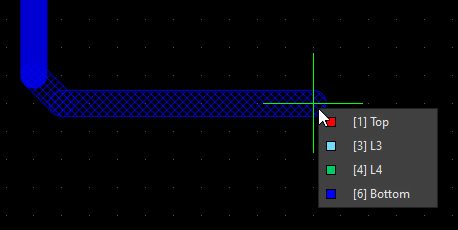 )。
)。
Changing the Via (1:22)
| Routing via | 如果你在布线过程中 切换层,系统会根据适用的 Routing Via Style 设计约束自动添加过孔。 |
| Default routing via | 层切换时所使用的过孔尺寸由 Interactive Routing Width Sources 选项中的 Via Size Mode 设置决定( |
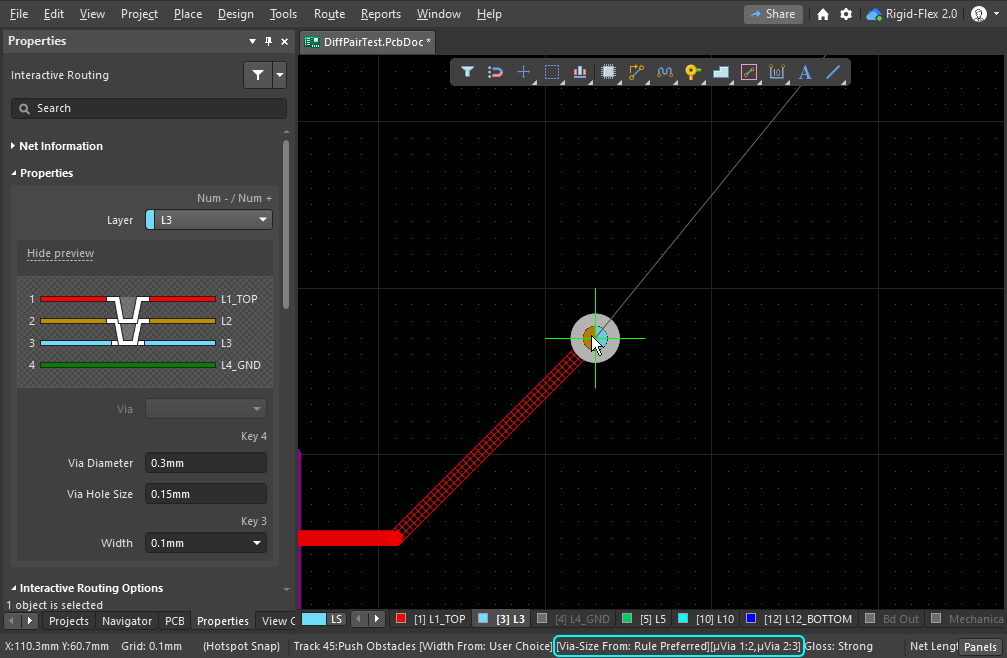
| Cycle available via sizes | 布线时按 4,可在最小、首选或最大过孔尺寸设置之间循环切换(这些设置由适用的 Routing Via Style 设计约束定义),或者选择用户过孔尺寸(
)。最后一次使用的状态会保留为当前 Via Size Mode。当前过孔尺寸模式会显示在状态栏和抬头显示中(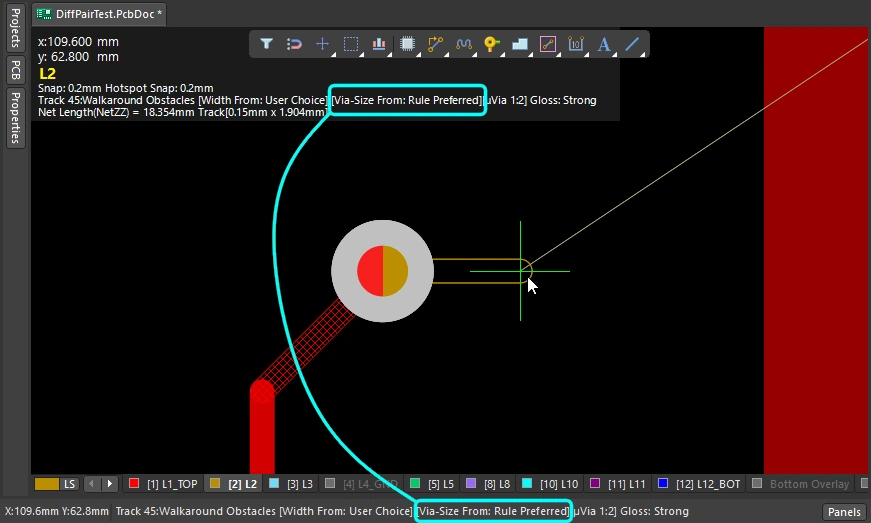 )。 )。 |
| Choose a different User via size | 或者,布线时按 |
| Cycle the via span | 过孔跨越哪些层由当前的 Via Type 决定,而可用的过孔类型则在 Layer Stack Manager 中定义( |
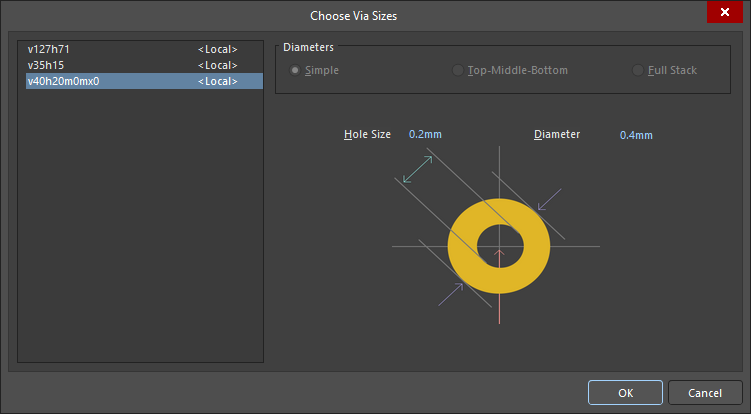 )。只能选择尺寸介于适用的 Routing Via Style 设计约束所定义最小值和最大值之间的过孔。
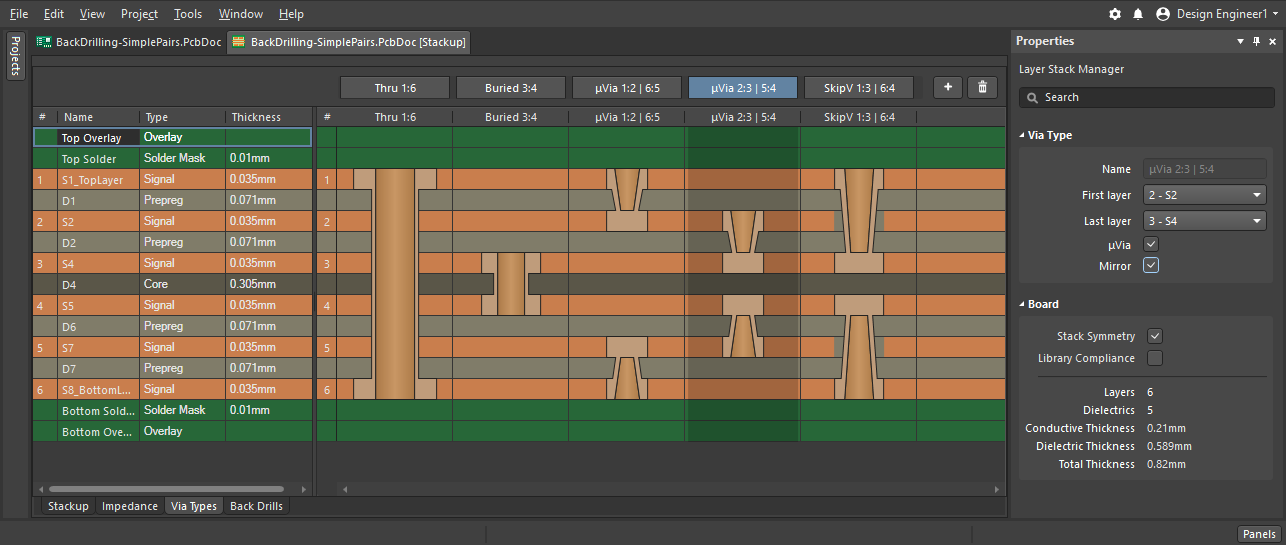 )。当布线过程中有一个跟随光标移动的过孔时,按
  )。或者,按
 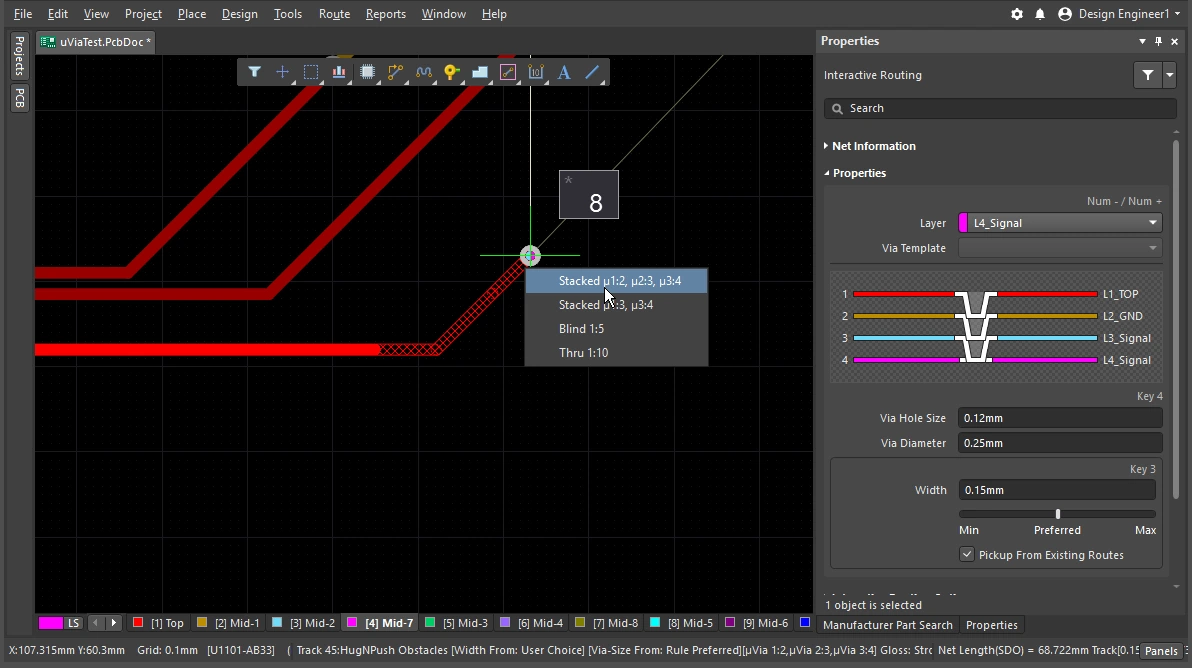 )。请注意,如果合适的过孔类型可以堆叠以实现当前层切换,则可用过孔也可能包括多个过孔组成的堆叠。当前过孔类型会显示在状态栏和抬头显示中(
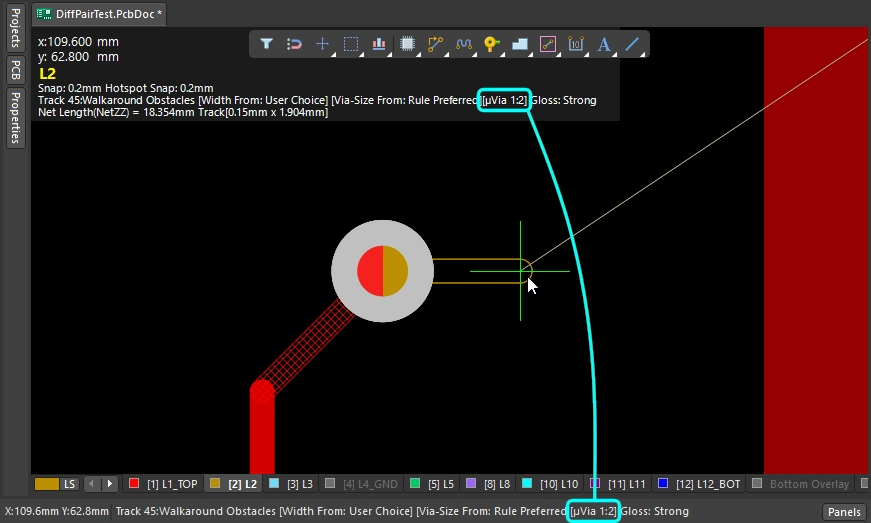 )。
)。
了解更多关于 过孔 的信息。
了解更多关于 定义过孔类型 的信息。
使用 Interactive Router
你启动 Interactive Routing 命令并单击某个焊盘或连接线之后,会发生什么?交互式布线引擎会尝试从与你单击位置最近、且属于该网络的铜对象(焊盘、过孔、走线)开始,一直找到通往当前光标位置的路径,并以指定宽度放置走线/圆弧,同时根据你当前的布线器设置,以整齐的模式进行布局。
布线如何离开一个 SMD 焊盘?遇到障碍物时布线会如何响应,是绕过障碍、推动障碍,还是忽略障碍?拐角会采用什么形状?它又如何从其他器件的焊盘之间穿过?上一节介绍了如何 控制布线本身的属性,而本节则概述了在布线穿行于布线空间时,你可用来控制其行为的各项功能。
使用 Interactive Router |
|
| Hatched/solid/hollow track/arc segments | Hatched 走线/圆弧表示尚未放置,实心走线/圆弧表示已放置( 当附着在光标上的走线为空心时(既不是斜线填充也不是实心),它被称为 look-ahead segment,在您下一次单击时它不会被放置。可使用此功能来定位前一段线段的终点,而无需确认放置最后一段线段( |
| How the router forms the corners | 在交互式布线过程中,由构成拐角的走线和圆弧形成的形状称为 corner style。对角拐角最为常见,但曲线拐角(通过放置圆弧创建)也很受欢迎。共有 5 种可用的拐角样式,其中 4 种还带有拐角方向子模式。
|
| How the routing leaves a pad | 交互式布线引擎如何退出或进入焊盘由以下项控制:
|
| How the route reacts to an existing object | 这由当前的冲突解决模式设置决定。当前冲突解决模式会显示在状态栏( |
| 新布线的平滑度 | 当您将光标从初始单击位置移开时,布线会重新调整形状,以找到绕过对象并到达当前光标位置的最佳路径。该路径的整洁度或质量由当前的 glossing setting 决定。Glossing 是一组用于提升布线质量的工具,旨在缩短路径长度、改善拐角形状并减少拐角数量。它还会尽量避免直角,并防止在 T 型连接和焊盘处出现锐角。Glossing 还支持差分对 ,并会尝试提升成对走线在长度和平行间距上的匹配程度。 Glossing 有三种设置:Off、Weak 和 Strong。在交互式布线或交互式滑移期间,使用 |
| Auto-complete the connection | 在对某个网络进行交互式布线时,按住
如果某个连接无法自动完成,该工具将返回到上一次使用的交互式布线模式。 |
| Center the routes between pads / vias | 交互式布线器遵循设计约束,自动以距最近焊盘的最小允许间距穿过一对焊盘进行布线。如果您希望走线向外移开,从而位于两个焊盘之间的中间位置,请配置 Apply Trace Centering 选项。为支持在任意一对焊盘、任意一对过孔或焊盘/过孔组合之间实现这一点,该功能使用了一个间距乘数,可将布线间距智能地调整至相应值。 |
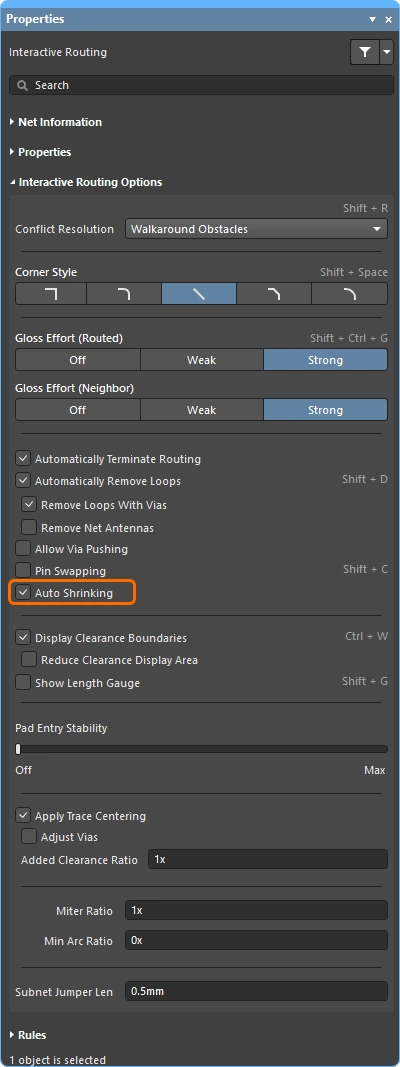
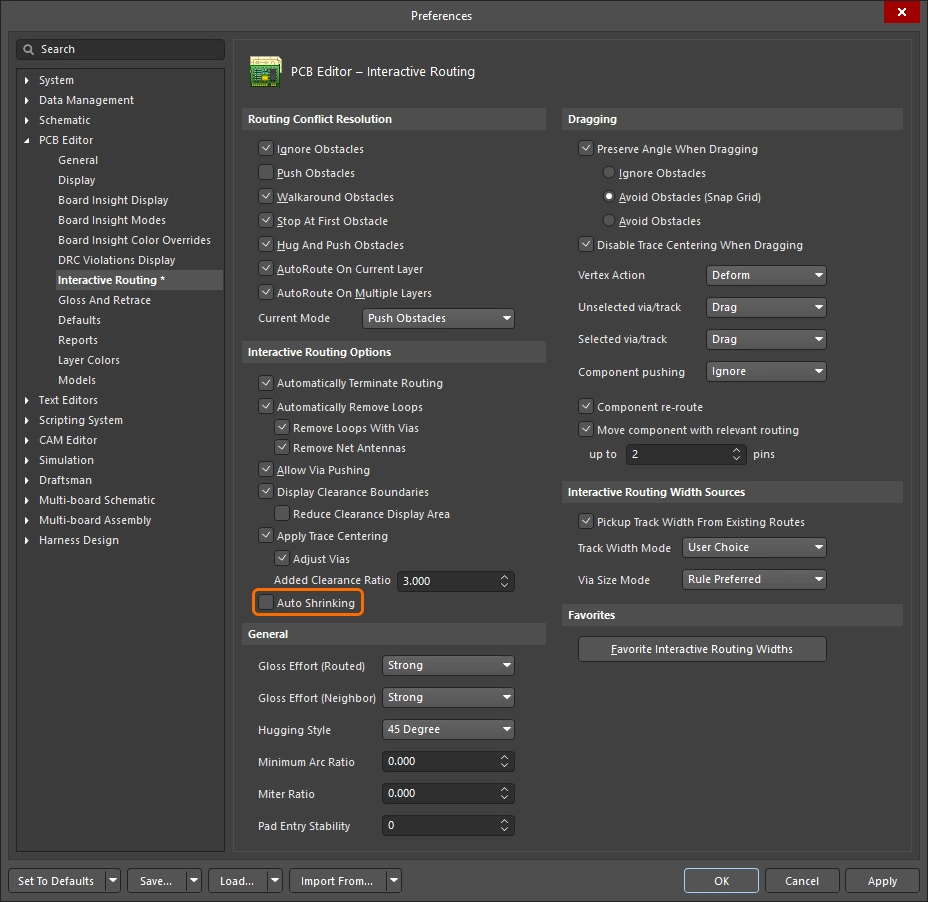
| Auto-narrow the route | 将走线缩颈以适应狭窄间隙,有时是完成该网络布线的唯一方法。Auto Shrinking 功能可以实现这一点,自动将走线缩窄到刚好能够穿过间隙,其允许的最小值由布线宽度约束定义。 |
| Route selection strategies | 选择要处理的走线是布线中的一个 关键方面。它可能是为了选择走线以取消布线、进行 gloss 处理、检查其属性,或者删除它们。 |
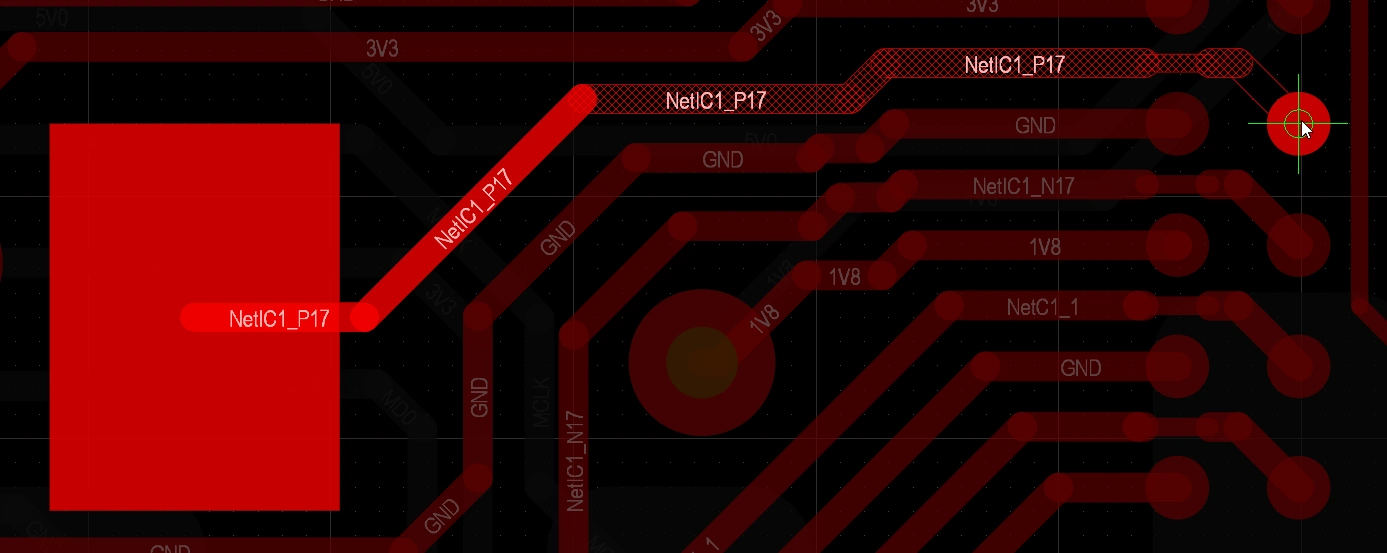 )。请注意,对于当前正在布线的连接,实心走线/圆弧会被归类为 soft-commits,这意味着布线引擎识别它们已被放置,但仍保留对其进行 gloss 处理以及在您将光标移动到它们不再适合的位置时将其移除的能力 (如本页开头视频所示)。
 )和抬头显示中。
 )。
)。
 )、抬头显示(
 )以及布线或滑移期间的 Properties 面板中。
Responding to Obstacles – Conflict Resolution Mode
您启动交互式布线命令并单击一个焊盘。当您将光标从焊盘移开时,交互式布线引擎会从您单击的焊盘到当前光标位置铺设一条由斜线填充走线段组成的路径;随着您移动光标,它会更新这些斜线填充线段,以根据设计约束和当前 glossing 设置尽可能优化布线路径。
交互式布线器如何响应 PCB 工作区中已存在的对象(例如焊盘或其他网络上的走线),取决于当前的 routing conflict resolution 模式。布线冲突解决模式决定了交互式布线引擎是尝试推开这些障碍物、绕开它们,还是干脆忽略它们并直接从其上方布线。
不同冲突解决模式行为的简单演示。
布线冲突解决模式 |
|
| Current mode | 当前布线冲突解决模式显示在抬头显示( |
| Changing modes | 要在交互式布线过程中(或交互式滑移、过孔拖动过程中)更改模式,请按 Shift+R 快捷键。 |
| Available modes | 可在 Preferences 对话框的 PCB Editor – Interactive Routing 页面中启用/禁用单独的冲突解决模式( |
Glossing during Routing
您不仅希望交互式布线器找到路径并从上一次单击位置放置走线段直到当前光标位置,还希望该布线路径尽可能短,并且使用尽可能少的走线段来创建。为管理这一过程,PCB 编辑器包含一个 Glossing 工具。
Glossing 是一套专门开发的复杂算法,用于生成更整洁的布线和焊盘进入方式,同时符合适用设计规则的意图。Glossing 会尝试缩短路径长度,同时改善拐角形状并减少拐角数量,通常会得到由更少线段构成的、更整洁的布线。Glossing 还会保持子网络跳线原样不变;当存在基于房间的宽度规则时,也会遵循边界处的宽度变化。在您定义新的交互式布线路径时移动光标的过程中,所有尚未确认的布线也都会自动进行 gloss 处理。
除了对当前正在布线的网络应用 glossing 之外,交互式布线引擎 还可以对受该网络布线影响的相邻(邻近)网络进行 gloss 处理。
关闭 glossing 与开启 glossing 时所获得不同结果的简单演示。
理解 Glossing |
|
| When does glossing run | Glossing 工具运行于:
|
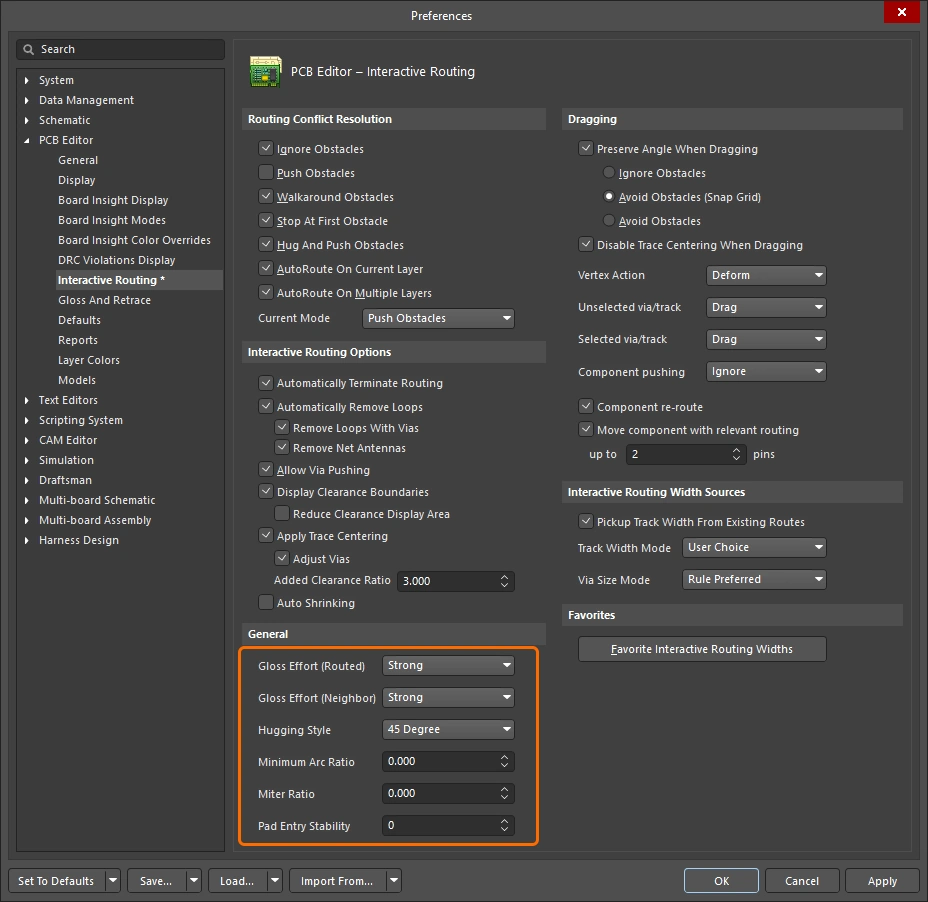
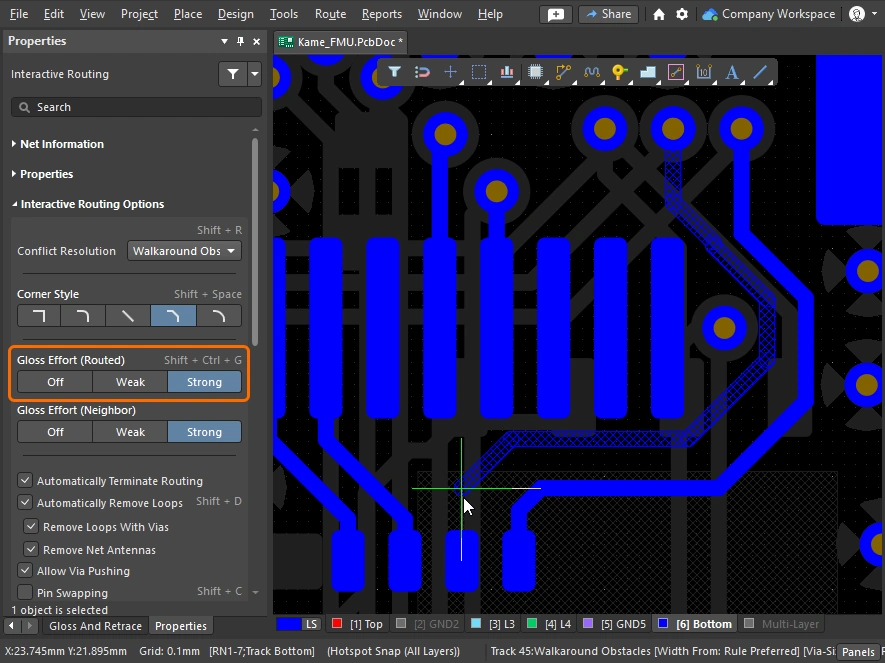
| How strong is glossing | 布线被光顺的程度由当前的 Gloss Effort (Routed) 设置控制。可配置该选项(
|
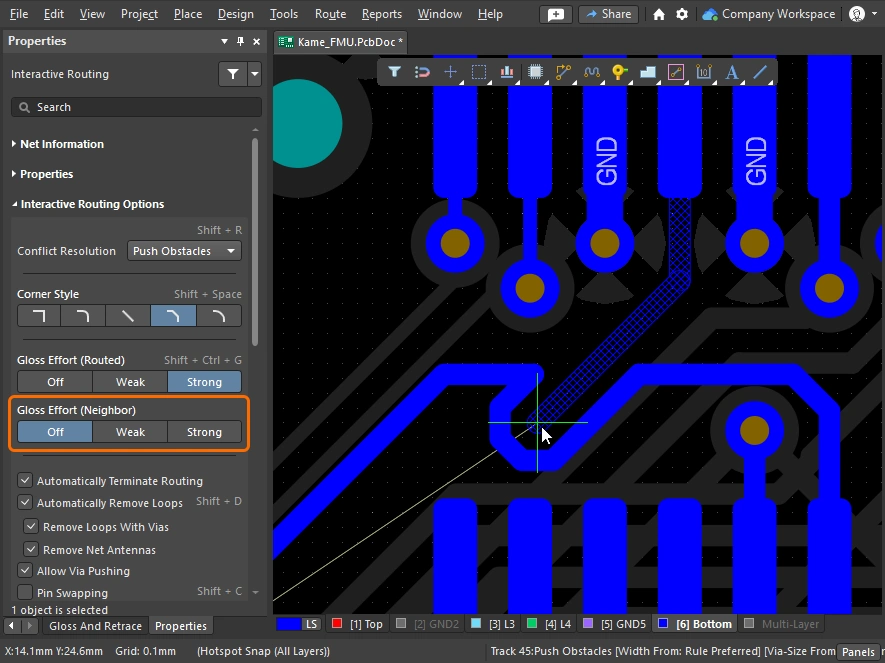
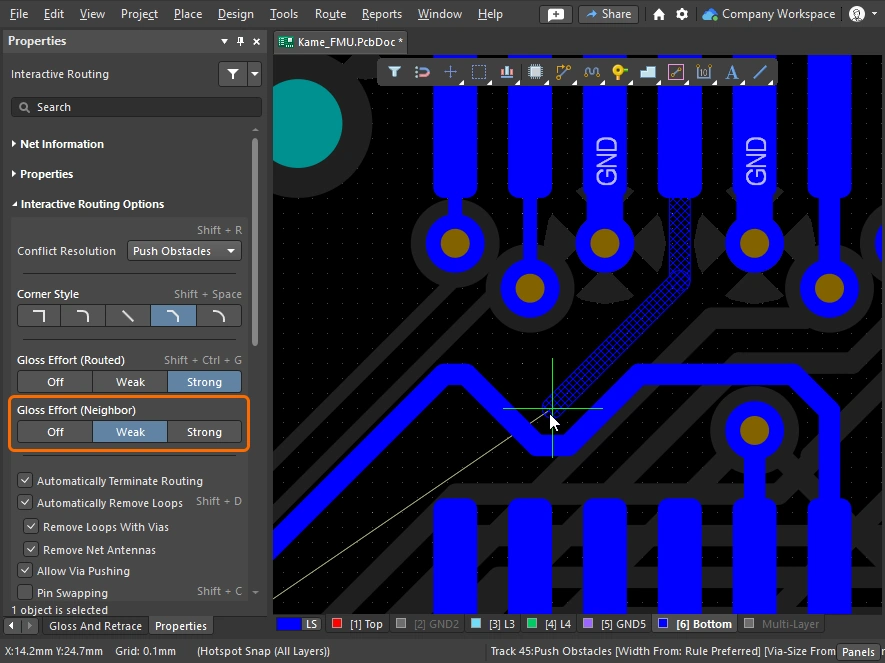
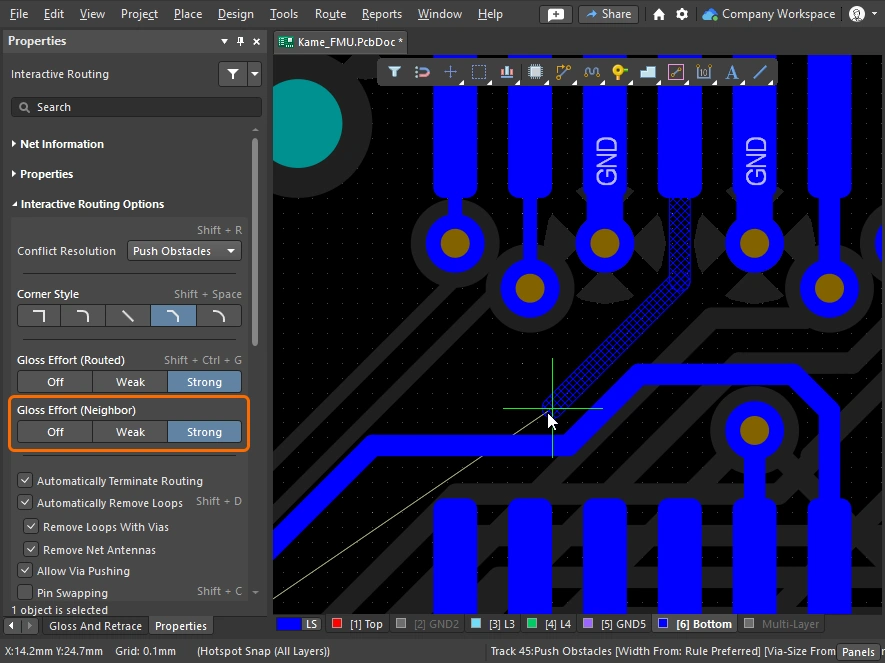
| Glossing the neighbors | 在 Push 或 Hug & Push 交互式布线 或滑移过程中,相邻布线或邻居对象会受到影响。根据 Gloss Effort (neighbor) 设置(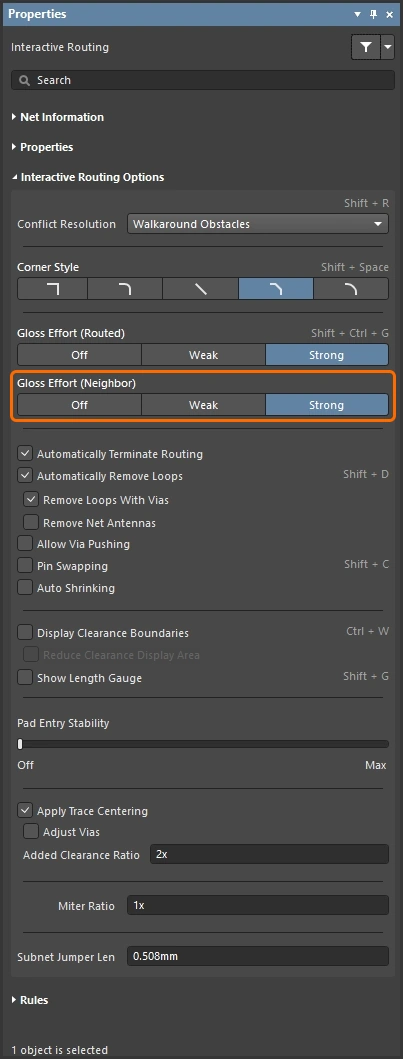 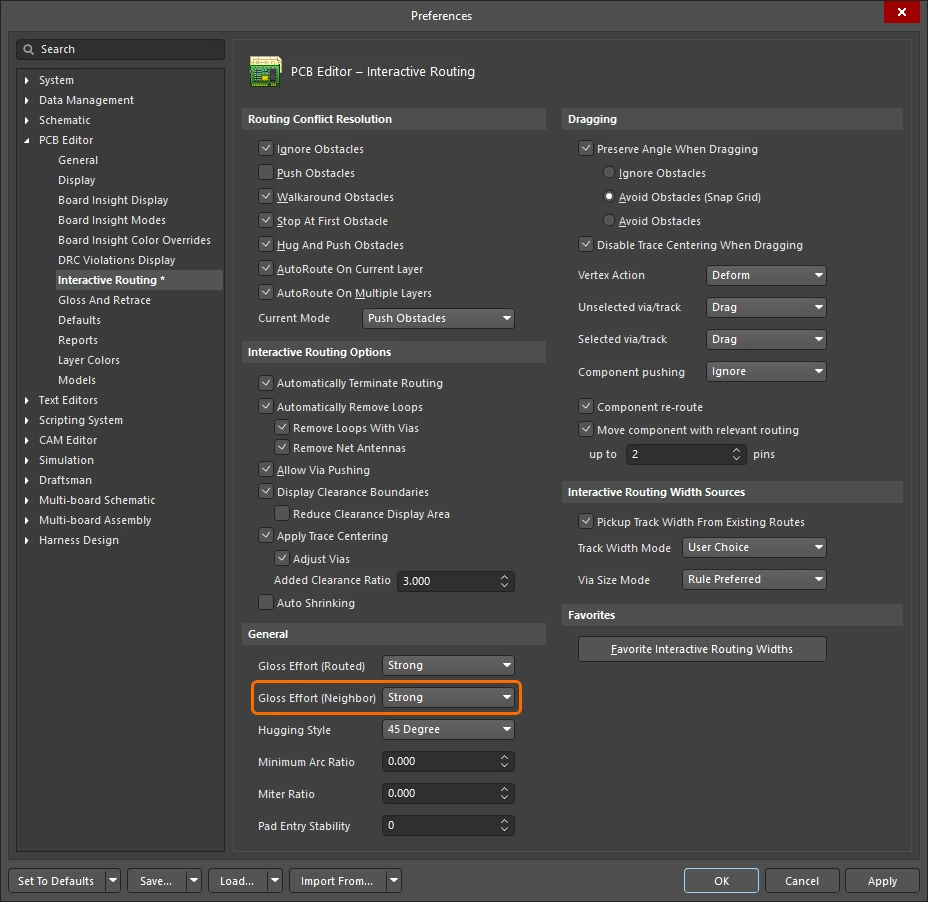 ),这些邻居对象也可以进行光顺。Gloss effort(邻居)设置 ),这些邻居对象也可以进行光顺。Gloss effort(邻居)设置 |
| Hugging - how glossing wraps around other objects and forms corners | 光顺引擎如何让走线绕过其他对象并形成拐角,被称为 hugging。可用的 Hugging Style 设置包括:
|
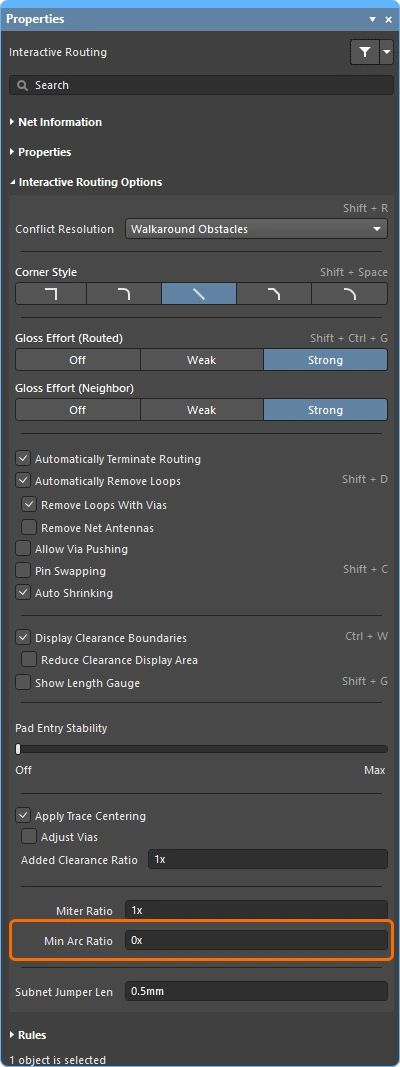
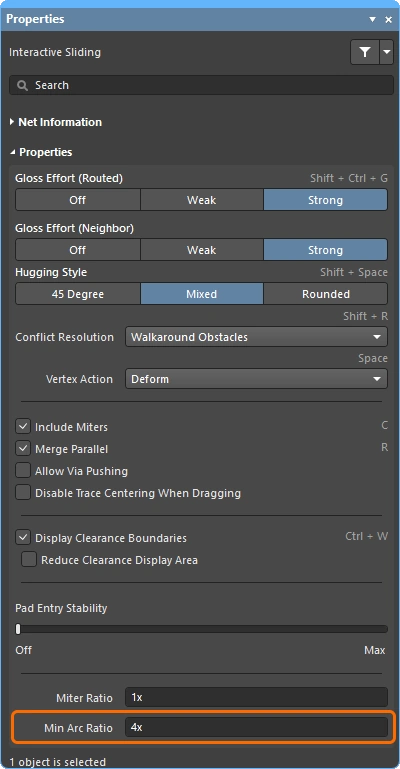
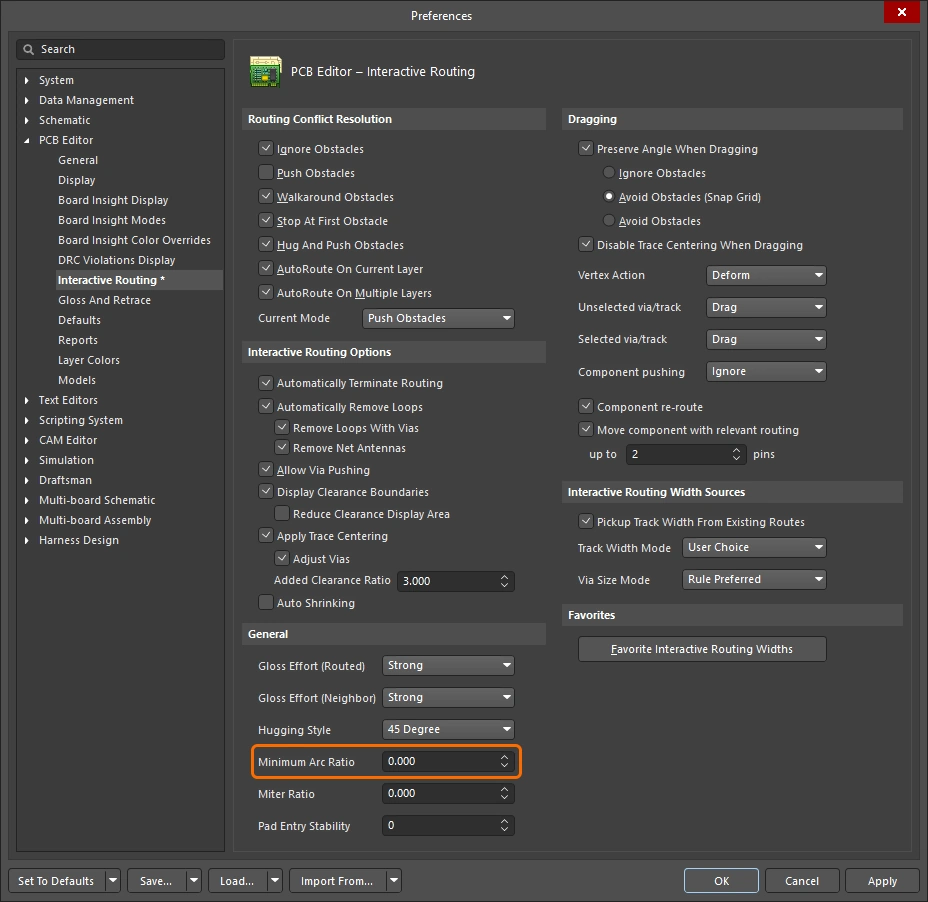
| Controlling the properties of the corner | 如果拐角由直线走线段构成,则默认行为是光顺引擎会在 90 度拐角处应用一个小斜接, 其大小由 Miter Ratio 设置控制。Miter ratio 设置 如果拐角由圆弧构成,则最小圆弧尺寸由 Minimum Arc Ratio 控制。 Minimum Arc Ratio 会在任意角度交互式布线期间应用,也会在采用 Mixed Hugging Style 的交互式滑移期间应用。该比率用于确定允许的最小圆弧半径;当圆弧半径低于该最小值时,圆弧会被走线段替代。Minimum arc ratio 设置 |
| Inhibit glossing during routing and sliding | 有时你可能希望临时关闭光顺。在布线期间,按住 Ctrl+Shift 快捷键即可抑制光顺——一旦释放按键,光顺将按当前的 Routing Gloss Effort 设置恢复。请注意,状态栏不会反映这种状态;它会继续显示上一次选定的状态。 |
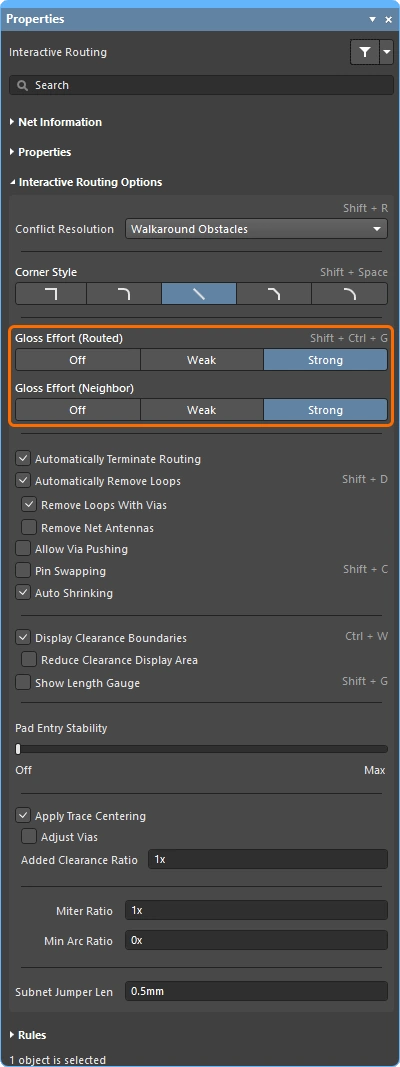
 )。
)。
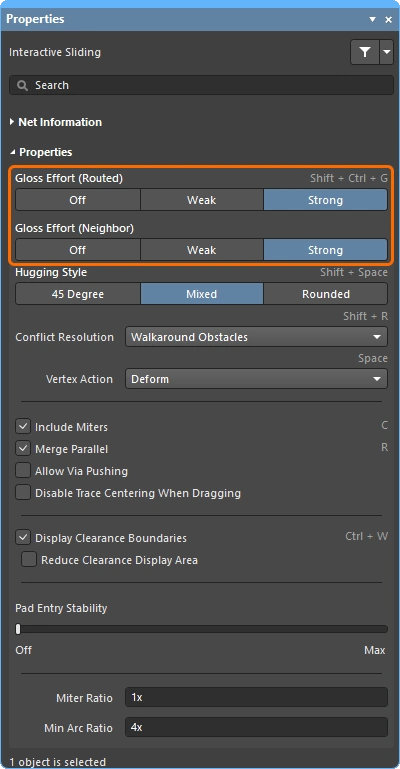

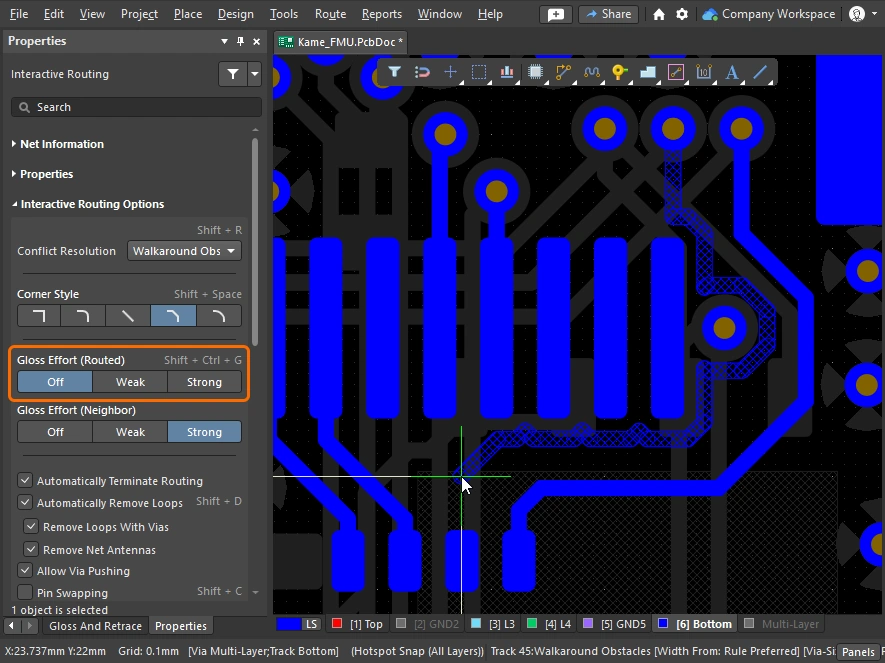
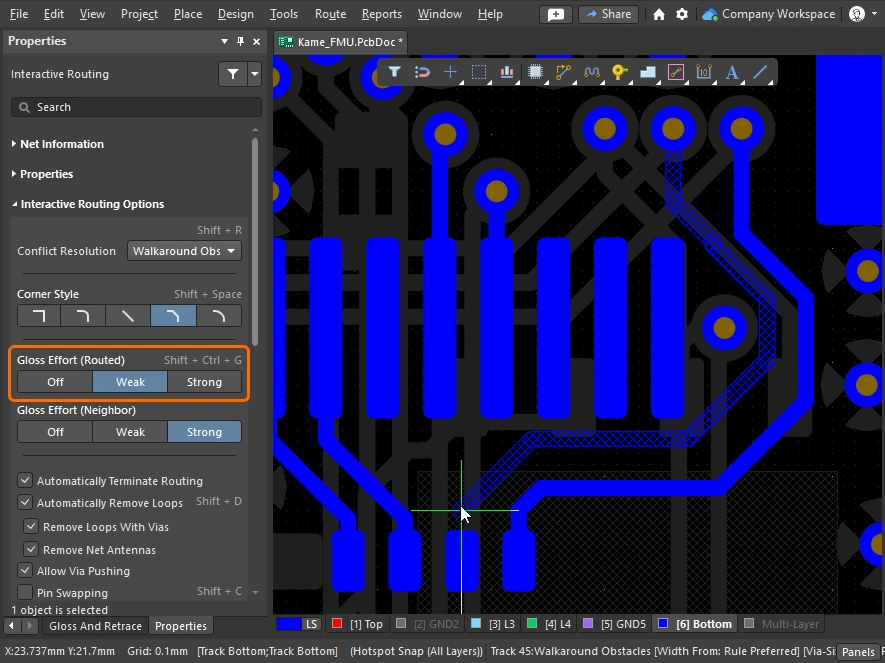
下面的幻灯片展示了不同 Gloss Effort(已布线)和 Gloss Effort(邻居)设置的简单示例。
Miter or Curve the Corners
拐角可以使用较短的直线走线段(斜接)来定义,也可以使用一个或多个圆弧来创建。下图显示了两种最常见的拐角样式:Track 45 和 Any Angle。


斜接拐角
最常见的布线拐角形状是 45 度斜接(对角)拐角。切换到 Track 45 corner mode 以布出对角拐角。 作为补充,交互式布线引擎还包含斜接比率功能,可确保紧凑拐角仍保留斜接,从而避免在布线过程中无意间创建直角或锐角拐角。
Miter Ratio 定义为:
Miter Ratio x current track width = separation between the walls of the tightest U-shape that can be routed for that miter ratio
 斜接比率控制自动添加到拐角中的最小斜接尺寸。
交互式布线和交互式滑移都包含 Miter Ratio 选项。请输入大于或等于零的正值。下面展示了相同走线在 Miter Ratio 选项取不同值时的示例。
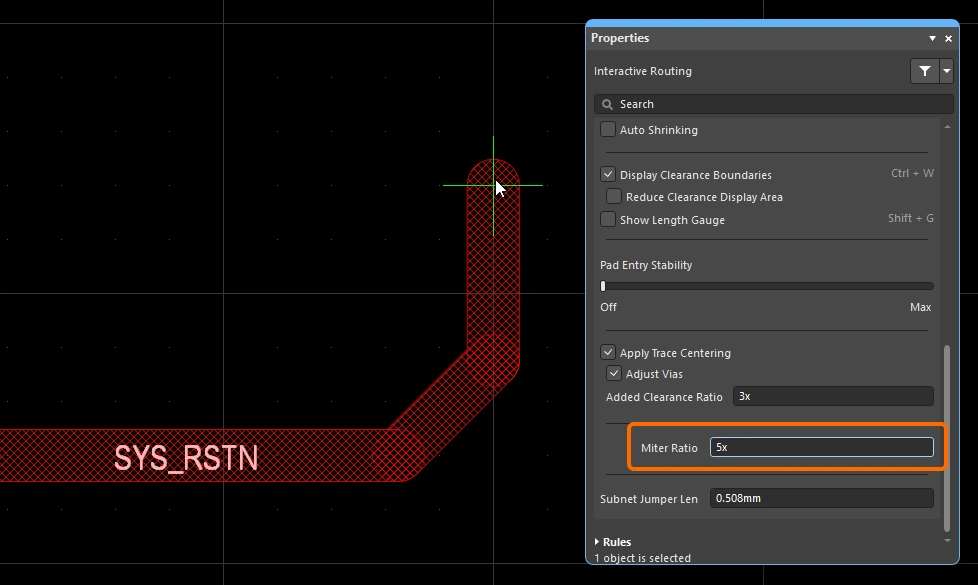
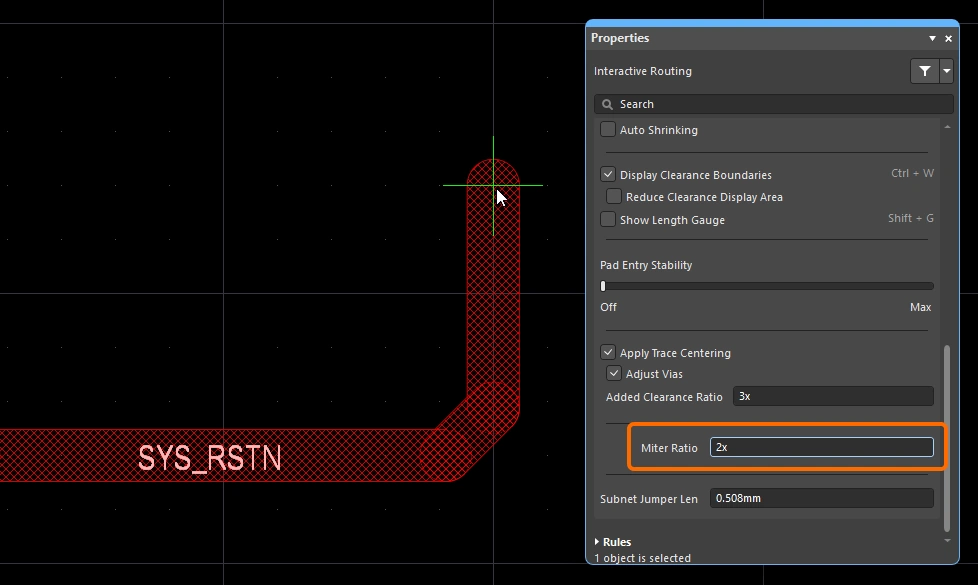
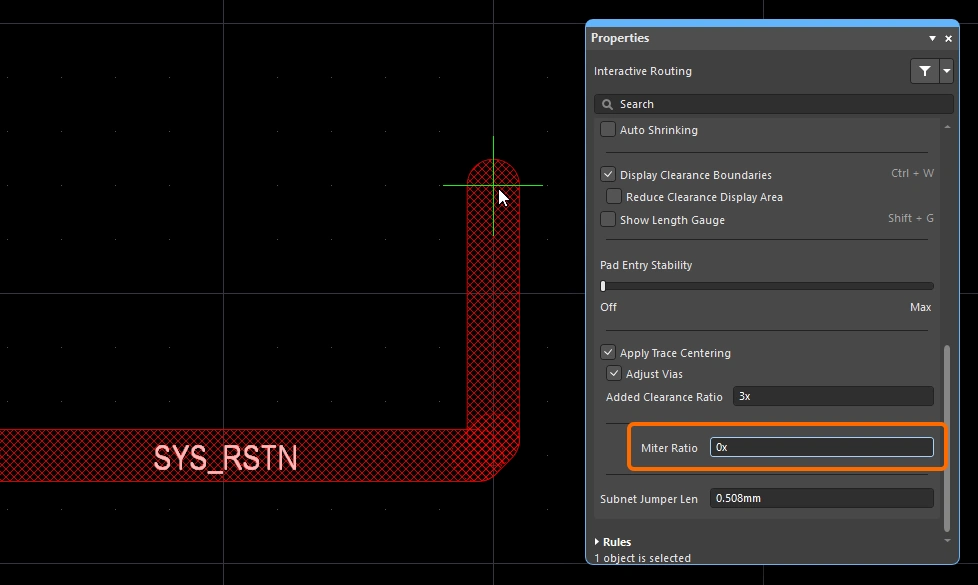
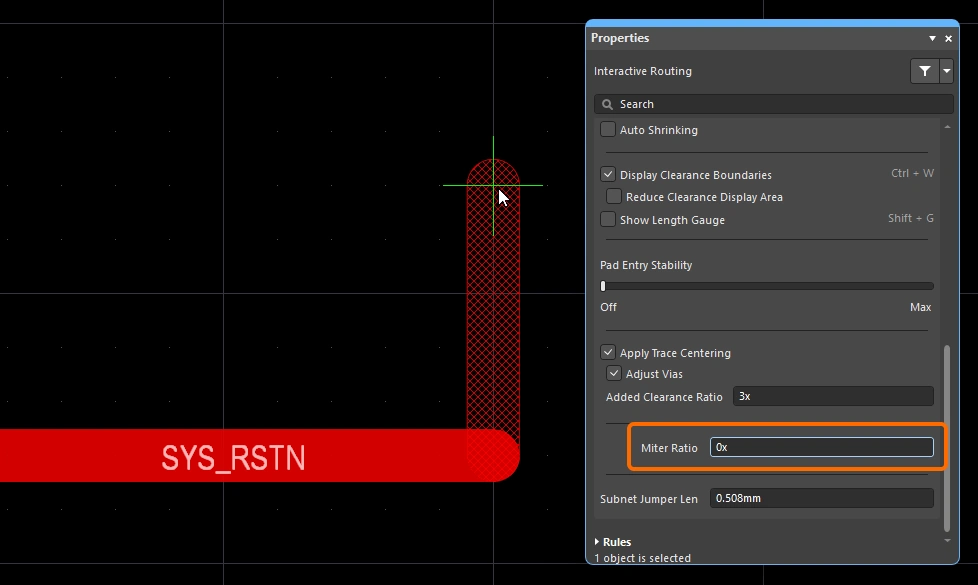
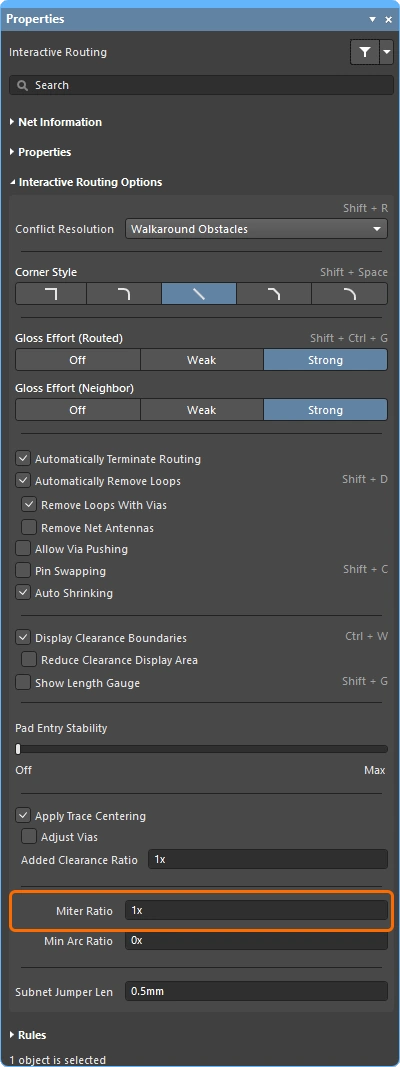 )或滑移(
)或滑移(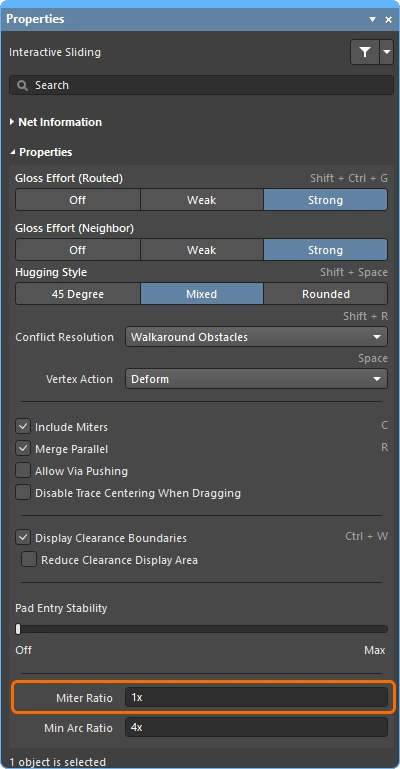 )期间配置默认的 Miter Ratio 值,或在 Preferences 对话框中配置该值(
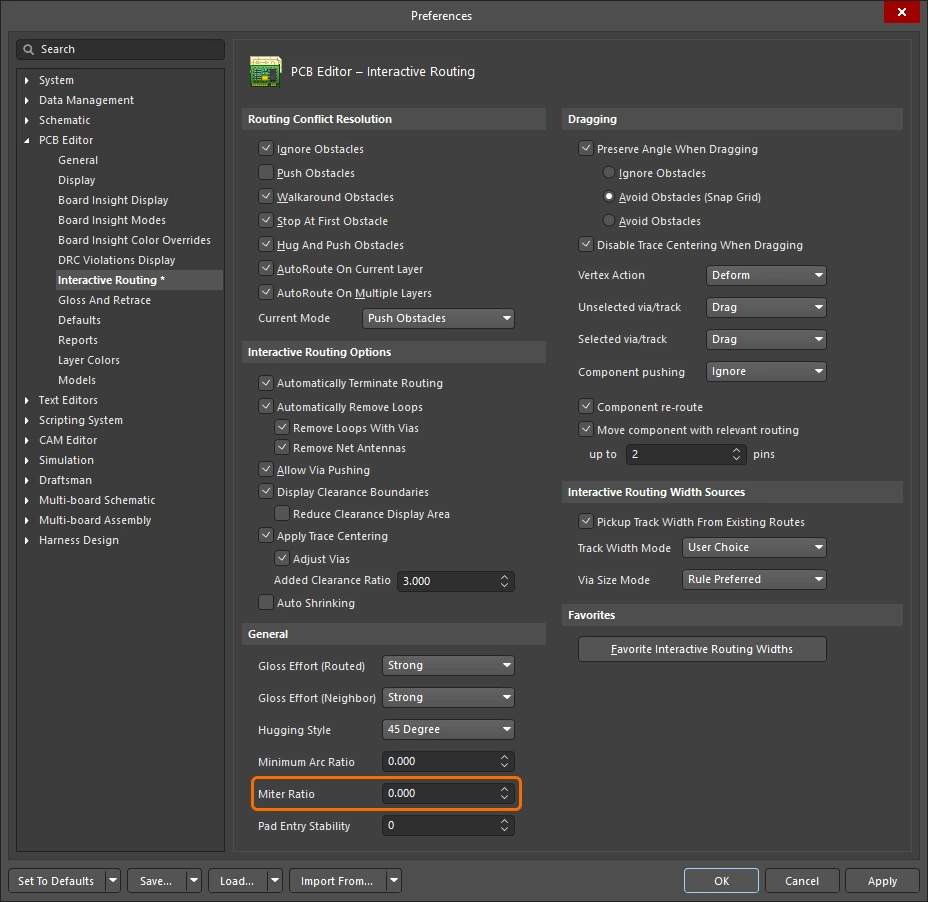 )。
)。
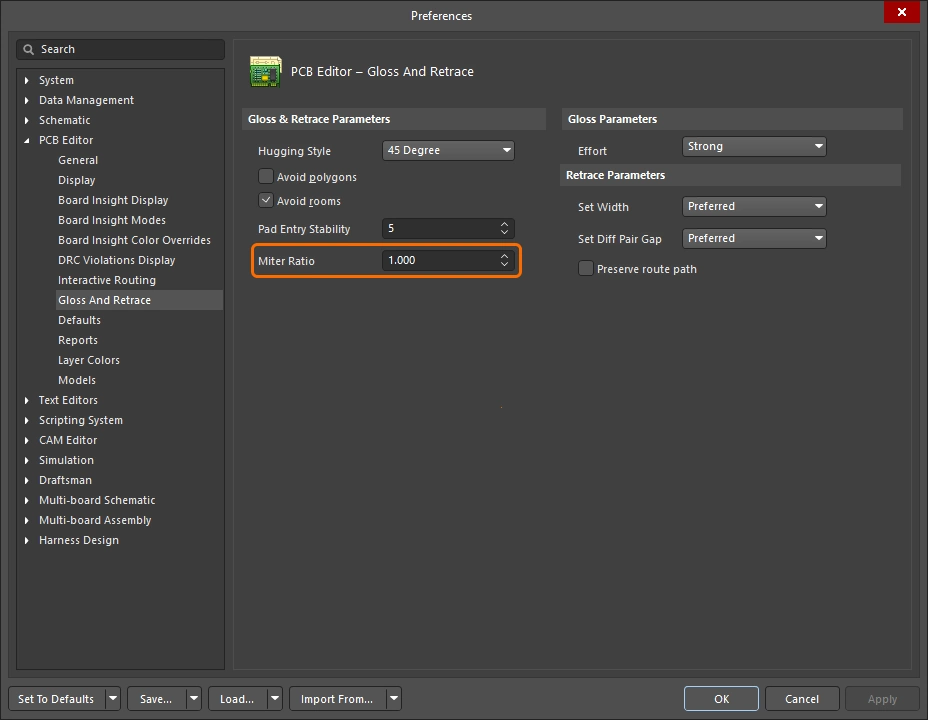 )或 Gloss and Retrace 面板(
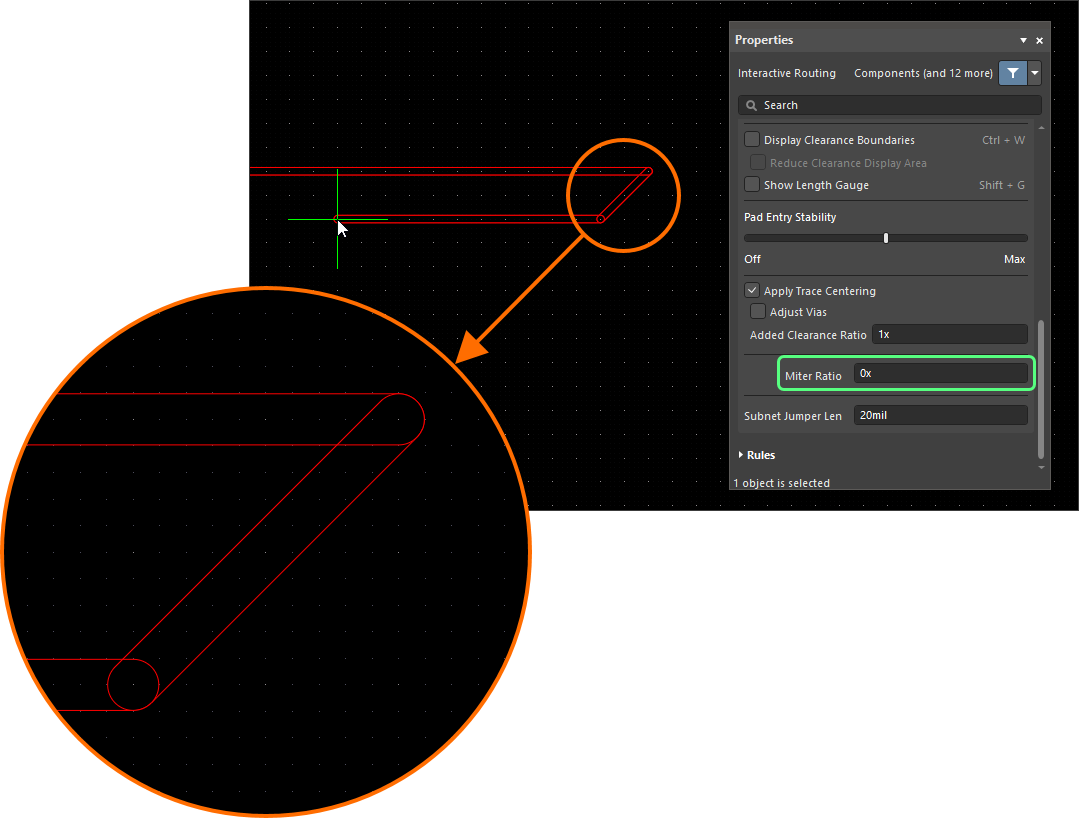 )。
)。
曲线拐角
许多设计人员需要曲线拐角。曲线拐角可在布线时直接放置——可以使用 Line 45/90 With Arc 拐角模式,也可以使用 Line 90/90 With Arc 拐角模式。Line 90/90 With Arc 拐角模式会强制形成 90 度拐角,因此如果走线需要以 45 度继续延伸,请使用 Line 45/90 With Arc 拐角模式。布线过程中,可使用  和
和  键交互式调整圆弧大小(按住
 Shift 可加快调整速度)。
在交互式布线期间选择曲线拐角样式时,光顺引擎会优先选择围绕现有曲线对象的相切路径。也就是说,用于形成拐角的圆弧会被定位并按半径精确调整,以恰好绕过现有对象。这样设计是为了在大量曲线形状之间形成平滑的布线路径,例如 BGA 下方的逃逸过孔模式。如果 Routing Gloss Effort 设为 Strong,则可能导致圆弧之间的直线走线段以非水平或非垂直的角度放置。
如果你要求所有直线走线段都必须严格水平或垂直放置,同时又需要曲线拐角,那么先采用对角拐角布线、然后再通过光顺将拐角转换为曲线,通常会更高效。实现方法是将 Hugging Style 设为 Rounded,将 Gloss Effort 设为 Weak,然后在选中布线的情况下运行 Gloss Selected 命令。
若要将现有布线的拐角变为曲线,请将 Hugging Style 设为 Rounded,将 Gloss Effort 设为 Weak,然后选中布线并运行 Route » Gloss Selected 命令。
蛇形布线
除了使用前面讨论的圆弧拐角模式之外,还可以通过将拐角样式设为 Any Angle,并将 Routing Gloss Effort 设为 Strong,实现一种平滑流畅的点对点布线方式。这会创建所谓的 Snake Routing。当布线需要以任意角度穿过多个曲线对象时,可使用此方式,如下面示例视频所示。
蛇形布线——拐角样式设为 Any Angle。
Using the Net Length Gauge
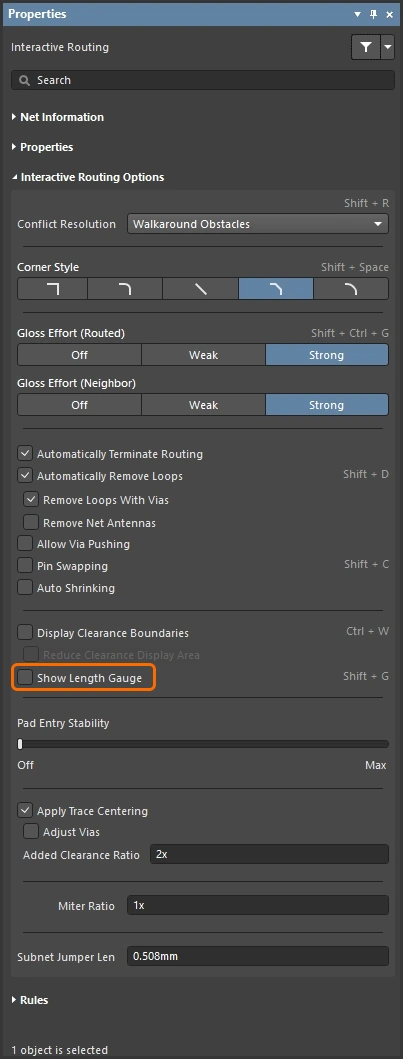
如果定义了长度约束和/或匹配长度约束,则可以通过显示 Length Tuning Gauge,在交互式布线(以及交互式长度调谐)期间监控长度。布线时,使用 Shift+G 快捷键可切换 Gauge 的显示与隐藏。
Gauge 以数字形式显示 Current Routed Length,红/绿滑块则显示 Estimated Length。 在交互式布线期间,可能看起来会有些令人困惑:虽然 Routed Length 甚至还没有达到约束的最小值,但 Gauge 滑块却位于约束最小值与最大值之间——如下图所示。这是因为在交互式布线期间,滑块表示的是 Estimated Length,其中:
Estimated Length = Routed Length + distance to target (length of connection line)
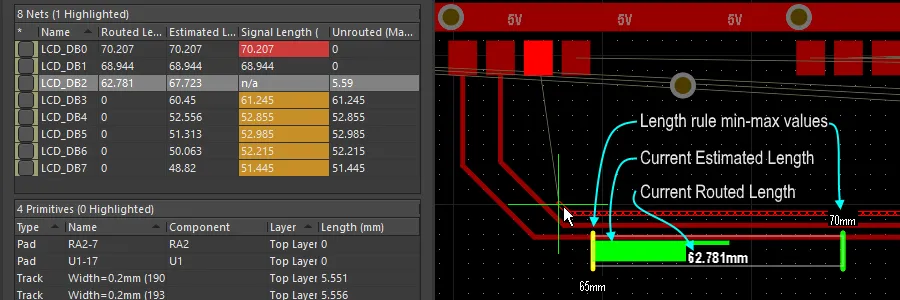 作为长度设计约束显示的 Gauge,会在交互式布线期间被遵守——它以数字形式显示当前已布线长度,而滑块显示当前估算长度。
Gauge 的工作方式如下:
-
一个矩形框,用于定义 Gauge 的外轮廓。
-
两条黄色竖线,表示允许的最小长度和最大长度。最小值和最大值由设计约束中定义的最严格约束集决定,如上所述。
-
一条绿色竖线,表示目标长度,该值可以是手动输入的值、来自现有已选网络的长度,或者在根据设计约束计算时为有效长度范围的中点。
-
一个红色或绿色滑块,用于显示网络当前的已布线长度(在长度调谐期间)或估算长度(在交互式布线期间)。当当前长度从超出范围变为处于允许的最小和最大长度范围内时,滑块会由红色变为绿色。
-
当前已布线长度(已放置走线和圆弧的长度)会以数字值叠加显示在 Gauge 滑块上(示例图中为 62.781mm)。
-
Gauge 的矩形轮廓表示可能长度的总范围,其上限和下限的含义取决于你选择的目标长度模式。
-
如果模式为 Manual 或 From Net,且没有适用的 Length 约束,则滑块框的下限将是当前网络的长度,上限将是指定的最大长度。
-
如果模式为 Manual 或 From Net,且存在适用的 Length 约束,则滑块框的下限取自约束值或当前布线长度(取较小者),上限由用户定义。
-
如果模式为 From Rule,且存在适用的 Length 约束、适用的 Matched Length 约束,或两者的组合,则滑块框的下限由约束值或当前布线长度(取较小者)决定,滑块框的上限由约束的 MaxLimit 决定。
-
Routing Pad Entries
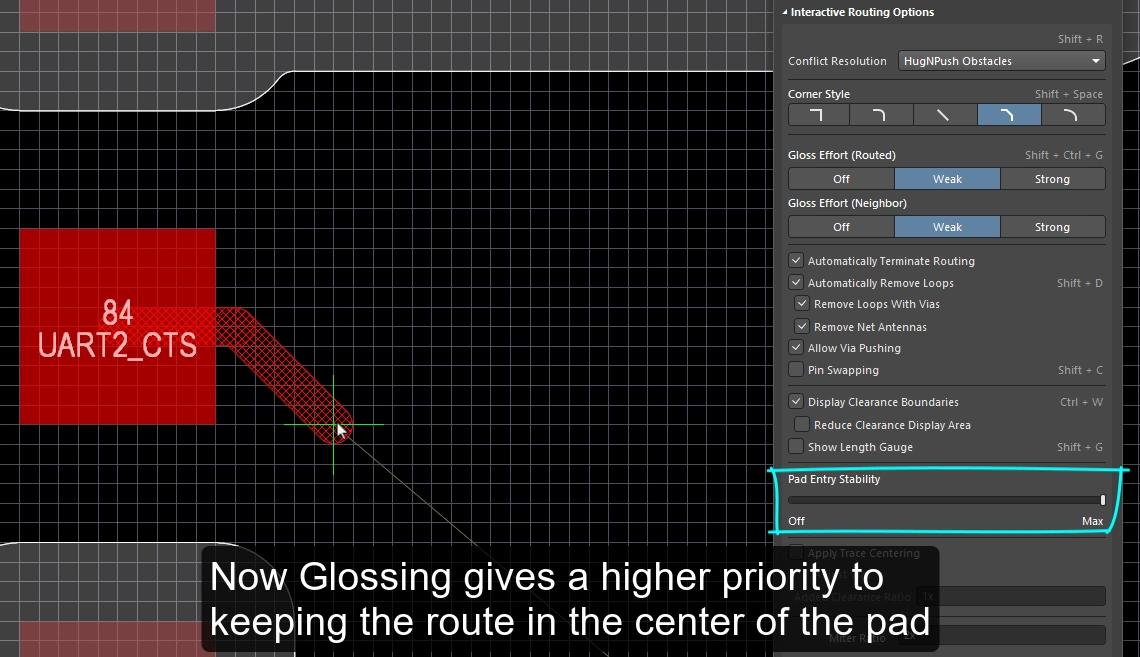
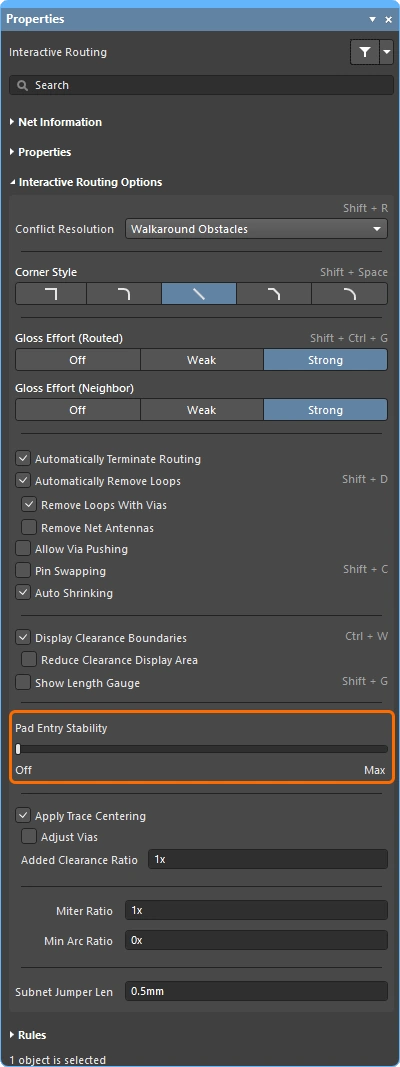
交互式布线引擎会根据适用的 SMD 焊盘进入设计约束,从表贴焊盘离开并进入表贴焊盘。当你进行布线或(滑动布线)时,退出/进入位置会根据当前的 gloss 强度设置持续进行修整。Glossing 是一套专门开发的复杂算法,用于生成更整洁的布线和焊盘进入方式,同时遵循适用设计规则的意图。 glossing 引擎还包含 Pad Entry Stability 功能,使设计人员能够指示 glossing 引擎优先靠近焊盘中心线。
SMD 焊盘进入设计约束
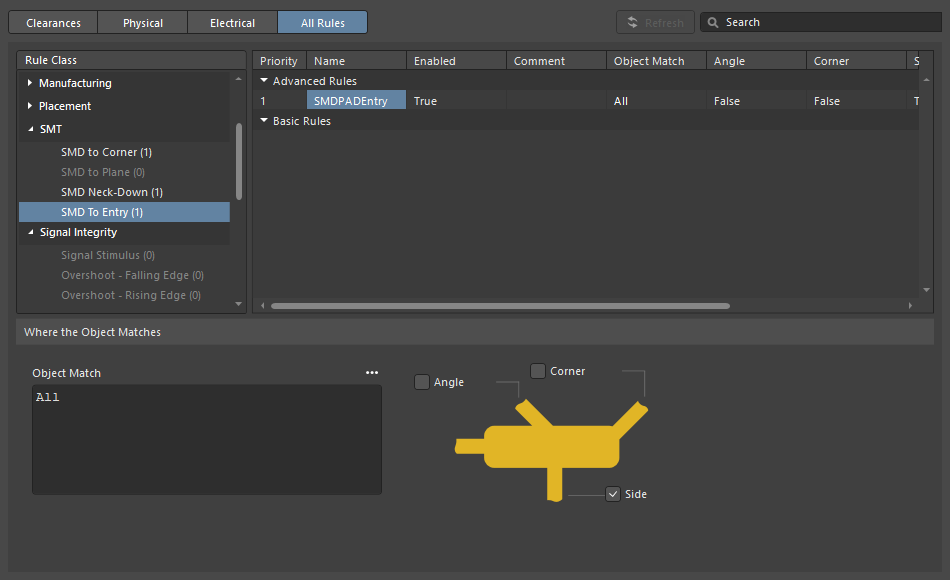
SMT Design Constraints 控制交互式布线器如何离开和进入表贴焊盘,这些约束应在开始布线流程之前进行配置。打开 PCB Rules and Constraints Editor dialog(从主菜单中点击 Design » Rules)以创建并配置这些设计规则。
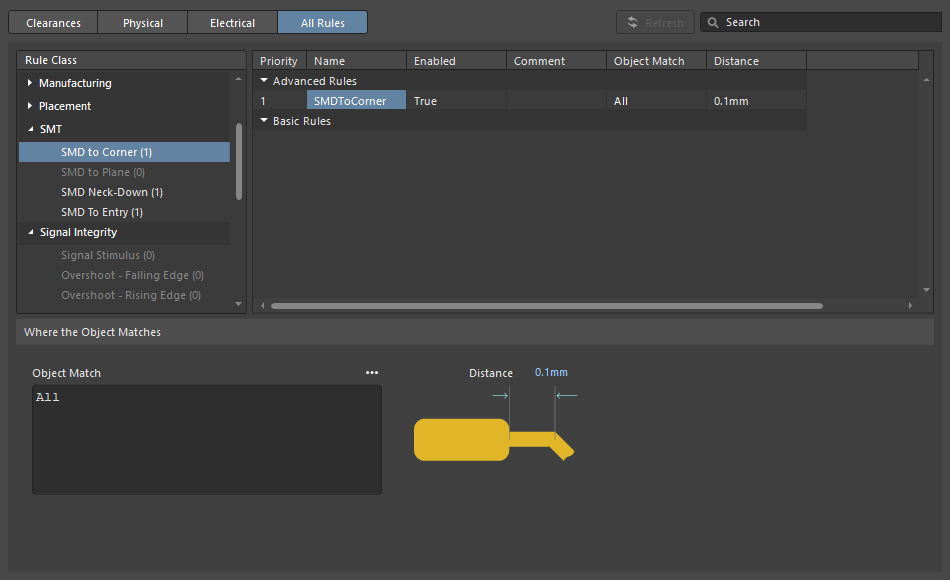
| SMD to Corner | 该约束定义了从焊盘边缘到第一个拐角所在顶点中心的距离。该值应大于走线宽度或适用的间隙规则值(取较大者)。如果必须小于该值,可以采用以下三种方法之一:
|
| SMD Entry | 该约束定义了走线允许从焊盘哪个位置进入。 对于此约束,焊盘的 Side 是较长的边。 |
Pad Entry Stability
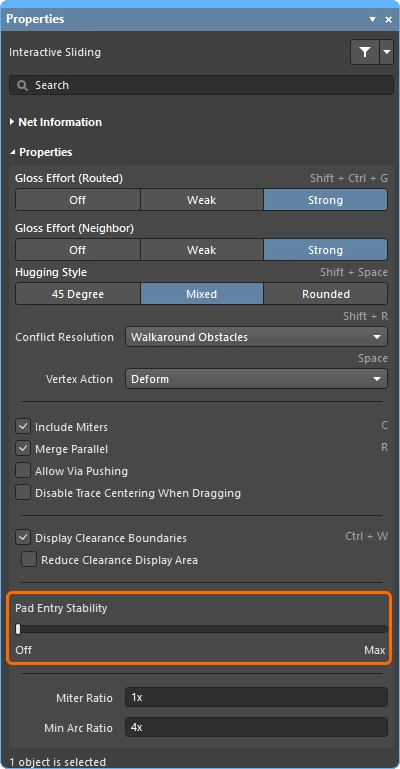
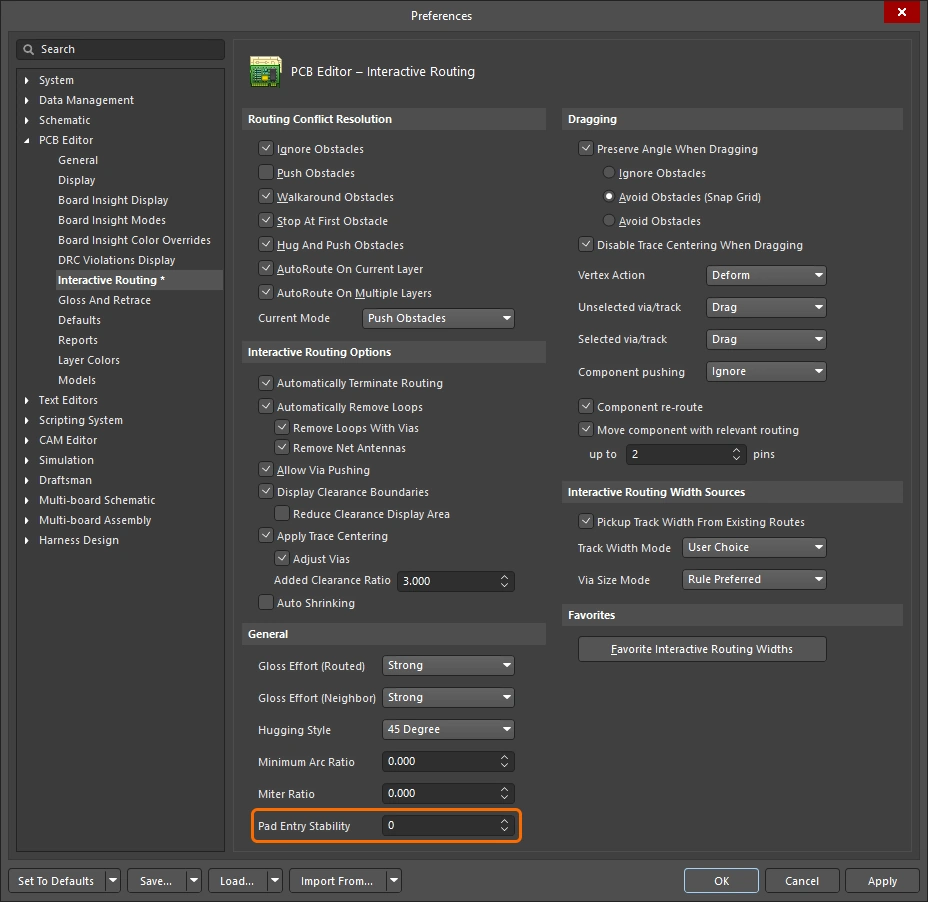
Pad Entry Stability 滑块用于保护居中的焊盘进入。它在 glossing 期间生效,用于保护已经居中的焊盘进入(退出)位置,而不会尝试将现有的偏离中心的焊盘进入重新居中。
-
0 (Off) =无保护 -
10 (Max) =最大保护
使用 Pad Entry Stability 功能有助于使走线保持在焊盘中心。
Center Routes Between Pads
交互式布线引擎遵循设计约束——当你在元件焊盘和过孔之间布线时,它会按照适用间隙约束所指定的最小间隙来放置走线段。 PCB 设计人员的一个常见需求是尽可能让走线在焊盘和过孔之间居中,从而最大化焊盘或过孔上的网络与正在布设的网络之间的间距。
Apply Trace Centering 选项可实现这一点。为了使居中算法具有灵活性,并可应用于任意两个焊盘、任意两个过孔,或任意一个焊盘与任意一个过孔之间,所需的居中距离被指定为适用间隙约束的倍数,其中:
Distance = Clearance + Added Clearance Ratio x Clearance
交互式布线引擎会尝试以此 Distance 绕过目标焊盘/过孔进行布线,并在从走线另一边缘到最近焊盘或过孔的距离小于 Distance 时,自动减小(并居中)该距离。
在可能的情况下,为正在布设或拖动的网络与现有焊盘/过孔之间增加额外间隙。
Pad Entry Stability |
|
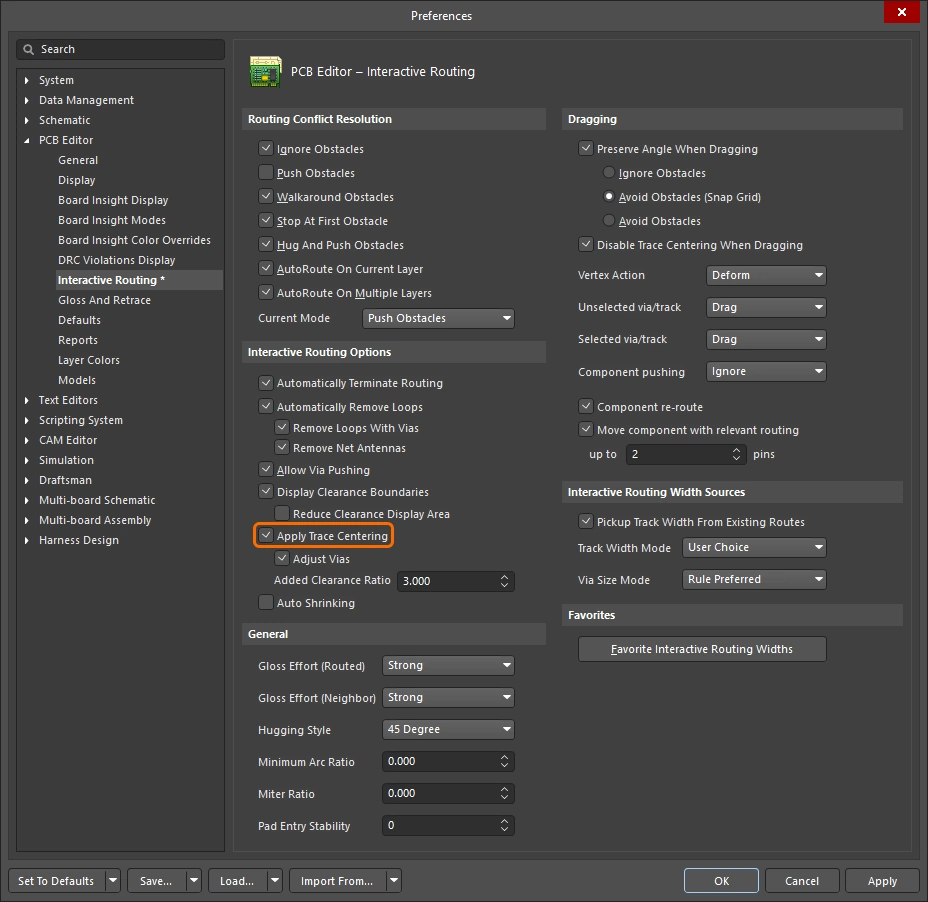
| Apply trace centering | 当启用 Apply Trace Centering 选项时,trace centering 会在交互式布线和交互式滑动期间应用。当布线引擎检测到走线正在穿过焊盘/过孔之间时,它会尝试使走线居中,最大距离可达到适用间隙约束加上适用间隙约束乘以 Added Clearance Ratio。使用 Disable Trace Centering When Dragging option 可在交互式滑动期间禁用居中。 |
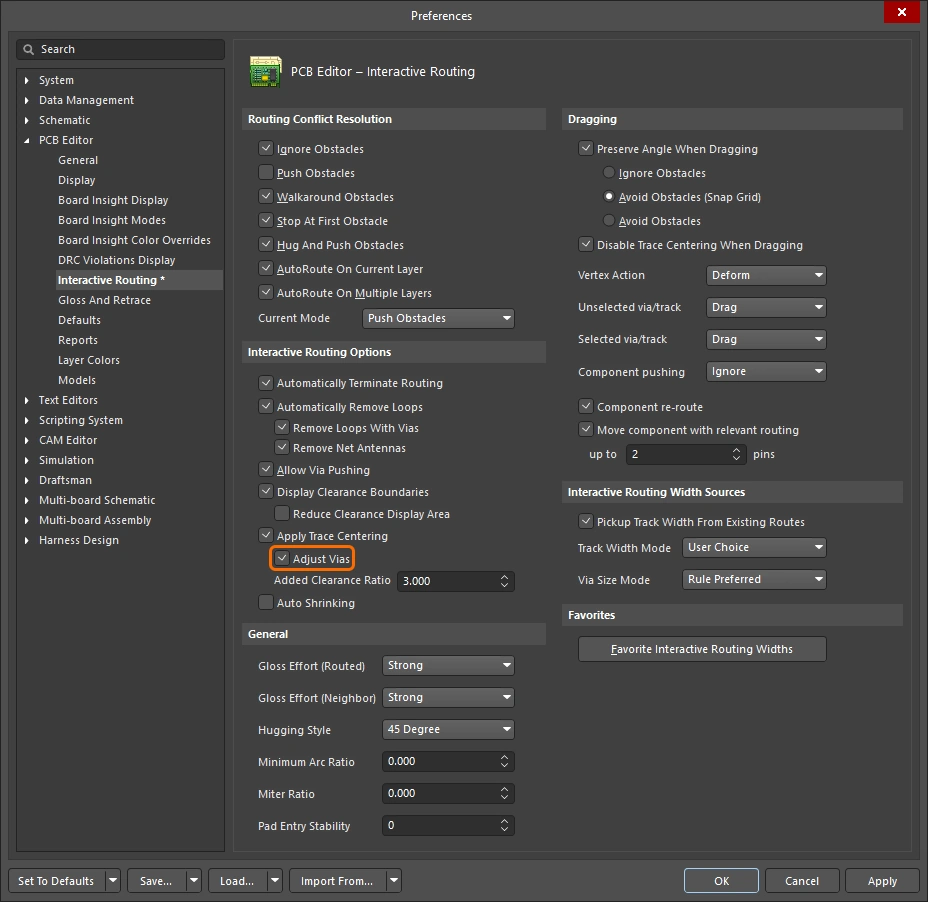
| Center between what? | trace centering 功能不要求焊盘属于同一个元件,它可以在任意两个焊盘、任意两个过孔,或任意一个焊盘与任意一个过孔之间实现居中。使用 Adjust Vias option 可启用/禁用过孔-过孔或过孔-焊盘组合之间的居中。 |
| Where is the center? | 该功能不是尝试识别相关焊盘/过孔之间的几何中心,而是使用适用间隙的一个乘数,然后将其加到间隙值上。例如,如果适用间隙为 0.15 mm,将该选项设置为 2,则会指示布线引擎在可能的情况下,以 0.15 + 2*0.15 = 0.45 mm 的间距避开现有焊盘和过孔。如有需要,布线引擎随后可以将该间距减小到指定的间隙值。 |
Auto-Shrinking during Routing
现代元件技术带来的一个挑战是,网络在板上走线时需要使用不同的线宽。在局部层面,可能需要在走线穿过元件引脚之间时缩窄线宽;在整板层面,可能需要缩小所有穿过 BGA 元件底部焊球之间的走线宽度。交互式布线以不同方式支持这些需求。
局部自动缩窄
交互式布线中的一个常见挑战是,当走线接近元件焊盘时,往往差一点无法从它们之间通过。设计人员可以交互式地缩小走线宽度(在设计约束允许的范围内),以较窄的线宽从引脚之间通过,然后再交互式地加宽线宽并继续布设该网络。你也可以不手动控制这一过程,而是启用 Auto Shrinking feature。
基于区域的自动缩窄
BGA 元件使用由许多小且间距很近的焊盘组成的阵列。这使其布线颇具挑战,通常需要减小布线宽度,才能连到内侧几排焊盘。 这可以在交互式布线过程中,使用本页所述技术手动实现。您也可以通过添加放置房间和基于房间的布线宽度约束来自动执行这种宽度切换行为。由于交互式布线器会遵循这些约束,因此当走线进入或离开放间时,会自动缩颈并恢复原宽。
房间内的布线宽度和间隙会自动调整。
在区域内缩小布线宽度 |
|
| Define the area | |
| Define the width | 布线宽度由适用的Routing Width Constraint ( |
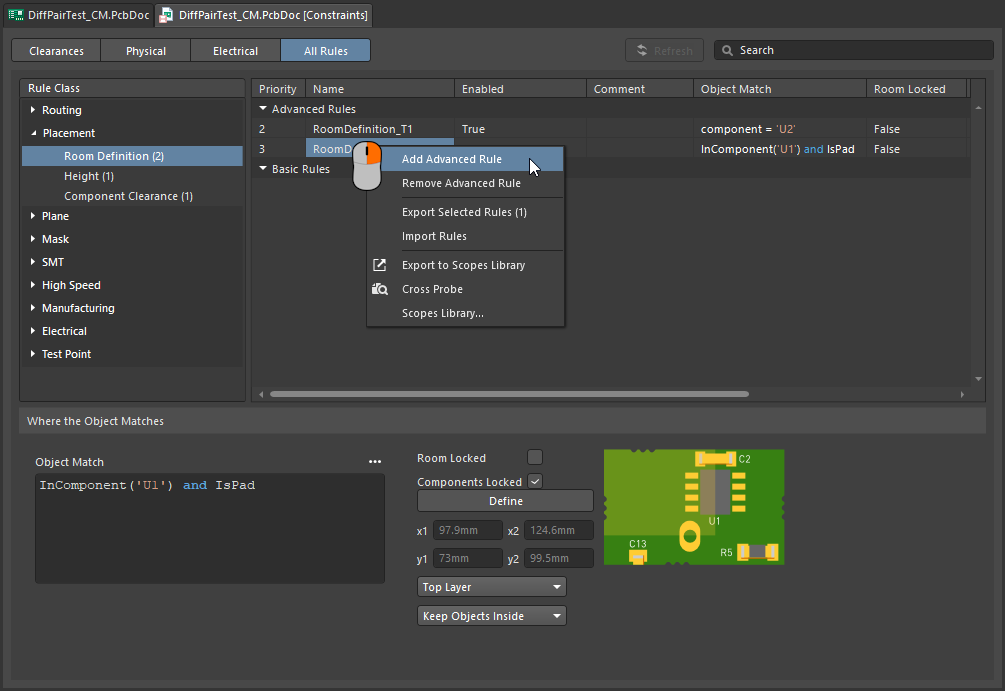 )
)了解更多有关在房间内定义约束的信息。
Follow mode – Tracing an Existing Shape
一个较具挑战性的需求是让布线沿着现有形状或轮廓走线。该轮廓可能是障碍物、挖空区、板边,或者现有走线。
无需通过小心且精确地移动鼠标并点击,沿着轮廓手动布线,以确保新走线紧贴轮廓;在 Follow 模式下,您只需单击指定希望跟随的轮廓,然后移动光标定义布线方向。交互式布线器会添加走线段和圆弧段,使新走线在符合适用设计规则的前提下沿轮廓前进。此功能在放置曲线走线时尤其有用。
使用 Follow 模式可精确沿现有形状进行布线。
沿轮廓布线 |
|
| 第一步 | 启动 Interactive Routing 命令,并像平常一样单击要布线的网络。 |
| 启用 Follow 模式 | 开始布线后,按下 在上方视频中,第一条走线跟随的是电路板挖空区,之后其余各条走线则跟随前一条走线。 |
| To place the follow route | 鼠标下一次左键单击会被解释为跟随布线的终止点,单击后将恢复为常规交互式布线。 |
| To abort Follow mode | 按下 Backspace 可退出 Follow 模式并恢复常规交互式布线。或者按下 Esc 可中止 Follow 模式,同时中止该连接的布线。 |
| Differential pairs | Follow 模式同样支持差分对 (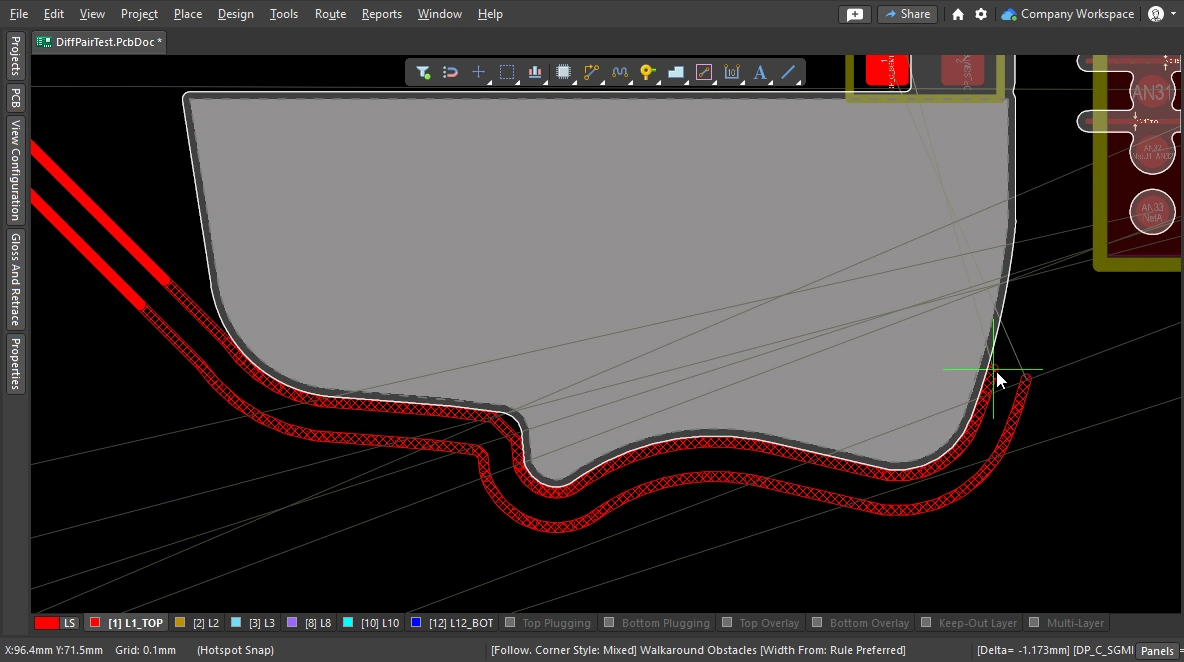 )。 )。 |
Intentionally shorting different nets
有时确实需要有意连接两个不同的网络,这并不少见。例如,您可能需要以受控方式连接模拟地与数字地。这可通过 Net Tie 元件将两个网络连接起来实现。Net Tie 元件本质上只是一个受控短路,让您可以决定网络在板上的连接位置。
朝着 Net Tie 焊盘布线时的难点在于,规则引擎会认为即将发生违规,从而阻止您布线到 Net Tie 焊盘。如果从 Net Tie 焊盘开始布线,则不会出现这种情况。或者,您也可以暂时将 Routing Mode 切换为 Ignore Obstacle。
要对 Net Tie 进行布线,请从 Net Tie 焊盘向外布线。
了解更多有关有意连接两个网络的信息。
Fanout and Escape Routes
Altium Designer 包含表面贴装元件扇出工具,也支持 BGA 逃逸布线。逃逸布线引擎会尝试将每个焊盘布线到器件边缘之外一点的位置,从而使后续连接更容易。扇出设计用于在交互式布线或自动布线之前运行,并且只会尝试对未布线的元件执行扇出。
扇出和逃逸布线可从主菜单的 Route » Fanout 子菜单启动,或使用元件右键菜单中的 Component Actions » Fanout Component 命令启动。
设置扇出选项
选择任一扇出命令后,会打开 Fanout Options 对话框。该对话框包含控制项,可用于指定扇出和逃逸布线选项,以及使用盲孔的选项。只有在 Layer Stack Manager 的 Via Types 选项卡 中定义了合适的盲孔类型时,盲孔选项才可用。
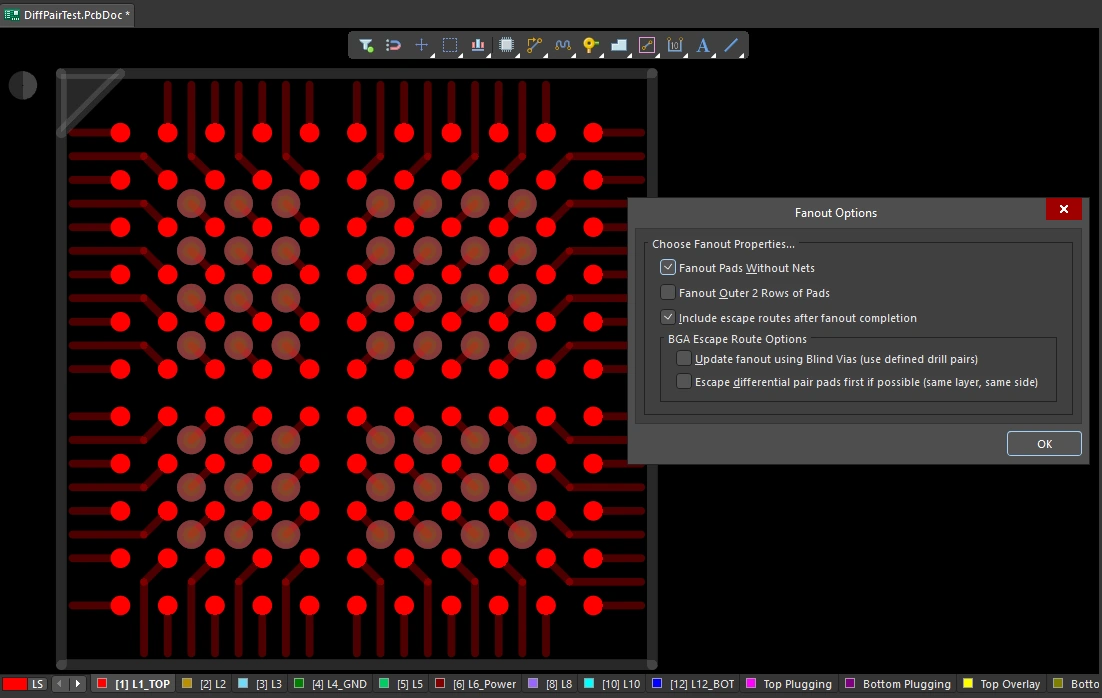 已完成扇出的 BGA,焊盘显示为实心,扇出走线和过孔显示为半透明。该扇出基于对话框中的设置,并遵循 Fanout Control 约束。
扇出选项 ( |
|
| Fanout Pads Without Nets | 启用此选项后,即使元件焊盘未分配任何网络,也会对其执行扇出。禁用此选项时,仅对已分配网络的焊盘执行扇出。 |
| Fanout Outer 2 Rows of Pads | 启用此选项后,也会对最外侧两排焊盘执行扇出(这些焊盘通常较容易布线)。 |
| Include escape routes after fanout completion | 启用此选项可为每个扇出添加逃逸布线。逃逸布线会在扇出过孔和元件焊盘上放置走线,将其引出到元件边缘。 |
| Update fanout using Blind Vias (BGA escape routing only) | 启用此选项,可在层叠中已配置的钻孔对层之间放置盲孔。禁用此选项时,无论钻孔对层设置如何,都只会放置通孔。若未定义可用于盲孔的钻层对,则该选项将显示为 Cannot Fanout using Blind Vias (no layer pairs defined)。 |
| Escape differential pair pads first if possible (same layer, same side) | 启用此选项,可在执行其他扇出操作之前,将所有已分配的差分对网络一起进行扇出和逃逸布线,从而有效保持它们的走线成对。扇出会尽可能将逃逸布线轨迹放置在同一层且彼此相邻。 |
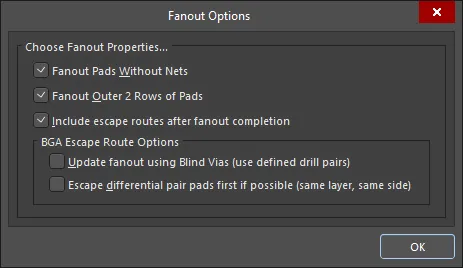 )
)扇出行为
已使用的内部焊盘会首先采用传统的狗骨式结构进行扇出(即末端带过孔的一小段短走线),以接入另一层;然后再从该过孔进行逃逸布线,将其引出到器件边缘之外一点的位置,并在可用布线层中逐层处理,直到所有焊盘都完成逃逸布线。 系统会生成并打开一份报告,列出所有无法完成逃逸布线的焊盘;单击报告中的某一项即可交叉探测到 PCB 并检查该对象。
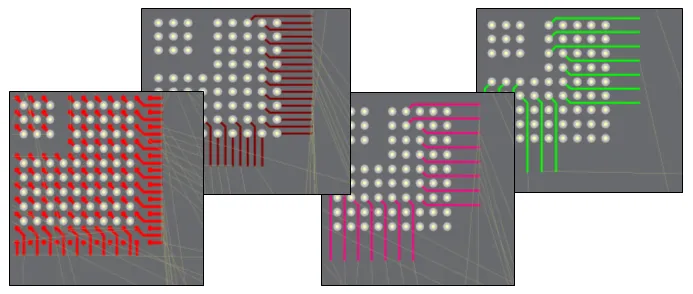 1 mm 间距 BGA 的扇出和逃逸布线示例。
执行扇出 |
|
| Running a fanout | 从 Route » Fanout 子菜单中选择所需的扇出命令。无论选择哪个菜单命令,都会打开 Fanout Options 对话框。完成配置并单击“确定”后,将执行所选扇出。 |
| What controls the fanout process? | 除 Fanout Options 对话框中的设置外,扇出和逃逸布线还会依据适用的设计约束执行,包括 Fanout Control、Routing Width、Routing Via Style (用于扇出过孔)、Routing Layers 以及 Electrical Clearance 约束。 |
| Why does nothing happen when I run a fanout command? | 这可能是由于以下原因造成的:
|
| Why do some of the fanouts show violations as soon as they have been placed? |
|
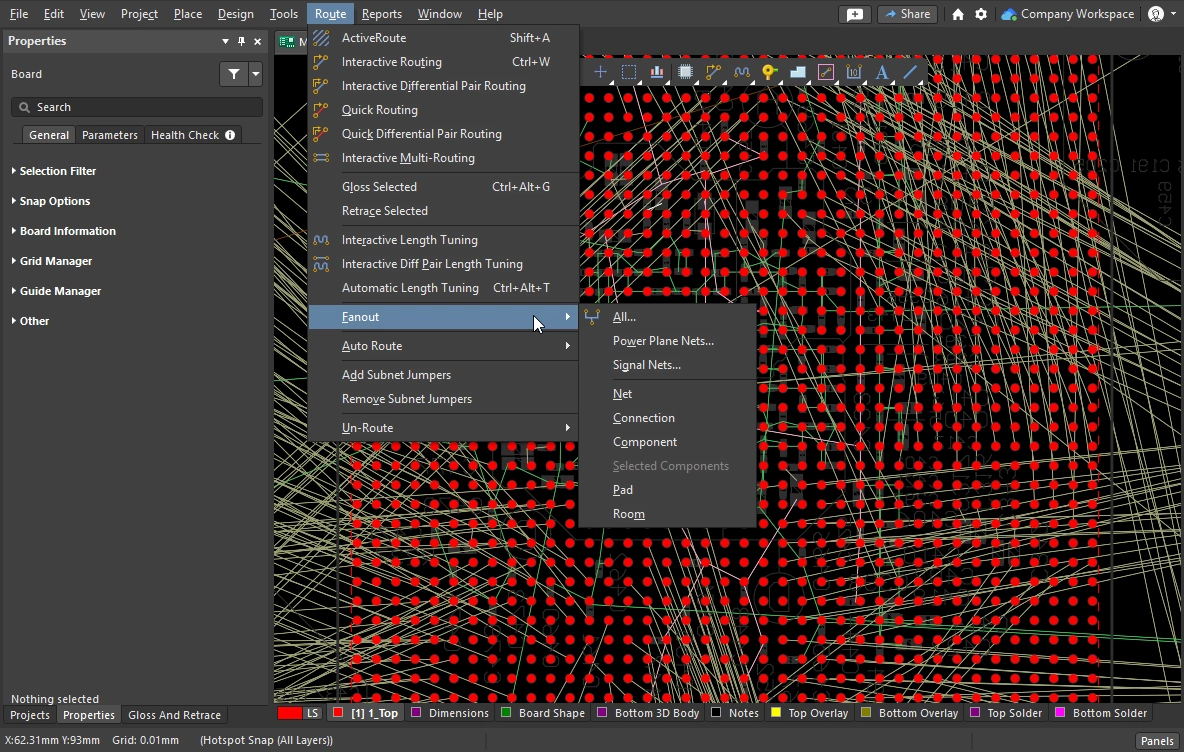
扇出命令
所有扇出命令都可在 Route » Fanout 子菜单中找到。你也可以对当前光标下的元件执行扇出:右键单击某个元件,然后在上下文菜单中选择 Fanout Component。
 )
)
Interactive Multi-Routing
在 PCB 上,通常会有一些需要沿同一路径一起布线的信号组,例如地址总线和数据总线。为此,交互式布线器提供了 interactive multi-routing 命令。多路布线过程在多路布线 Properties 面板(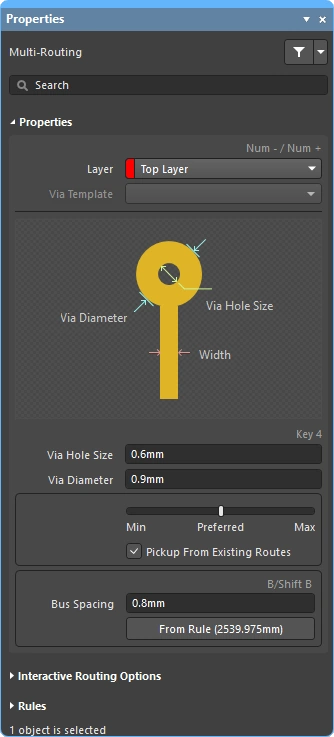 )中配置,也可使用快捷键进行控制。
可以同时对多个已选网络执行多路布线。
在交互式多路布线期间,按 Tab 打开 Properties 面板并配置相关设置。
执行多路布线
| Choose the connections to route | 启动该命令之前,先选择要包含在布线中的每个网络的源焊盘。 Shift+click 用于选择单个焊盘,Ctrl+click and drag 用于绘制选择框并对子对象焊盘进行多选。 |
| Start multi-routing | Interactive Multi-Routing 命令可从 Route 菜单或 Active Bar (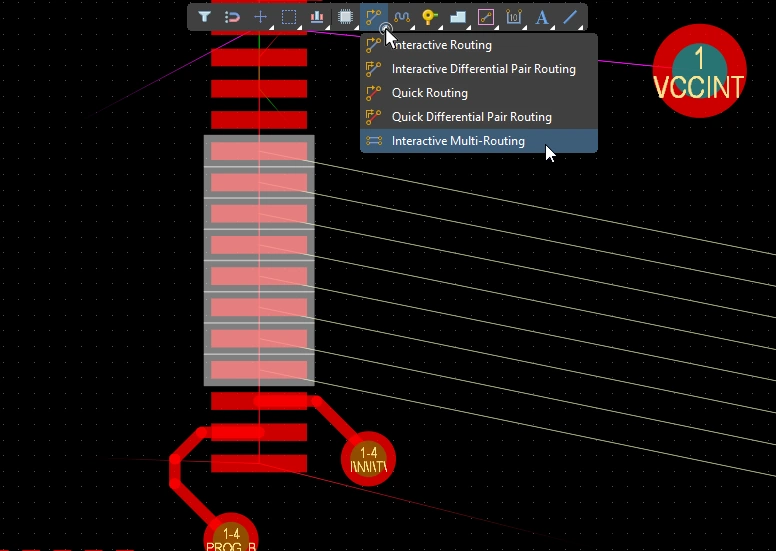 )中访问。 启动该命令后,系统会提示你单击以开始多路布线。只需在设计空间中单击需要放置第一组走线段的位置,然后继续朝目标位置进行布线即可。 )中访问。 启动该命令后,系统会提示你单击以开始多路布线。只需在设计空间中单击需要放置第一组走线段的位置,然后继续朝目标位置进行布线即可。 |
| Controlling the track spacing | 使用 B 快捷键减小总线间距,使用(Shift+B)快捷键增大总线间距,调整步进为当前捕捉栅格。按 C 可使总线间距收敛到适用 Routing Width 设计约束允许的最小值。 |
| Changing the route properties |
多路布线属性()
| Layer | 正在放置多路布线的层。使用下拉列表可选择其他层,系统会自动添加过孔。或者,也可以使用 层切换快捷键。 |
| Via Template | 如果该过孔关联了模板,则此处会显示模板名称,并可通过下拉列表进行更改。 了解更多关于 焊盘和过孔模板 的信息。 |
| Via Hole Size | 显示将要使用的过孔孔径。该值可直接编辑,但必须在适用的 routing via style 设计约束允许的范围内。 |
| Via Diameter | 显示将要使用的过孔直径。该值可直接编辑,但必须在适用的 routing via style 设计约束允许的范围内。 |
| Routing width selector | 使用滑块将布线宽度设置为适用布线宽度约束中定义的最小值/首选值/最大值。 |
| Pickup From Existing Routes | 启用此选项后,当你从现有走线开始布线时,将使用现有走线宽度(覆盖滑动选择器中选定的宽度)。 |
| Bus Spacing | 输入所需的总线间距,或使用 |
| From Rule | 单击该按钮(或使用 C 快捷键)可将总线间距更改为适用 Electrical Clearance 约束所定义的距离。 |
交互式布线选项
多路布线设计约束(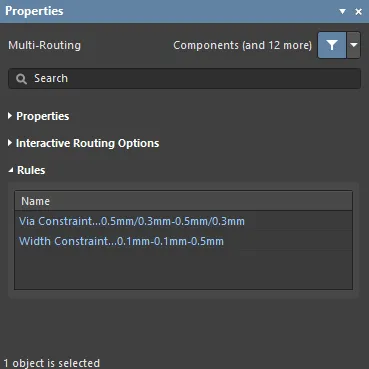 )
)
适用的布线和过孔约束将列在 Rules 面板的 Properties 部分下。
Subnet Jumpers
基于 FPGA 的设计的一大优势在于,布线挑战可以同时在 PCB 和 FPGA 中解决,从而有可能减少布线层数并简化 PCB。要实现这一点,设计系统必须同时支持 PCB 驱动和 FPGA 驱动的引脚交换。Altium Designer 支持在 PCB 编辑器中进行引脚交换,范围从简单的 2 引脚元件到高引脚数 FPGA。
为了在设计过程的任何阶段(包括在已布线的 PCB 上)支持引脚交换,PCB 编辑器可以添加和移除称为 subnet jumpers 的小型布线连接器。子网络跳线是一小段走线,软件会将其识别为一种可轻松放置和删除的元素;既可以通过 Add 和 Remove Subnet Jumper 命令在 Route 菜单中手动操作,也可以在交互式布线期间,如果你将走线连接到可交换引脚,则由布线引擎自动添加。


 )
)在交互式布线期间,如果目标是可交换布线而不是同网络布线,则会自动添加子网络跳线。
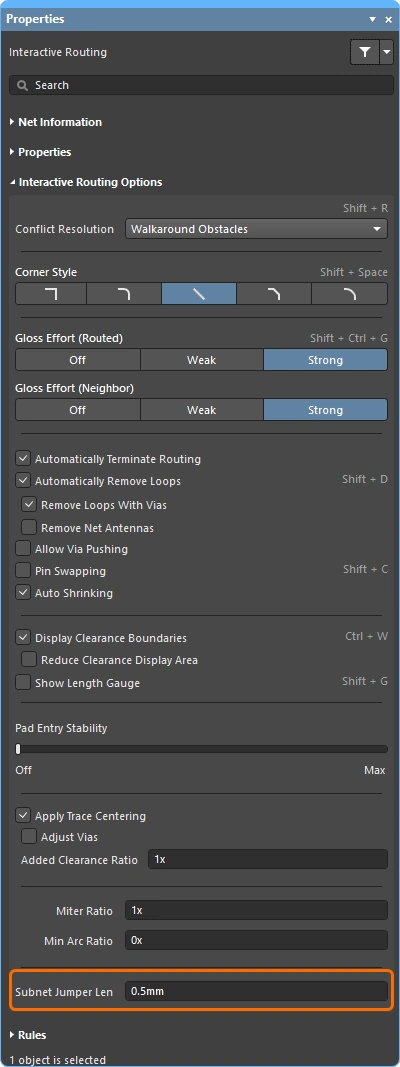 )。
)。
Quick Routing Tools
对于设计要求较低的设计人员,还提供了一对 quick routing 命令。 Quick Routing 工具以直观的方式帮助最大化布线效率和灵活性,包括沿光标路径铺设布线段、单击即可完成布线、推挤或绕过障碍物,以及自动跟随现有连接,同时全部遵循适用的设计规则。
Quick Routing 命令(可从主菜单和 Active Bar 访问)提供更轻量的布线功能,设置和能力更少,适用于较简单的设计。其总体行为和快捷键与标准 Interactive Routing 命令相同。
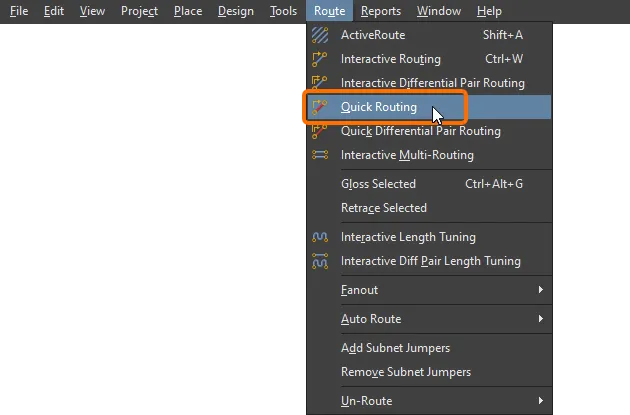
功能概述 |
|
| Includes | 功能包括:
|
| Does not support | 该布线器被称为 Quick ,因为它提供的是精简功能集。 Quick Router 不包含的功能包括:
如果您需要上述任一功能,请使用 Interactive Routing 工具。 |
网络信息(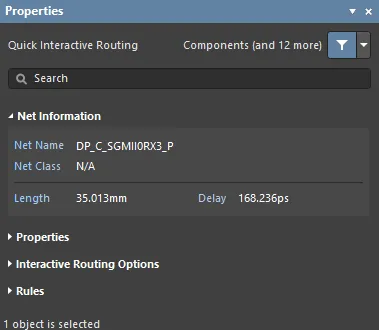 )
)
在交互式布线和交互式滑移期间,当前编辑的网络详细信息会显示在 Properties 面板的 Net Information 区域中。
Quick Routing 属性(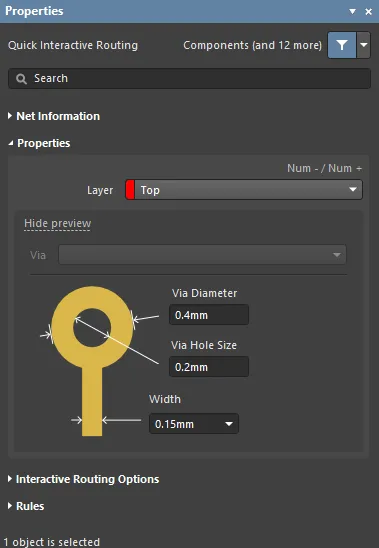 )
)
| Layer | 正在放置走线的层。使用下拉列表可选择其他层,系统会自动添加过孔。或者,也可使用 层切换快捷键。 |
| Via | 如果该过孔关联了模板 ,这里会显示模板名称,并可通过下拉列表进行更改。 进一步了解 焊盘和过孔模板。 |
| Via Diameter | 显示将要使用的过孔直径。该值可直接编辑,但必须在适用的布线过孔样式设计约束允许的范围内。 |
| Via Hole Size | 显示将要使用的过孔孔径。该值可直接编辑,但必须在适用的布线过孔样式设计约束允许的范围内。 |
| Width selector | 使用下拉列表将布线宽度设置为适用布线宽度约束中定义的最小值/首选值/最大值,或输入一个新值(介于布线宽度约束定义的最小值和最大值之间)。 |
交互式布线选项(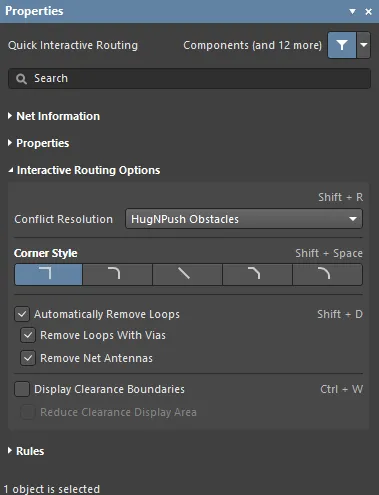 )
)
可用的交互式布线选项列在 Properties 面板的 Interactive Routing Options 区域下。
设计约束(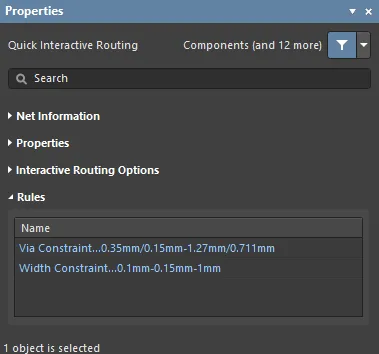 )
)
适用的布线和过孔约束列在 Properties 面板的 Rules 区域下。
更新布线
布线是一个交互式过程,在完成电路板设计时,设计人员需要不断调整、更新,甚至移除现有布线。
更改布线最简单的方法是单击、按住并将该走线拖动到新位置。有时滑移并不是解决方案,您需要重新布设某一段。交互式布线引擎支持这一点,它使用一种称为 Loop Removal 的功能。 该功能会监控交互式布线过程,如果检测到一条新路径与现有路径平行布设,就会自动移除旧的冗余线段。
拖拽现有布线称为 Interactive Sliding,在滑移过程中,其控制项会显示在 Properties 面板中(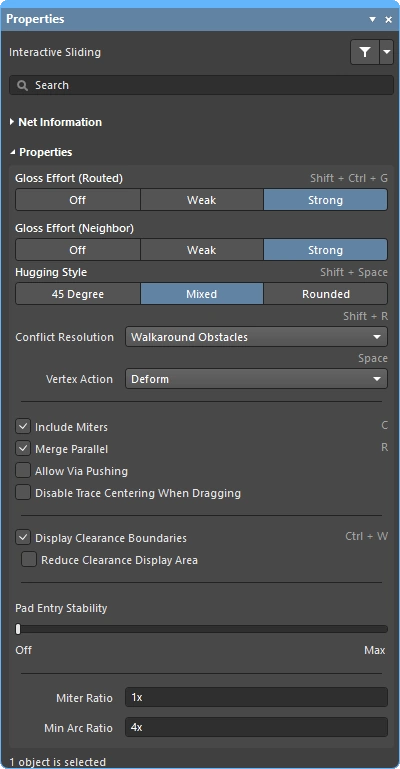 )。在滑移期间,交互式布线引擎会在遵守适用设计约束的同时,尽量保持布线质量。 控制滑移过程的关键功能包括:布线冲突解决模式(对障碍物的响应)、gloss 强度(整理结果所做的优化力度)以及 hugging(绕过障碍并形成转角)。还有许多功能可支持交互式滑移,包括 T 形连接和顶点拖拽、过孔拖拽,以及差分对拖拽支持。
此外,还有一些功能支持拖拽已布线的元件。
Strategies for Selecting the Routing
交互式软件工具面临的一大挑战,是如何让这些工具顺畅地衔接到设计人员的指尖操作中 ,使其能够轻松、流畅地在创建、重塑和清理布线等各种任务之间切换。要做到这一点,必须能够轻松选择感兴趣的布线。
也许选择一条布线最简单的方法是单击目标网络中的任意对象,然后按下 Tab 键,如下方视频所示。
使用 Tab 快捷键进行布线选择技术演示。
当您按下 Tab 时:
-
第一次 – 选择同一层上的所有 connected 布线对象
-
第二次 – 选择所有连接的布线对象 all layers
-
第三次 – 选择设计空间中的 all objects on that net(如果没有未连接的网络对象,则跳过)
-
第四次 – 返回到初始选择集
布线选择技术 |
|
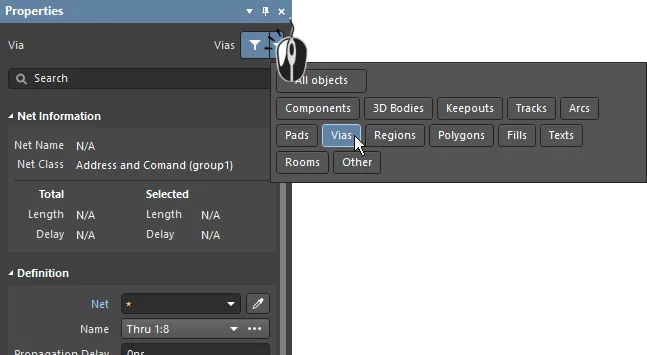
| What can be selected? | Altium Designer 中的所有图形编辑器都包含一个 selection filter。该过滤器定义了当前可供选择的对象类型,可在 Properties 面板( |
| Left Mouse Click | 单击可选择光标下的对象。如果光标下有多个对象,则只会根据 优先级顺序 选择其中一个。如果鼠标不移动,则之后每次单击鼠标都会按其优先级选择堆叠中的下一个对象。 |
| Selection rectangle – everything touched | 在空白区域单击并向左拖动,会形成一个绿色选择矩形(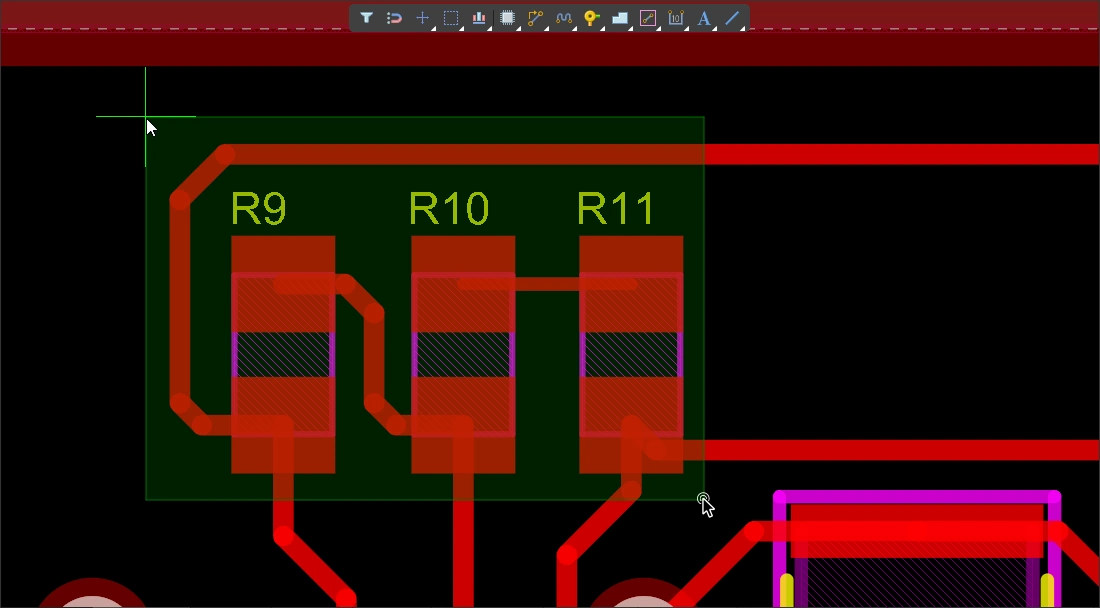 )。任何被绿色矩形碰到的对象都会被选中( )。任何被绿色矩形碰到的对象都会被选中(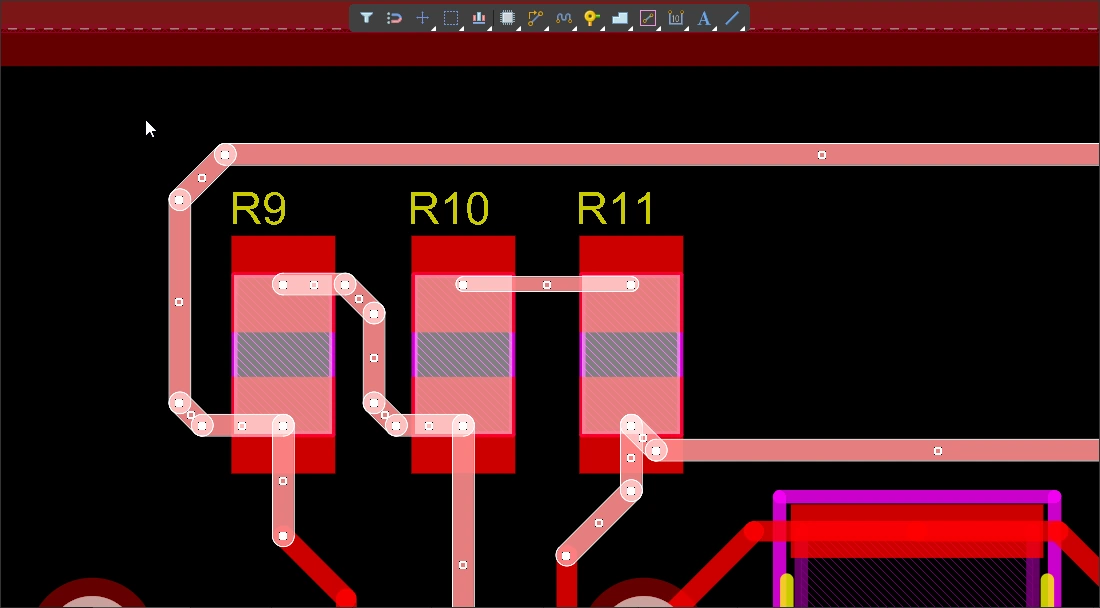 )(前提是选择过滤器允许)。 )(前提是选择过滤器允许)。 |
| Selection rectangle – objects within | 在空白区域单击并向右拖动,会形成一个蓝色选择矩形(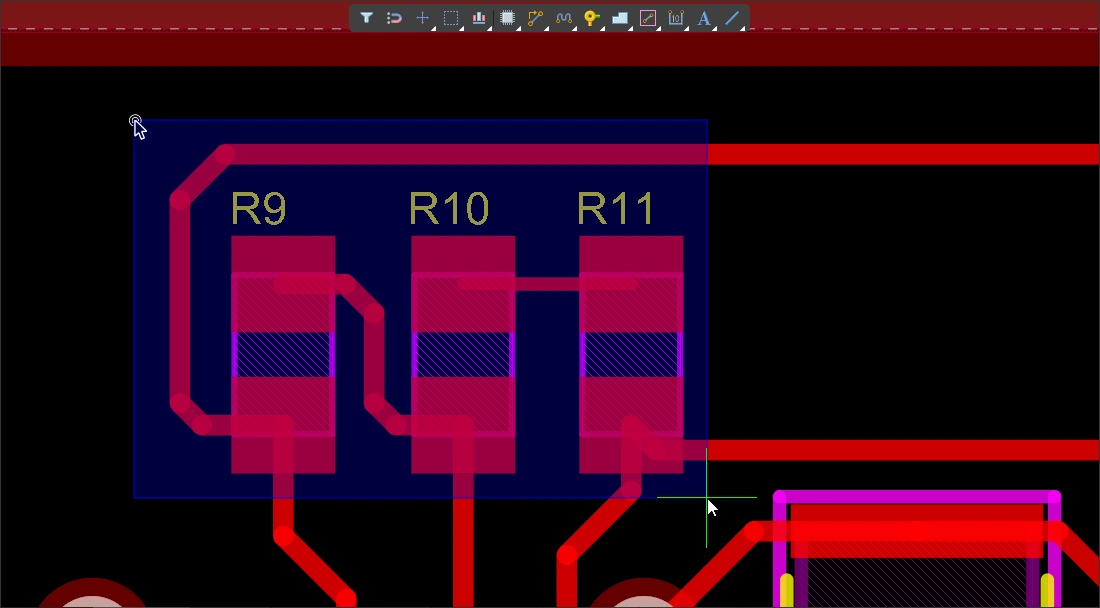 )。任何被蓝色矩形完全包围的对象都会被选中( )。任何被蓝色矩形完全包围的对象都会被选中(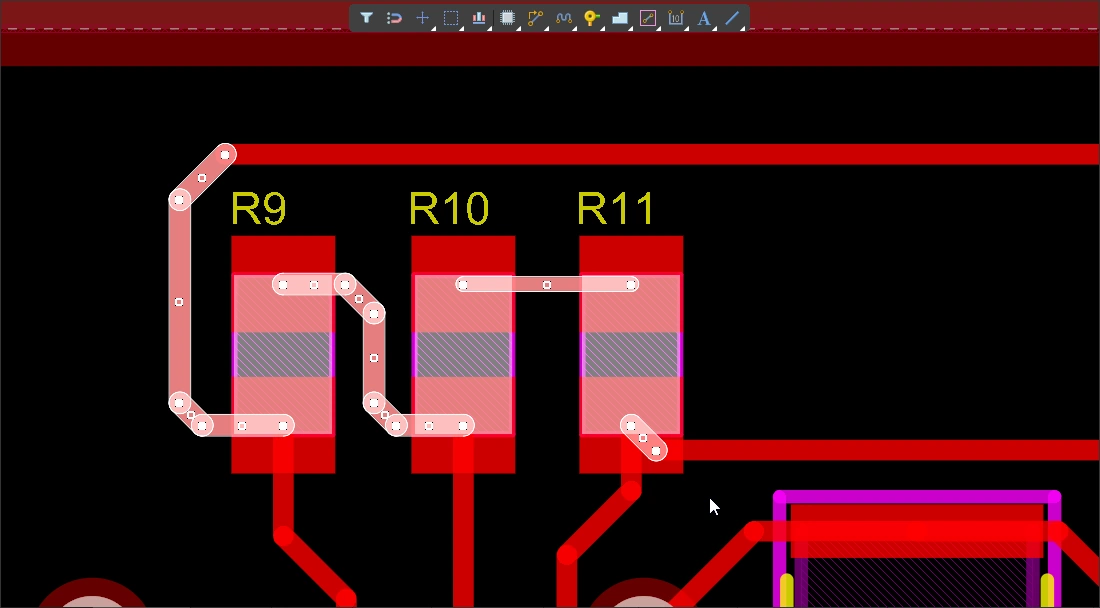 )(前提是选择过滤器允许)。 )(前提是选择过滤器允许)。 |
| Select a connection line | Alt+Left click and drag left(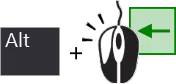 )。 所有被绿色选择矩形碰到的可见连接线都会被选中。 )。 所有被绿色选择矩形碰到的可见连接线都会被选中。 |
| Select existing routes | Left click and drag left( )。 凡是被绿色选择框碰触到的、未锁定的走线段都会被选中。使用 Tab 键可在这些网络中选择更多走线段。 )。 凡是被绿色选择框碰触到的、未锁定的走线段都会被选中。使用 Tab 键可在这些网络中选择更多走线段。 |
| Select routes under a component |
|
| Select component pads | Ctrl+Left click and drag left(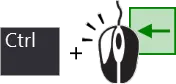 )。 凡是被绿色选择框碰触到的、未锁定的元件焊盘都会被选中。 )。 凡是被绿色选择框碰触到的、未锁定的元件焊盘都会被选中。 |
| Adding to the selection | 按住 Shift 可保留当前选择,同时继续选择其他对象。 |
| Selecting from the PCB panel | 如果你知道要选择的对象,但不知道它在哪里,可以使用 PCB 面板来定位并选择:网络、差分对、元件等。不仅可以在该面板中进行选择,还可以将其配置为缩放到对象,并淡化(遮罩或变暗)所有其他对象( 了解更多关于 PCB 面板 的信息。 |
| Accessing all of the selection commands | 选择 Edit » Select 菜单可访问 PCB 编辑器的所有选择命令( 例如,按 |
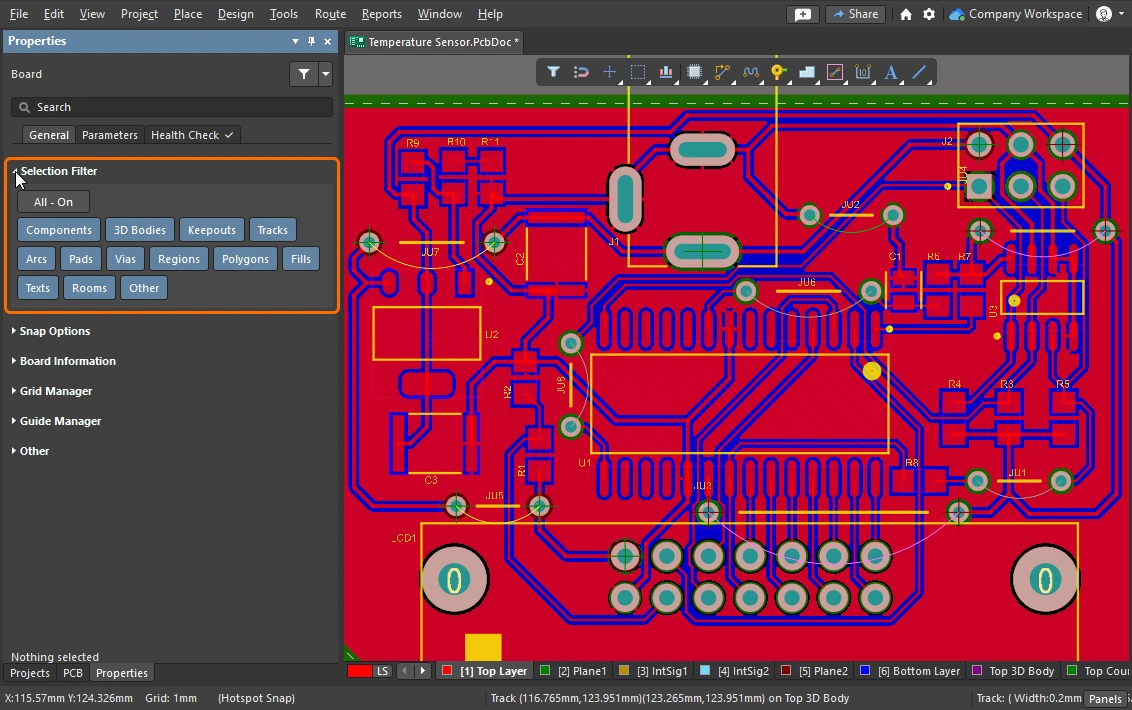 )以及 Active Bar(
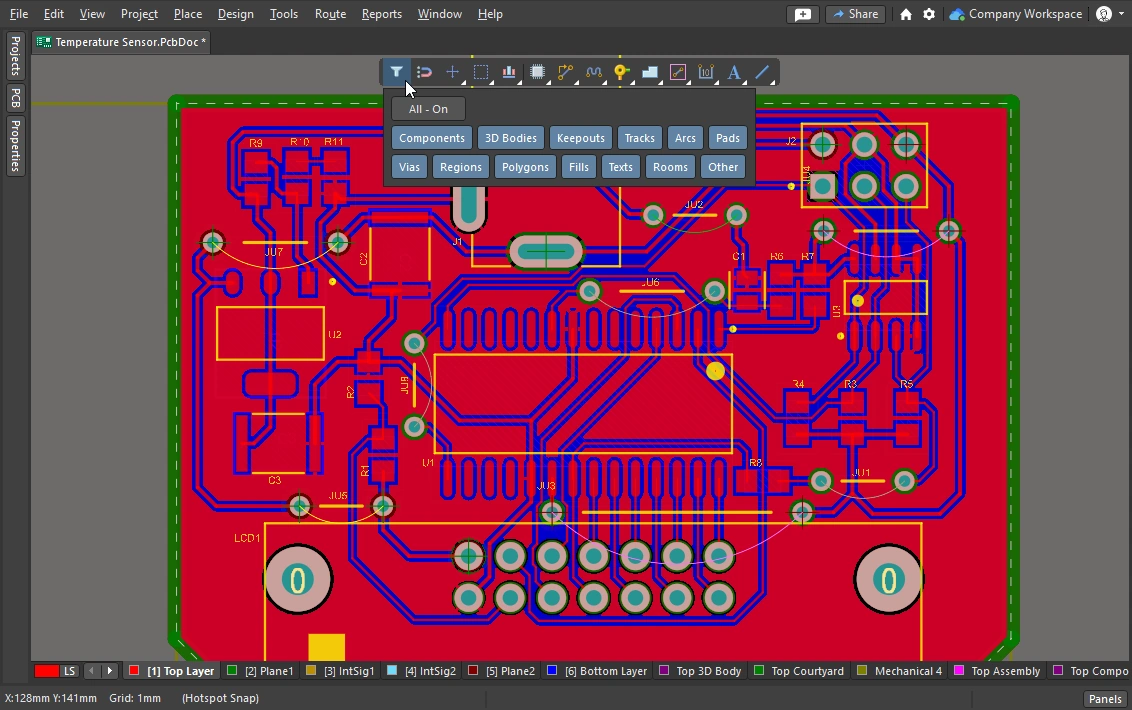 )中访问。必须在 Selection Filter 中启用某种对象类型must,才能选择它。
 )。被绿色选择框碰触到的所有未锁定走线段 都会被选中。如果不使用 Shift,单击并拖动可能会被解释为移动对象; 如果是这样,走线上的元件将会移动。不过该元件也会被选中;当你按下 Tab 以选择相连的走线段时,该元件会被取消选择。 另外,也可以使用
 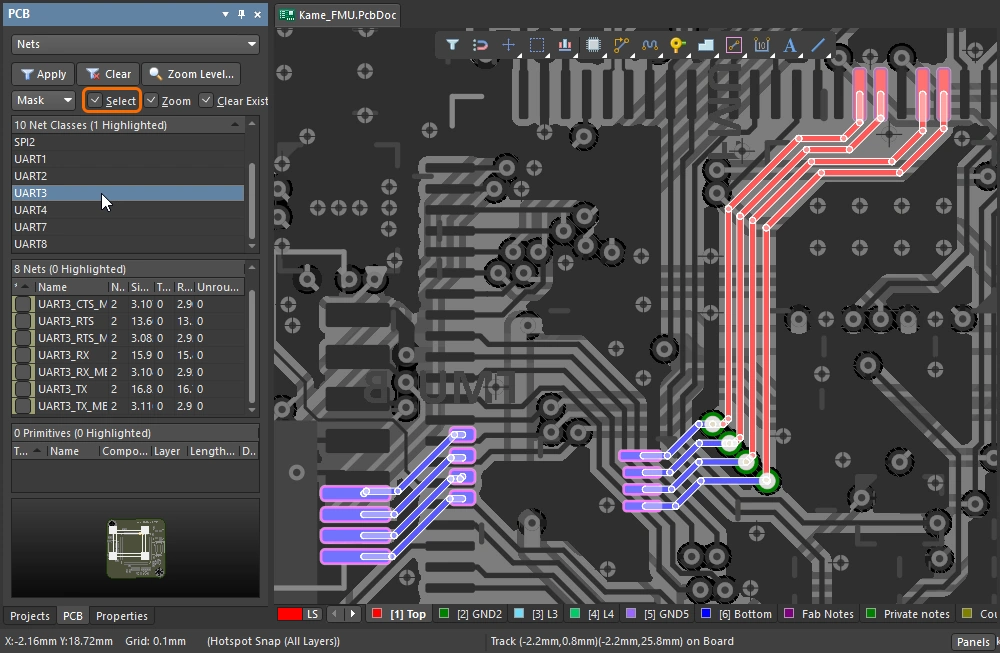 )。
)。
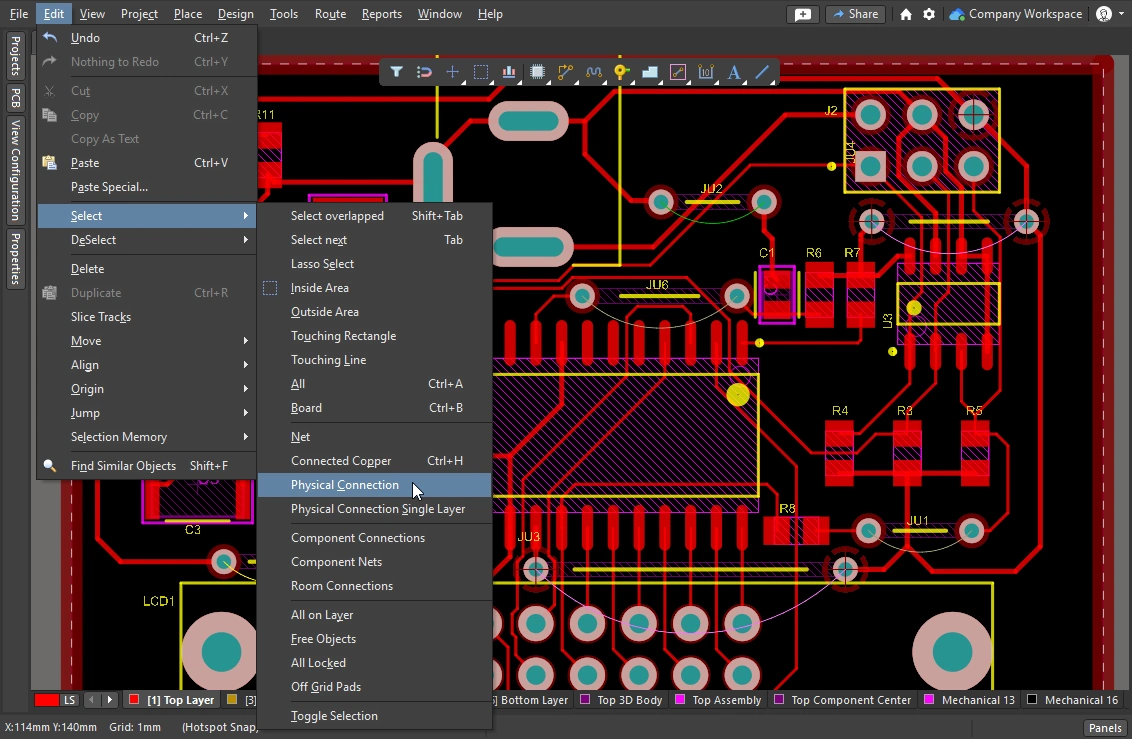 )。请注意,Select 子菜单也可以随时通过按下
 本节总结了布线选择技巧,更多内容请参阅 PCB 编辑器对象选择命令。
Cleaning and Clearing the Routes
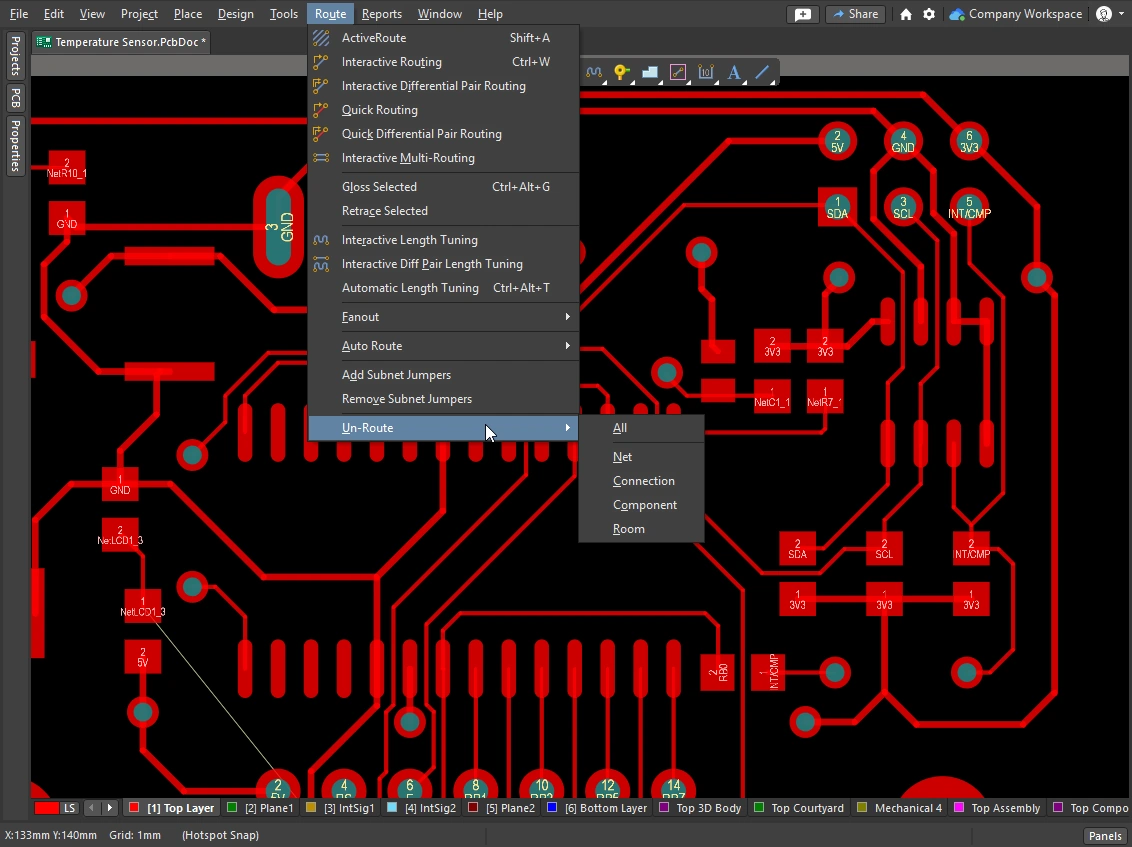
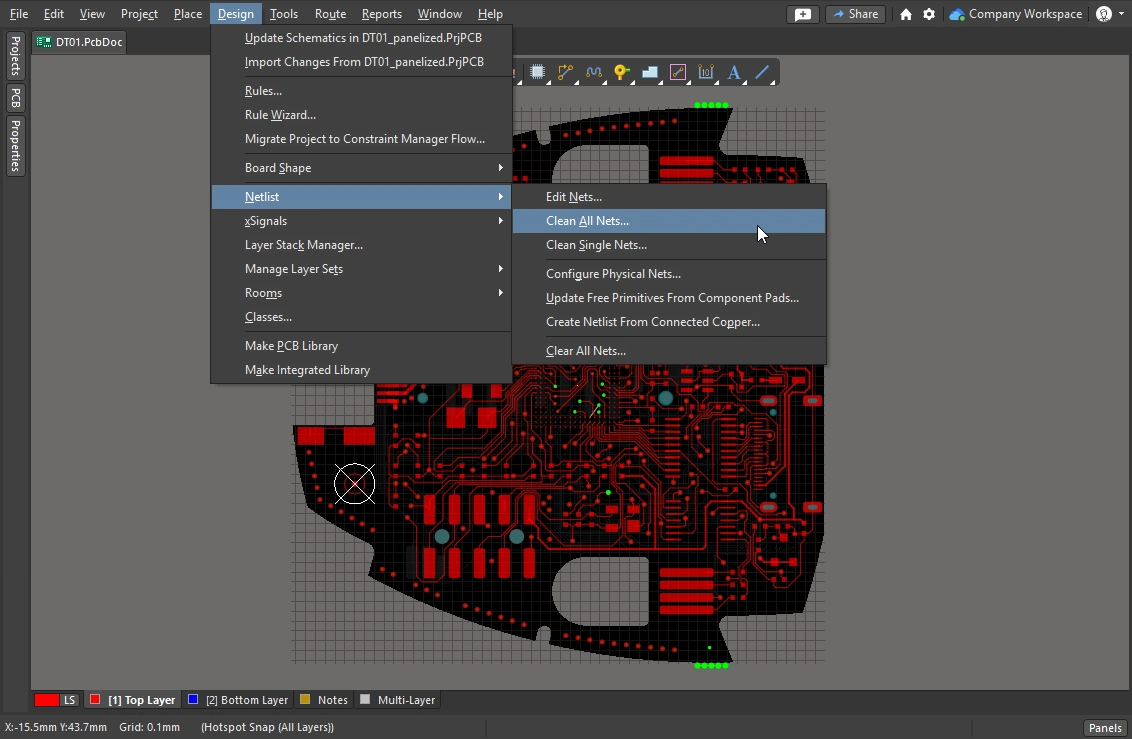
若要移除整个网络的布线,可以先选中该网络,然后按 Delete —— 连接性引擎会自动恢复连接线。你也可能需要有选择地移除一段布线,例如撤销单个物理连接的布线,或将若干走线段一直删除回路线上的某个特定点。
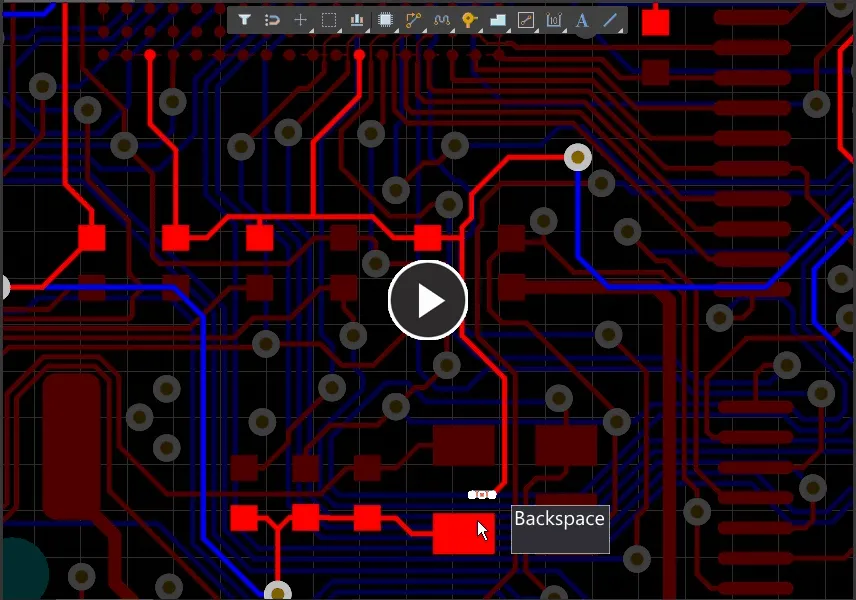
使用 Backspace 键可删除一个线段,并选中最后接触到的线段。
 )
)
 )
)
Reroute and Remove Loops
在布线过程中,有时你需要更改现有布线路径。若路径变更较复杂,与其滑移现有布线,不如重新布一条新路径,这样往往更高效。Automatic Loop Removal 功能正是为此提供支持。
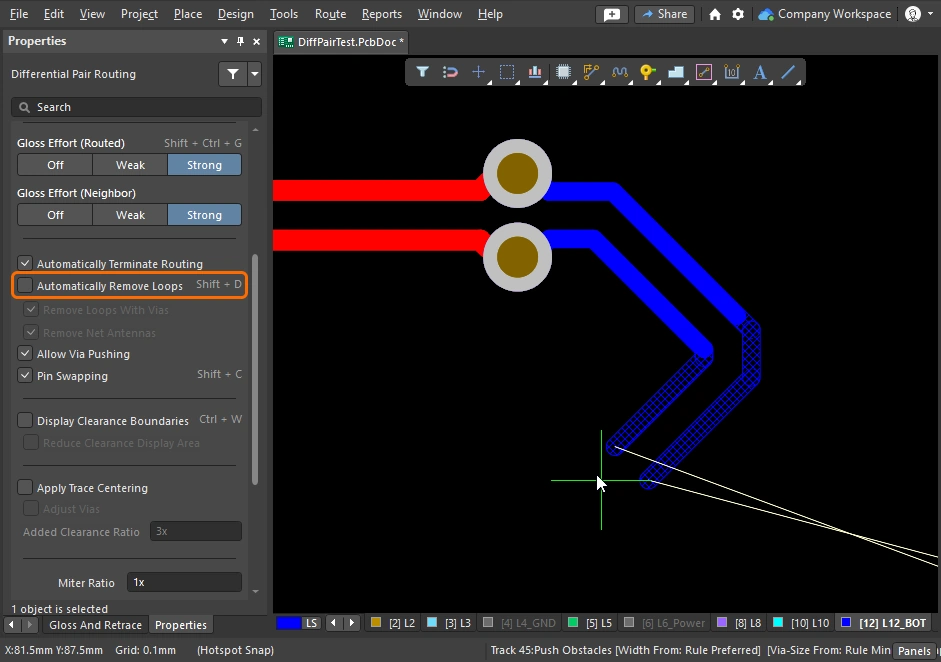
此功能会监控交互式布线过程;如果检测到新路径与现有路径平行布设,它会自动删除旧的冗余线段。该选项默认开启(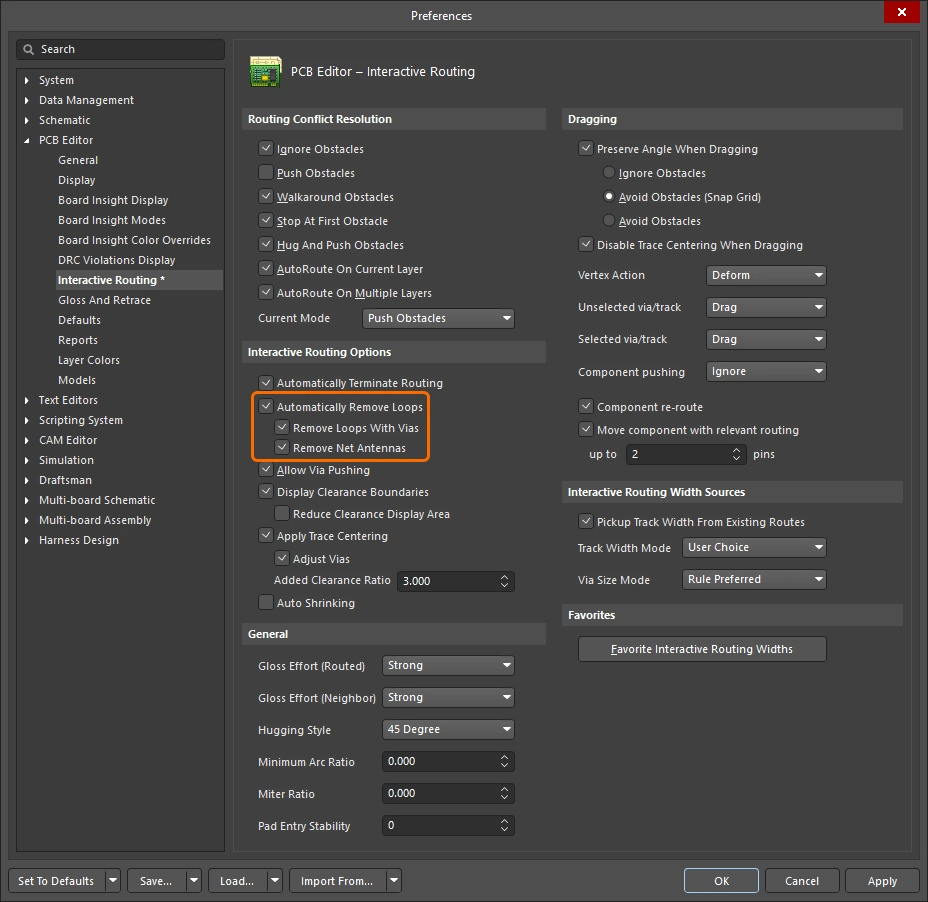 ),并应用于所有网络。对于选定网络可以禁用此功能,或者在交互式布线期间临时禁用,以便创建特定回路。如果随后重新为该网络启用回路移除,刚创建的回路将会被保留。
启用 Automatic Loop Removal 后,当新的布线路径返回并与现有走线相接时,旧回路会被自动删除。
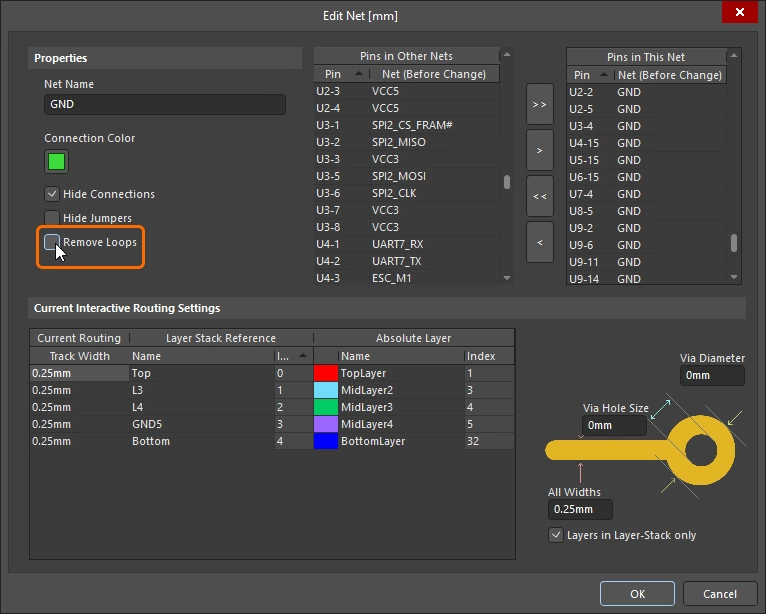 ),或者右击网络名称并使用上下文菜单中的命令(
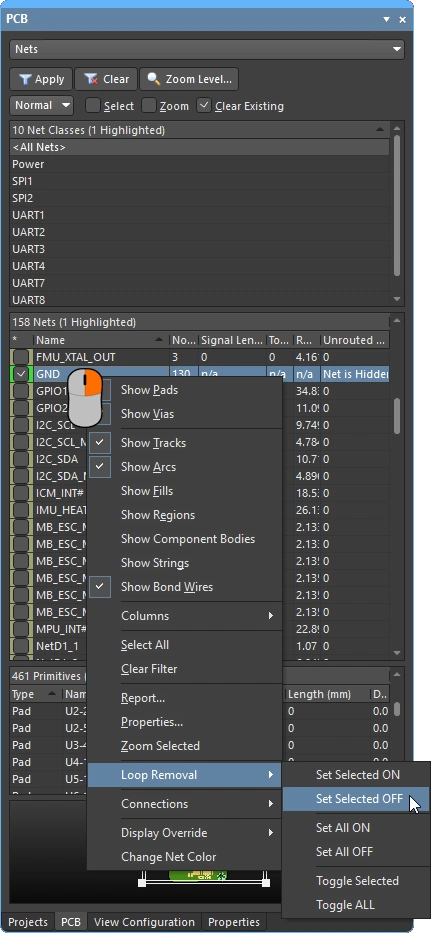 )。
)。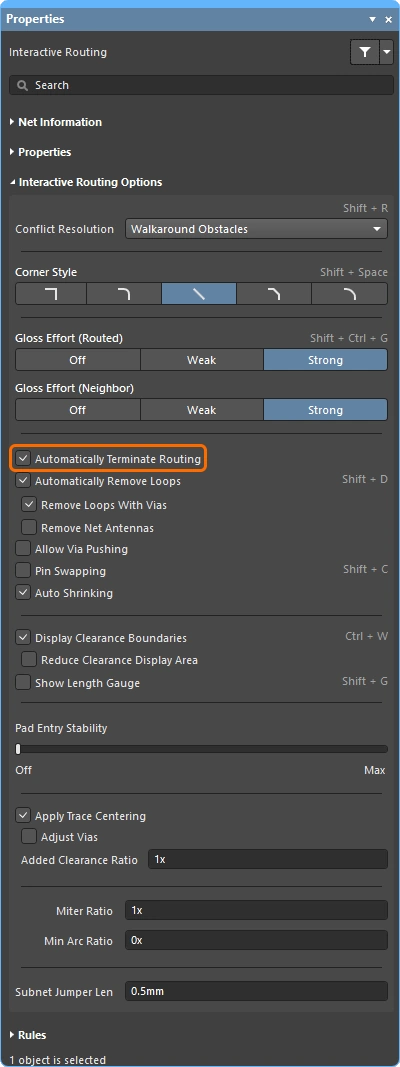 )。
)。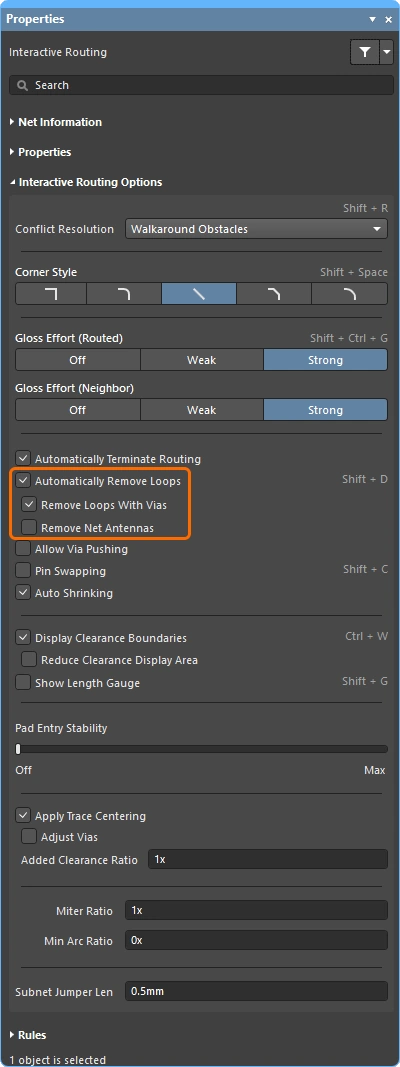 )。请注意,以过孔终止的 antenna 在自动回路移除期间始终会被保留。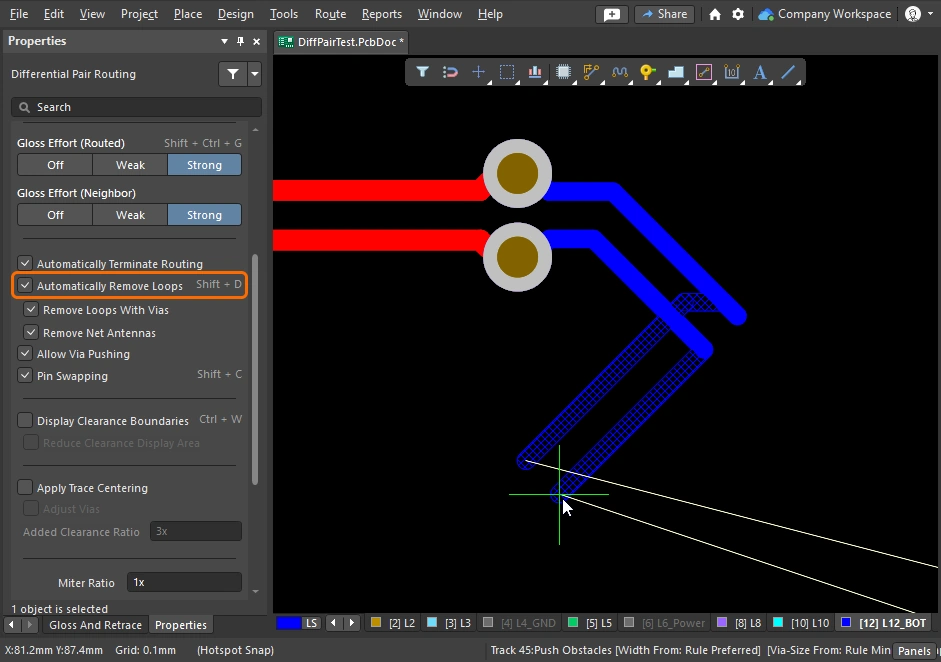
Moving the Routing
拖动现有走线称为 interactive sliding. 交互式滑动的控制项可在 Preferences 对话框中找到(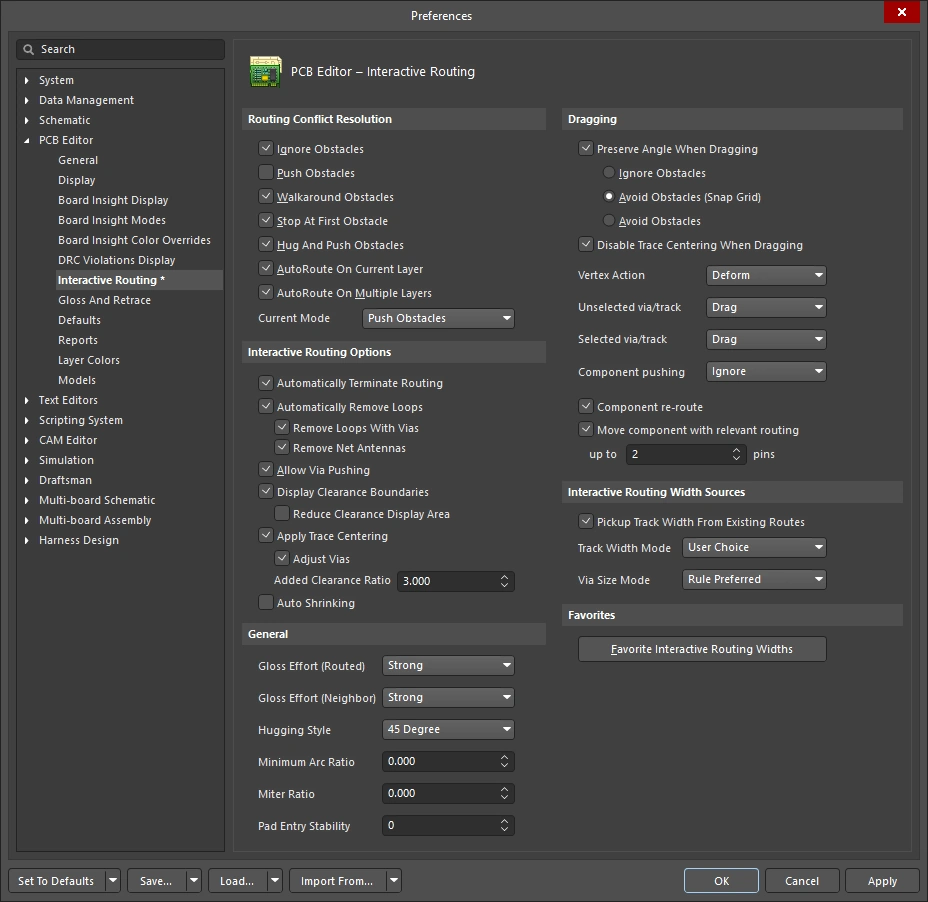 ),也可以在滑动期间按下
 Tab,通过 Properties 面板访问()。在滑动期间,交互式布线引擎会在遵守适用设计约束的同时,尽力保持布线质量。
控制滑动过程的关键特性包括:布线冲突解决模式(对障碍物的响应)、光顺强度(整理结果的力度)以及 hugging(绕过障碍物并形成拐角)。还有许多支持交互式滑动的功能,包括 T 形连接与顶点拖动、过孔拖动,以及差分对拖动支持。
演示如何使用交互式滑动修改现有布线。
交互式滑动(拖动) |
|
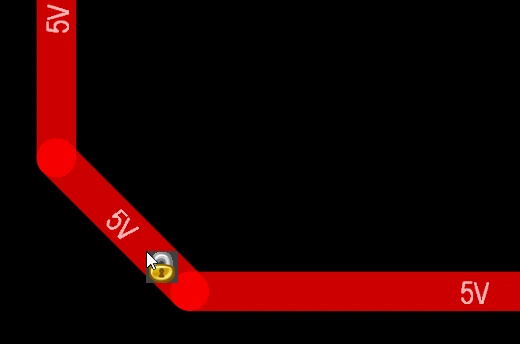
| To slide (drag) a track | 单击并按住走线段,然后移动鼠标开始滑动该走线。 PCB 编辑器会自动保持与相连线段之间的 45/90 度角度,并根据需要缩短或加长它们。 交互式滑动也支持非正交布线。 如果走线无法移动,可能是该走线已锁定(会出现图标提示 |
| To change the sliding behavior | 在滑动期间按下 Tab 可访问 Properties 面板,你可以在那里更改任意交互式滑动设置()。这些设置既控制正在滑动的走线,也控制在滑动时被推挤的相邻走线。 请根据电路板使用的布线风格配置滑动选项——例如,如果你的布线具有对角拐角,则 Hugging Style 应设置为 45 Degree。在滑动过程中,按 Shift+Spacebar 快捷键可循环切换 Hugging Style 模式。 |
| How the sliding routes are impacted | 滑动时移动走线会被重塑到什么程度,由当前的 Gloss Effort (Routed) 设置决定( |
How the sliding route responds to existing objects |
滑动期间,会应用某一种 Routing Conflict Resolution 模式(Ignore、Push、HugNPush)(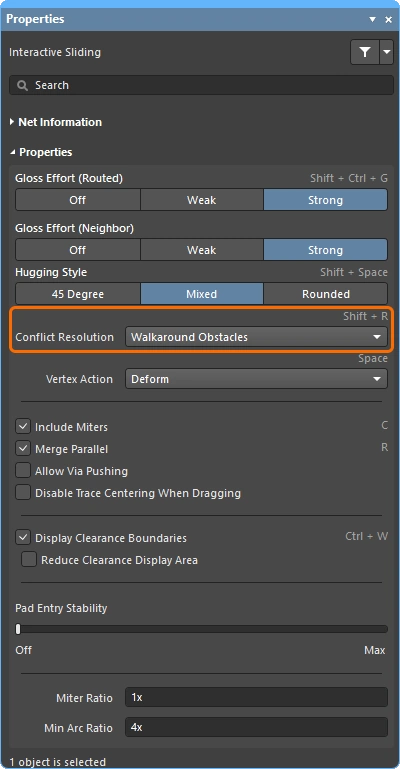 )。拖动走线段时按 Shift+R 可循环切换这些模式。 )。拖动走线段时按 Shift+R 可循环切换这些模式。 |
| How neighboring routes are impacted | 移动走线对邻近布线的影响由当前的 Gloss Effort (Neighbor) 设置控制(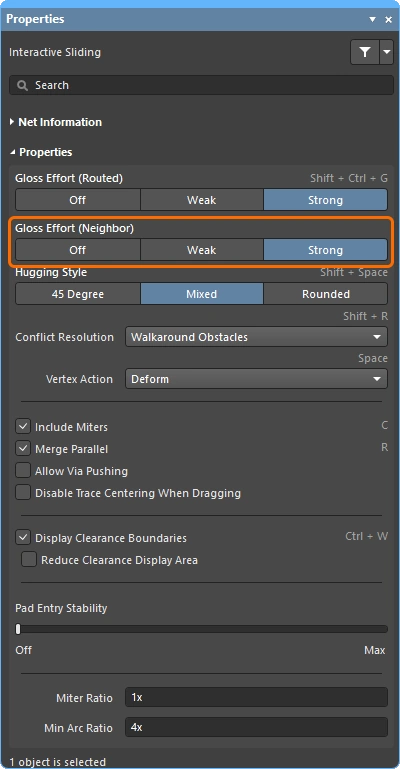 );在滑动时按 Tab 可更改该设置。 );在滑动时按 Tab 可更改该设置。 |
| Hugging - how glossing wraps around other objects and forms corners | 光顺引擎如何让走线绕过其他对象并形成拐角,被称为 hugging。可用的 Hugging Style 设置包括:
|
| 滑动走线拐角 | 交互式滑动引擎包含专门用于拖动顶点(拐角)的算法。
|
| Move a segment instead of dragging | 默认行为是 drag(滑动)走线(无论已选中还是未选中)。如果你需要在不保持与相连线段连接的情况下 move 某个线段,可以在单击并拖动时按住 Ctrl,或者在 Preferences 对话框中使用 Unselected via/track 或 Selected via/track 选项更改默认拖动行为(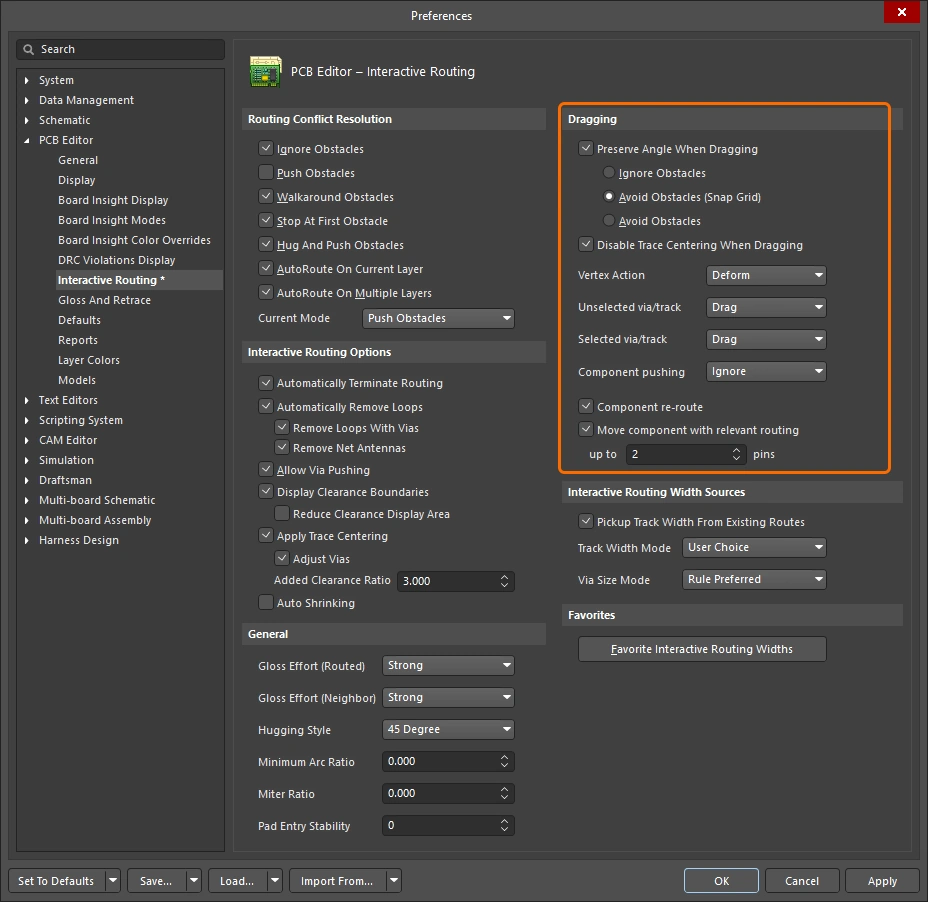 )。 )。 |
| What you snap to during sliding | 你正在滑动的布线不仅会吸附到当前吸附栅格,还会根据对象吸附设置、层吸附设置以及是否启用了吸附参考线和坐标轴吸附设置而吸附到其他对象( )。要在交互式滑动期间临时禁止吸附,请按住 Ctrl 键。本页开头提供了 光标吸附行为 的概要说明。 |
| Modifying T-junctions | 还包含了专门支持交互式修改 T 形连接的算法——单击并拖动连接点即可修改 T 形连接( )。 |
| Dragging a via | 除了支持对相邻走线进行光顺外,还支持过孔拖动。过孔拖动支持 Neighbor Glossing (
)。在过孔拖动期间按 Tab 可访问该面板并调整设置(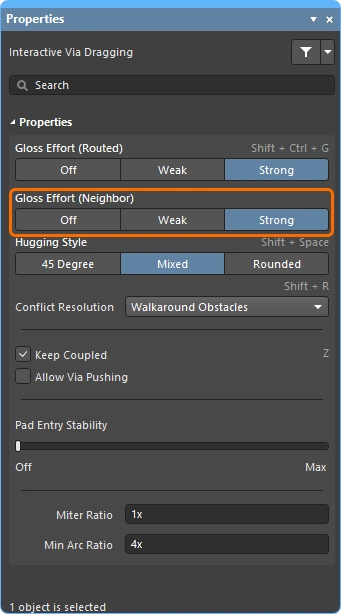 )。 )。 |
| Dragging a differential pair | 为了识别差分对中的成员,使用了耦合的概念(
)。当软件识别出属于某个差分对的对象时,如果启用了 Keep Coupled 选项,它会尝试拖动该对中的另一条伙伴走线或过孔( 为确认伙伴对象是耦合的,软件会检查这些对象是否满足以下条件:
|
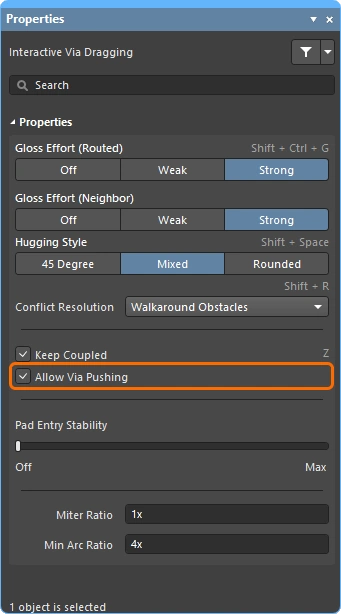
| Push or jump | 启用 Allow Via Pushing 选项后(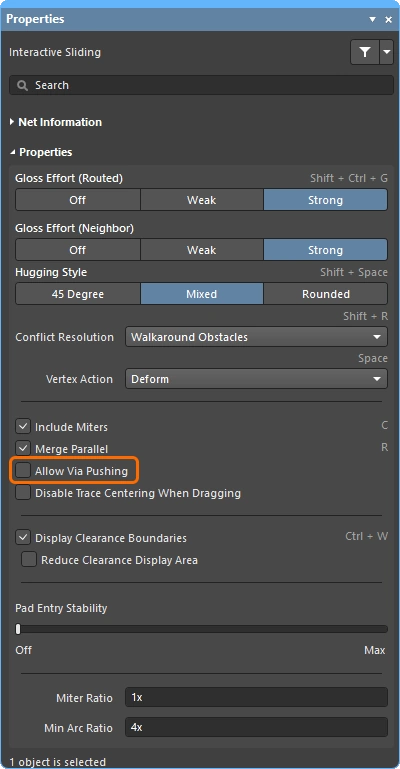 ),现有焊盘和过孔会被跨越,或者在必要且可行时推动过孔。 ),现有焊盘和过孔会被跨越,或者在必要且可行时推动过孔。 |
| Break a track segment | 要断开单个走线段,先选中该线段,然后将光标移到中心顶点上并单击拖动,以添加新的线段。 |
| Object visibility | 为了更方便地查看构成当前布线的对象,请在 View Configuration 面板中调整布线对象的 Transparency(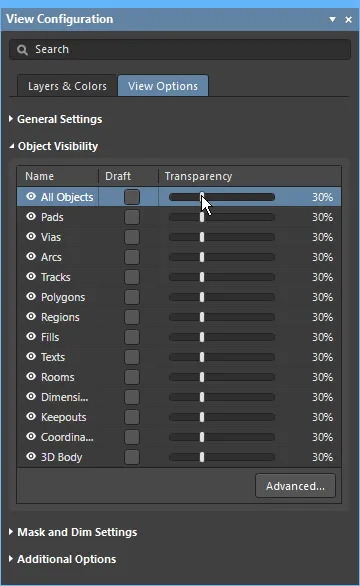 )。 )。 |
 ),或者是在选择过滤器中禁用了 tracks / arcs(
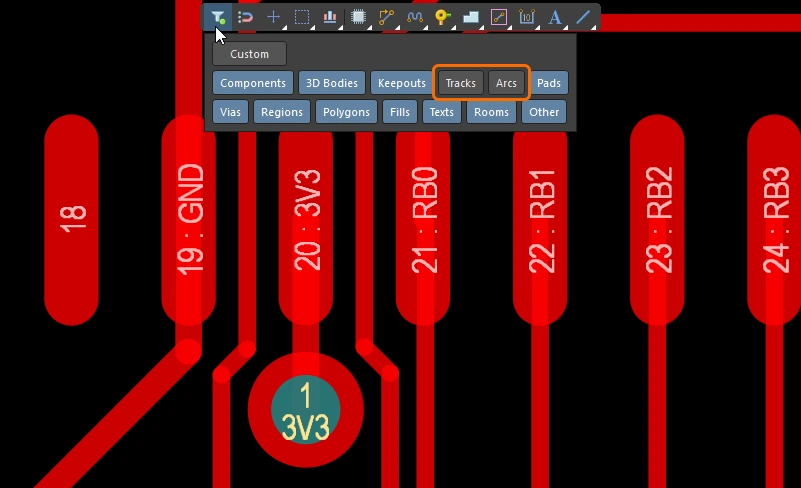 )。
)。
Moving a Routed Component
在对电路板进行布线时,经常需要调整已布线元件的位置,以便为更多元件和新的布线腾出空间。为此,PCB 编辑器提供了具备布线感知能力的元件移动功能。
该工具包含两个方面:其一是尝试恢复连接到元件焊盘的布线,以适应新的位置;其二是识别扇出、逃逸布线以及引脚间布线——统称为 relevant routing ——并且在移动元件时(如果启用)尝试精确保留这种布线模式。
启用 Component re-route 选项后,放置移动后的元件时会恢复其连接走线。
重新布线已移动的元件 |
|
| Enable rerouting of moved component(s) | 在首选项对话框(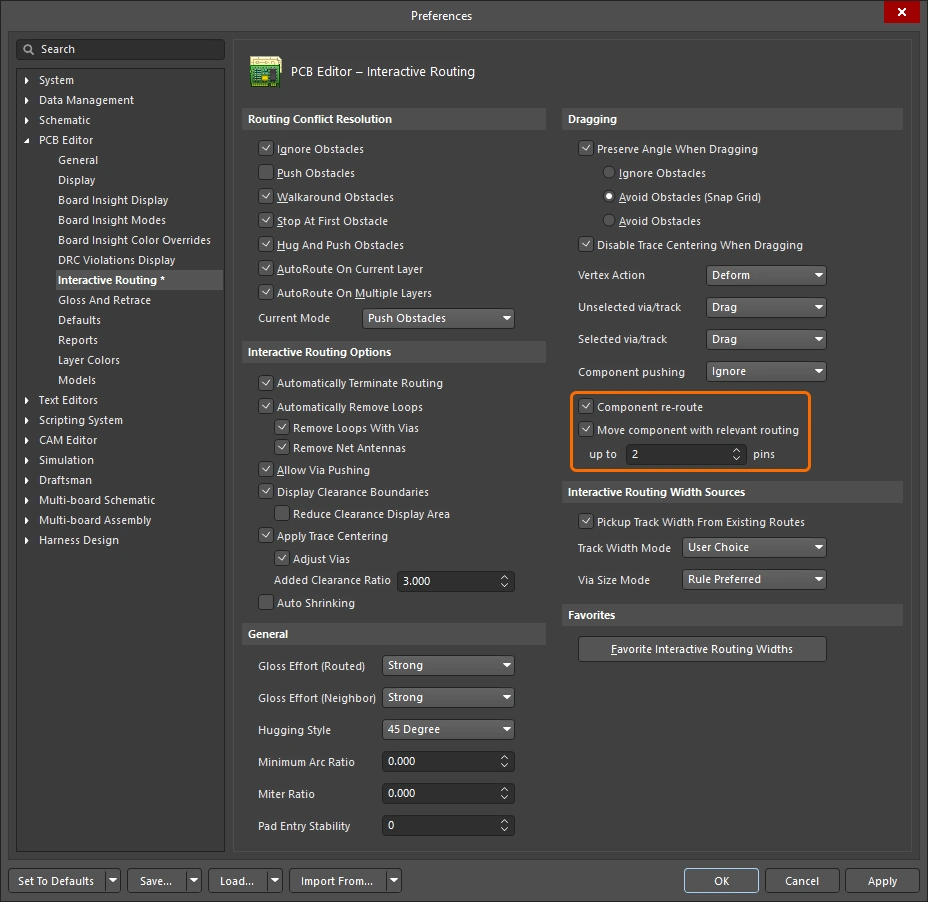 )中启用 Component re-route 选项,或在移动过程中使用 )中启用 Component re-route 选项,或在移动过程中使用 Shift+R 快捷键将其切换为开启。该功能支持在一次操作中移动多个元件。 |
| When does rerouting happen? | 本质上,此功能会在元件焊盘、扇出或逃线处断开布线,然后在放置移动的元件后,尝试重新布通这些断开的连接。 |
| Include relevant routing | 扇出、逃线以及引脚间走线统称为相关布线。启用 Move component with relevant routing 选项( |
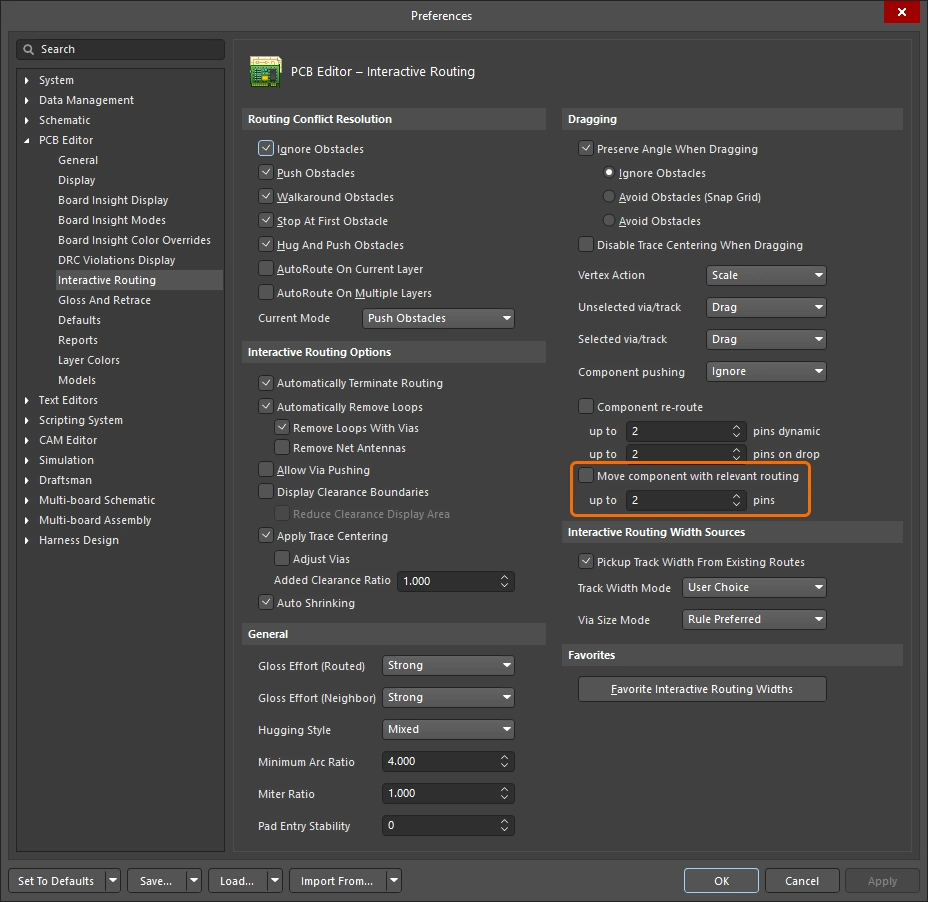 )后,这些布线可以像元件封装的一部分一样一起移动。该功能包含 up to xx pins 字段;如果正在移动的元件引脚数超过此字段中指定的值,则 Move component with relevant routing 选项将忽略所选元件。请注意,此功能仅在移动单个元件时可用。
下方幻灯片展示了如何控制带布线功能的移动元件功能中的各项功能。
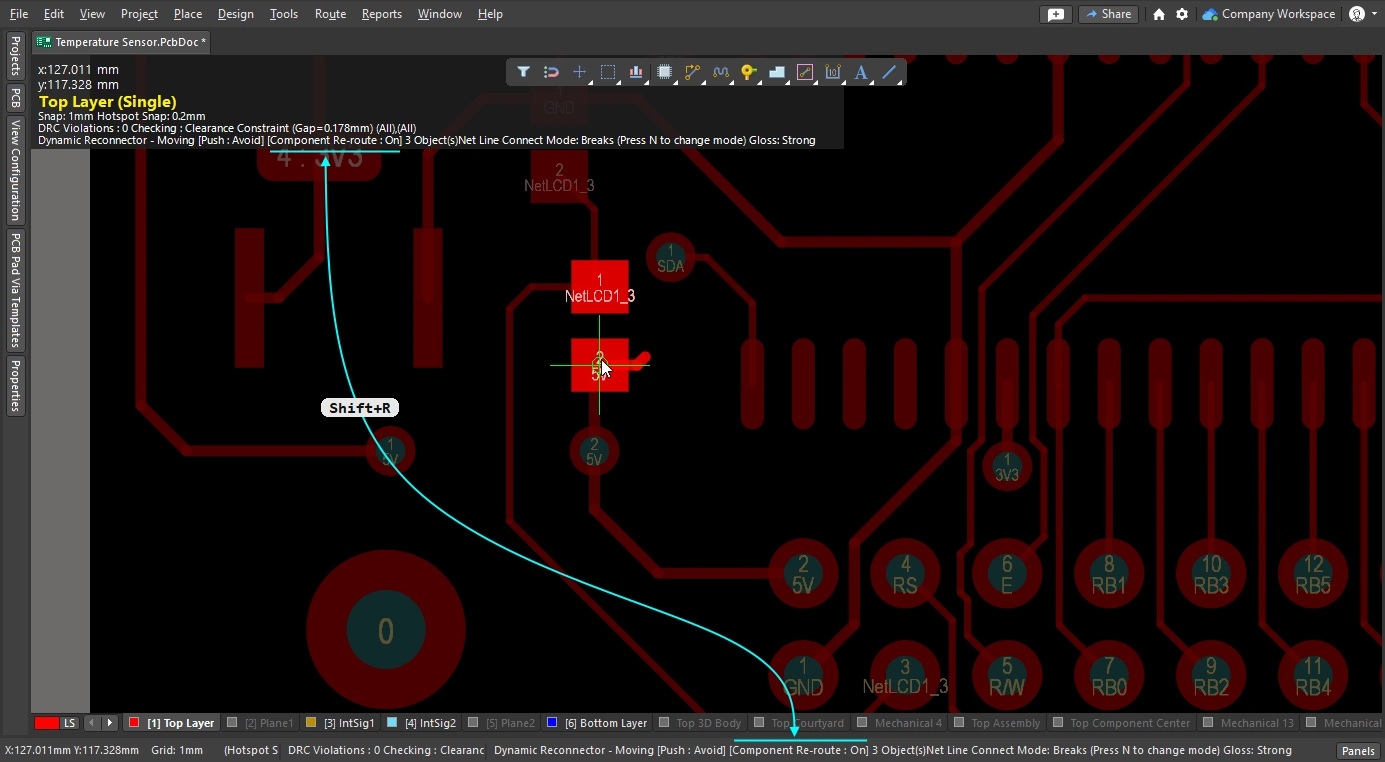
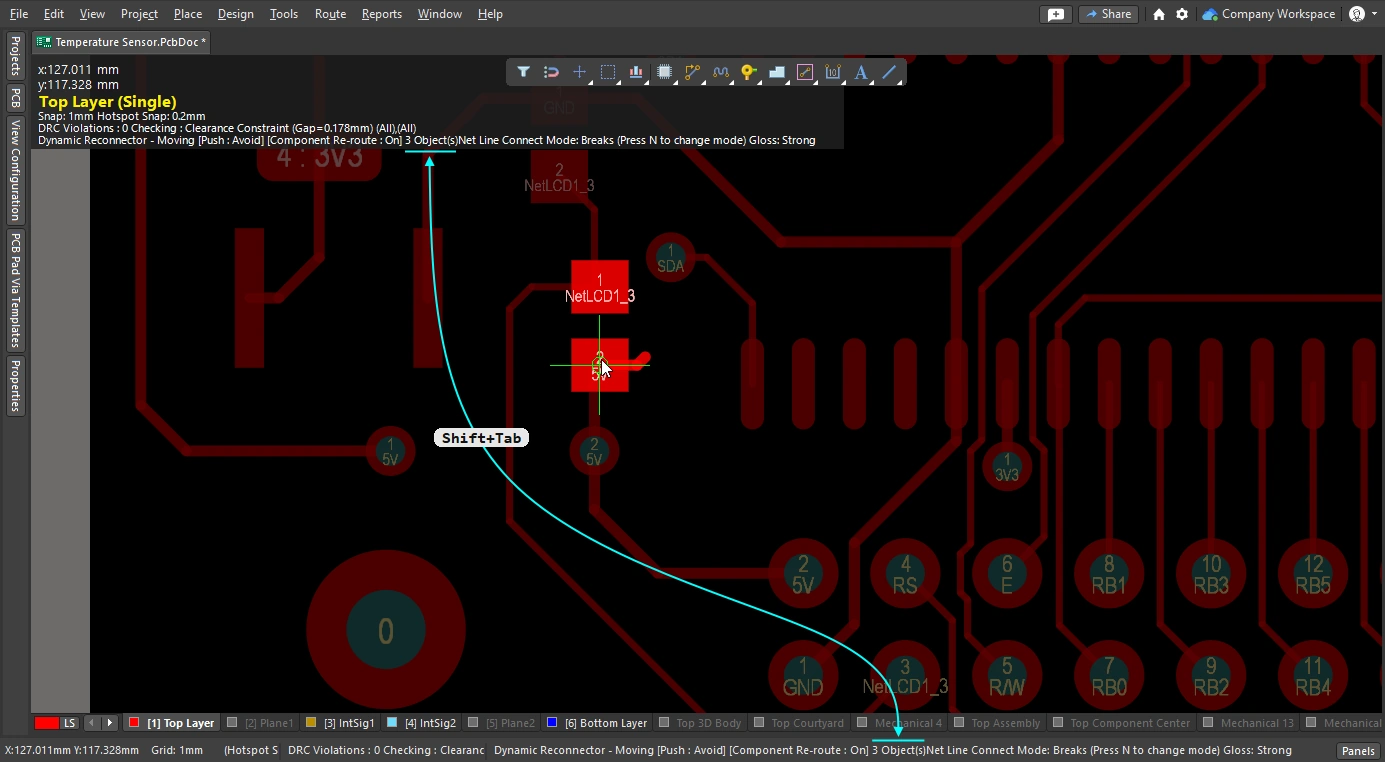
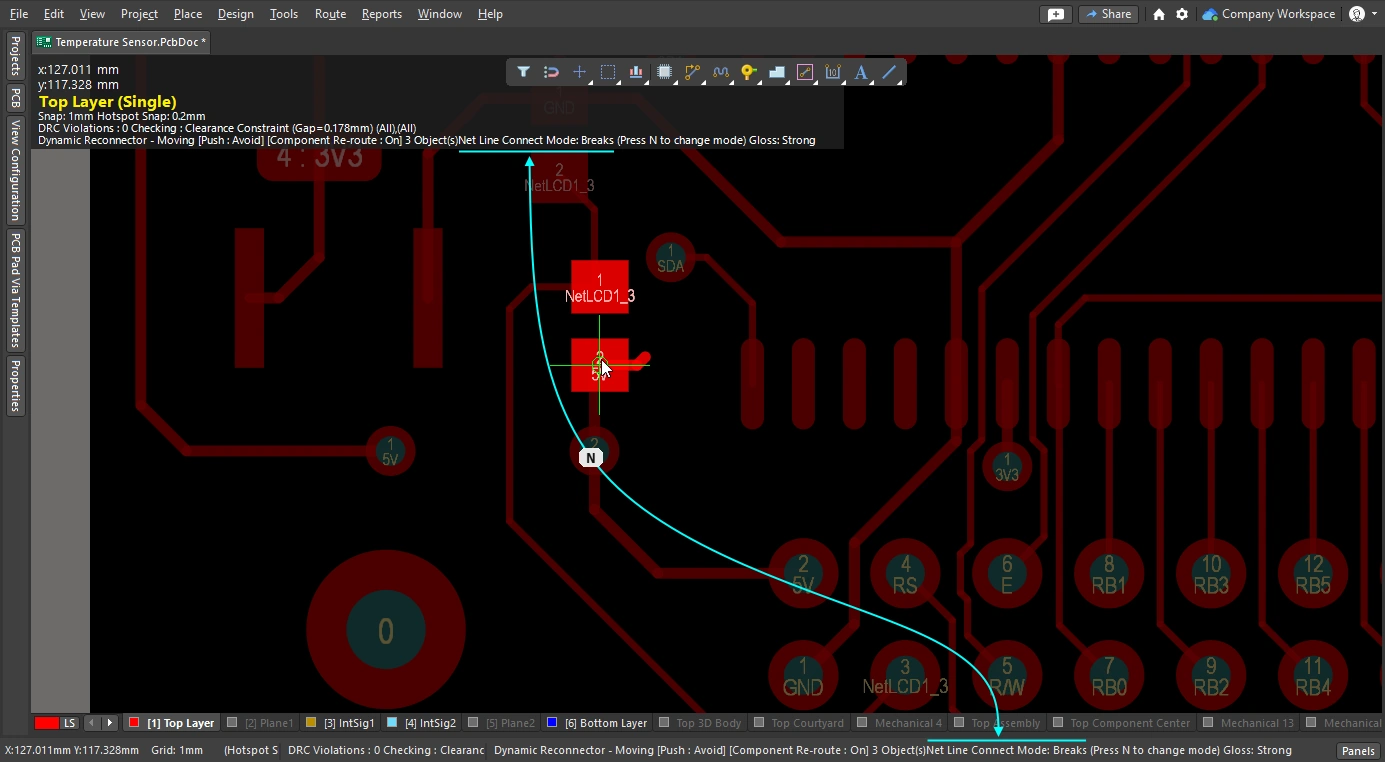
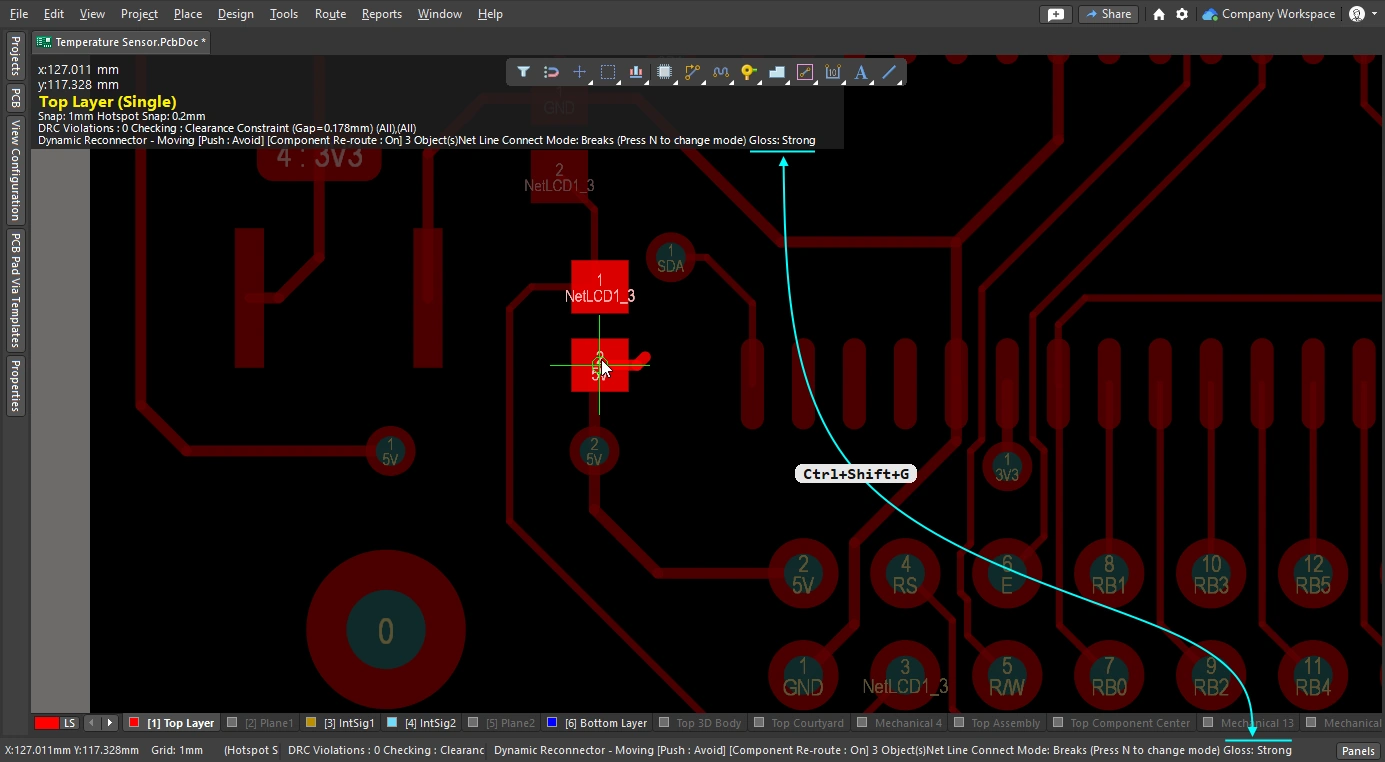
Glossing and Retracing Existing Routes
交互式布线引擎的核心要素之一是 glossing 算法。Glossing 会仔细分析走线,减少拐角数量,并使其更整齐、更短。 在交互式布线期间会进行 glossing;当您在布线时移动光标,建议的布线路径会持续进行 glossing。 在交互式滑移期间也会进行 glossing;当您拖动现有走线时,该走线以及受其影响的任何相邻走线都会持续进行 glossing。 Glossing 还可以作为后处理,对任意选定的网络集执行。布线被 gloss 的强度由当前的 gloss 强度决定。
本节重点介绍作为后处理的 glossing,即对现有走线进行 glossing。 选择感兴趣的走线后,在 Gloss and Retrace 面板(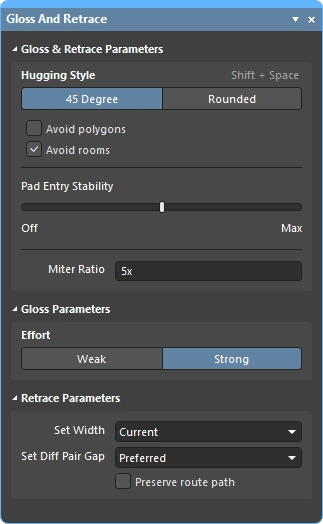 )中配置 gloss 设置,然后运行 Route » Gloss Selected 命令。
Glossing 引擎还包含 retrace 功能。当您需要根据对设计约束所做的更改来更新所选走线时,请使用此功能,例如布线宽度或差分对间隙。借助 retrace,您可以“加粗”现有电源布线,或将差分对更新为新的线宽和间隙设置。
-
Glossing 侧重于改善走线几何形状,同时保留现有线宽和差分对间隙。
-
Retrace 侧重于满足设计约束,更新线宽和差分对间隙以符合当前约束设置。
关于 Glossing Selected 命令的说明
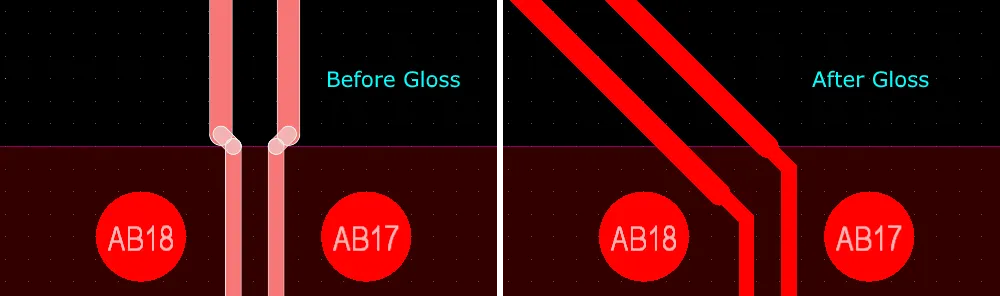
| What does Gloss Selected do? | Glossing 会分析所选走线,减少拐角数量,并使其更整齐、更短。它还会修复质量较差的焊盘引入段,并尝试提升差分对布线的质量。 |
| What is Glossed? |
|
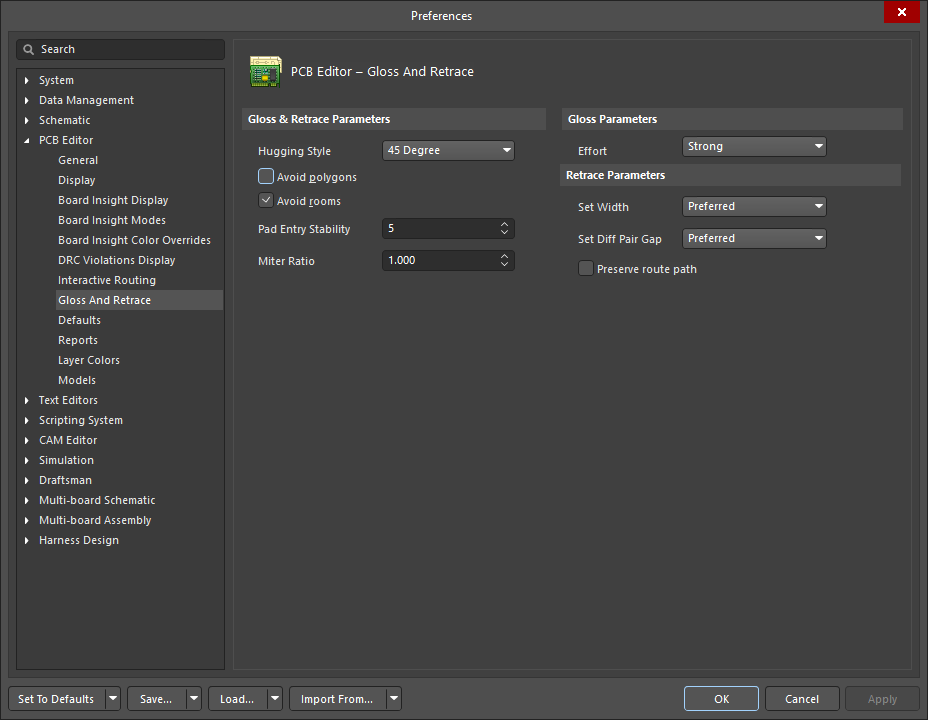
| What options control Gloss Selected? | Gloss Selected 遵循在 PCB Editor - Gloss and Retrace 页面中的当前设置,这些设置可在 Preferences 对话框( |
| Glossing a differential pair |
|
| Support for room-based rules |
|
| Support for Subnet Jumpers | Gloss 会将 Subnet Jumper 走线视为固定对象。 |
| Exclusions |
|
| Gloss Selected feedback |
|
关于 Retrace Selected 命令的说明
| What does Retrace Selected do? |
|
| What is Retraced? |
|
| What options control Retrace Selected? | Retrace 遵循在 PCB Editor - Gloss And Retrace 中配置的当前设置,这些设置可在 Preferences 对话框或 Gloss And Retrace 面板中进行配置。 |
| Updating the vias in Retraced routes | Retrace 会根据适用的 Routing Width 设计约束,或在 Gloss and Retrace 面板的 Set Width 字段中输入的值,更新走线和圆弧的线宽。 它不会更新布线过孔来反映 Routing Via Style 设计约束的变化。要解决过孔尺寸变化问题:
|
| Retracing a differential pair | 使用 Retrace 更新差分对间距:
|
| Retrace feedback |
|
 )。
)。
Gloss 和 Retrace Selected Routing 选项
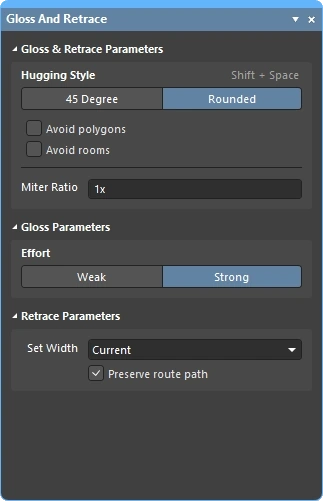
PCB Editor – Gloss And Retrace 页面(位于 Preferences 对话框中,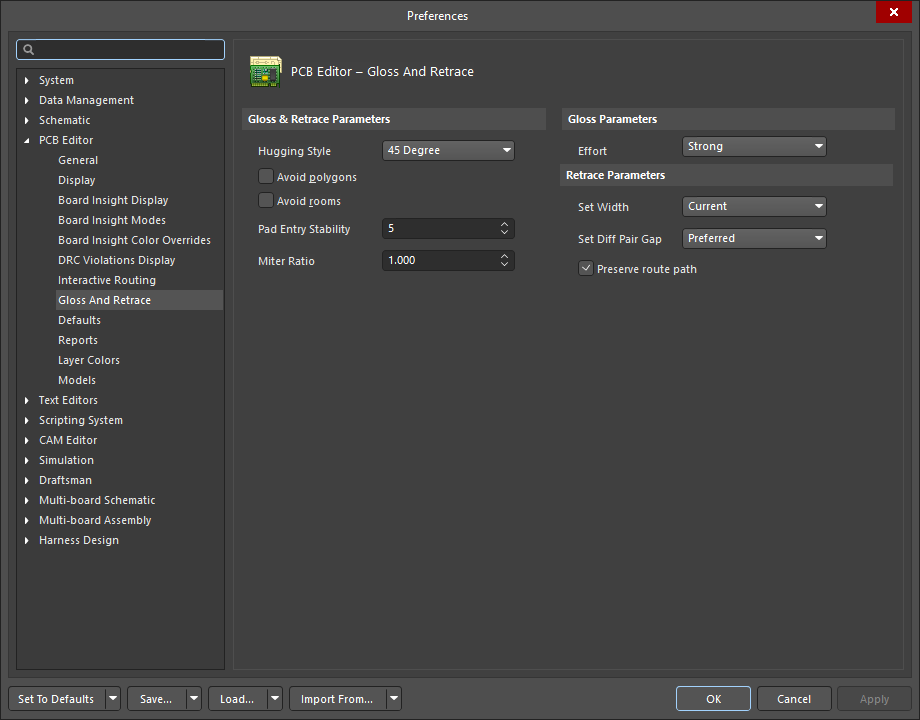 )以及 Gloss And Retrace 面板()提供了大量与 PCB 设计空间中 Gloss Selected 和 Retrace Selected 功能相关的控制选项。
Gloss 与 Retrace 参数 |
|
Hugging Style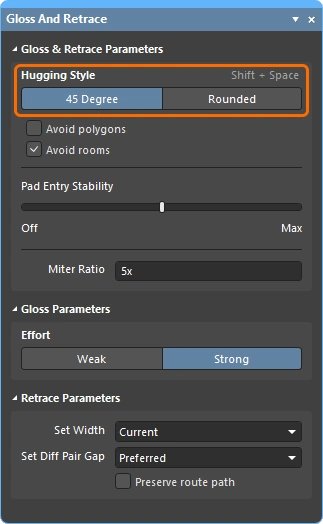 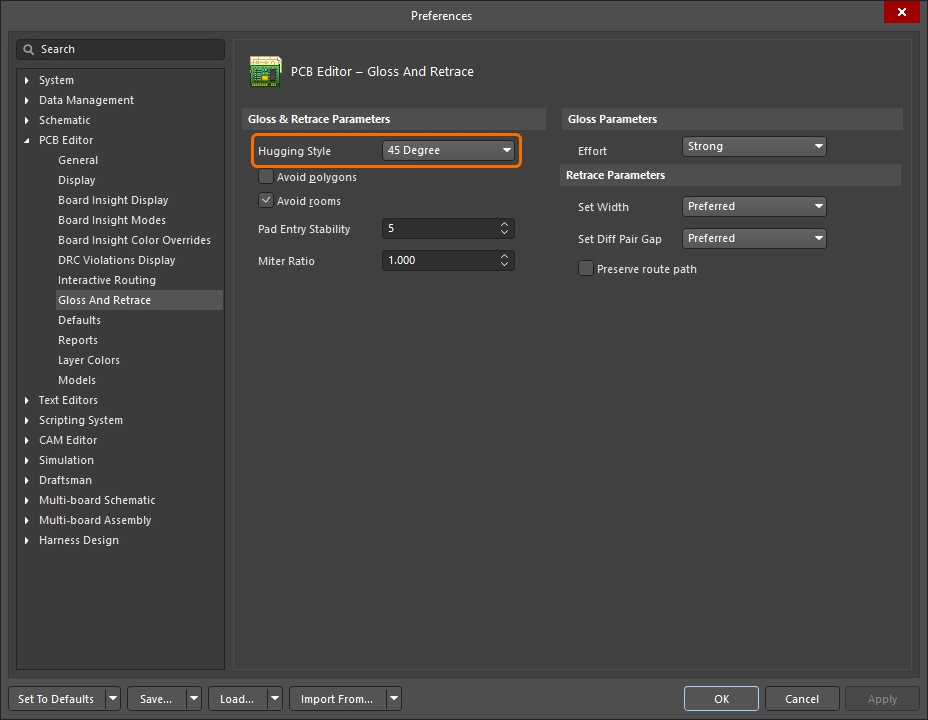 |
|
Avoid polygons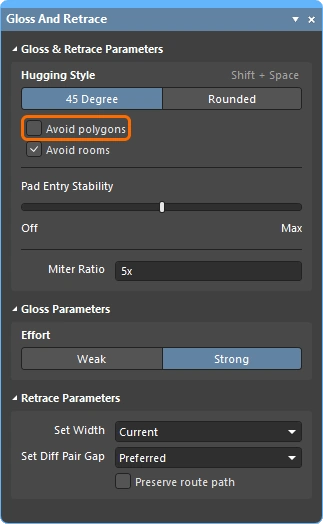 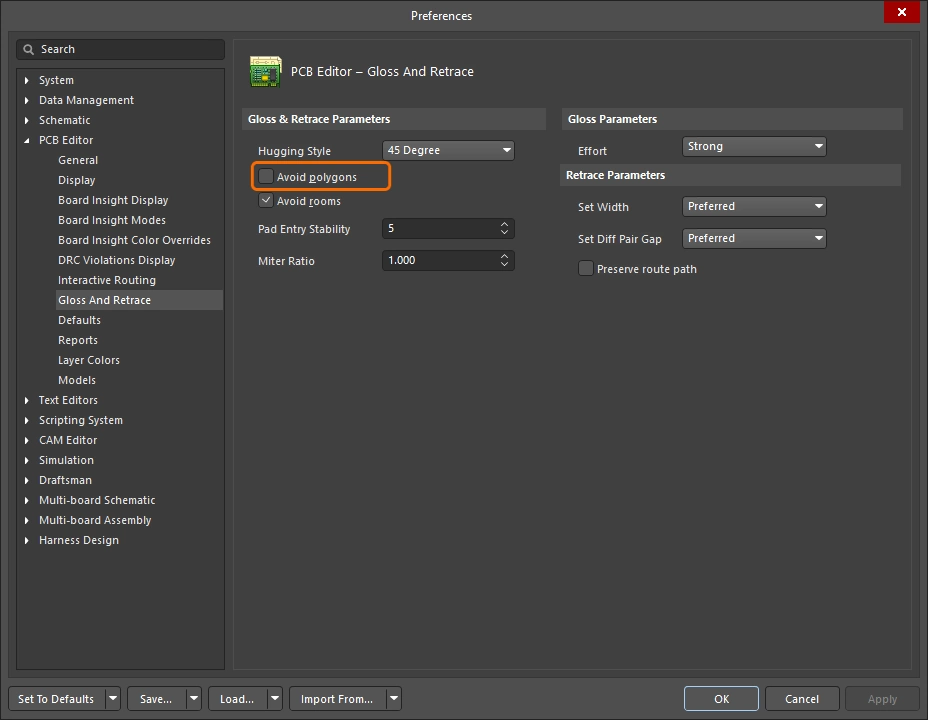 |
启用后,在运行 Gloss Selected 或 Retrace Selected 命令时,将会考虑现有多边形。如果禁用该选项,则会忽略现有多边形(直接跨越布线),之后可对受影响的多边形重新覆铜。 |
Avoid rooms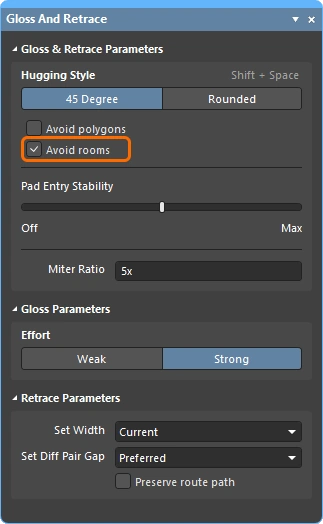 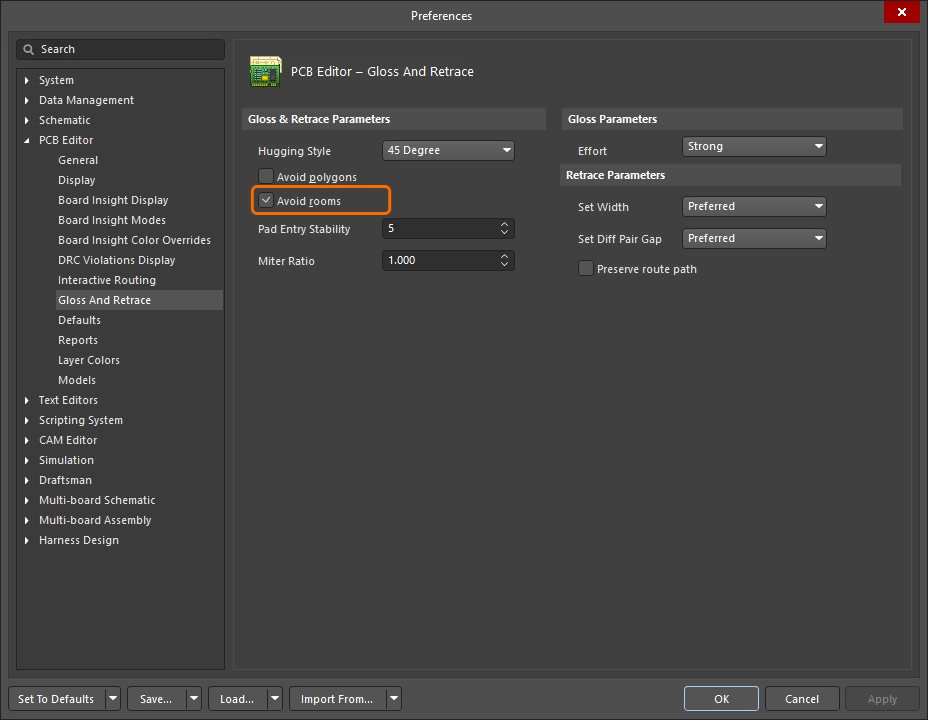 |
启用后,在运行 Gloss Selected 或 Retrace Selected 命令时,将会考虑现有房间(Room)。如果设计中定义了受特定 走线宽度 要求约束的房间,并且要进行 光顺/重布线的走线未穿过该 房间,那么启用此选项后,最终生成的走线也不会穿过该房间。 如果禁用此选项,则会直接穿过现有房间进行布线, 并且在这些房间内使用的宽度将是基于房间规则约束中定义的宽度。 |
Pad Entry Stability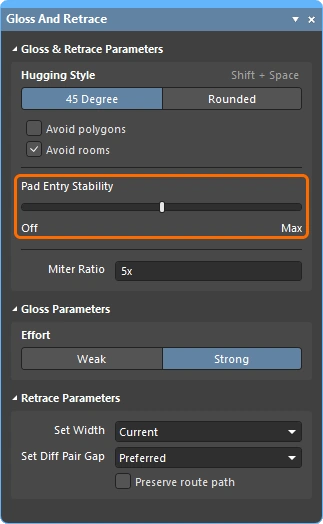 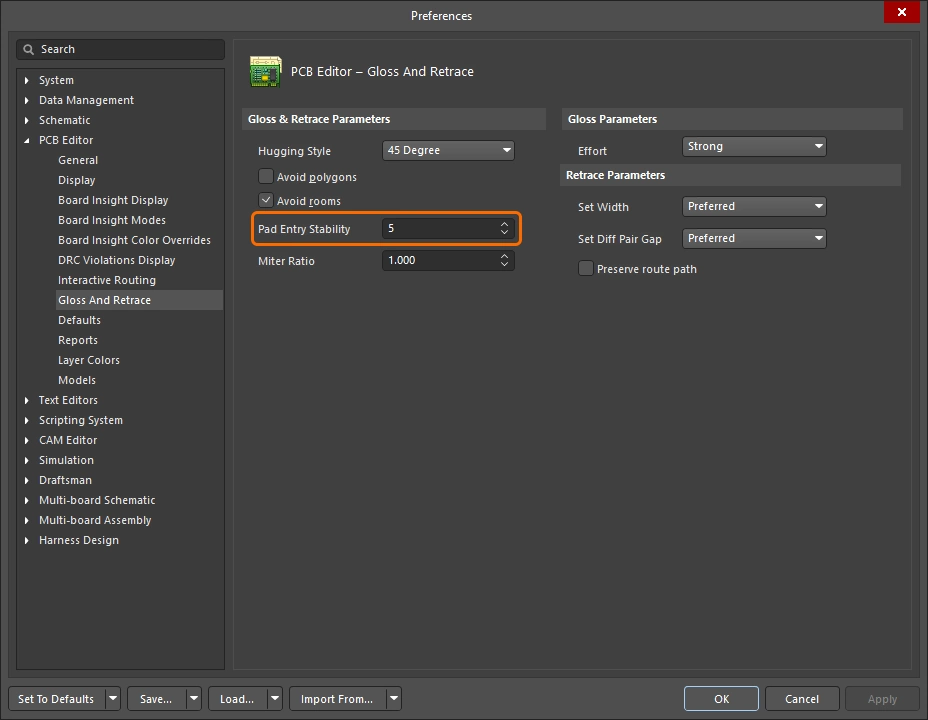 |
保护居中的焊盘引入。输入所需级别(首选项中)或使用 滑块(面板中)来配置保护级别。' |
Miter Ratio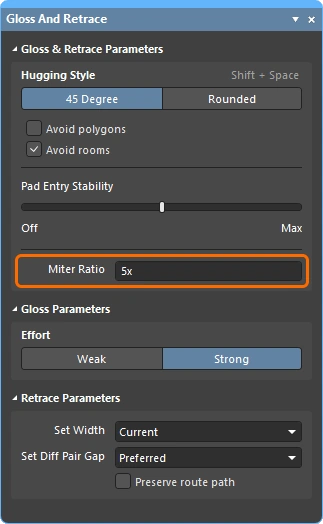 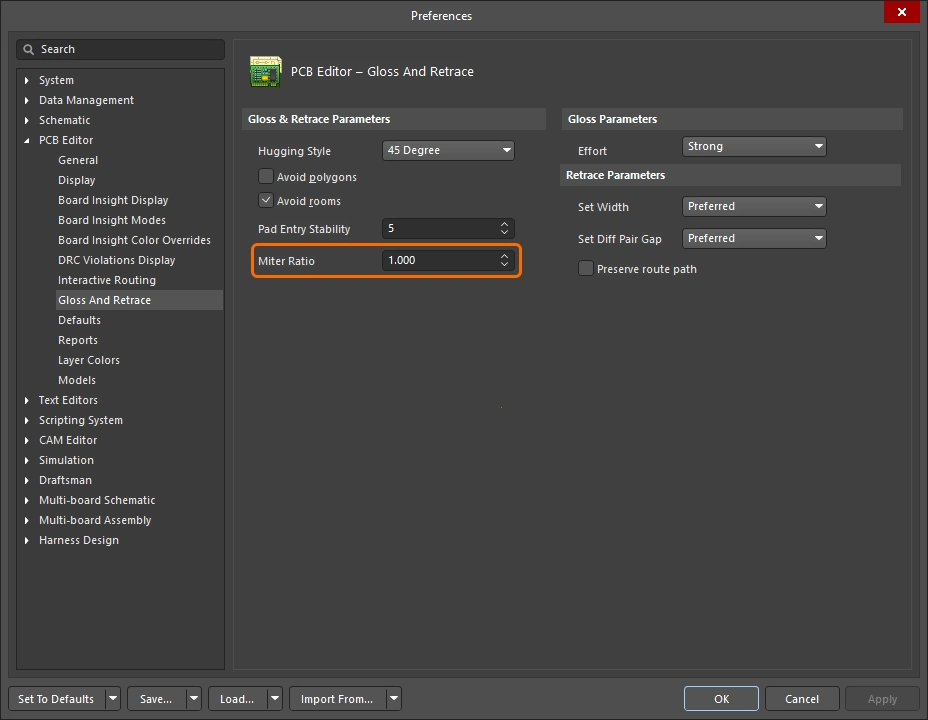 |
控制最小拐角紧密度。斜接比(Miter Ratio)乘以当前线宽,等于在该比值下可布出的最紧 U 形结构两侧壁之间的间距。请输入大于或等于零的正值。 |
Effort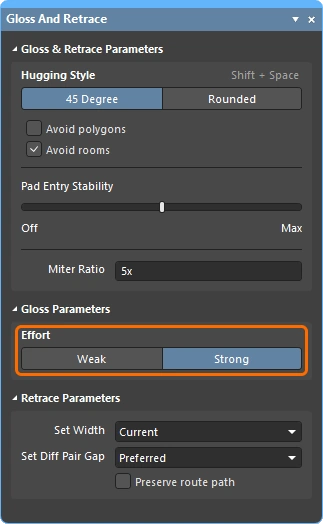 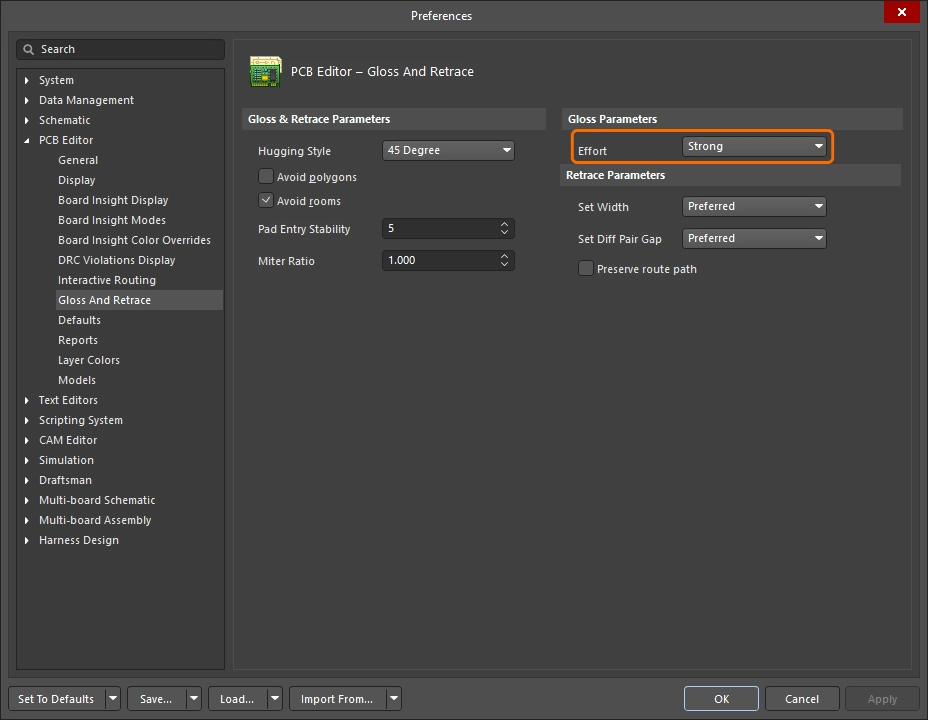 |
从以下选项中选择所需的光顺级别:
|
Set Width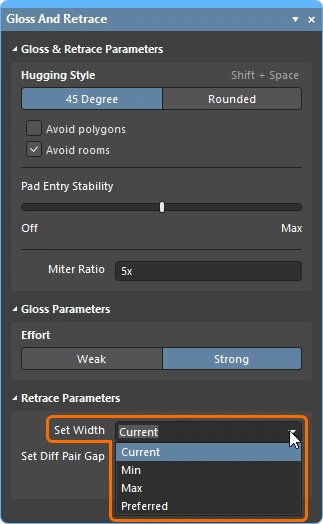 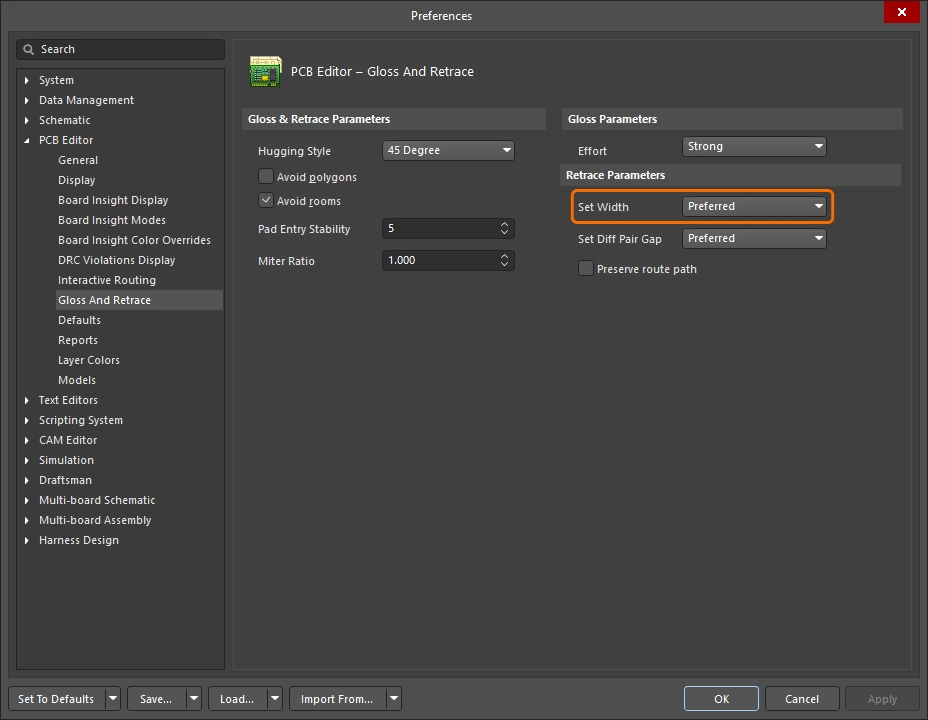 |
使用下拉菜单选择适用的线宽或差分对布线设计约束中的基于规则的线宽选项之一(Min / Max / Preferred),以便在运行 Retrace Selected 命令时使用,或者使用 Current 线宽进行重布线。 或者,也可以直接在字段中输入所需的自定义线宽值。 |
Set Diff Pair Gap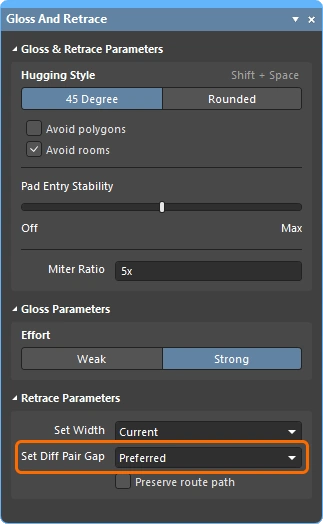 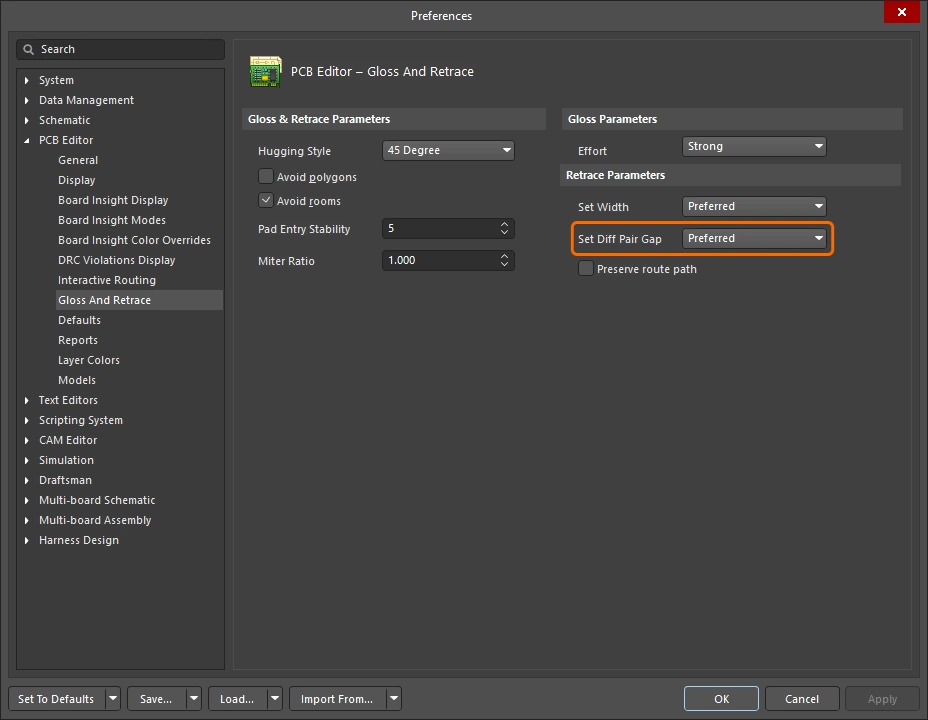 |
使用下拉菜单选择适用的差分对布线设计约束中的基于规则的间距选项之一(Min / Max / Preferred),以便在运行 Retrace Selected 命令时使用,或者使用差分对走线之间的 Current 间距进行重布线。 或者,也可以直接在字段中输入所需的自定义间距值。 请注意,此选项仅在为 Hugging Style 选择了 45 Degree 选项时可用。 |
Preserve route path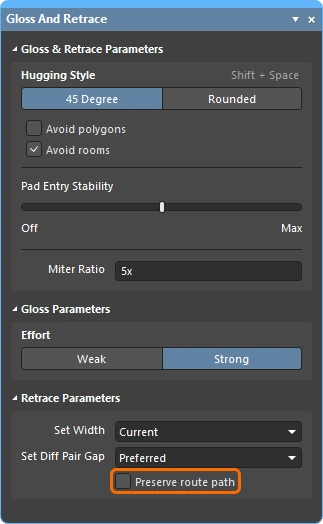 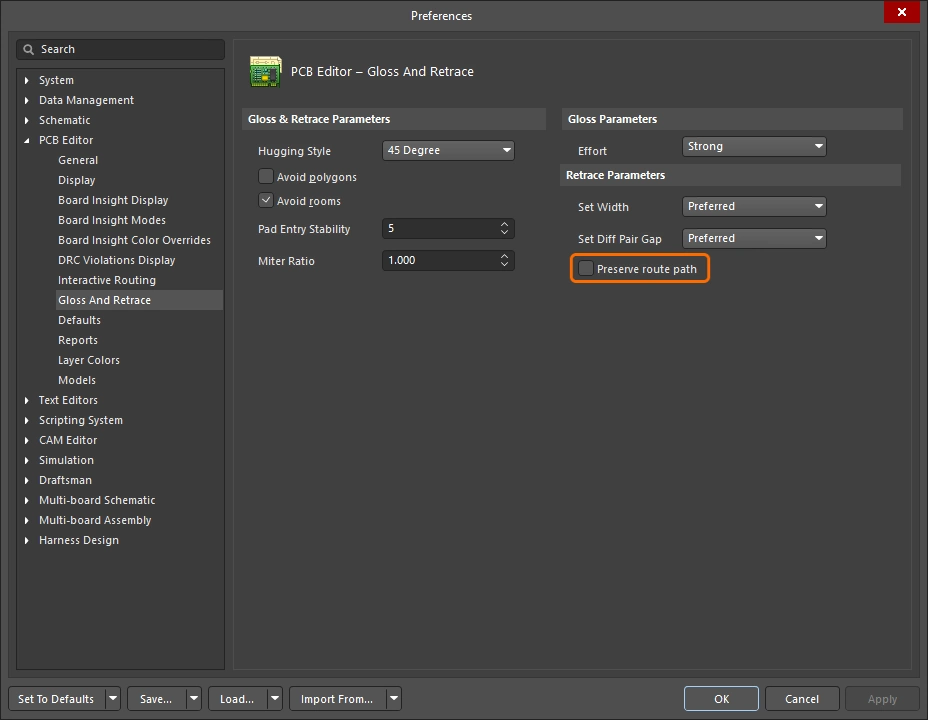 |
启用后,可在重布线期间保留精确的走线几何形状。启用该选项时,重布线算法不会修改走线的中心线。导线宽度可能会改变,并且 可能被分割成不同宽度的线段,但其轨迹不会 改变。 |
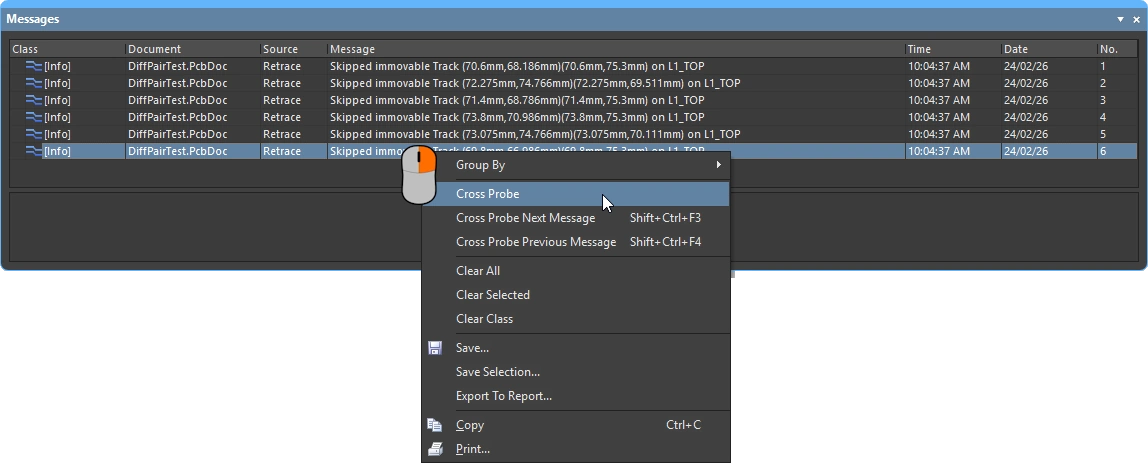
信息和警告消息
信息消息 ( |
|
Skipped immovable + <Descriptor> |
某个对象受保护,无法进行光顺/重布线:例如,被锁定或属于某个元件。 最多计数 20,可点击。 |
Skipped subnet jumper + <Descriptor> |
Subnet 跳线将保持不变,并在每种情况下通知用户。 最多计数 20,可点击。 |
Skipped reflex angle + <Descriptor> |
大于 180 度的圆弧不会被光顺。 最多计数 20,可点击。 |
Skipped objects in user-defined Union |
属于联合体(union)的对象不会被光顺(不适用于长度调谐联合体)。 每个涉及的联合体发出一次。 最多计数 20,可点击,缩放到该联合体的边界矩形。 |
Command does not apply to arcs (Retrace only) |
重布线不支持圆弧。 最多计数 1,可点击,缩放到遇到的第一个圆弧。 |
 )
)警告消息 |
|
Applicable Diff Pair Routing rule not found for some object(s) + <Descriptor> |
部分光顺 / 重布线目标属于 差分对网络,但没有适用的差分对布线规则。 在这种情况下,该命令会将目标视为非差分对对象处理,这意味着该对的两侧可能会在光顺后彼此偏离。 最多计数 1,可点击。 |
Applicable Width rule not found for some object(s) + <Descriptor> |
重布线使用从最小到首选的线宽规则设置。如果找不到适用的线宽规则,则保持当前线宽。 最多计数 1,可点击。 |
Pre-existing Min Width violation(s) detected + <Descriptor> |
重布线使用从最小到首选的线宽规则设置:如果首选宽度不会导致 DRC 违规,则使用首选宽度;否则在需要时使用更小的宽度以避免 DRC 违规。 因此,如果一条无 DRC 问题的导线起始时至少达到最小线宽,那么它将继续保持无 DRC 问题。若其宽度更窄,则将其设置为最小线宽可能会导致 DRC 违规。 此消息会对此类情况发出警告,无论是否确实导致了 DRC 违规。 请注意,当你有机会点击该消息时,原始的细线对象可能已经被加宽并且可能已移动。你可能需要执行撤销才能了解发生了什么。 最多计数 1,可点击。 |
交互式布线和交互式滑移选项
无论你是在交互式地布设新的连接,还是拖动(滑移)现有走线以腾出更多布线空间,都会应用许多相同的布线技术。本节总结了 Properties 面板中可用的交互式布线(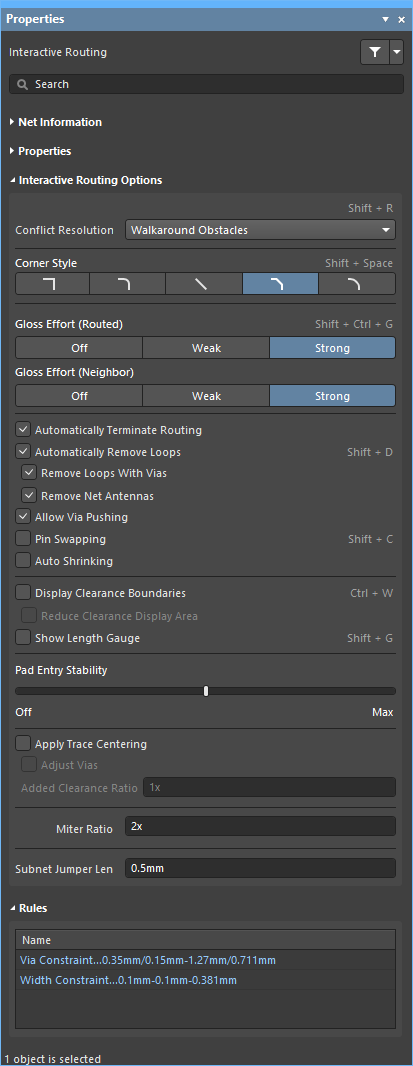 )、交互式滑移()以及交互式过孔拖拽(
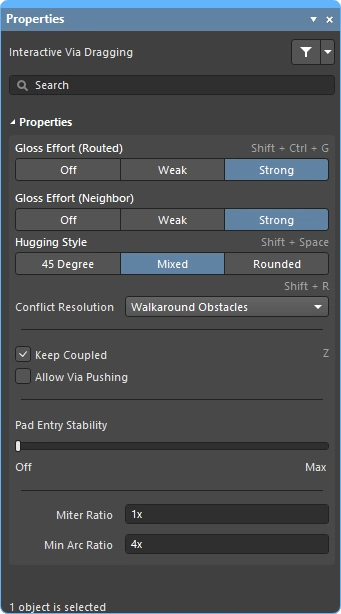 )选项。这些功能的默认设置在 Preferences 对话框(
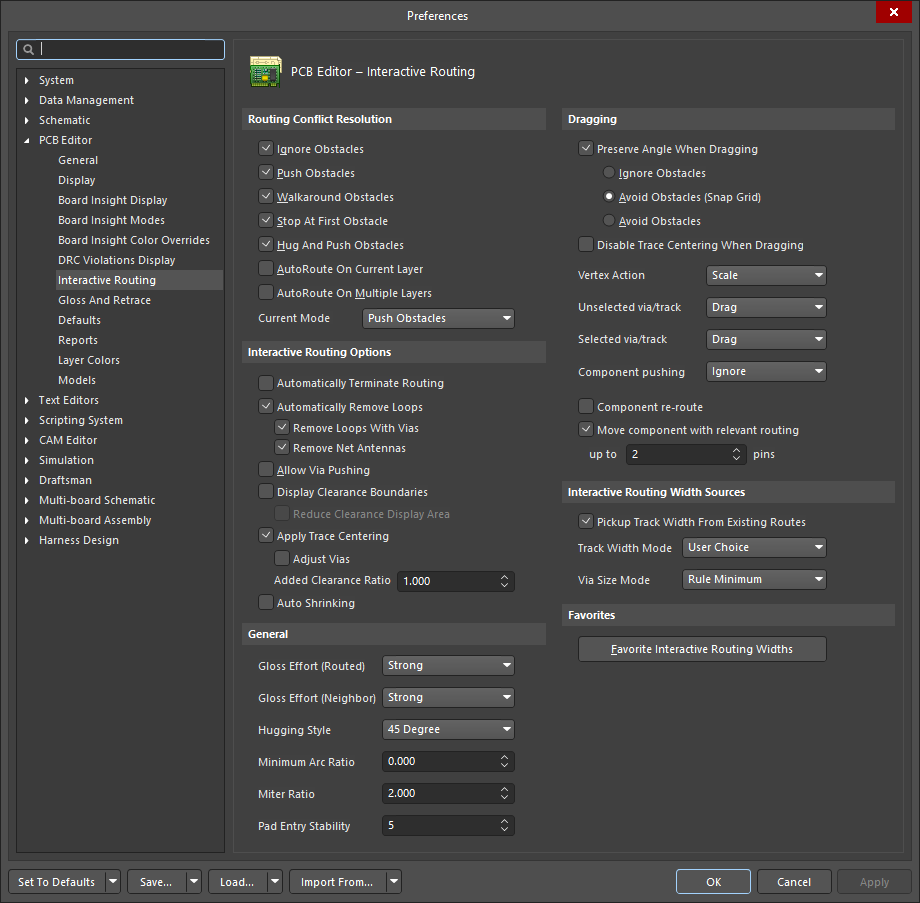 )的 PCB Editor 部分中进行配置。
 )。
)。
冲突解决 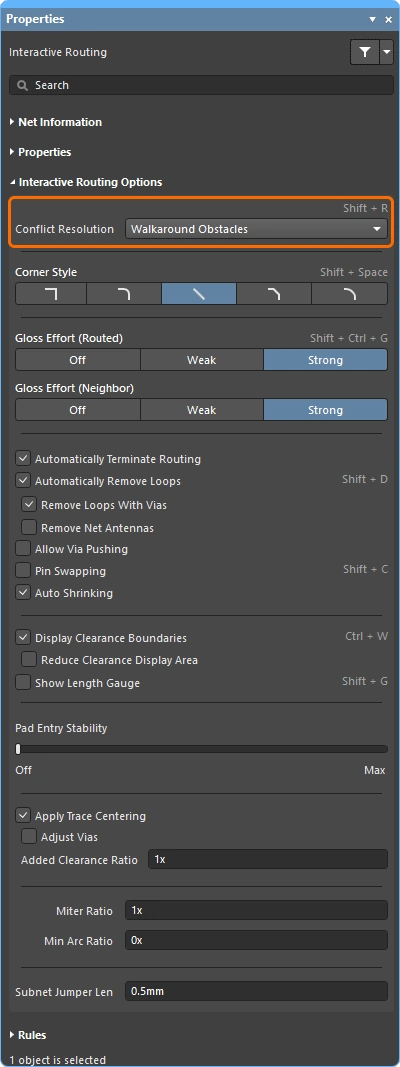
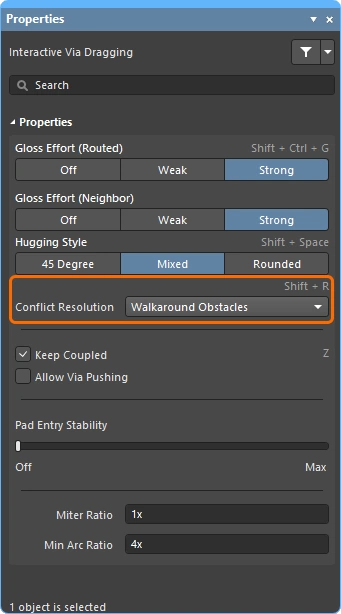
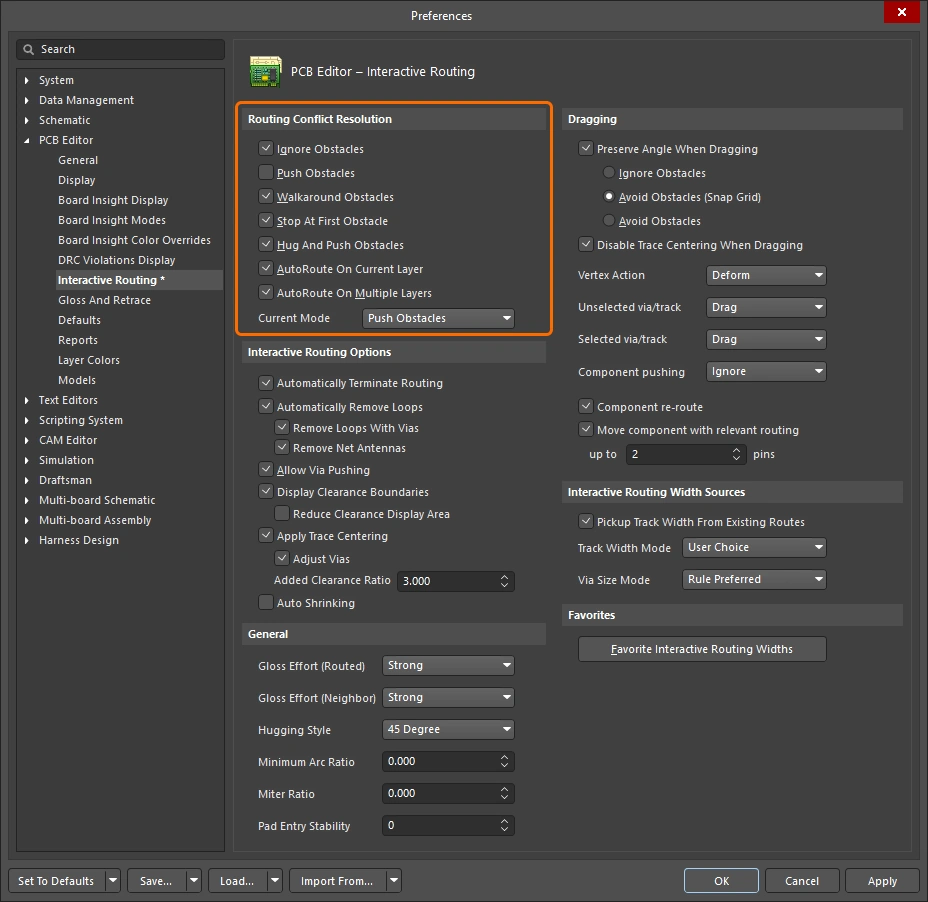
此选项用于确定当布线/滑移对象遇到现有对象时,你希望其如何响应。 在布线或滑移期间按 Shift+R 快捷键可在可用模式之间循环切换,或按 Tab 打开 Properties 面板并选择所需设置。
有关在 交互式布线 期间或在 交互式滑移 期间的冲突解决模式的更多信息。
| Ignore Obstacles | 在此模式下,交互式布线器可以在任何位置放置导线,包括现有对象之上;它会显示潜在违规,但允许继续操作。 |
| Walkaround Obstacles | 尝试从上一次单击位置到当前光标位置,寻找一条绕开现有对象(如导线、焊盘和过孔)的路径。与其他对象的间距由适用的间距设计规则定义。如果此模式无法在不造成违规的情况下绕过障碍物,则会出现一个指示器,表明该路线被阻挡。 |
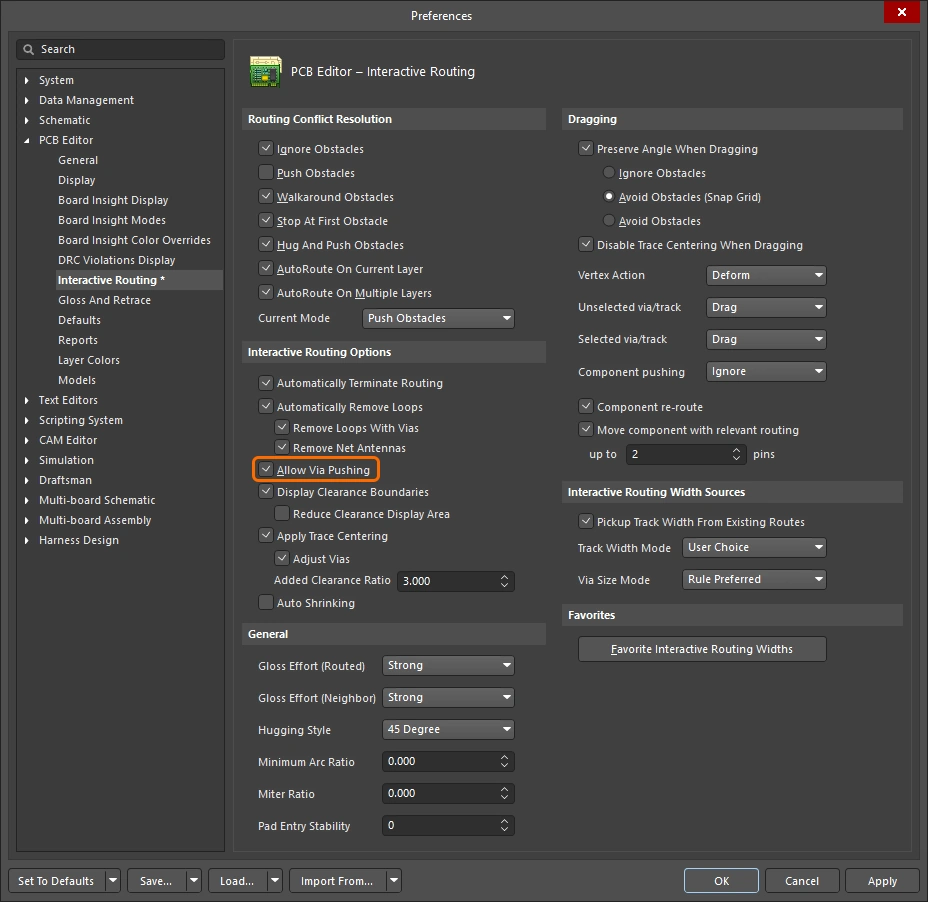
| Push Obstacles | 推动现有导线和过孔,为新走线腾出空间。如果此模式无法在不造成违规的情况下推动障碍物,则会出现一个指示器,表明该路线被阻挡。过孔推动由 Allow Via Pushing 选项控制。 |
| HugNPush Obstacles | 布线将紧贴现有对象,仅在当前正在布设的导线空间不足时才推动它们。如果此模式无法在不造成违规的情况下贴靠或推动障碍物,则会出现一个指示器,表明该路线被阻挡。 |
| Stop at First Obstacle | 布线将在遇到的第一个障碍物处停止。 |
| Autoroute Current Layer | 将自动布线器智能应用于交互式布线器,在当前层上自动在推动与绕行之间进行选择,以获得总体最短的布线长度。 |
| Autoroute MultiLayer | 将自动布线器智能应用于交互式布线器,自动在推动、绕行或切换层之间进行选择,以获得总体最短的布线长度。 |
拐角样式 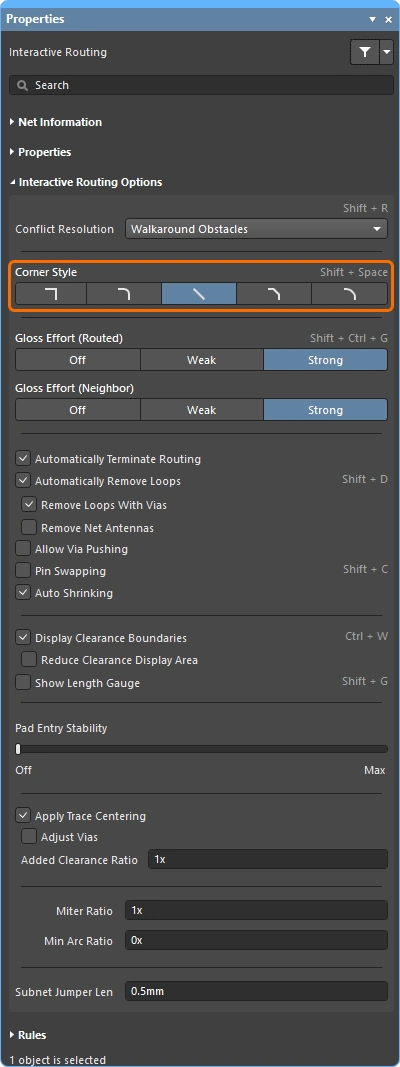
在交互式布线过程中,由走线和圆弧形成的转角形状称为 corner style。对角转角最常见,但曲线转角(通过放置圆弧创建)也很受欢迎。
按 Shift+Spacebar 可在交互式布线(滑动)过程中循环切换 5 种转角样式,按 Spacebar 可切换转角方向,或按 Tab 打开 Properties 面板。
了解更多有关在 交互式布线 或 交互式滑动 期间控制转角样式的信息。
Track 45 |
使用 45 度走线创建该转角(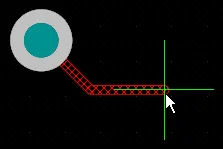 )。按 )。按 Spacebar 可切换转角方向 (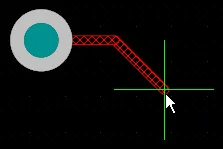 )。 )。 |
Track 45 with Arc |
使用一段走线和一个 45 度圆弧创建该转角(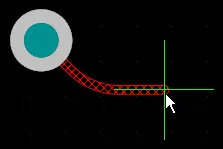 )。按 )。按 Spacebar 可切换转角方向(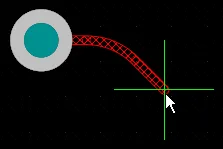 )。使用 )。使用 , 和 . 键可交互式更改圆弧半径,按住 Shift 可加快半径变化速度。 |
Track 90 |
使用两段彼此成 90 度的走线创建该转角( )。 按 )。 按 Spacebar 可切换转角方向( )。 )。 |
Track 90 with Arc |
使用一段走线和一个 90 度圆弧创建转角(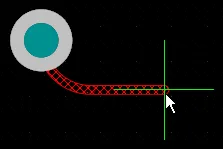 )。按 )。按 Spacebar 可切换转角方向(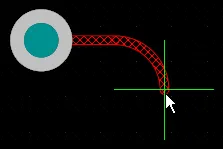 )。使用 )。使用 , 和 . 键可交互式更改圆弧半径,按住 Shift 可加快半径变化速度。 |
Any Angle |
将下一段直接从上一段的末端放置到当前光标位置( )。将此模式与 Strong Glossing 结合使用,可执行 蛇形布线。 )。将此模式与 Strong Glossing 结合使用,可执行 蛇形布线。 |


Gloss Effort (Routed) 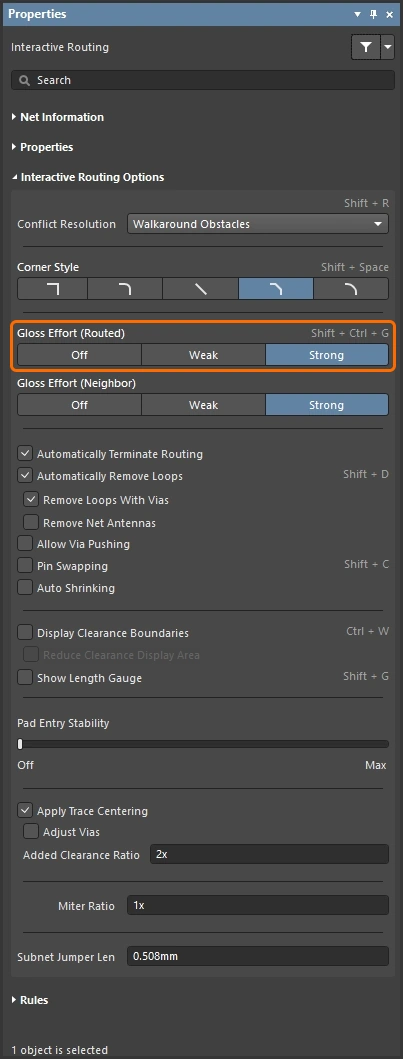
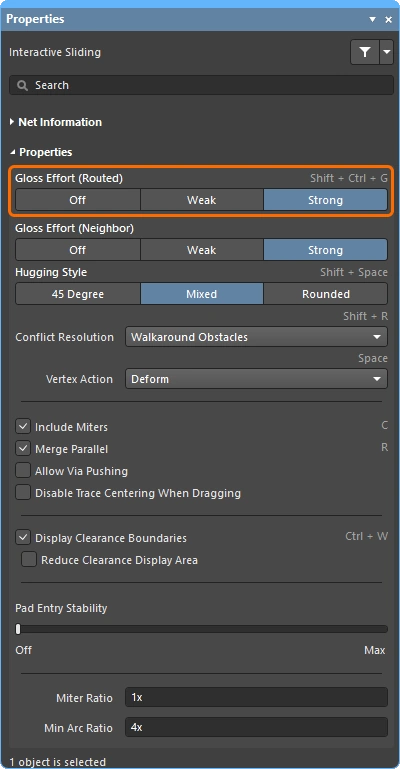
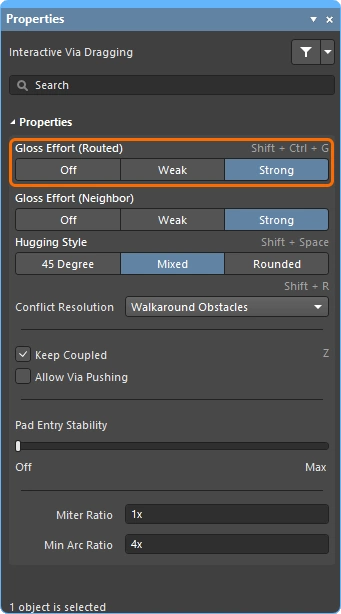
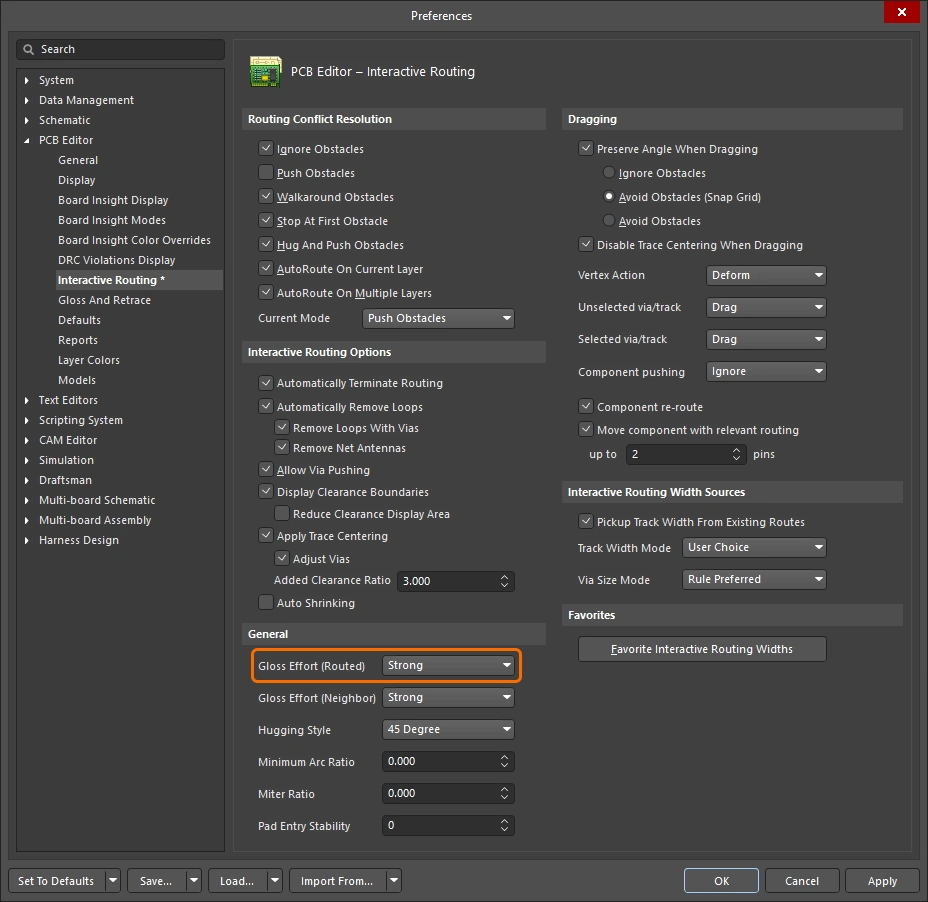
在一次布线事件期间,例如交互式布线或交互式滑动,软件会运行 glossing 引擎。glossing 引擎会持续检查当前布线事件中已放置或受影响的所有线段,并尝试提高结果质量。施加的处理强度称为 Gloss Effort。
glossing 质量的衡量标准包括:减少转角数量、减少线段数量、去除锐角以及缩短总体布线长度。 在交互式布线或交互式滑动期间,使用 Ctrl+Shift+G 快捷键可循环切换设置,或按 Tab 打开 Properties 面板并选择所需设置。
了解更多有关在 交互式布线、交互式滑动 以及对选中布线执行 glossing 或重新描线 时的 gloss 强度信息。
| Off | 在此模式下,glossing 基本被禁用。不过请注意,在布线/拖动之后仍会执行清理,例如消除重叠的走线线段。该模式通常适用于电路板布局的后期阶段,此时需要最高级别的微调(例如手动拖动走线、清理焊盘入口等)。 |
| Weak | 此模式下会施加较低级别的 glossing,交互式布线器仅考虑与当前正在布线的走线(或正在拖动的走线/过孔)直接相连或位于其区域内的那些走线。该 glossing 模式通常适用于微调走线布局或处理关键布线。 |
| Strong | 此模式下会施加较高级别的 glossing,交互式布线器会寻找最短路径、平滑走线等。该 glossing 模式通常适用于布局流程的早期阶段,目标是快速完成尽可能多的板级布线。 |
在交互式滑动期间,glossing 会临时降为 Weak,以避免 glossing 引擎在设计者尝试重新定位布线时与其操作相冲突。
Gloss Effort (Neighbor) 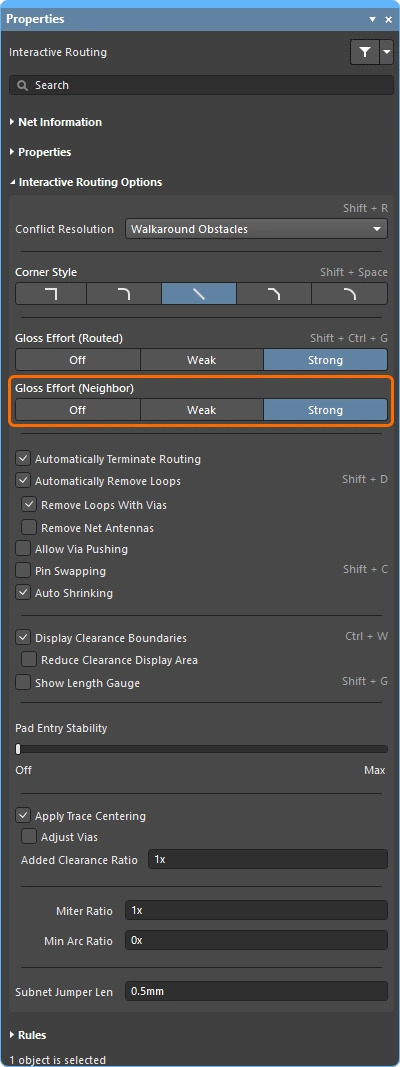
Gloss Effort (Neighbor) 用于配置施加到受当前交互式布线或滑动影响的相邻布线上的 glossing 强度。它同样有三个设置:Off、Weak 和 Strong。
按 Tab 打开 Properties 面板并选择所需设置。
了解更多有关在 交互式布线 和 交互式滑动 期间 gloss 强度的信息。
| Off | 在此模式下,glossing 基本被禁用。不过请注意,在布线/拖动之后仍会执行清理,例如消除重叠的走线线段。该模式通常适用于电路板布局的后期阶段,此时需要最高级别的微调(例如手动拖动走线、清理焊盘入口等)。 |
| Weak | 此模式下会施加较低级别的 glossing,交互式布线器仅考虑与当前正在布线的走线(或正在拖动的走线/过孔)直接相连或位于其区域内的那些走线。该 glossing 模式通常适用于微调走线布局或处理关键布线。 |
| Strong | 此模式下会施加较高级别的 glossing,交互式布线器会寻找最短路径、平滑走线等。该 glossing 模式通常适用于布局流程的早期阶段,目标是快速完成尽可能多的板级布线。 |
Hugging Style 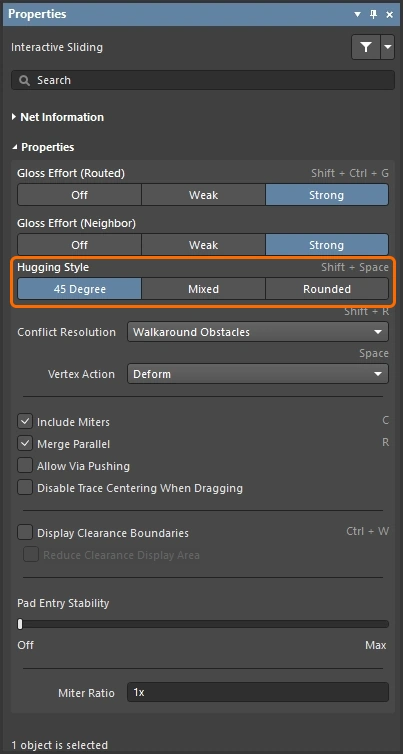
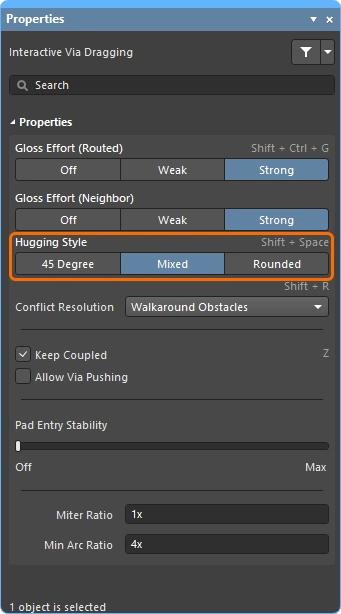
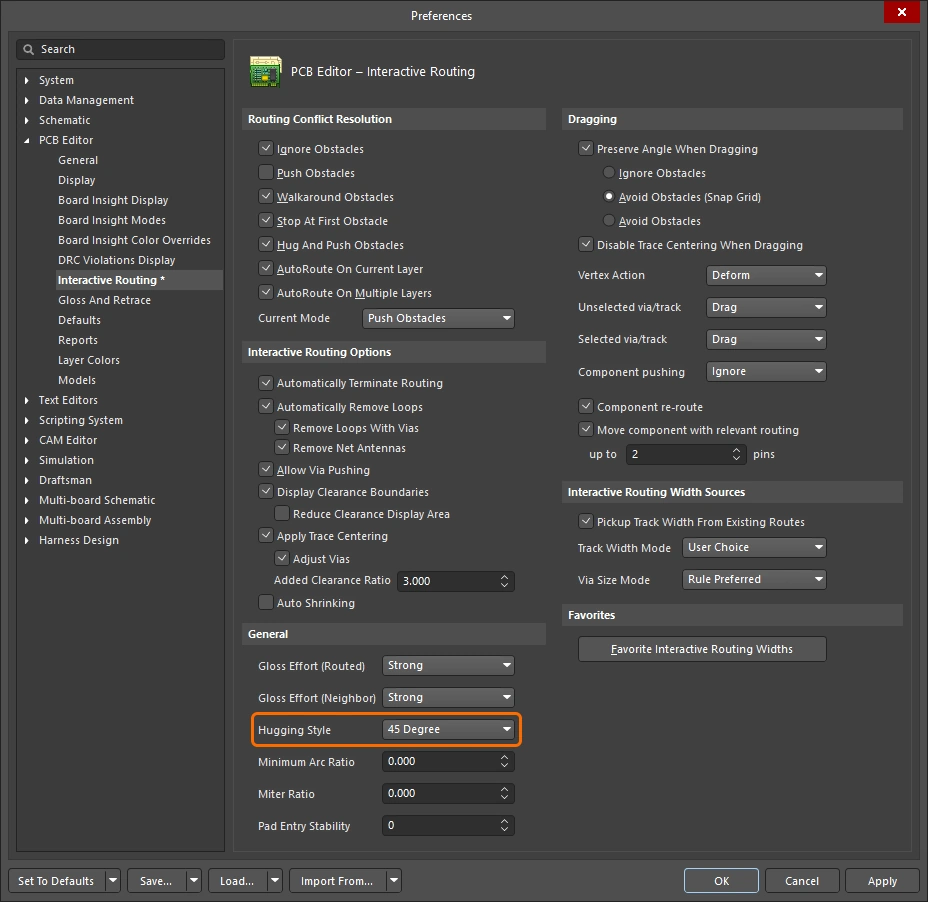
此选项控制在交互式滑动期间如何管理转角形状,并会同时影响被滑动的走线和被推动的走线。在交互式滑动期间,受走线移动影响的现有转角将根据当前 Hugging Style 进行转换(45 Degree 转 Rounded,或 Rounded 转 45 Degree)。当前 Hugging Style 也会应用于 对选中布线执行 glossing 或重新描线 时。
使用 Shift+Spacebar 快捷键可在这三种模式之间循环切换。
了解更多有关在 交互式滑动 以及对选中布线执行 glossing 或重新描线 时 hugging 的信息。
| 45 Degree | 在滑动期间始终使用直的正交/对角线段来创建转角(此模式适用于传统的正交/对角布线行为)。 |
| Mixed | 当被移动/推动的对象是直线时使用直线段,当它们是曲线时使用圆弧。最小圆弧尺寸由 Min Arc Ratio 选项 控制。 |
| Rounded | 在参与移动/推动的每个顶点处使用圆弧。此模式适用于 蛇形布线,以及在 glossing 时使用圆弧 + 任意角度布线(在交互式布线和手动 glossing 期间)。 |
Vertex Action 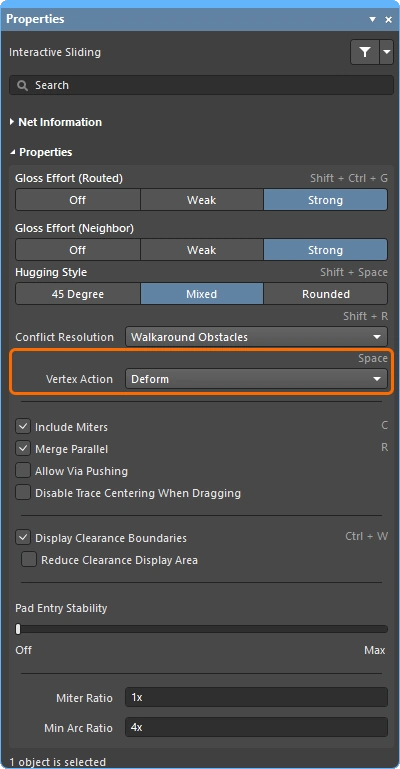
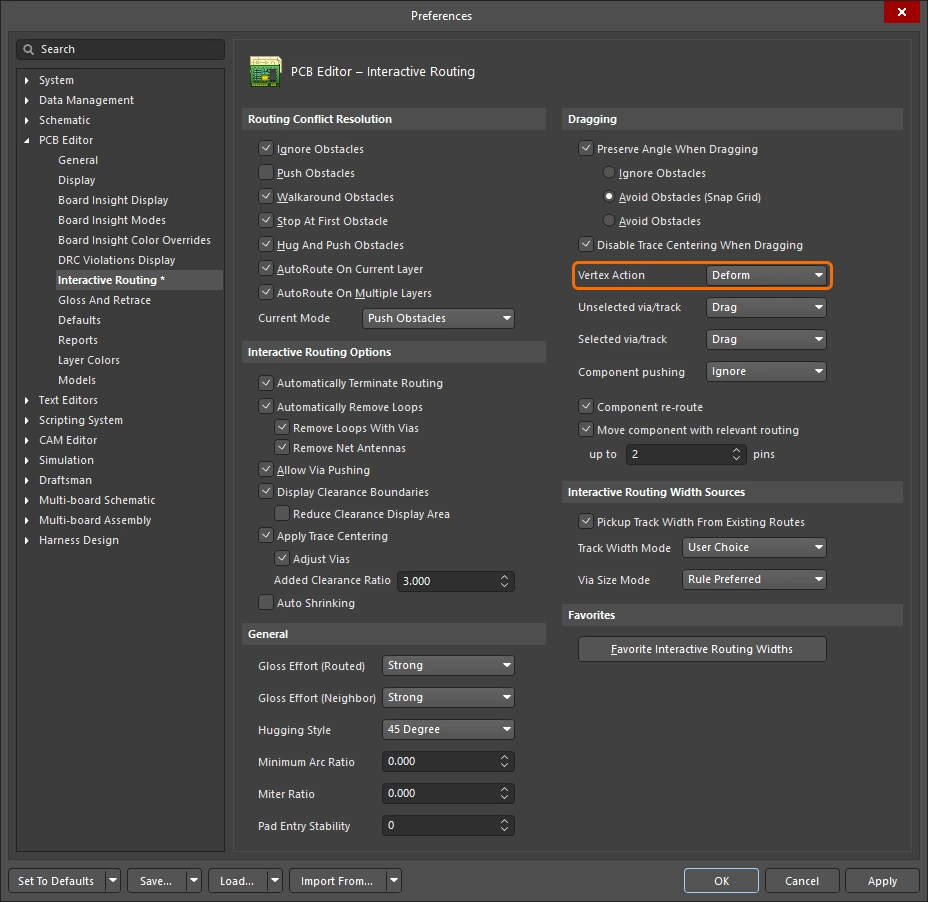
当您单击并拖动一个顶点而不是沿着走线或圆弧线段拖动时应用的选项(顶点是两段线段相接的转角位置)。 在滑动期间使用 Spacebar 快捷键可在可用模式之间循环切换。
其他布线选项
如果某个选项有快捷键,则会在 Properties 面板右侧详细列出。每项说明都包含该选项可配置位置的图示。
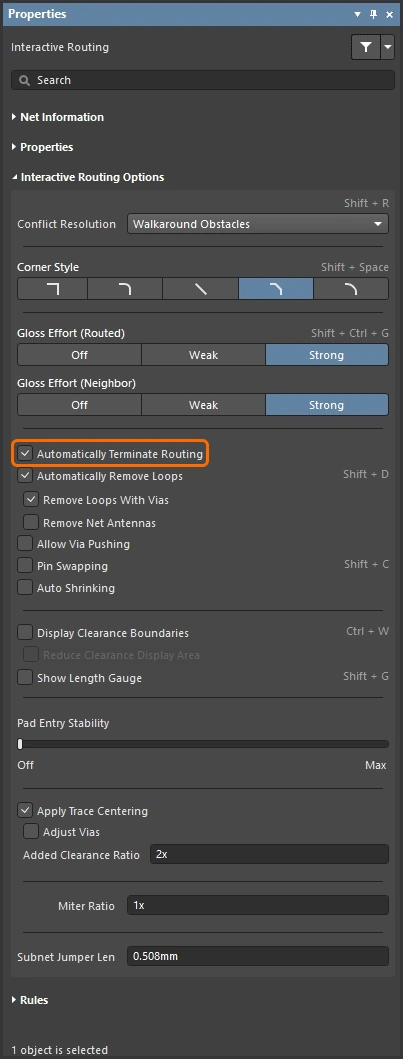
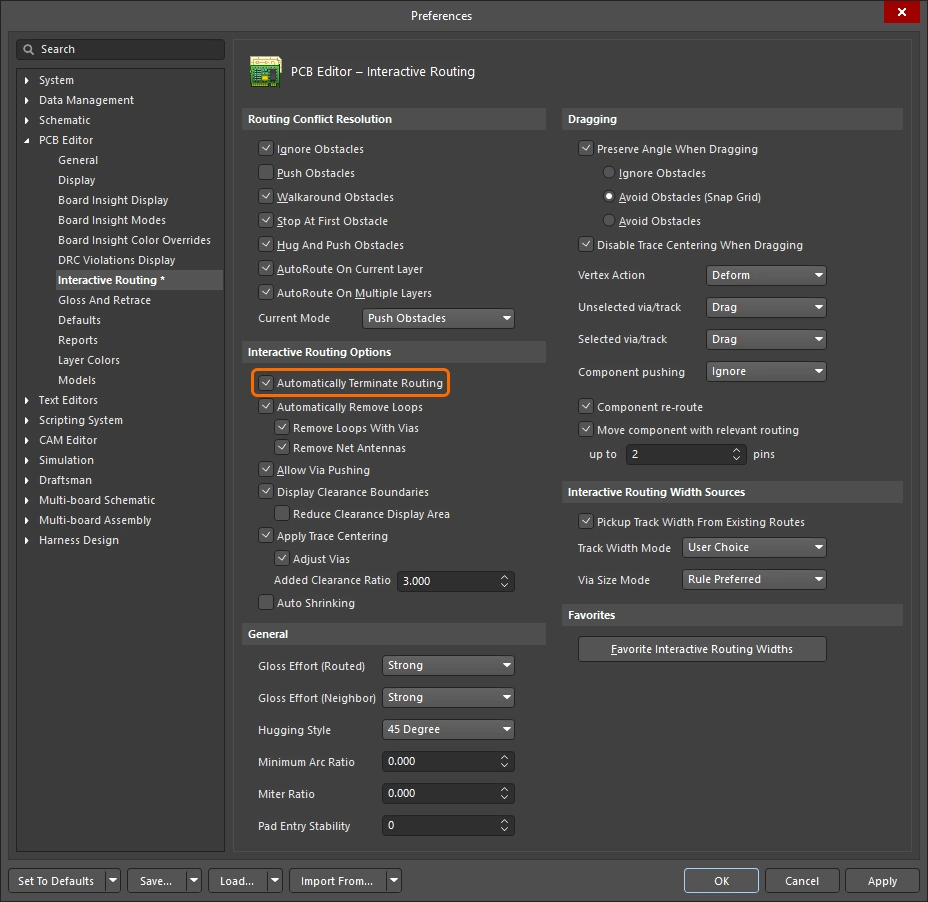
当当前正在布线的连接到达目标焊盘时,自动停止该网络的布线,但保持在交互式布线命令中,以便随时单击并开始布设另一条网络。 |
|
启用此选项后,您可以为现有布线重新布设一条新路径;当新路径回接到现有路径时,多余的回路会被自动删除。 |
|
| ↳ Remove Loops with Vias | 当存在过孔到焊盘的直接连接时,如果在回路移除后判定该过孔不再需要,则会将其删除。 |
| ↳ Remove Net Antennas | 网络天线是指一端未终接的一段布线。如果当前布线影响到该天线所接触的对象,这些天线会被自动移除。 |
Keep Coupled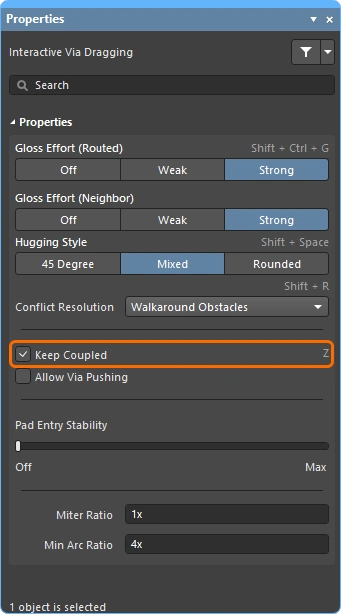 |
勾选此选项可确保属于差分对的对象在拖动该差分对的配对走线或过孔时一起被拖动。 |
Include Miters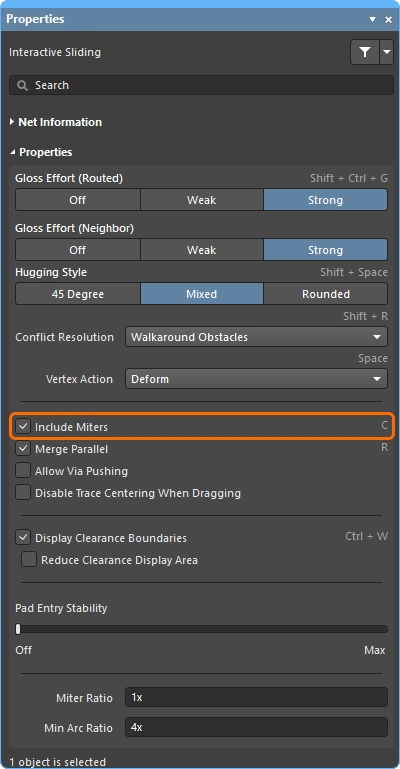 |
勾选此选项可在拖动走线线段时包含斜接。 |
Merge Parallel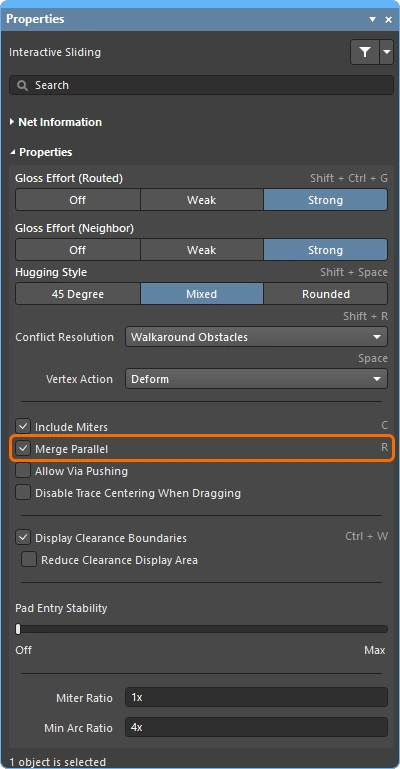 |
勾选此选项可允许正在拖动的走线线段在与现有静止线段对齐后与其合并。 |
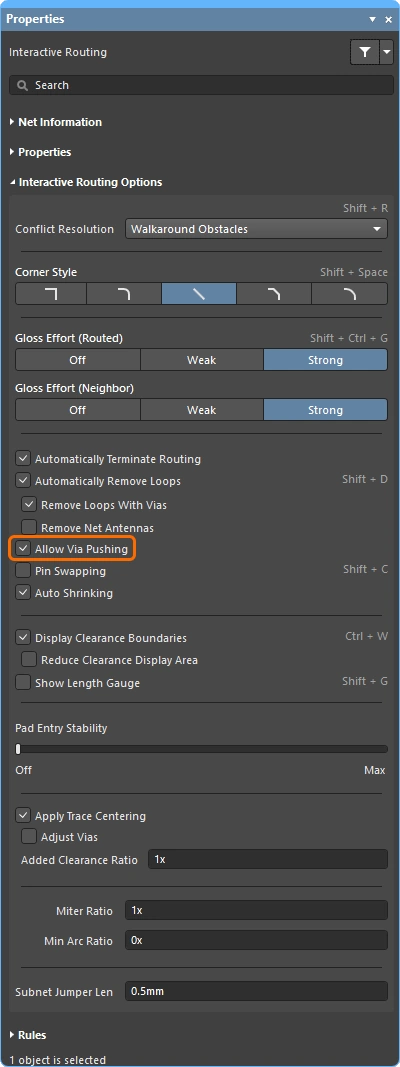
| 勾选此选项可在 Push Obstacles 或 HugNPush Obstacles 模式下允许推动过孔。 | |
Pin Swapping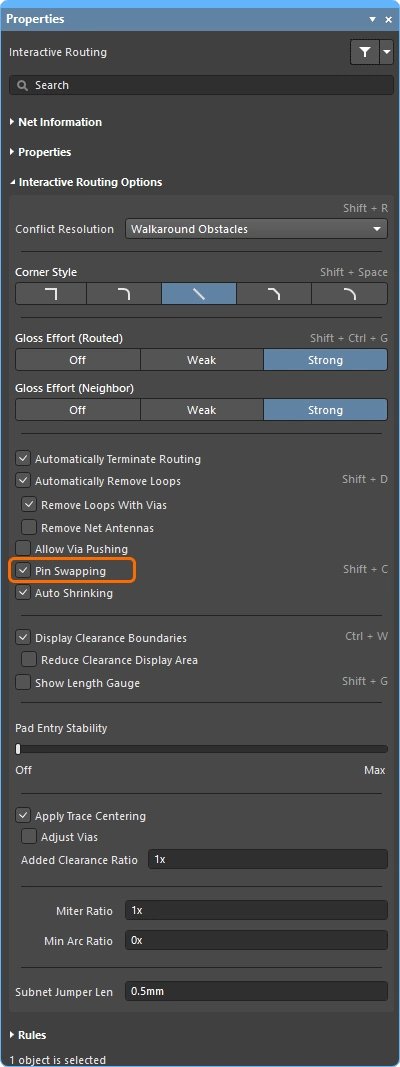 |
勾选此选项可为该网络启用引脚交换。 进一步了解 引脚交换设置。 |
勾选此选项后,当以当前所选布线宽度无法在障碍物之间通过时,系统会自动将布线宽度缩小到可以完成布线的值。请注意,宽度最多只能缩小到适用的 Routing Width 设计约束所允许的最小值。 |
|
显示现有对象周围的禁布区域( |
|
| ↳ Reduce Clearance Display Area | 将间隙边界的显示缩减为当前光标位置周围的圆形区域(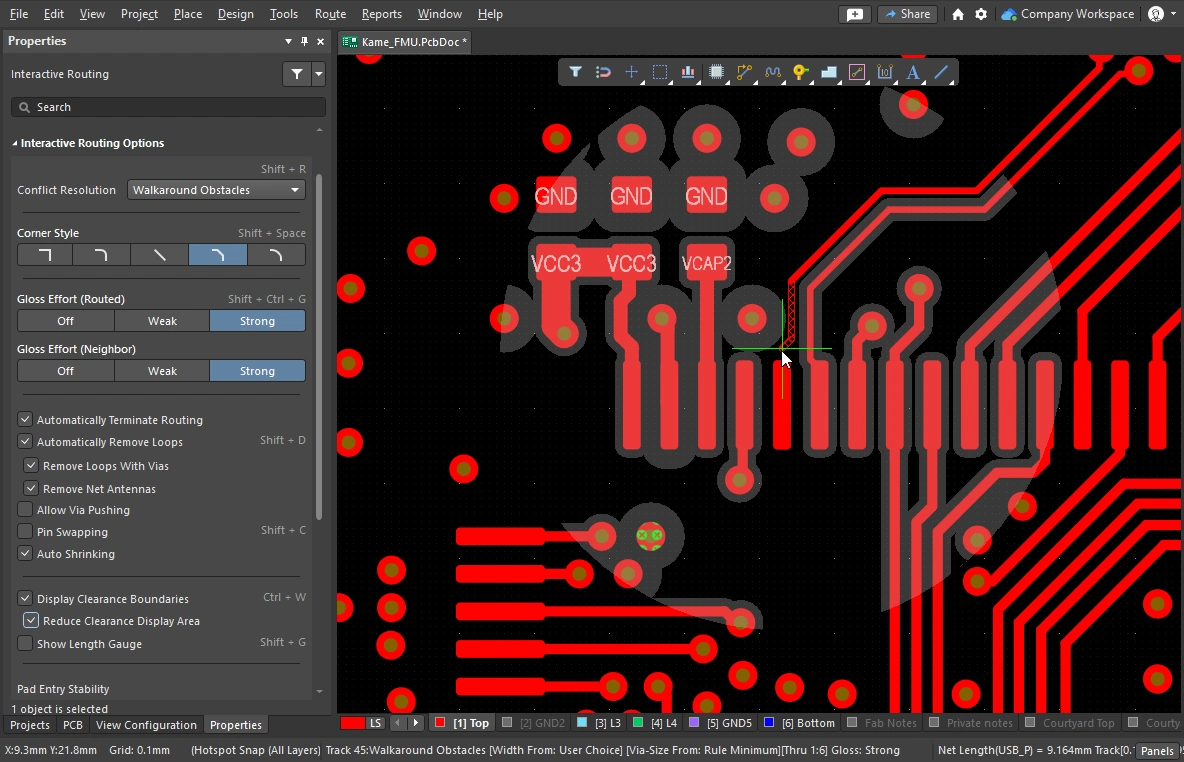 )。 )。 |
长度标尺用于指示当前布线对适用的 Length 和 Matched Length 设计规则的满足程度。 进一步了解Length Tuning。 |
|
该滑块可保护居中的焊盘入口,防止 Glossing 使已居中的走线偏离中心(它会将已居中的走线保持在中心位置,但不会让未居中的走线自动居中)。使用滑块来配置保护级别。 |
|
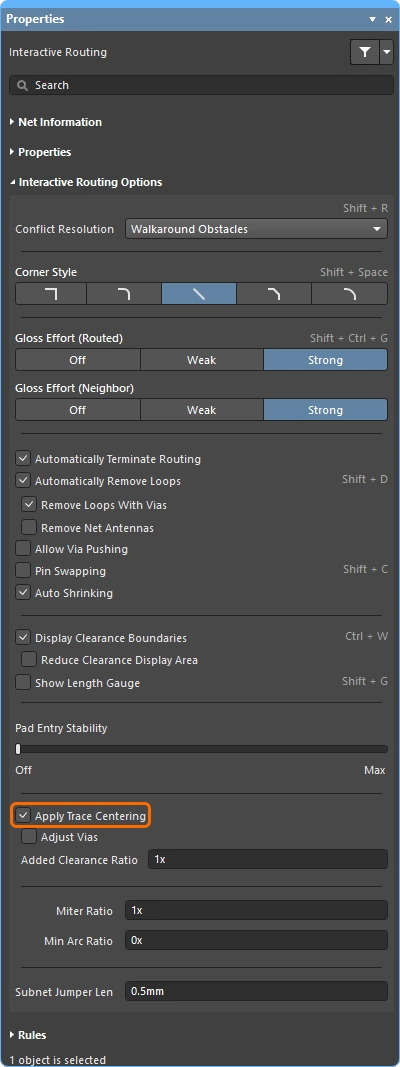
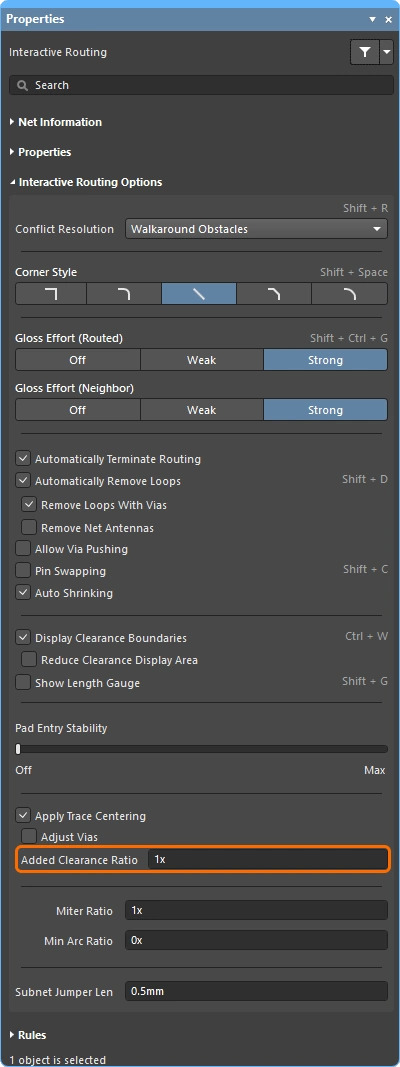
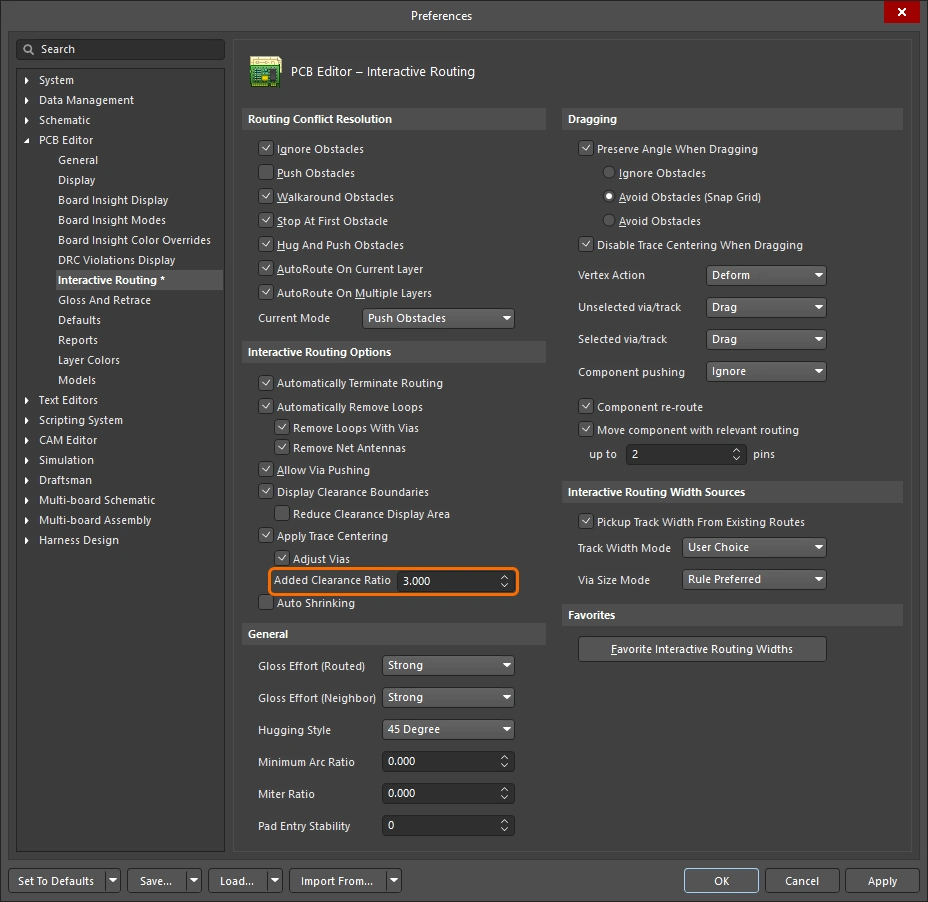
启用后,交互式布线引擎会检测布线何时穿过焊盘之间,并尝试将布线居中,最大距离不超过适用间隙约束乘以下方指定的 Added Clearance Ratio 。如果启用了 Adjust Vias sub-option,则走线居中还可应用于过孔与过孔之间以及过孔与焊盘之间。 如有需要,该功能可在走线滑动期间禁用。 |
|
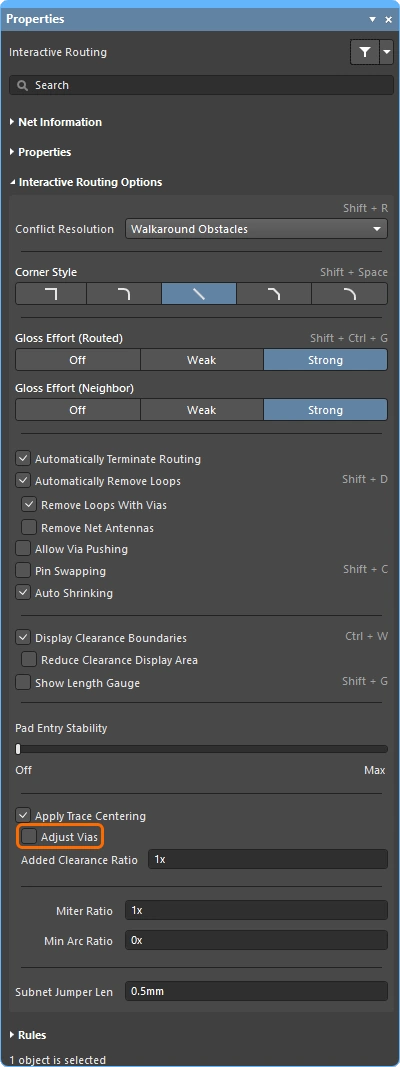
此选项有两个用途:
要排除过孔,请禁用 Adjust Vias 选项。 |
|
适用间隙值的乘数,计算后会加到间隙上。例如,如果适用间隙为 |
|
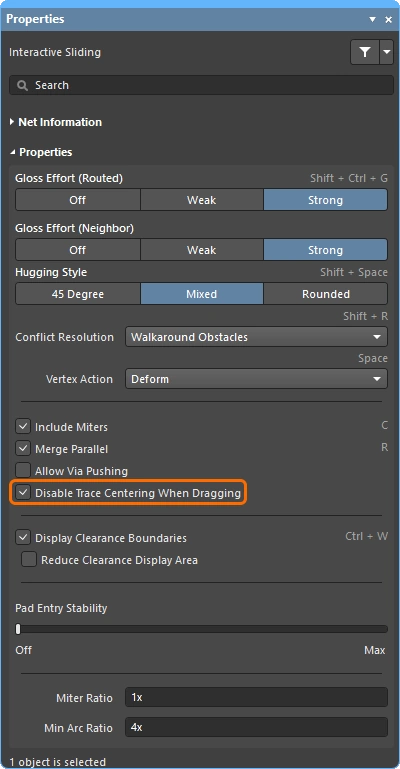
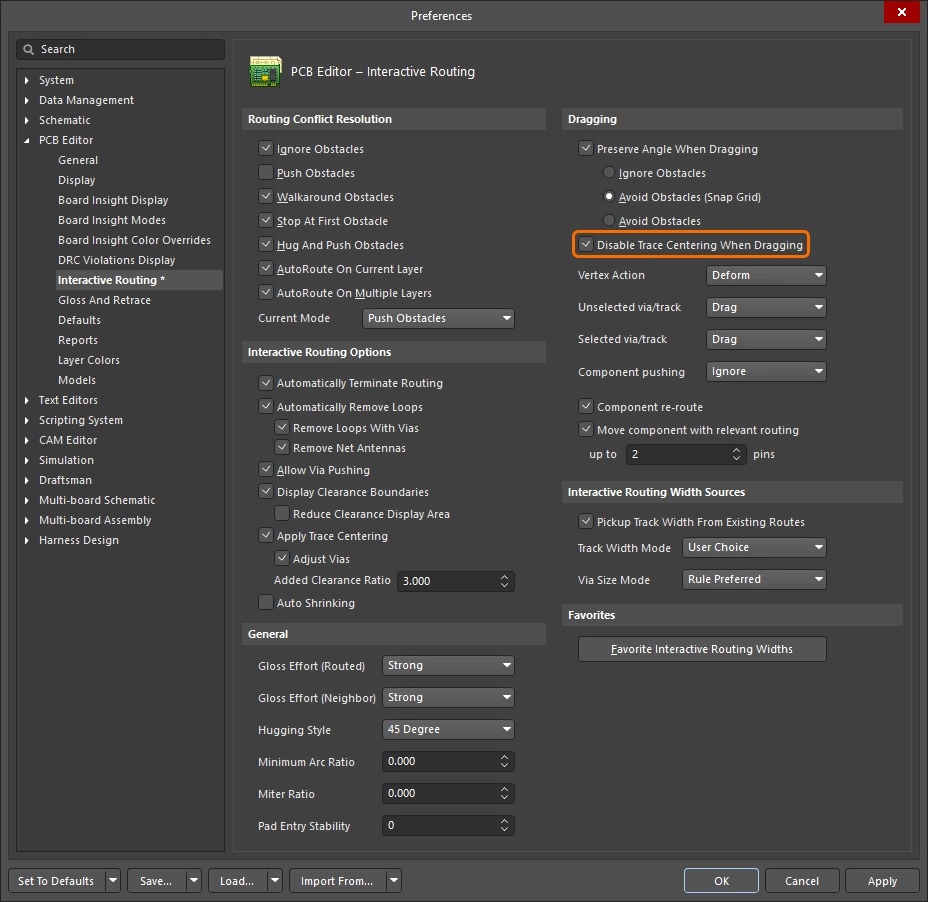
启用此选项可在交互式滑动布线时关闭走线居中。启用后,即使已启用主 Apply Trace Centering option,在交互式滑动布线期间也不会应用走线居中。 |
|
Miter Ratio 控制最小拐角紧凑程度。Miter Ratio 乘以当前走线宽度,等于在该比率下可布出的最紧 U 形结构两壁之间的间距( |
|
Min Arc Ratio 会在任意角度交互式布线期间应用,也会在使用 Mixed Hugging Style 的交互式滑动期间应用。该比率用于确定允许的最小圆弧半径;当圆弧半径小于该最小值时,圆弧将被替换为走线段,其中:
|
|
为了在设计过程的任意阶段(包括 PCB 已完成布线之后)支持引脚交换,PCB 编辑器可以在支持交换的网络中添加和移除小型布线连接器,称为 subnet jumper。subnet jumper 是一小段走线,软件将其识别为可轻松放置和移除的元素;既可以通过 Add 菜单中的 Remove Subnet Jumper 和 Route 命令手动操作,也可以在交互式布线到可交换引脚时由布线引擎自动添加。 该值定义了在交互式布线期间添加到可交换网络中的 subnet jumper 长度。 |
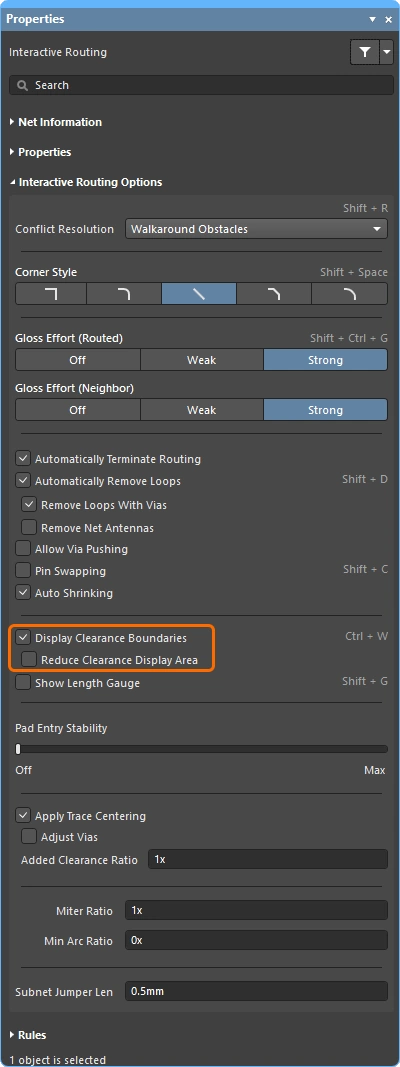
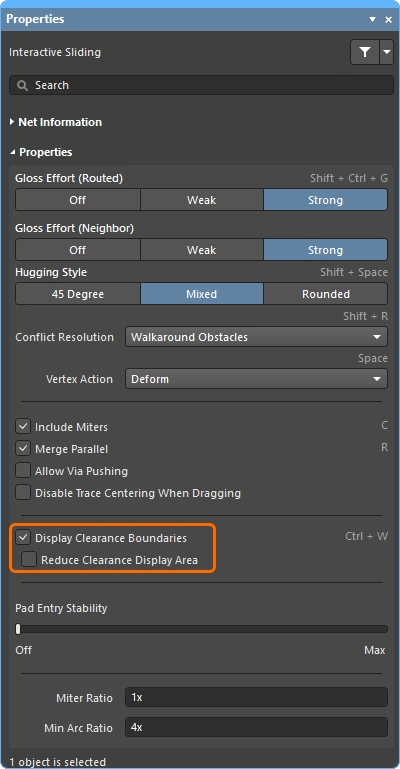
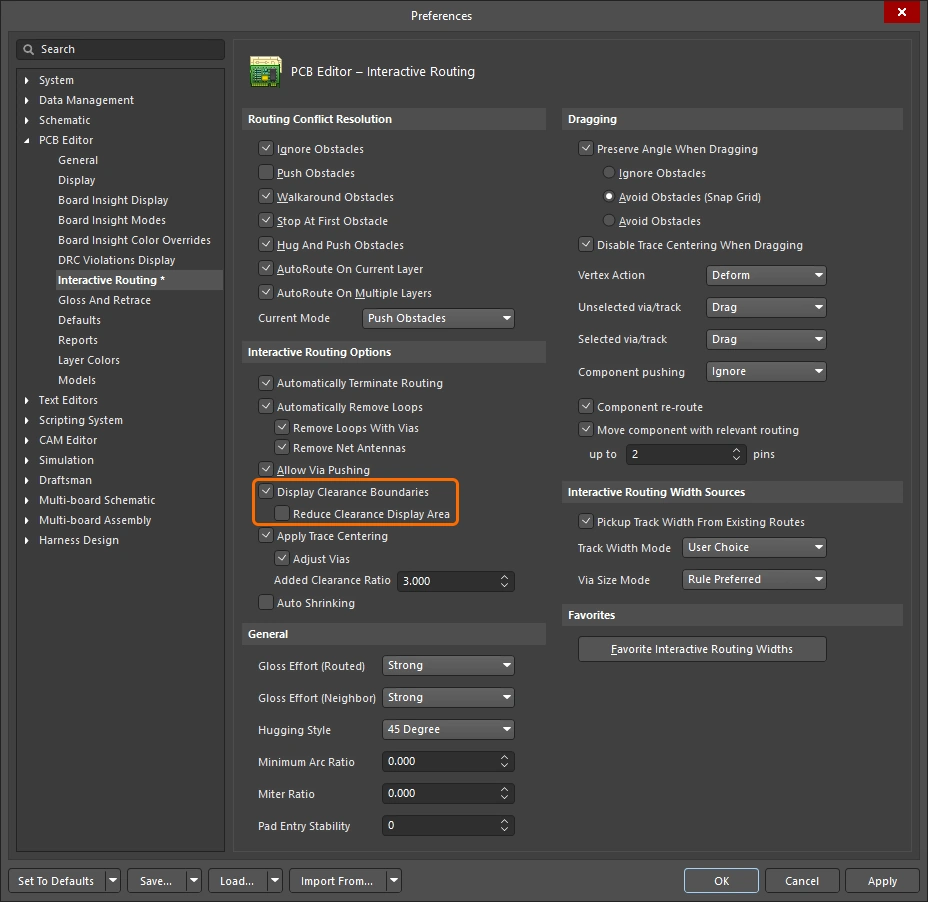
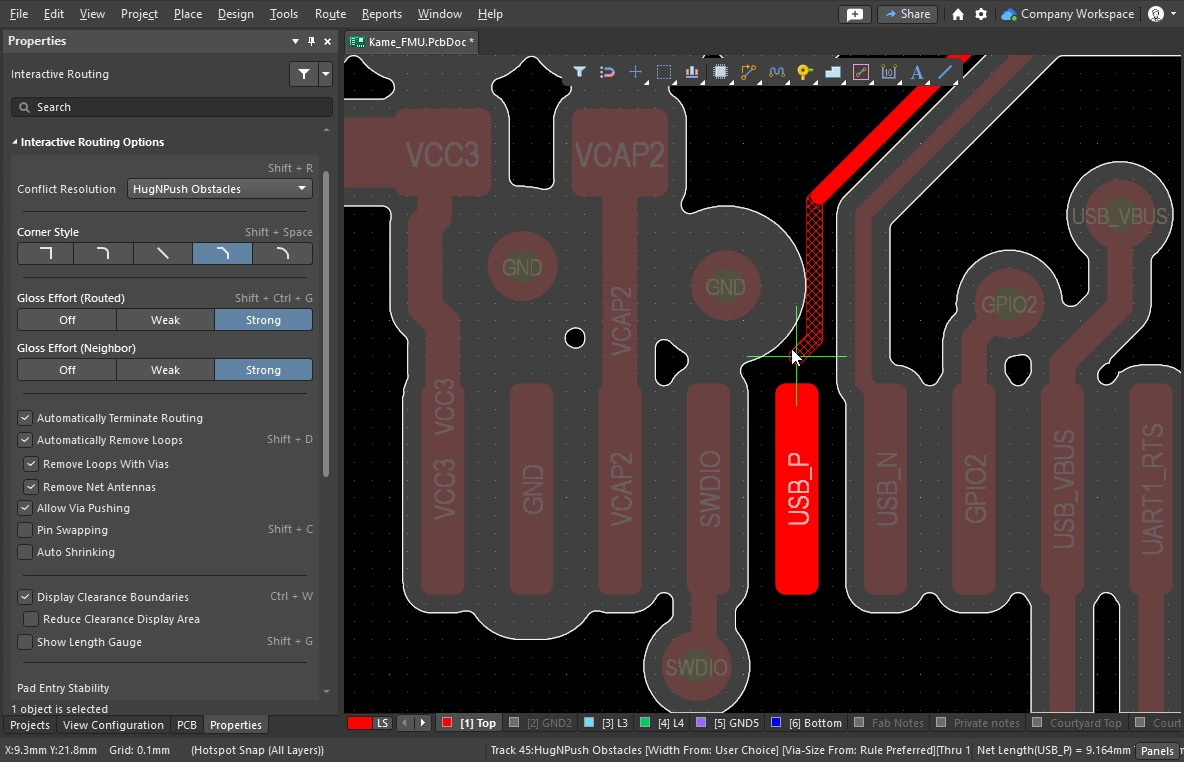 ),该区域由适用于这些对象的间隙设计规则定义。
适用的设计约束(规则) 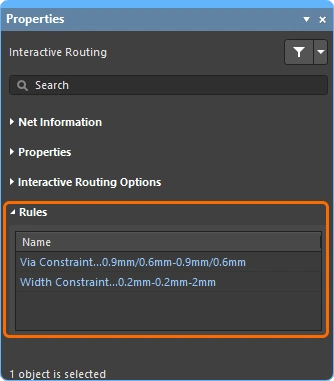
在交互式布线期间,适用于当前执行布线的 Routing Width 和 Routing Via Style 设计约束会显示在 Properties 面板中。这些都是实时链接,如有需要,单击即可打开相应设计约束进行查看或编辑。
Via Constraint |
适用于当前正在布线网络的 Routing Via Style 设计约束。 |
Width Constraint |
适用于当前正在布线网络的 Routing Width 设计约束。 |
网络 / 差分对信息 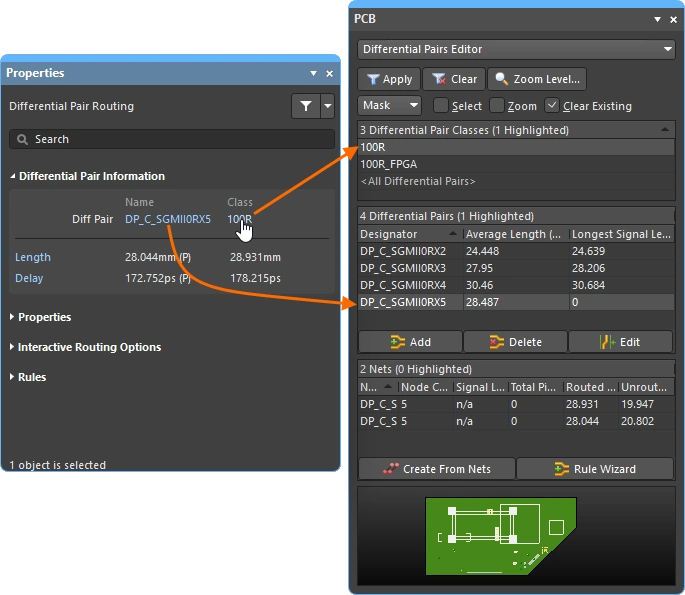
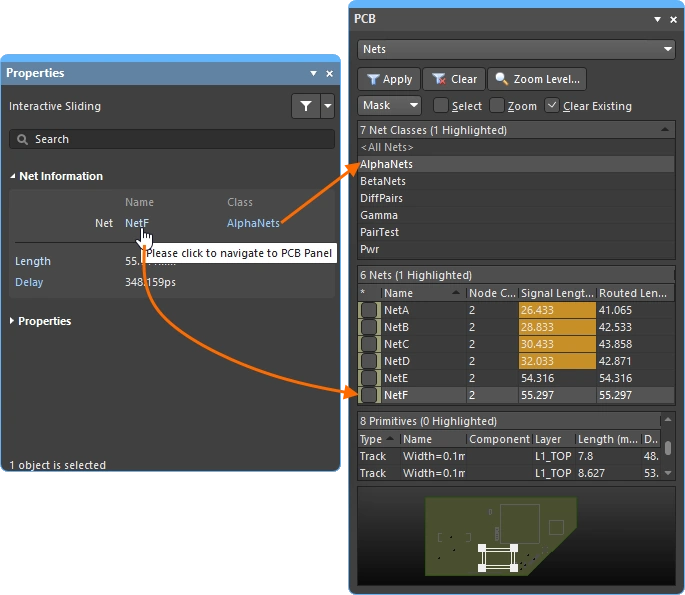
在交互式布线和交互式滑动期间,正在编辑的网络会详细显示在 Properties 面板顶部。
Name & Class |
会显示正在编辑的网络或差分对的名称,以及其所属的类(如有)。名称和类均为实时链接,单击可打开 PCB 面板以显示相关网络或差分对的详细信息。 |
Length & Delay |
会显示信号长度和计算出的延迟;所显示的数值在首次进行布线/滑动单击时有效。 长度和延迟均为实时链接,单击可打开 PCB 面板以显示相关网络或差分对的详细信息,并会随着布线或滑动操作实时更新。 |
拖拽选项
定义当您在对象上单击并拖拽时所采用的行为。
| Preserve Angle When Dragging | 启用后,软件将根据 Properties 面板中的当前 Interactive Sliding 设置(
|
| Disable Trace Centering When Dragging | |
| Vertex Actions | 本页前文有详细说明 |
| Unselected via/track | 定义拖拽 unselected 过孔或走线时的默认行为,是执行 Move 还是 Drag 操作。 若要访问未选中的模式,请在单击并按住过孔或走线时按住 |
| Selected via/track | 定义拖拽 selected 过孔或走线时的默认行为,是执行 Move 还是 Drag 操作。若要访问未选中的模式,请在单击并按住过孔或走线时按住 Ctrl 快捷键。 |
| Component pushing | 此字段定义了在设计空间内移动元件时当前使用的元件冲突解决模式。对于此功能,元件通过其 选择边界框 进行识别。支持以下模式:
|
| Component re-route | 启用后,在将元件移动到新位置并释放后,软件将尝试重新布线该元件,以重新连接所有断开的网络。在移动过程中,可使用 Shift+R 快捷键切换重新布线行为的开/关。请注意,如果被移动的元件属于某个联合体,则不会对该元件应用重新布线。 |
| Move component with relevant routing | 启用此选项可在开始移动元件操作时,连同相关布线(元件 + 过孔扇出 + 逃线 + 互连)一起启动。使用 Shift+Tab 快捷键可循环切换选择集。 禁用此选项则会以仅选择元件的方式开始移动元件操作。由于相关布线对象集合是在移动开始前检测的,因此在禁用该选项时,无法使用 Shift+Tab 来循环切换选择集。
|
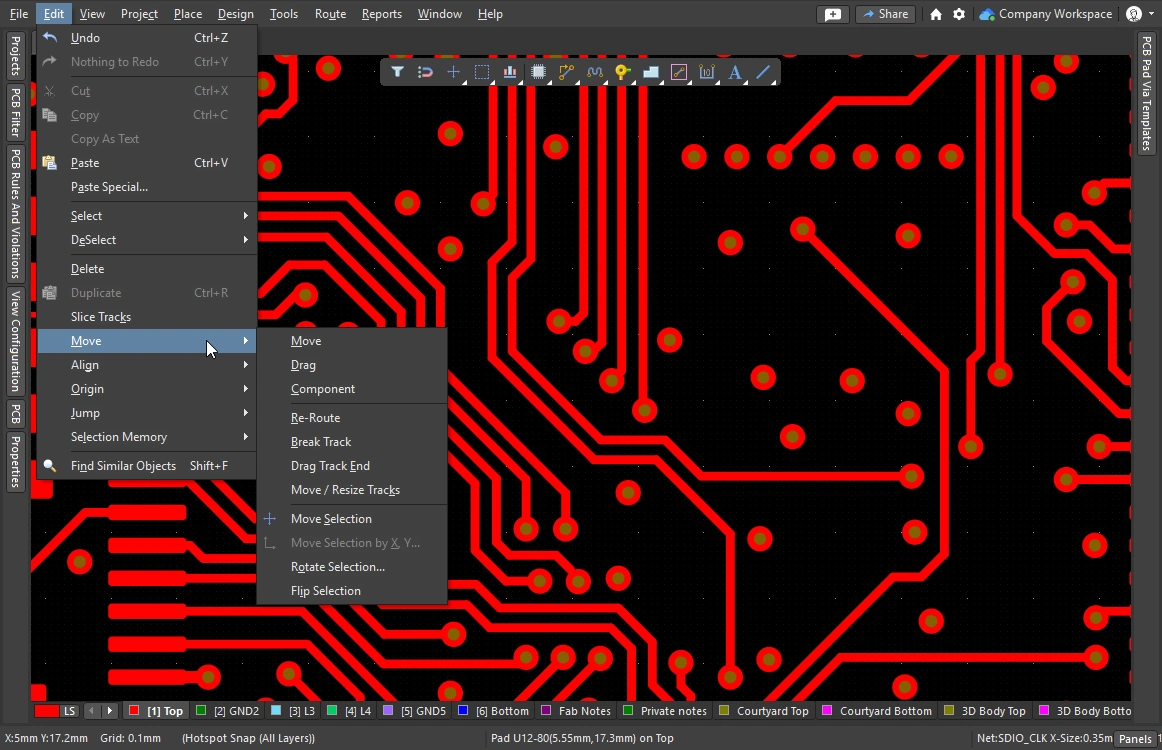 )运行 Re-route 和 Break Track 命令时,也会应用所选的子选项:
交互式布线宽度来源选项 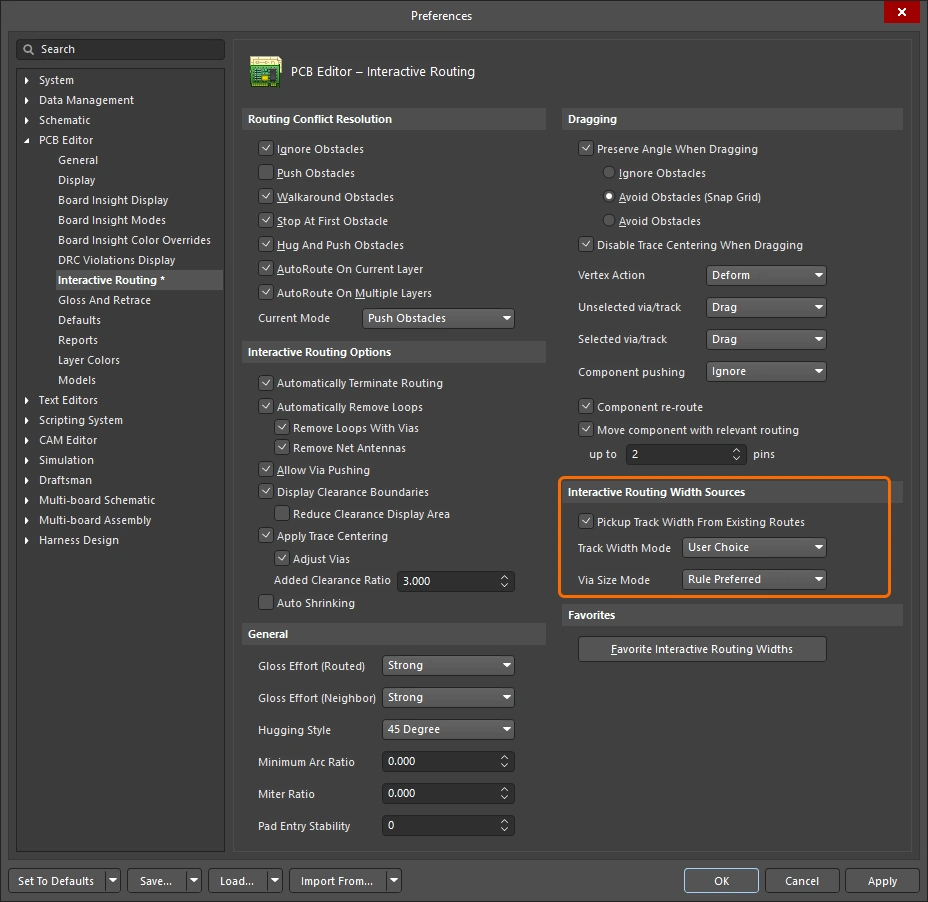
存储在交互式布线期间最后使用的布线宽度和过孔尺寸。在交互式布线过程中,可按 3 快捷键循环切换这些模式。
常用宽度选项 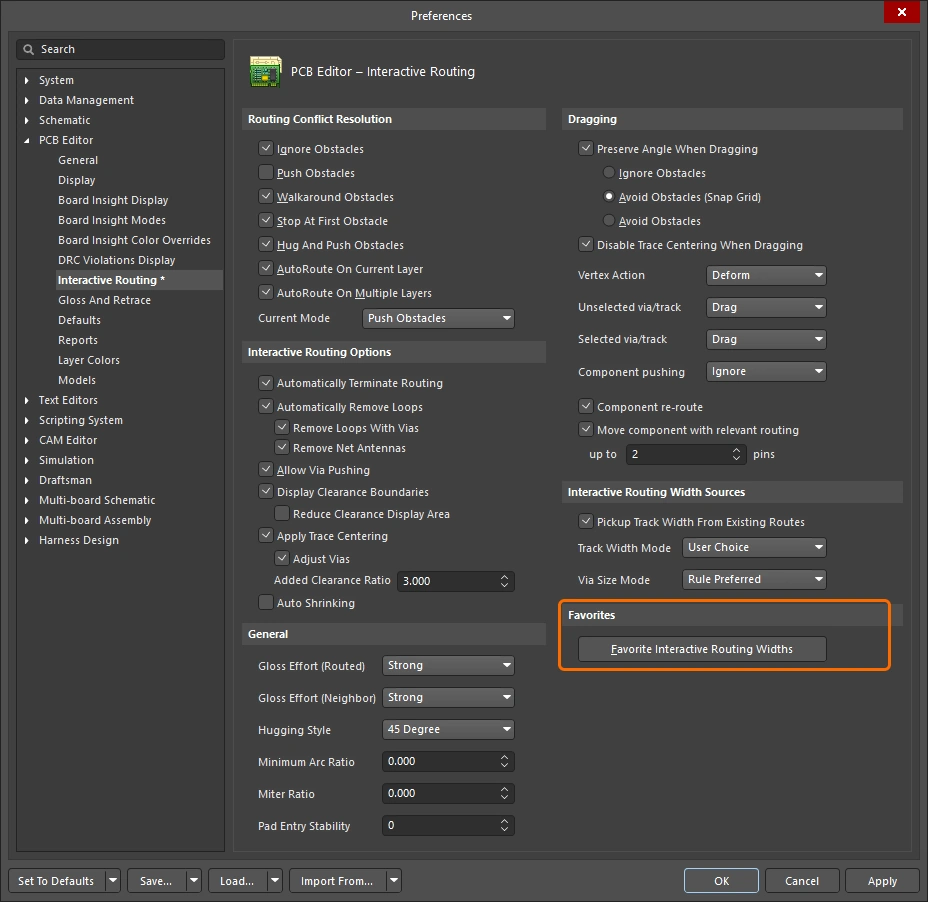
存储用户定义的布线宽度列表,该列表会在交互式布线期间按下 Shift+W 快捷键时显示(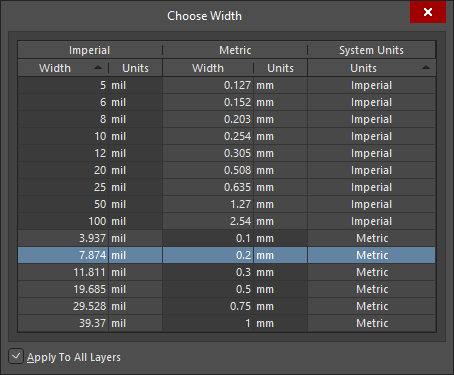 )。
)。
| Favorite Interactive Routing Widths | 单击该按钮以打开 Favorite Interactive Routing Widths 对话框,在其中可配置 Shift+W 快捷键在交互式布线期间显示的预定义宽度列表。 |
 AI 翻译
AI 翻译